
Stop Cutting Off the Feet!
 @germancowboy
How to Get Better Full-Body AI Images
Quick How-To Guide — Camera Distance, Framing, Footwear, and the Little Details That Make a Big Difference
Where Did Her Feet Go?
You spend time creating the perfect AI image prompt.
You've described a stunning woman, her beautiful outfit, elegant hairstyle, gorgeous high heels, and the perfect background. Everything sounds wonderful.
Then the image appears.
Her face is beautiful. Her dress is spectacular. The lighting is fantastic.
But her feet are missing!
The image generator has decided that her legs should disappear somewhere below the bottom edge of the picture.
Or perhaps one shoe is visible while the other has mysteriously vanished.
Sometimes the feet are there, but they don't seem to belong to the person they're attached to.
Sound familiar?
Welcome to one of the most common frustrations in AI image generation.
Fortunately, there are several techniques that can improve your chances of getting the complete image you actually wanted.
Let's explore six practical approaches, each with a ready-to-use prompt.
1. Tell the Camera to Include the Entire Person
Our first mistake is often surprisingly simple.
We describe the woman from head to toe, but never actually tell the AI how the photograph should be framed.
The generator may decide that a portrait ending at the knees looks more attractive than a full-body photograph.
Unfortunately, that's not particularly helpful when you've spent several sentences describing her shoes!
Instead of relying exclusively on the words full body, describe the photograph's boundaries.
Useful expressions:
Full-body portrait = The entire person is visible
Head-to-toe framing = The photograph includes the head, legs, and feet
Both shoes visible = Neither shoe should be hidden or cropped
Complete figure inside the frame = The person fits entirely within the photograph
Visible floor beneath her feet = The framing extends below the shoes
Example Prompt 1 — The Classic Standing Portrait
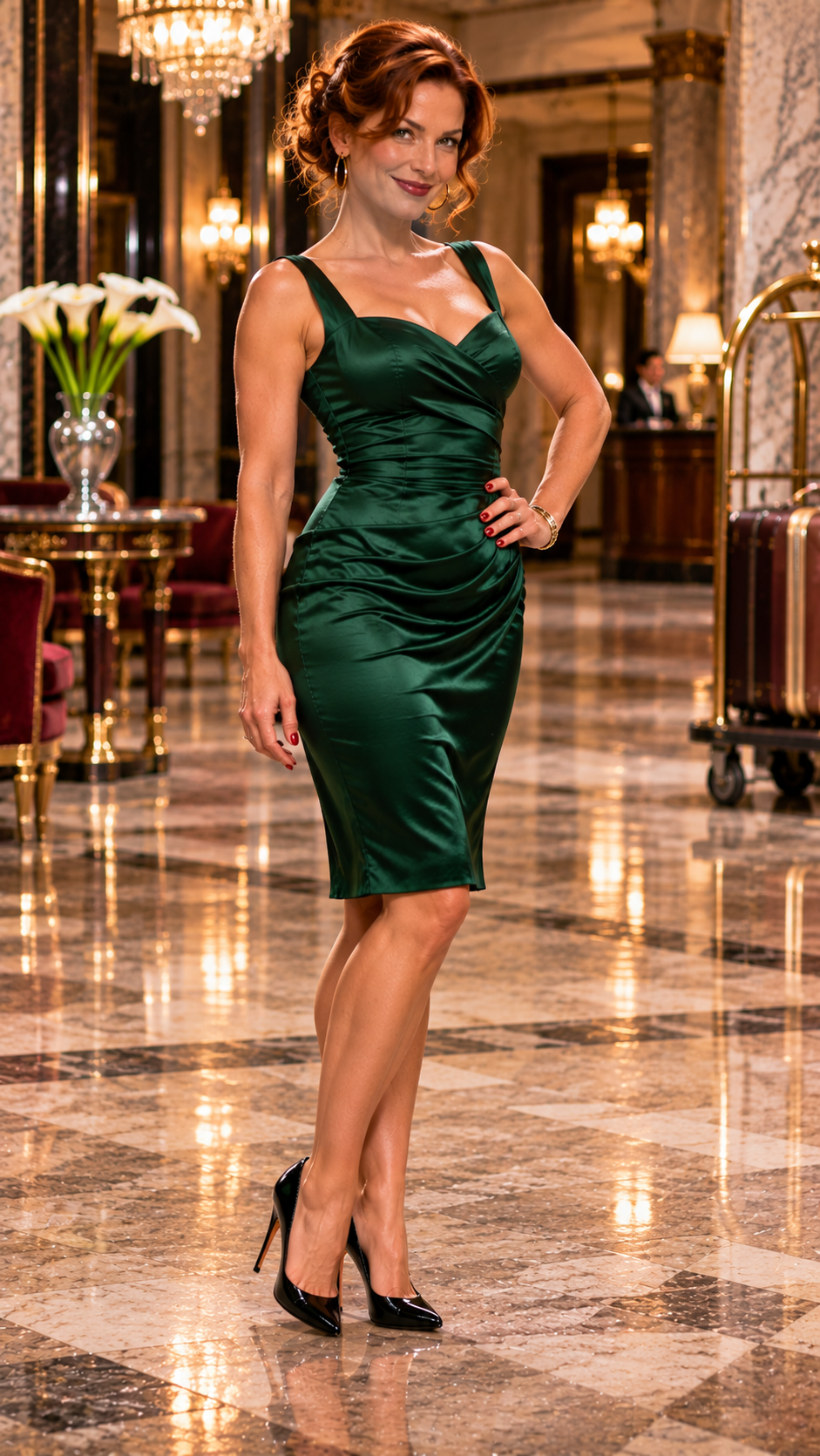
A stunning 38-year-old auburn-haired woman wearing a beautifully tailored emerald-green cocktail dress and glossy black high-heeled pumps stands confidently in the entrance hall of a luxurious 1950s hotel. Her weight rests naturally on one leg, the other knee slightly bent, one hand on her hip, and her shoulders turned slightly toward the camera. She offers a playful, confident smile. The camera captures her entire figure from the top of her hairstyle to the tips of both shoes, with a clearly visible section of polished marble floor beneath her feet. Vertical full-length fashion photography, warm golden lighting, realistic natural anatomy, cinematic photorealism, 9:16 composition.
Why it helps: We're not simply requesting a full-body photograph. We're describing exactly what must appear inside the frame.
2. Move the Camera Farther Away
Sometimes the AI seems determined to move the camera closer to the subject, even when you've requested a full-length portrait.
The solution is to describe the camera's distance.
Imagine you're directing a real photographer.
Instead of saying, "Photograph this beautiful woman," you might say:
"Take a few steps backward. I want to see her entire outfit and the floor around her."
That is precisely the kind of information we want to communicate.
Useful expressions:
Camera positioned several meters away = A more distant viewpoint
Wide full-body composition = The person and some surrounding environment are visible
Fashion editorial long shot = A photograph showing the complete figure
Comfortable space around the subject = The person doesn't fill every inch of the picture
Example Prompt 2 — The Woman on the Grand Staircase
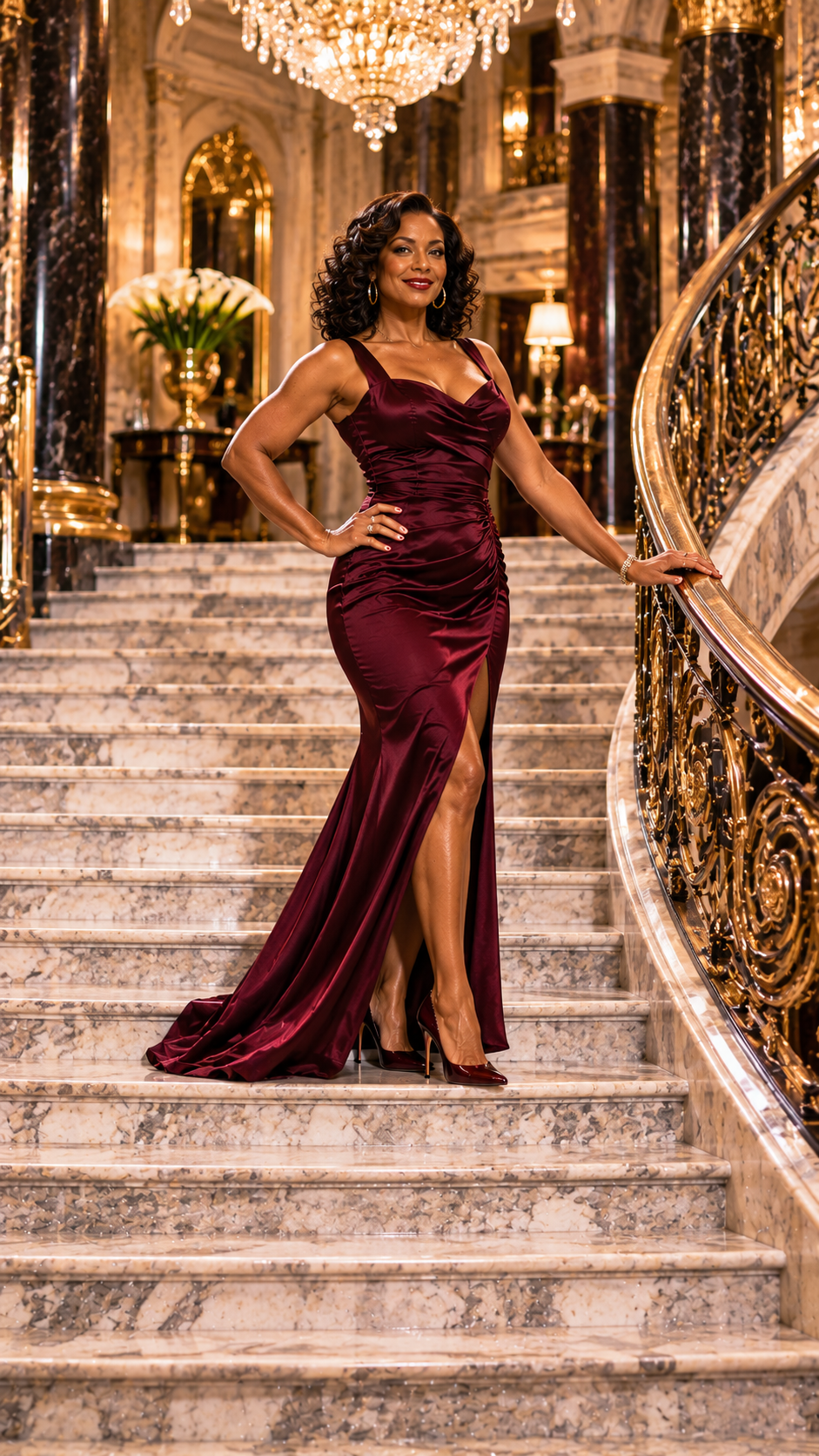
A stunning 45-year-old Black woman with elegant shoulder-length curls, wearing a beautifully fitted burgundy evening gown and matching high-heeled shoes, stands gracefully on a broad marble staircase inside a magnificent historic mansion. One hand rests lightly on the ornate banister, her shoulders are turned toward the camera, and she smiles confidently. The photographer stands several meters away at the bottom of the staircase, capturing her entire figure, including both shoes resting naturally on separate visible steps. The composition includes the grand staircase above and below her, with generous space around her silhouette. Luxurious architecture, beautiful warm chandelier lighting, sophisticated fashion magazine photography, cinematic photorealism, 9:16 vertical composition.
Why it helps: A wider camera position gives the model more room to include the complete figure and surrounding architecture.
3. Give the Feet Somewhere to Stand
Here's an interesting little trick.
Instead of concentrating only on the feet, describe the surface beneath them.
AI image generators often respond well when objects have a clearly defined relationship with their surroundings.
A woman standing on a polished wooden floor, for example, has a more specific physical relationship with the scene than a woman simply described as standing.
The same technique works for sidewalks, staircases, carpets, sandy beaches, and wet pavement.
Useful expressions:
Both shoes resting on the floor = Clear physical contact
Visible reflections beneath her heels = The shoes interact with a reflective surface
Standing firmly on the pavement = A stable posture
Naturally positioned feet = Plausible placement and weight distribution
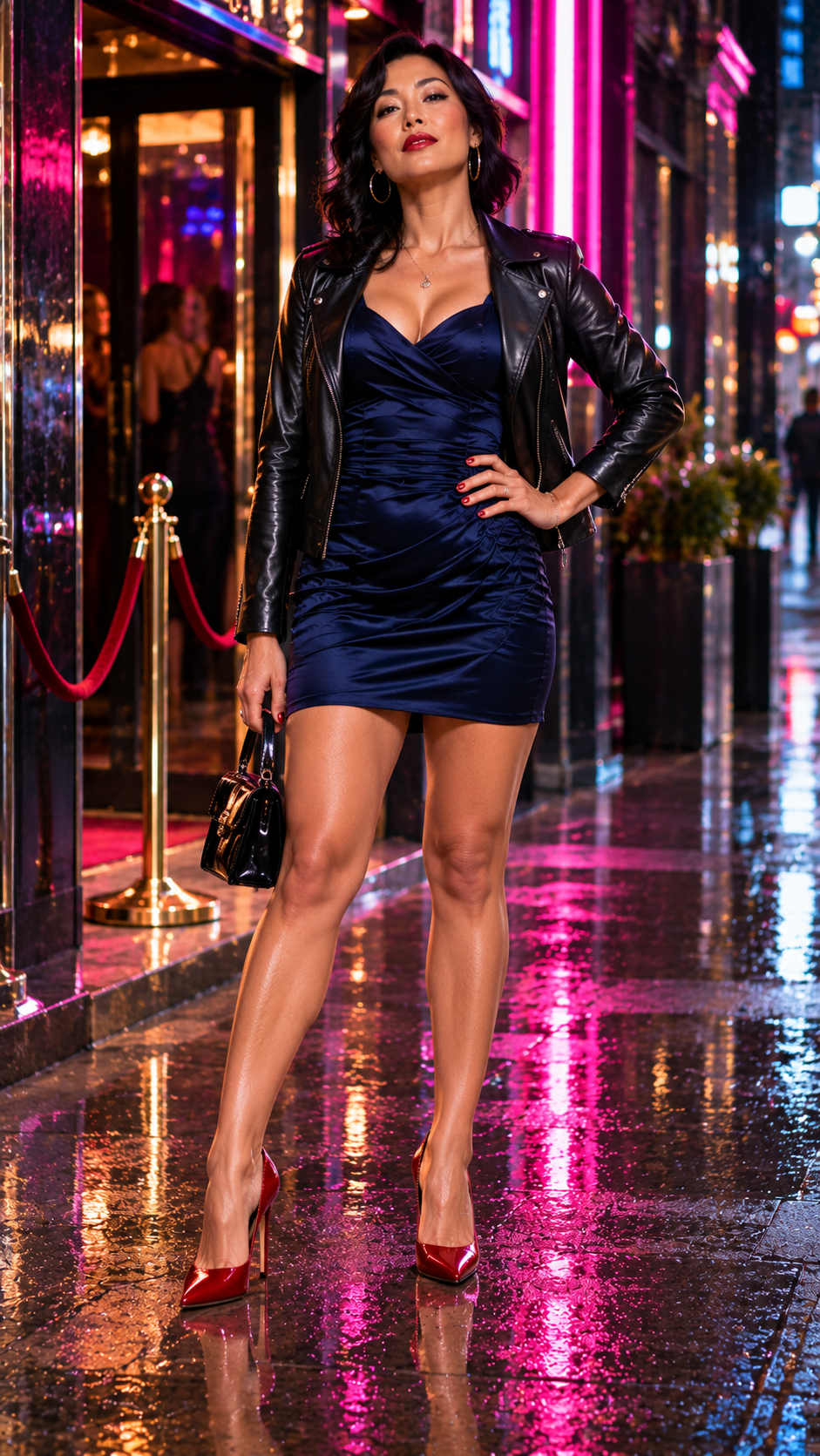
Example Prompt 3 — Neon Reflections
A striking 40-year-old East Asian woman with sleek shoulder-length black hair wears a sophisticated fitted midnight-blue minidress, a tailored black leather jacket, and elegant red high-heeled pumps. She stands confidently beneath the illuminated entrance of an upscale city nightclub at night, holding a small black handbag. Her weight rests on her left leg, while her right foot is positioned slightly forward. Both red high heels stand naturally on the rain-soaked pavement, with their reflections clearly visible beneath them. The camera shows her entire body from head to toe, including the pavement around her shoes. Dramatic pink and blue neon reflections, atmospheric city nightlife, high-end fashion magazine photography, cinematic photorealism, 9:16 vertical composition.
Why it helps: The reflective pavement encourages the model to include the shoes because they are part of the image's lighting and composition.
4. Watch Out for Sitting and Crossed Legs
Standing poses are one thing.
Sitting poses introduce a completely different challenge.
Suddenly, the AI must understand how the woman's thighs, knees, lower legs, ankles, and feet relate to the chair and each other.
And that's where things can become interesting!
A crossed-leg pose can produce impossible joints, missing shoes, strangely twisted ankles, or legs that seem to merge into the furniture.
The secret is to describe the arrangement as clearly as possible without making it unnecessarily complicated.
Useful expressions:
Both feet visible in front of the chair = Neither shoe disappears behind the furniture
Legs crossed naturally at the knees = A clearly defined sitting position
One foot resting on the floor = A stable physical reference point
Chair fully visible = The furniture is part of the composition rather than an unexplained shape
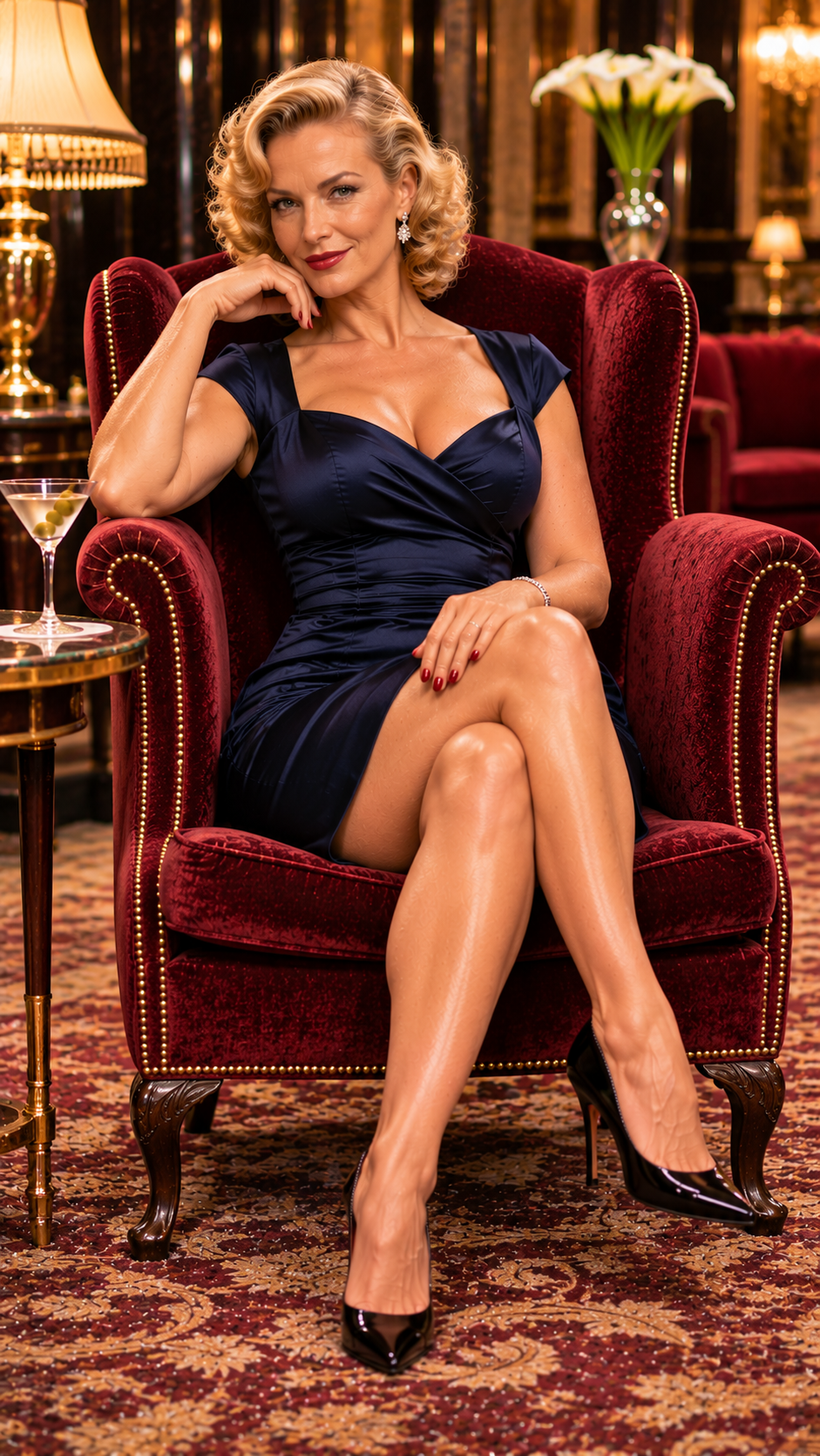
Example Prompt 4 — The Elegant Armchair
A glamorous 48-year-old blonde woman with beautifully styled vintage curls wears a tailored navy-blue cocktail dress and glossy black high-heeled pumps. She sits comfortably in a luxurious burgundy velvet armchair inside an elegant hotel lounge. Her back rests naturally against the chair, her right leg is crossed over her left knee, and both black pumps remain clearly visible in front of the chair. One elbow rests on the armrest while her other hand rests naturally on her lap. She looks directly toward the camera with an amused, confident smile. The photographer captures the entire chair, her complete seated figure, both shoes, and a section of the patterned carpet beneath them. Warm lamplight, sophisticated 1950s atmosphere, beautiful realistic proportions, cinematic fashion photography, 9:16 vertical composition.
Why it helps: We describe a particular sitting position and the location of both shoes instead of leaving the entire arrangement to the model.
5. Don't Let People Become Tangled Together
Now we're entering dangerous territory!
One woman is relatively easy.
Two women standing close together can be more complicated.
Add a third person, a dramatic embrace, or several people standing in front of one another, and the chances of anatomical confusion increase.
Sometimes an arm appears to belong to the wrong person.
Sometimes two legs merge.
And sometimes the AI produces a mysterious shoe that doesn't seem to belong to anybody!
One helpful technique is to give each character her own clearly defined position.
Useful expressions:
Standing side by side = Both figures occupy separate positions
A visible gap between their legs = Their lower bodies don't overlap
Both women standing on the same floor = A common reference surface
Each person has two naturally positioned feet = Explicit anatomical expectation
Three-quarter camera angle = A useful alternative when a directly frontal arrangement causes confusion
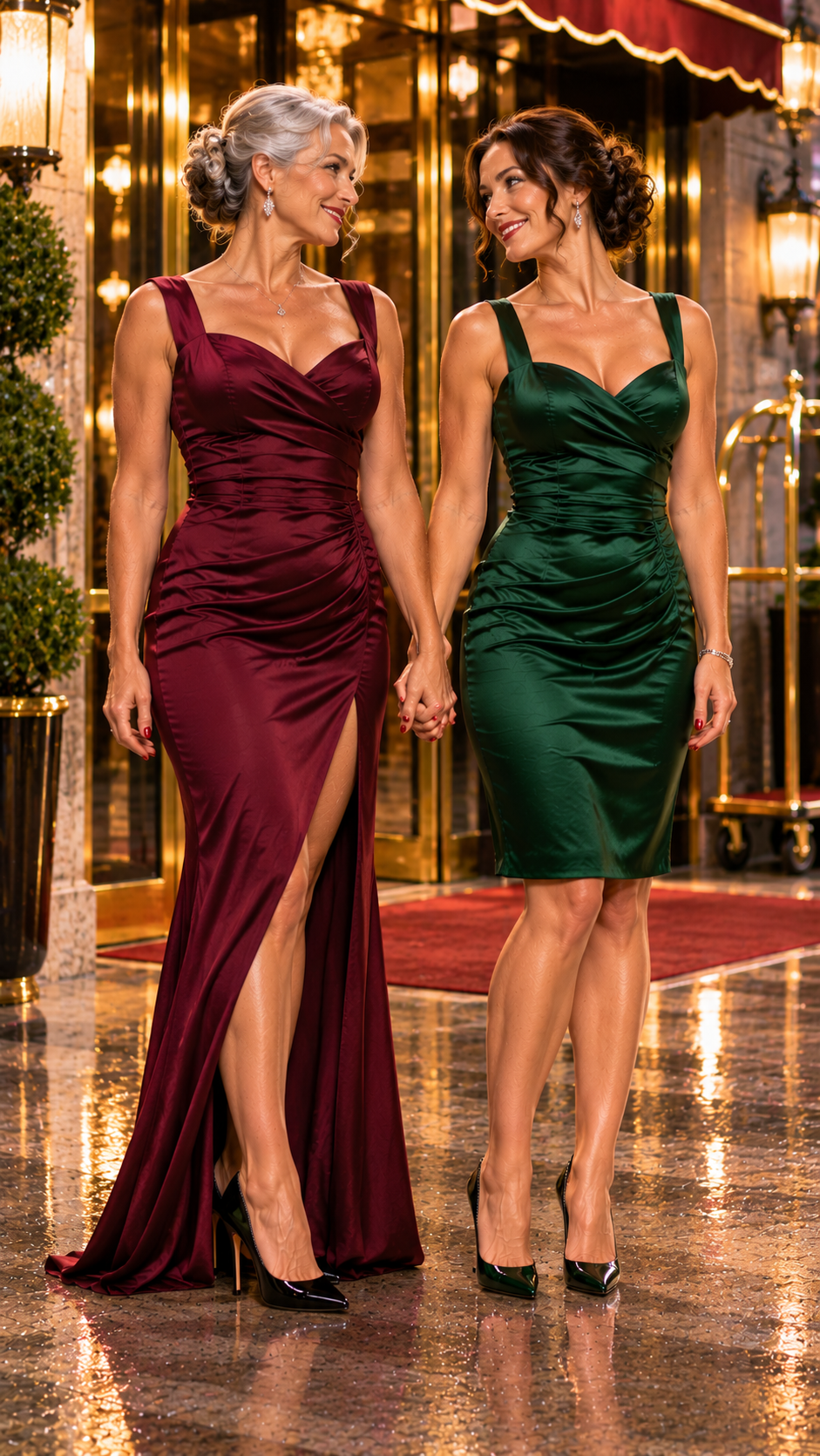
Example Prompt 5 — Two Women at the Hotel Entrance
Two beautifully dressed adult women stand side by side outside the illuminated entrance of a luxurious hotel. On the left, a stunning 52-year-old silver-haired woman wears a tailored burgundy evening gown and elegant black high-heeled pumps. On the right, her beautiful 35-year-old brunette girlfriend wears a fitted emerald-green cocktail dress and matching high heels. They hold hands affectionately, exchanging happy smiles. Their bodies are positioned naturally beside one another, with enough space between their legs to distinguish each woman's posture and footwear. Both women stand firmly on the polished stone pavement, with all four shoes visible. The camera is positioned several meters away and captures both complete figures from head to toe. Warm hotel entrance lighting, romantic evening atmosphere, sophisticated fashion photography, cinematic photorealism, 9:16 vertical composition.
Why it helps: Each character has a distinct location, outfit, and relationship with the environment.
This doesn't eliminate every possible error, but it gives the model a clearer arrangement to work with.
6. When Nothing Works, Change the Scene
This is perhaps the most important lesson of all.
Sometimes you can describe the feet perfectly, specify both shoes, explain the floor, and request natural anatomy — and the model still gets it wrong.
You regenerate.
It gets worse.
You ask it to fix one foot.
Now it has created two!
At this point, the problem may not be your wording.
The image generator might simply be struggling with the particular arrangement of characters, camera angle, or overlapping body parts.
Instead of making another tiny correction, try changing the composition.
Move the people apart.
Select a different camera angle.
Have the subjects stand beside one another instead of overlapping.
Move the action into a wider space.
Or simplify the scene by removing unnecessary objects and complicated body positions.
Sometimes a completely different setting is the best solution.
Let's try something elegant, with two women, beautiful historical fashion, and enough room to show every detail.
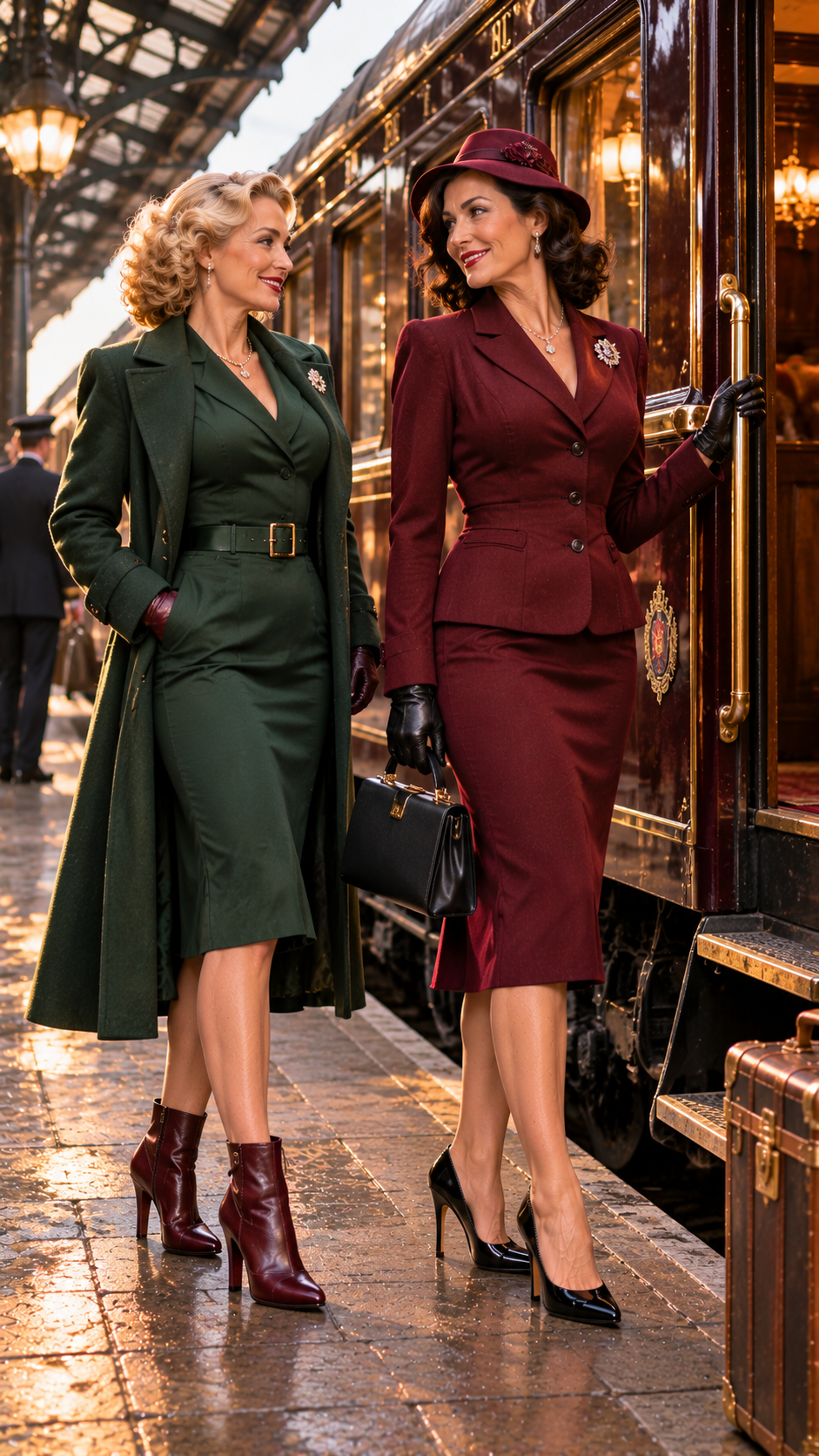
Example Prompt 6 — The Ladies of the Orient Express
A cinematic 1930s railway platform at golden hour. Two stunning, elegantly dressed women are preparing to board a luxurious vintage passenger train. A beautiful 48-year-old brunette wearing a tailored burgundy traveling suit, a matching hat, and elegant black high-heeled shoes stands beside the open carriage door, holding a small leather handbag. Her beautiful 38-year-old blonde companion wears a fitted forest-green traveling dress, a matching coat, and burgundy high-heeled ankle boots.
The women stand beside one another on the station platform, exchanging amused smiles before their journey. Their bodies are positioned at slightly different distances from the camera, leaving a clear view of both women's legs and footwear. All four shoes are visible, resting naturally on the stone platform.
The photographer stands several meters away, capturing both women from head to toe along with the beautiful vintage train, its polished brass details, and the surrounding station architecture. Warm golden-hour sunlight, elegant historical fashion, natural anatomical proportions, sophisticated 1930s travel magazine photography, cinematic photorealism, 9:16 vertical composition.
Why it helps: Instead of relying on a complicated action scene with overlapping characters, we're giving the image generator a simpler arrangement. Each woman has her own clearly defined position, her own outfit, and enough space for her legs and footwear to remain visible.
The train and station platform also provide recognizable architectural elements that help establish camera distance, scale, and perspective.
Of course, even a carefully written prompt like this doesn't guarantee success. Sometimes the model may still misunderstand the scene or produce something entirely different.
And that's another important lesson.
Changing the scene can solve some problems, but changing the image model may occasionally be the better solution.
Instead of spending endless attempts repairing an impossible arrangement, try a new composition, a different camera angle, or even another generator.
The objective isn't to win an argument with the AI.
It's to create the beautiful image you originally imagined!
7. A Few Extra Tricks Worth Remembering
Here are some additional expressions I find useful when creating full-body photographs.
Full-length fashion editorial = A photographic style that commonly features complete outfits
Head-to-toe composition = Emphasis on including the entire person
Uncropped shoes = A direct instruction to include complete footwear
Visible floor beneath the feet = Provides space at the bottom of the frame
Camera at approximately waist height = Can give a natural perspective for a standing full-body portrait
Long shot = A useful cinematic term for showing a person within an environment
Natural weight distribution = Helps describe a believable standing posture
Both heels firmly on the ground = Useful when the intended stance has both heels touching the floor
Clearly separated legs = May reduce confusing overlaps
Complete silhouette = Encourages an unobstructed outline of the person
Remember that these aren't guaranteed commands. Different AI generators may interpret them differently.
The important thing is to choose instructions that describe the particular photograph you want.
8. Why Negative Prompts Aren't Always the Answer
Many image creators try adding long lists of negative instructions:
No missing feet, no extra legs, no cropped shoes, no deformed ankles, no impossible joints...
Sometimes negative prompts help, particularly when a generator has a separate negative-prompt field.
But they aren't universally reliable.
In some systems, repeatedly mentioning an unwanted object or anatomical problem may have little effect, and excessively complicated instructions can distract from the main scene.
A more productive approach is often to describe the desired result positively.
Instead of:
No cropped feet.
Try:
The camera captures the complete figure with both shoes fully visible and a section of floor beneath them.
Instead of:
No merged legs.
Try:
The two women stand side by side with clearly separated legs and naturally positioned feet.
It's a small change in approach, but it can make the composition easier to understand.
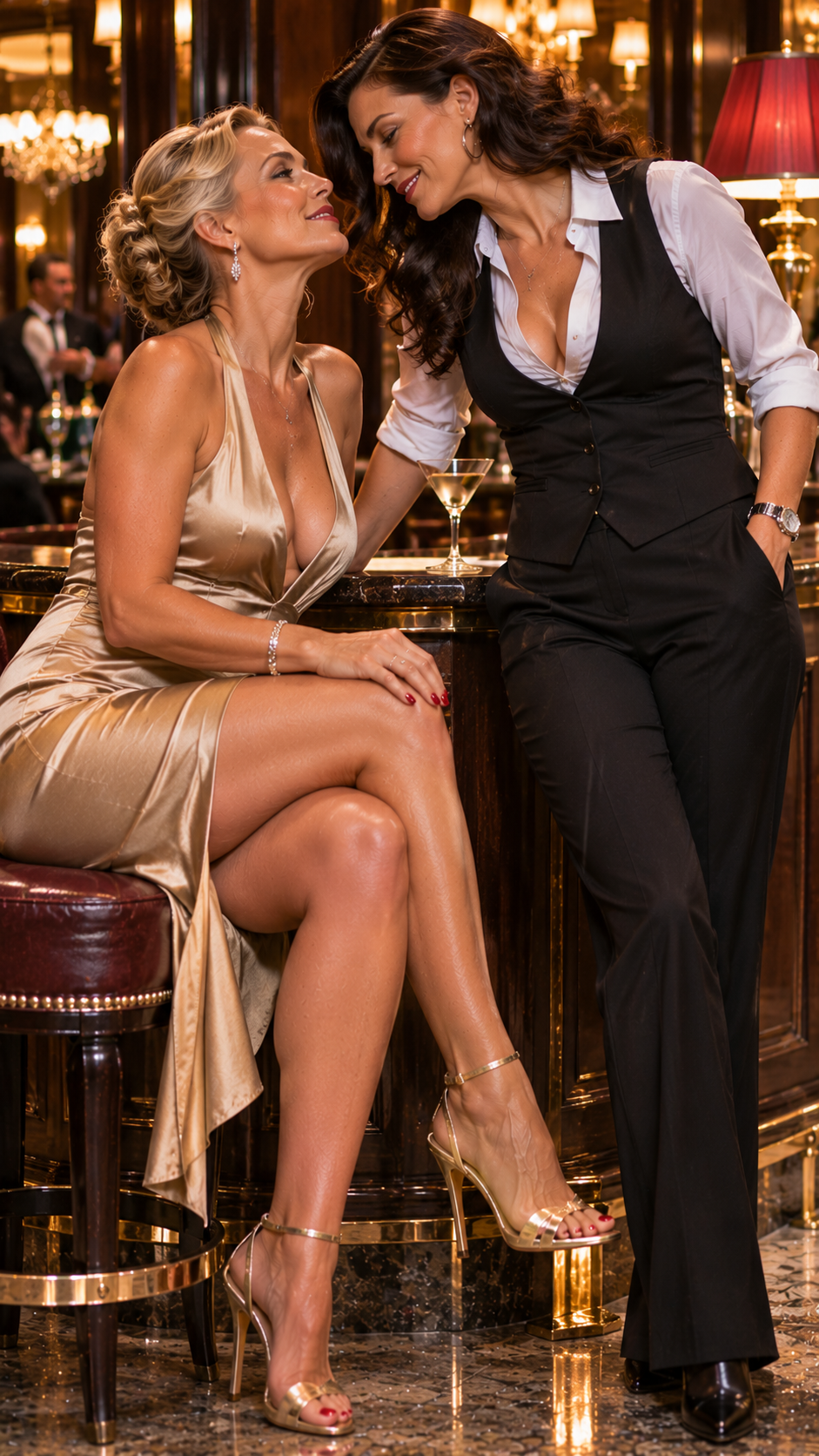
9. Choose the Right Image Format
Image proportions matter.
A tall, narrow image usually gives you more room to show a standing person than a wide horizontal composition.
That doesn't mean a wide image cannot show a complete person. It simply means you may need to place the camera farther away or make the person smaller within the scene.
For full-body fashion photography, I frequently use vertical formats such as 9:16.
For cinematic scenes involving several people, a wider format such as 16:9 may provide more room to separate characters and avoid overlapping bodies.
And for square images, it's especially important to describe the camera distance and surrounding space.
The best format depends on the scene, not just the subject.
10. Know When to Start Over
There's a point in almost every AI image project when you have to decide whether to keep repairing an image or create a new one.
If the photograph is otherwise excellent and only one small detail is wrong, a targeted edit may work beautifully.
But if the legs overlap impossibly, a foot seems attached to the wrong person, or several body parts have become tangled together, starting over with a simpler composition may be the smarter choice.
Don't become so attached to a nearly perfect image that you spend all your time repairing its least successful detail.
Sometimes the next image, with a better angle and a clearer pose, turns out far more beautiful than the original.
Final Thoughts
Getting complete, believable full-body images isn't just about adding the words full body to every prompt.
It's about thinking like a photographer.
Where is the camera?
How far away is it?
What is the person standing on?
Where are the legs positioned?
Are the shoes visible?
Is there enough room in the frame?
And when several people appear together, can we clearly understand which body parts belong to whom?
These little decisions make a tremendous difference.
Describe the entire composition, not just the person.
And if the AI still cuts off her beautiful high heels, don't give up.
Take a few imaginary steps backward with your camera, give her some floor to stand on, and try again!
Happy creating!
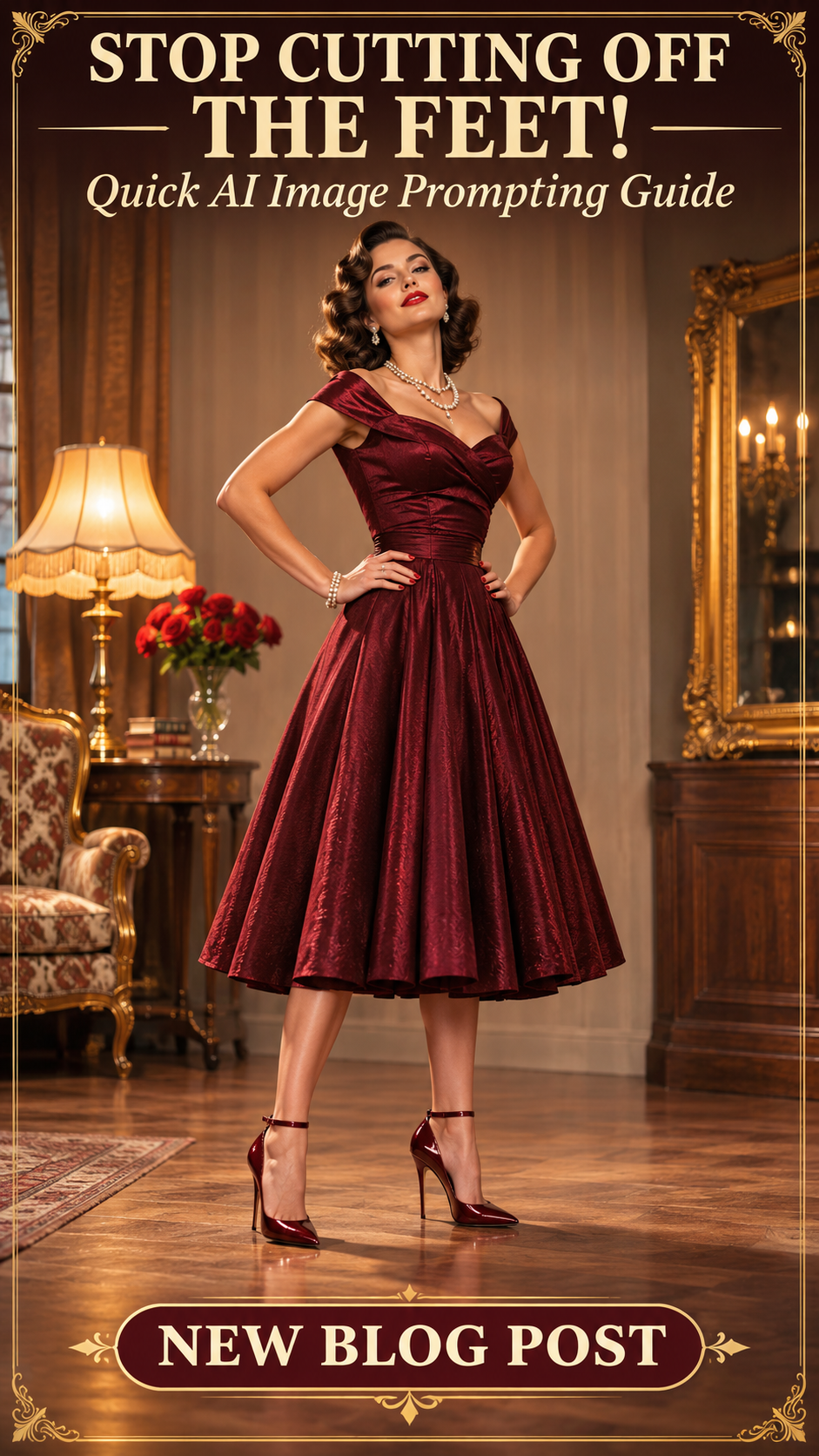
👠 NEW QUICK HOW-TO BLOG!
STOP CUTTING OFF THE FEET!
How to Get Better Full-Body AI Images
Ever created a beautiful AI image, only to discover that the feet are missing, the shoes are cropped, or the legs look completely wrong? 😂
Discover six practical prompting techniques, complete with ready-to-use prompts and illustrated examples!
Learn how to improve camera distance, framing, poses, footwear visibility, and multi-character compositions.
✨ Better framing. Better anatomy. Complete images!
👉 Read the tutorial:
https://budgetpixel.com/blog/stop-cutting-off-the-feet

 @CaylaCatz

 @EternaSky

 @archminalabib
 @jdjdjid

 @Sealine