

Colorful toy kitten figures lined up
By @archangeltara ·
33 likes · 24 comments
Original QT: Game Character By @EternaSky @archangeltara My Spin: Kitsu's Home Journey Prompt: High-quality, vibrant top-down 3/4 view of a colorful game board designed for children: eight adorable "Kitsu" characters—small fox-like creatures—each a distinct saturated pastel color (mint, coral, lilac, lemon, teal, peach, sky blue, rose) with unique expressions and tiny accessories (bow, scarf, leaf crown, glasses). Eight matching little home pieces, glossy plastic with subtle texture, arranged around the board ready to be chosen. Soft studio diffused lighting, gentle rim light for depth, shallow depth of field, sharp focus on characters and homes, bokeh background. Matte cardboard board with printed icons, playful typography, clean shadows. Whimsical, cute illustrative style, 4K, ultra-detailed, crisp, professional. Bottom-right: small silver cursive text "Art By Archangel Tara".
Tags
- kawaii
- children's board game
- KITSU'S JOURNEY
- toy kittens
- pastel colors
- family game night
- educational game
- kid-friendly toys
- learning through play
- board game setup
- cute plush/yarn figures
- colorful game board
- party game for kids
- kids activity
- toy figures collection
About this image
A playful setup featuring brightly colored kitten figurines and a vibrant game board titled “Kitsu's Journey.” The whimsical, kawaii-inspired scene includes pastel house tokens and cheerful path spaces, creating a family-friendly board game aesthetic perfect for kids’ game night and educational play.
Comments (24)
When u make a new post. Make a post via the “my page” instead of “post” via the image. Then in the attached image. U can crop/drag/info. Click the info button that is beside the crop button on the image when you hover mouse over. Or if using phone. Tap the (i). It brings out the image info. I set mine to always display just the model used.
So cute. Although u can remove my “featuring” section since it’s your spin. Also you know you can use the model info (i) button on the attached images to put in the prompt and model used so it appears as a generation information window?
Thank you so much & thank you for the generous tip I had fun creating this
ROFL I choose the blue one Thank you
very cute, like a chibi monopoly
I love it! it's so cute!!! 😍
@legion ·
Cool,i choose the green one!
@panos ·
Aww, great board game!!
Make or develop a new game character @antares @aqualemonade @archangeltara @base451121 @beastxyz @Belinda @bic_revelation @Biscuit @bleepunc @CaylaCatz @charlypalermo @Cheinia @ChildNerd @chris70 @cocoayoc @Colossus @DavidP @dirty_biker @dovonko @elkanthe @elysian @EternaSky @fantasydesignink @germancowboy @gman @gummiefish @HappyPerson @humtum8182 @IndoAIArtist @John870 @King @kirito @mim86 @monkeydude69 @nametaker @NickWolf @NielsCarlsen @panos @PabloArtStation @paulie @pocahontas @Sealine @sonny001 @southamericanmyth @standartis @sr92 @strixowl-47 @suga2309 @TheBard @thedreamcatcher @thewhiskeyjack @To4kawa @Troxley @TTRPG_Player @TesaranJ @underman @Unleashed @vrieming Interested to join or wish to be removed from this list? Leave a comment in for inclusion or exclusion https://budgetpixel.com/blog/enjoy-creating-and-join-the-qt-masterlist
I tried this on an image Hats I just created but it didn't work for some reason?
Sign in to join the conversation.
More from @archangeltara
See all → Whimsical group birthday greeting graphic featuring party animals, a lit cake, and split four season nature decor
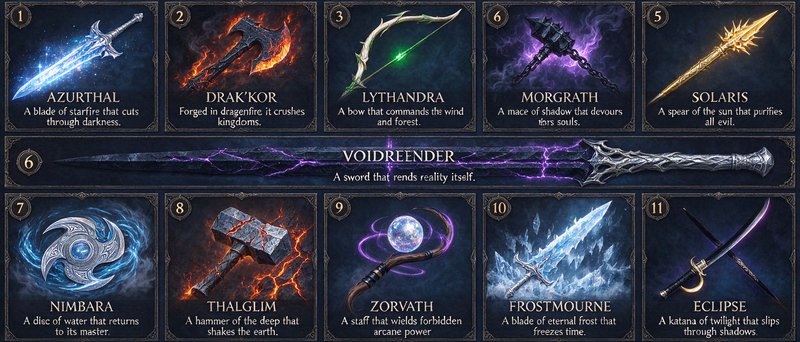 Grid of ornate fantasy legendary magical weapon cards, each with unique elemental abilities and short lore descriptions.
 Monochrome double exposure portrait of a woman layered with overlapping interior and urban scene details
 Double exposure monochrome portrait of a woman filled with personal memory scenes, dissolving at the edge into pixel
 Double exposure black and white portrait of a mature woman overlaid with symbolic inner life scenes and reflective text
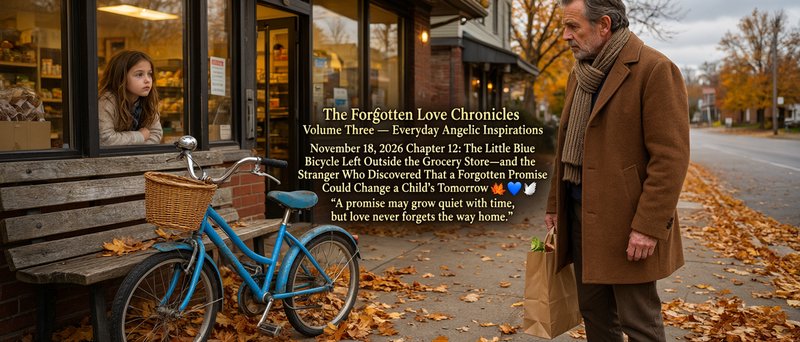 Pensive girl looks out a grocery store window as an older man with a grocery bag stands near a blue bicycle on an autumn
More like this
More anime →
Made on BudgetPixel
The models and tools behind posts like this one.
- SeeDream 5.0 Pro
- MAI Image 2.7
- MiniMax H3 Image
- AI Image Generator
- Family Feud Game Generator
- AI Date Night Outfit Generator
Guide: NightCafe vs BudgetPixel (2026): Which Is Better for AI Artists?