Free library · Outerwear
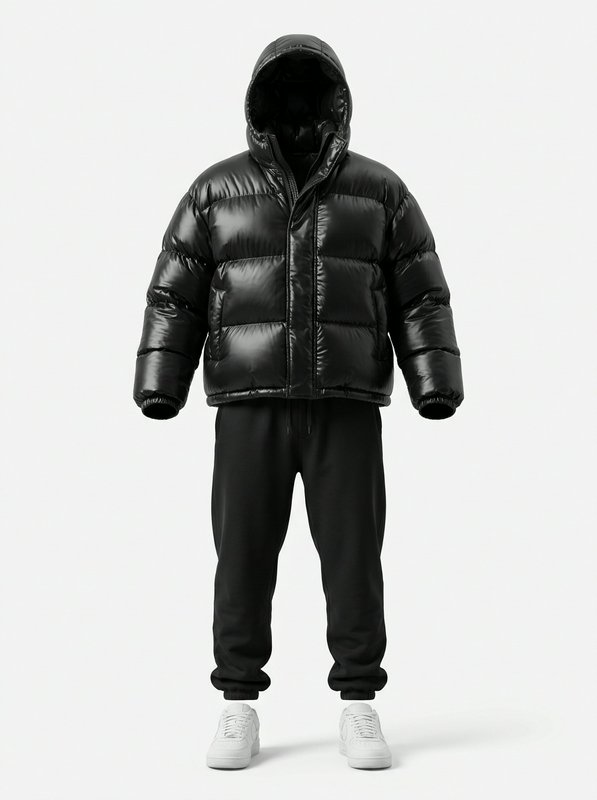
Black Puffer Winter Outfit
A free outfit for AI characters
Write it next to a character in any image or video prompt
@your_character wearing @black_puffer_winter_outfit
What is in it
Glossy black hooded puffer jacket, black drawstring jogger sweatpants, plain white low-top lace-up sneakers.
- black
- white
- casual
- winter
- streetwear
- cold weather
- comfortable
How to use it
- Open the Image Workshop or the Video Workshop and pick a model that takes reference pictures.
- Write the character, then the outfit: “@your_character wearing @black_puffer_winter_outfit at a rooftop party”.
- Generate. The character keeps their face and wears these clothes. Try it on once to keep it as a look.
Questions about the Black Puffer Winter Outfit
- How do I put the Black Puffer Winter Outfit on my AI character?
- Write @black_puffer_winter_outfit next to the character in an image or video prompt, for example “@your_character wearing @black_puffer_winter_outfit”. The outfit’s picture goes to the model with the character’s, so the character wears these exact clothes. Your own characters, the ones you collected and the free AI influencers all work.
- Is the Black Puffer Winter Outfit free?
- Yes. It is part of the BudgetPixel free library, free for everyone. You pay only for the image or video you make, at the model’s usual price.
- Can I use the Black Puffer Winter Outfit in a video?
- Yes. Write @black_puffer_winter_outfit in a Video Workshop prompt on a model that takes reference pictures, or pick it for the cast in Recast.
- Can I use it through the API or MCP?
- Yes. Write @black_puffer_winter_outfit in the prompt of an image or video request to the BudgetPixel API, or ask an assistant connected to the BudgetPixel MCP server.