AI models · Video tools · ByteDance
Video Depth Anything
Turn any clip into a steady depth map video: near is white, far is black, frame for frame. Use it to guide another video model with your clip's structure and motion.
Small 20, Base 30, Large 40 credits a second of video (5 seconds minimum).
- Sizes
- Small, Base, Large
- Price
- From 20 credits a second
- Input
- Up to 30 s, up to 1080p
- Output
- H.264 MP4, same length
A depth map gives every pixel a distance: the closer something is, the brighter it gets. Video Depth Anything, ByteDance's video depth model, works on a whole clip at once, so the depth stays steady from frame to frame instead of flickering.
The result keeps your clip's length, its size up to 1080p and its frame rate up to 30 fps. Grayscale is the format video models take as a depth reference; the colour maps make depth easy to read by eye.
Use it to carry a clip’s layout and motion into a new video, to add fog or focus effects in an editor, or to see how a scene is laid out.
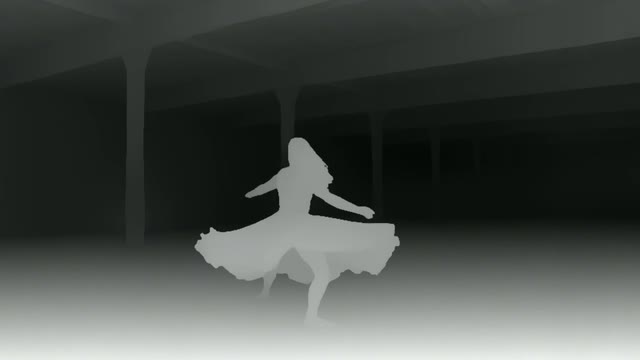 Grayscale
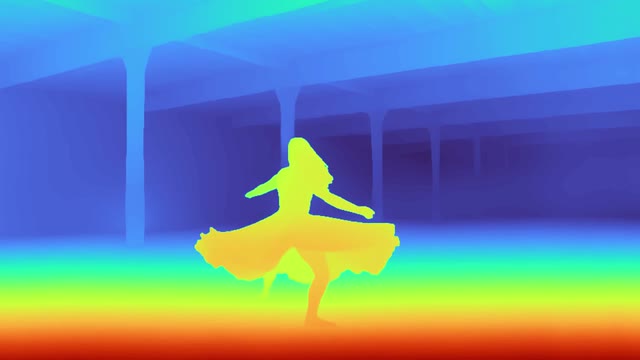 Turbo
Turbo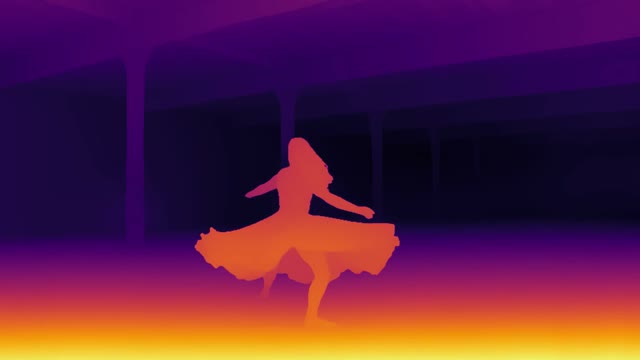 Inferno
From a depth map to a new video
Give the grayscale depth video to a video model that takes a reference video, and describe a new scene. The layout, the motion and the camera move carry over; the look is the prompt’s.
Made on BudgetPixel: the clips with Seedance 2.5, their depth maps with Video Depth Anything, then each new video with Seedance 2.5, given only the depth map as its reference video and a prompt for the new scene.
Video and depth, side by side
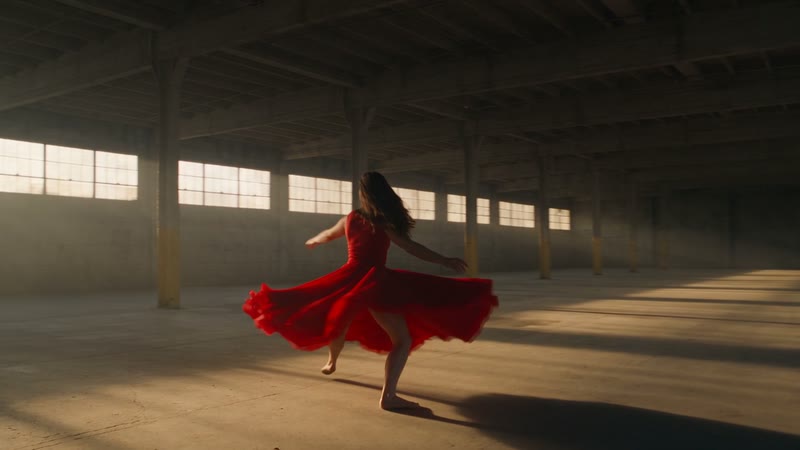
Drag across any clip to compare. Each clip was made on BudgetPixel, then turned into a depth map with Video Depth Anything.
Small, Base or Large
The three sizes agree on the scene and differ in the fine detail. Small is the fastest and carries a clip's subject, background and ground; Base adds edge detail; Large draws hair, thin poles and distant people, and is the steadiest from frame to frame.
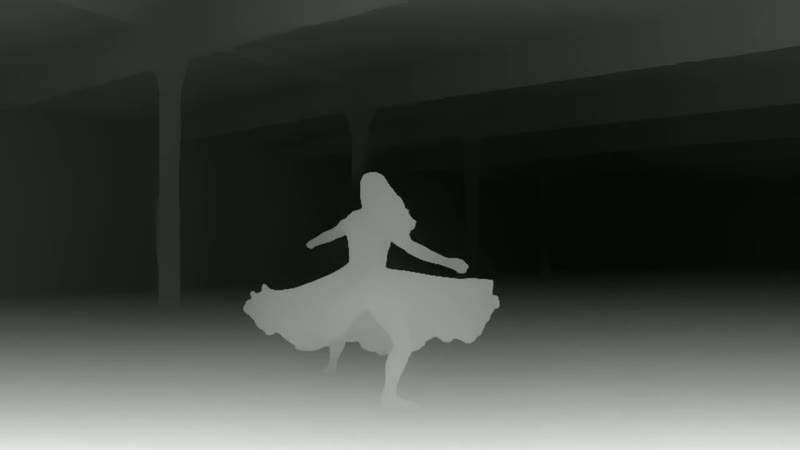
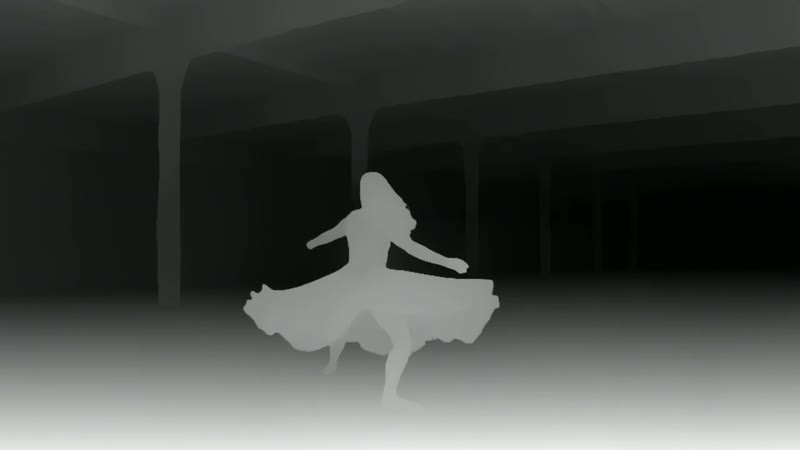
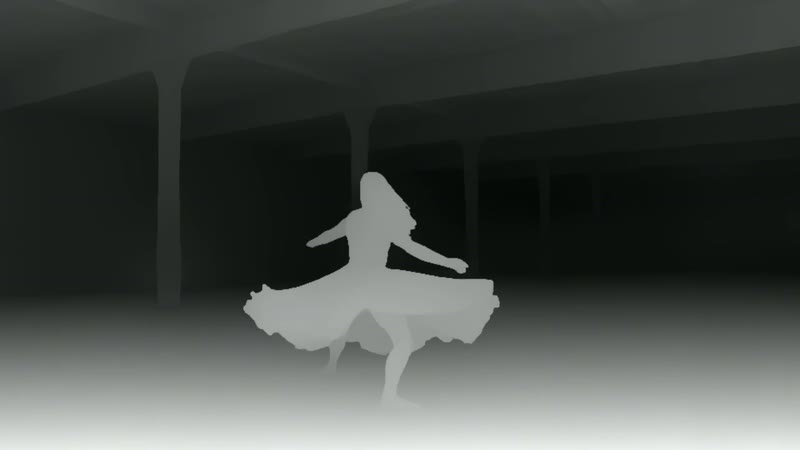
| Size | Credits a second | Best for |
|---|---|---|
| Small | 20 | A depth reference for video models; most clips |
| Base | 30 | More edge detail than Small |
| Large | 40 | Hair, thin objects and far-off people; busy camera moves |
What goes in, what comes out
- Input
- An MP4, MOV or WebM up to 30 seconds and 100 MB.
- Output
- An H.264 MP4 at the clip's size up to 1080p, or 360p to 1080p if you choose. It never upscales.
- Frame rate
- The clip’s own, up to 30 fps. A faster clip comes back at half its rate (60 to 30, 50 to 25).
- Colour
- Grayscale (near is white, far is black), or the turbo, inferno, magma and viridis colour maps.
- Steadiness
- Depth is scaled once over the whole clip, so the brightness never pumps between frames.
- Options
- Keep the clip’s audio, or put the clip and its depth side by side in one video.
Pricing
You pay per second of the video you put in, rounded up to whole seconds, with a 5-second minimum. The output size and colour do not change the price.
| Size | Per second | 5 s clip | 10 s clip | 30 s clip |
|---|---|---|---|---|
| Small | 20 credits | 100 | 200 | 600 |
| Base | 30 credits | 150 | 300 | 900 |
| Large | 40 credits | 200 | 400 | 1,200 |
The price is held when the job starts and charged when it finishes. A job that fails is not charged.
How to make a depth map video
- Step 1Open Depth Map
In the video workshop, pick Depth Map under Edit.
- Step 2Add your clip
Upload a video up to 30 seconds, pick one from your assets, or use the one on the canvas.
- Step 3Choose and make
Pick Small, Base or Large and a colour, then Make Depth Map. The depth video lands in your assets.
From code or an AI assistant
The same depth map through the BudgetPixel API, or from an assistant connected to the BudgetPixel MCP server.
curl https://api.budgetpixel.com/v1/depth-maps/video-depth-anything \
  -H "Authorization: Bearer $BUDGETPIXEL_API_KEY" \
  -H "Content-Type: application/json" \
  -d '{"video": "https://example.com/clip.mp4", "size": "small"}'

# then poll GET /v1/depth-maps/{id} until "status" is "succeeded"
Questions
What is a depth map video?
A video in which each pixel's brightness is its distance from the camera: near is white, far is black. It keeps a scene's shape and movement and drops its colours and textures.
Why not run an image depth model on every frame?
An image model judges each frame on its own, so the depth flickers. Video Depth Anything looks at frames together, and the tool scales the depth once over the whole clip, so it stays steady.
Which size should I pick?
Small for most clips and as a reference for video models. Large when fine detail matters (hair, thin objects, far-off people) or the camera moves a lot. Base sits between them.
Can I use the depth map with another video model?
Yes. In the Video Workshop, pick Seedance 2.5, add the depth video as a reference video and describe the new scene: the layout and the motion carry over, as in the examples above. Grayscale depth is also the usual format for other models that take a control video.
How long can the video be?
Up to 30 seconds and 100 MB, as MP4, MOV or WebM. Trim a longer clip first.
Does it change the size or the frame rate?
No. The depth video is the clip's length, at its size up to 1080p and its frame rate up to 30 fps; a 60 fps clip comes back at 30.
How much does it cost?
Small 20, Base 30 and Large 40 credits per second of video, rounded up, with a 5-second minimum. A 10-second clip on Small is 200 credits. A failed job is not charged.
Can I make depth maps from code or an AI assistant?
Yes: POST /v1/depth-maps/video-depth-anything in the BudgetPixel API, or the generate_depth_map tool of the BudgetPixel MCP server.
Turn your clip into a depth map
Small 20, Base 30, Large 40 credits a second of video (5 seconds minimum).