AI models · Lip sync · ByteDance
OmniHuman 2.0
One photo and a voice become a talking video. The lips follow every word, the face and hands move with the speech, and a prompt can direct the performance and the camera.
84 credits per second of audio · 4-second minimum · failed jobs are free
- You give it
- A photo + a voice
- Length
- Up to 2 minutes
- Output
- 720p video
- Direction
- Optional prompt
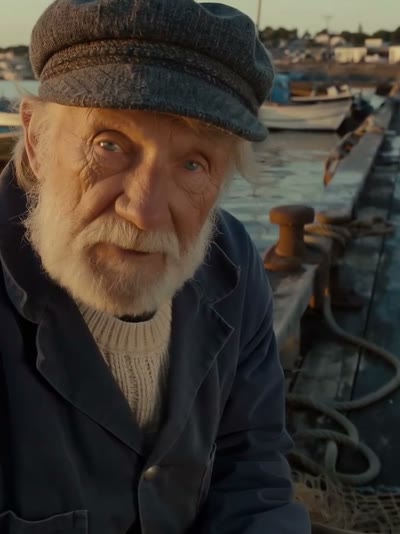
“Good morning. The tide comes in early today, so let's get the nets ready before the sun is up.”Prompt: The fisherman speaks warmly to the camera, then glances at the sea
A frame from a FLUX 3 Video clip, voiced with the Lip Sync tool's speech generator.
OmniHuman 2.0 is ByteDance's newest talking-video model. Give it one picture of a person, an illustrated character or even a pet, and a recording of what they should say, and it makes a video of them saying it: the mouth shapes each word, the eyes and brows react, the head and shoulders move, and the hands gesture where the speech calls for it.
It keeps the picture's look and framing, so a portrait stays a portrait and a watercolor stays a watercolor. A short prompt adds direction, such as lifting a cup, nodding or a slow push-in of the camera. The voice can be any recording in any language; in the workshop you can also type a line and have it spoken by one of the built-in voices or your own cloned voice, for free.
Made with OmniHuman 2.0
Each video was made on BudgetPixel from the photo in its corner and the line written under it. Turn the sound on to hear it.
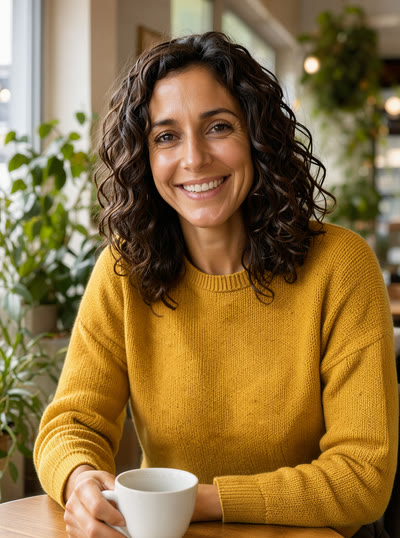
“¡Hola! Este es mi café favorito. Vengo cada mañana, pido un café con leche y empiezo el día con calma.”Spanish: “Hi! This is my favorite café. I come every morning, order a café con leche and start the day calmly.”
Prompt: She talks warmly to the camera and lifts her cup slightly, relaxed and natural
A portrait made with FLUX 3 Klein, voiced in Mexican Spanish.
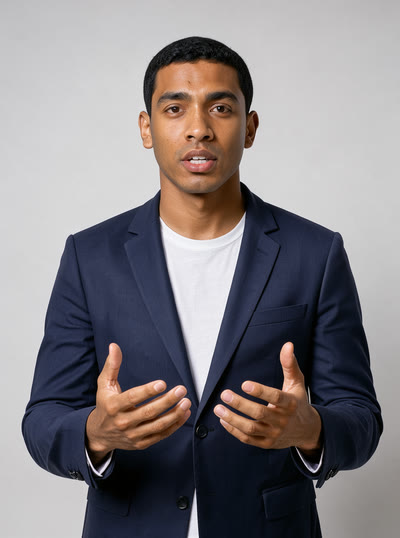
“Here's the plan for today: three simple steps, about ten minutes, and you'll have your first video ready to share.”Prompt: He explains with open hand gestures and nods while the camera slowly pushes in
A portrait made with FLUX 3 Klein. The prompt asked for open-hand gestures and a slow push-in, and got both.
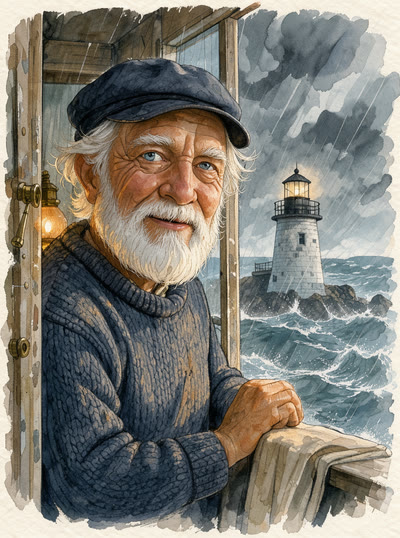
“Forty years I've kept this light burning. Sit down, and I'll tell you about the night of the great storm.”Prompt: The old lighthouse keeper speaks slowly and warmly, with small nods and a knowing smile
A watercolor character made with FLUX 3 Klein. The painted style holds while he talks.
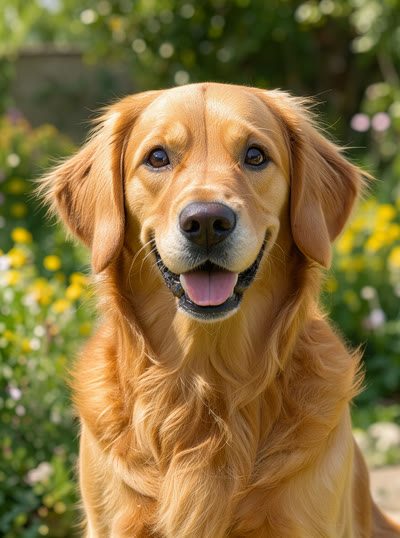
“Did somebody say walk? I've been ready since breakfast! Let's go, let's go!”Prompt: The dog talks excitedly with its mouth, head tilting, tail wagging
A golden retriever photo made with FLUX 3 Klein.
What goes in, what comes out
- Picture
- One person, character or pet, with the face clearly visible and turned roughly to the camera: a close-up, a portrait or a half-body shot. Any size works (small pictures are scaled up, very large ones down); the aspect ratio must be between 2:5 and 5:2.
- Voice
- An MP3 or WAV file, a recording made in the browser, or a line typed in the workshop and spoken by a built-in or cloned voice. Up to 120 seconds and 15 MB, in any language; a line shorter than 4 seconds is billed as 4.
- Prompt
- Optional direction for the scene, the movements and the camera, in English, Chinese, Japanese, Korean, Mexican Spanish or Indonesian.
- Video
- An MP4 at 720p, in the shape of your picture, with your audio. In our tests a 6-second clip took about 3 minutes.
Pricing
OmniHuman 2.0 costs 84 credits per second of audio, rounded up to whole seconds, with a 4-second minimum. The price is shown before you start, set aside while the video is made, and charged only if it succeeds.
| Audio length | Billed as | Credits |
|---|---|---|
| 3 seconds | 4 seconds (minimum) | 336 |
| 5 seconds | 5 seconds | 420 |
| 12.4 seconds | 13 seconds | 1,092 |
| 30 seconds | 30 seconds | 2,520 |
| 2 minutes | 120 seconds | 10,080 |
The prompt is free, and so are lines spoken by the built-in voices or your cloned voice.
OmniHuman 2.0, OmniHuman 1.5 or P-Video Avatar?
All three turn a photo and a voice into a talking video. OmniHuman 2.0 takes the longest audio, follows a prompt for the scene and the camera, and costs less per second than 1.5. P-Video Avatar is the budget pick for short clips.
| Feature | OmniHuman 2.0 | OmniHuman 1.5 | P-Video Avatar |
|---|---|---|---|
| Longest audio | 120 seconds | 60 seconds | 30 seconds |
| Output | 720p | 720p or 1080p | 720p or 1080p |
| Prompt | Scene, movements and camera | Style and actions | Look and behavior |
| Price per second | 84 credits (4-second minimum) | 135 credits | 40 credits at 720p, 60 at 1080p |
All of them are in the same Lip Sync tool. See every AI lip sync model, including the ones that re-sync a video you already have.
How to make a photo talk with OmniHuman 2.0
- Step 1Add a picture
Open the Lip Sync tool in the Video Workshop, choose OmniHuman 2.0 and upload a picture of the person, character or pet who will speak.
- Step 2Add the voice
Upload an MP3 or WAV, record yourself, or type a line and pick a built-in voice or your cloned voice. Add a prompt if you want a gesture, an expression or a camera move.
- Step 3Make the video
Check the price, which is set by the length of the audio, and generate. The video is ready in a few minutes and saved to your library.
From code
The same job through the BudgetPixel API: send a picture, an audio clip and an optional prompt, then poll for the video.
curl -X POST https://api.budgetpixel.com/v1/lip-sync/omni-human-2.0 \
  -H "Authorization: Bearer $BUDGETPIXEL_API_KEY" \
  -H "Content-Type: application/json" \
  -d '{"image": "https://example.com/portrait.jpg", "audio": "https://example.com/line.mp3", "prompt": "a warm smile and a slow push-in"}'
Questions
What is OmniHuman 2.0?
OmniHuman 2.0 is ByteDance's talking-video model. It turns one picture and an audio recording into a video of the subject speaking, with synchronized lips, natural expression, head and body motion and gestures. On BudgetPixel it is in the Video Workshop's Lip Sync tool and the developer API.
Can it make any photo talk?
It works on photos of people, on illustrated characters and on animals, from a close-up to a half-body shot. One clearly visible face turned roughly to the camera gives the best result, and the aspect ratio must be between 2:5 and 5:2. The model has a content filter: a picture it refuses fails without a charge.
What audio can I use?
Speech in any language, as an MP3 or WAV file or recorded in the browser, up to 120 seconds and 15 MB. The lips follow the sound, so the language does not matter. You can also type a line in the workshop and have it spoken by a built-in voice or your own cloned voice, for free.
How much does OmniHuman 2.0 cost?
84 credits per second of audio, rounded up to whole seconds, with a 4-second minimum: a 5-second line costs 420 credits and the full 2 minutes 10,080. Failed jobs are not charged.
What does the prompt do?
It directs the scene, the movements and the camera: an expression, a gesture such as lifting a cup, a glance, or a camera move such as a slow push-in. It is optional and free, and can be written in English, Chinese, Japanese, Korean, Mexican Spanish or Indonesian.
What resolution is the video?
720p, in the shape of your picture: a portrait gives a portrait video. OmniHuman 1.5 and P-Video Avatar can render 1080p, for shorter clips.
How long does it take?
In our tests a 6-second clip took about 3 minutes; longer audio takes longer.
How is it different from OmniHuman 1.5?
OmniHuman 2.0 takes twice as much audio (120 seconds against 60), its prompt can direct the camera as well as the movements, and it costs less per second (84 credits against 135). OmniHuman 1.5 can render 1080p.
Can I use it through the API?
Yes. POST /v1/lip-sync/omni-human-2.0 with an image, an audio clip (MP3, WAV or OGG) and an optional prompt, then poll the job for the video. It is billed the same way as in the workshop, and POST /v1/cost quotes it in advance.
Make your photo talk
84 credits per second of audio · 4-second minimum · failed jobs are free