AI models · Video upscaling · Topaz Labs
Topaz Video Upscale
Topaz Labs' video upscaling: any clip to 1080p or 4K, and to a smooth 60 fps if you like. The economical way to a clean master.
25 credits a second for 1080p, 97 for 4K. 60 fps doubles it.
- Output
- 1080p or 4K
- Frame rate
- 30 or 60 fps
- Input
- Any size, up to 20 s
- Price
- From 25 credits/s
Topaz Video Upscale cleans and sharpens a clip as it brings it to 1080p or 4K. It takes any input size, and it can add frames to reach a smooth 60 fps.
It is priced per second of the clip you upload, so a 10-second clip to 1080p costs 150 credits. For low-resolution AI clips that need new fine detail, FLUX 3 Video Upscale goes further.
 Before · 720p
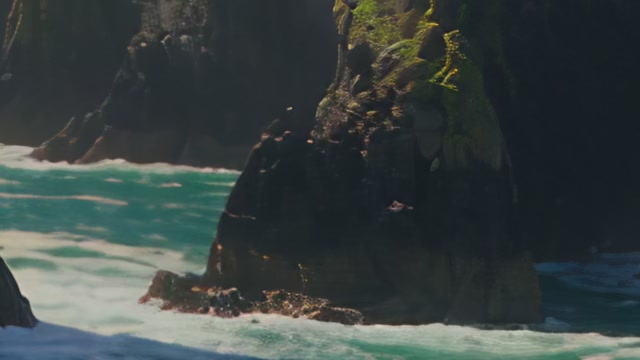 After · 4K
Before and after
Drag across any clip to compare. Each one was made at low resolution, then upscaled on BudgetPixel; the close-ups show both at the upscale's own pixels.
 Before · 768p
 After · 4K
 Before · 480p
 After · 1080p
What goes in, what comes out
- Input
- Up to 20 seconds, MP4, MOV or WebM, up to 100 MB
- Output
- 1080p or 4K
- Frame rate
- 30 fps, or 60 fps with frames added
- File
- H.265 (HEVC) 10-bit MP4
- Time
- About two minutes for 5 seconds
- Playback
- Plays in Safari, VLC, QuickTime and most phones; some browsers need an H.265 player
Pricing
Priced per second of the clip you upload, rounded up, by the target you pick. The workshop shows the price before you start, and it is only charged if the upscale succeeds.
| Target | 30 fps | 60 fps | 10-second clip (30 / 60 fps) |
|---|---|---|---|
| 1080p | 25 credits/s | 49 credits/s | 250 / 490 |
| 4K | 97 credits/s | 195 credits/s | 970 / 1950 |
A 5.2-second clip counts as 6 seconds.
FLUX 3 Video Upscale or Topaz?
Both are in the same Upscale Video tool. Pick by what the clip needs.
| Feature | FLUX 3 Video Upscale | Topaz Video Upscale |
|---|---|---|
| Output size | 1.5× to 3× the input (up to ~14 MP a frame) | 1080p or 4K |
| Frame rate | Kept as it is | 30 or 60 fps (adds frames) |
| Detail | Redraws frames: precise or creative | Cleans and sharpens |
| Input | Up to 20 s and 2560×1440 | Up to 20 s, any size |
| File | H.264 MP4, audio kept | H.265 10-bit MP4 |
| Price | 95 / 135 credits per output megapixel-second (1080p: 188 / 267 a second) | 25–195 credits per second of input |
| Best for | Low-resolution AI clips that need real detail | Economical 1080p and 4K masters, smooth 60 fps |
See FLUX 3 Video Upscale with its own before and after, or all AI video upscalers.
How to upscale a video with Topaz Video Upscale
- Step 1Upload a clip
Open Upscale Video and add a video up to 20 seconds, or use the one on your canvas.
- Step 2Pick Topaz and a target
Choose 1080p or 4K and 30 or 60 fps. The price shows before you start.
- Step 3Download the upscale
In about two minutes the upscaled video is in your assets.
From code or an AI assistant
The same upscale through the BudgetPixel API, or from an assistant connected to the BudgetPixel MCP server.
curl https://api.budgetpixel.com/v1/video-upscales/topazlabs-video-upscale \
  -H "Authorization: Bearer $BUDGETPIXEL_API_KEY" \
  -H "Content-Type: application/json" \
  -d '{"video": "https://example.com/clip.mp4", "target_resolution": "4k", "target_fps": 60}'
Questions
What does Topaz Video Upscale do?
It brings a video to 1080p or 4K with Topaz Labs' upscaling, cleaning and sharpening it on the way, and it can add frames to reach a smooth 60 fps.
How much does it cost?
Per second of the clip you upload: 25 credits for 1080p and 97 for 4K at 30 fps, double at 60 fps. A 10-second clip to 1080p costs 250 credits.
Why does my upscaled video show a black picture?
Topaz returns an H.265 (HEVC) 10-bit MP4. The file is fine: it plays in Safari, VLC, QuickTime and on most phones, but some browsers show a black frame with sound. Download it and open it in a player that supports H.265.
Which videos can I upscale?
Clips up to 20 seconds in MP4, MOV or WebM, up to 100 MB, of any size.
Topaz or FLUX 3 Video Upscale?
Topaz is the economical choice for 1080p and 4K masters and the one that does 60 fps. FLUX 3 Video Upscale redraws each frame with new fine detail, which suits low-resolution AI clips, and costs more.
Am I charged if it fails?
No. The price is set aside when the upscale starts and charged only when it succeeds.
Can I use it from the API or with an AI assistant?
Yes. Call POST /v1/video-upscales/topazlabs-video-upscale with a video URL, target_resolution and target_fps, or ask an assistant connected to the BudgetPixel MCP server to upscale a video.
Upscale your clip
25 credits a second for 1080p, 97 for 4K. 60 fps doubles it.