AI Pose Generator: Pose References From Any Angle, for Any Character
Free pose references on a woman and a man mannequin, new camera angles made on request, and one @handle to put your AI character in the pose. How BudgetPixel's pose library works, what it costs, and where its limits are.
 By BudgetPixel Team9 min readFacts verified
On this page
An AI pose generator turns a body pose into a picture you can use: a reference to draw or shoot from, or a pose an AI image model copies onto your own character. BudgetPixel's is a free pose library. Its poses are drawn on two faceless grey mannequins, a woman and a man. A camera globe on every pose turns it to the side, the back or above. And one @handle in a prompt puts your character in the pose, with their own face and clothes.
What's in the free pose library?
Every pose in the library is a body position on a plain grey mannequin, with no face, hair or clothes in the way. There are two mannequins with adult proportions: a woman with an hourglass figure and a man with an athletic build. Each pose is drawn from the front and at three-quarter, and sits on one of ten shelves: standing, sitting, lying, kneeling and crouching, walking and running, jumping and action, dance, sports and fitness, glamour, and gestures.
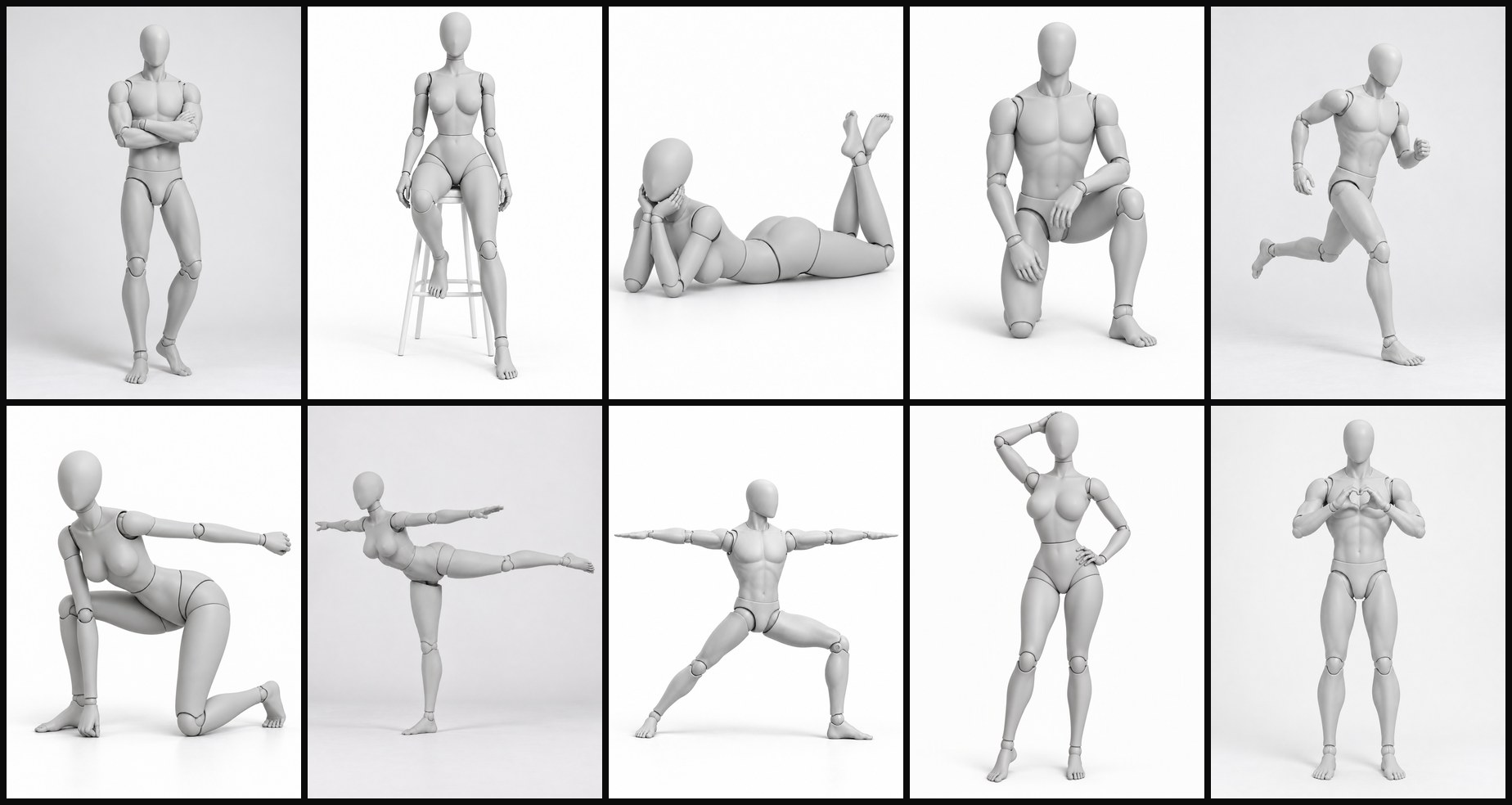
Each pose has its own page, such as One Hand on Hip or Seiza, with:
- Its pictures on each mannequin, and every extra angle made so far.
- Its @handle, the name you write in a prompt, such as
@hand_on_hip_pose. - Its prompt words: the pose described head to toe, the text a mention sends with the picture.
- What it takes: everyday or athletic, whether it can be held still for a photo, and what holds the body up.
Every pose is checked to be one a real body can do before it joins: joints that bend the way real joints bend, arms and legs of the same length, and balance where the pose stands. Poses that take strength or flexibility, such as the splits, are marked athletic.
How do I see a pose from another angle?
Open a pose in the library. Under its picture is a camera globe: eight directions around the mannequin, each at eye level, from above and from high above. A place that already has a picture shows it. An empty place shows Make this angle · 40 credits.
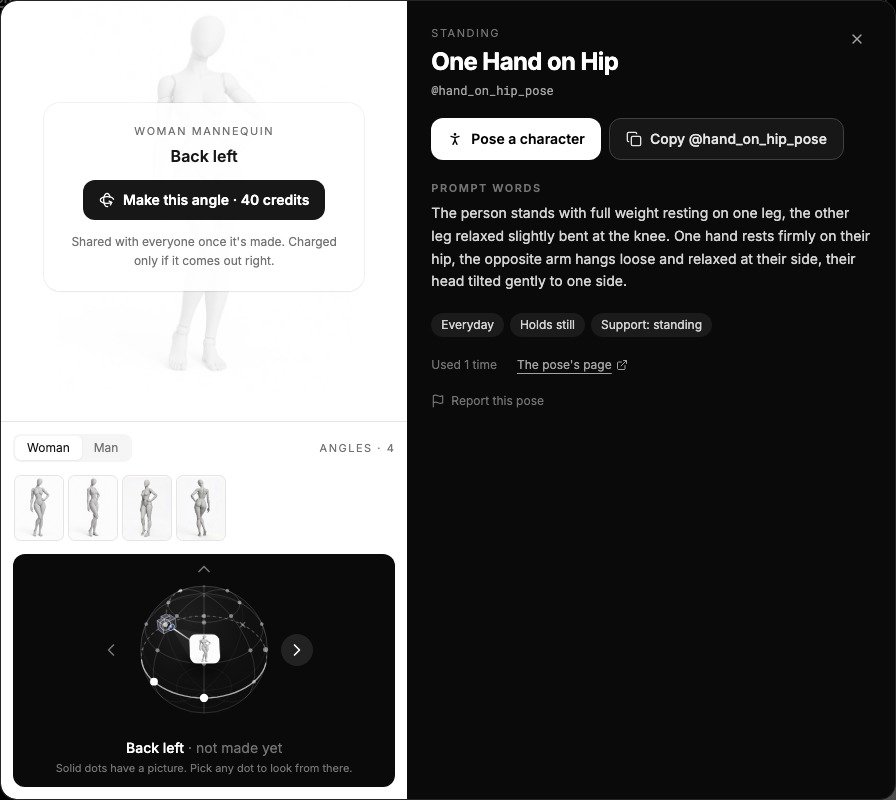
Press Make this angle, and the view is made from the pose's front picture by the same AI model as the Camera Angles app. A check then compares it with the front: same pose, whole figure, and the camera where you asked. It takes about a minute.
- You pay only for a view that comes out right. If the first try misses, a second try runs at no extra cost; if both miss, nothing is charged.
- A view is made once, for everyone. It joins the library with a credit to the member who made it, so the next person sees it for free. If someone else is already making the angle you want, you join their job, free.
- Nothing is wasted. A try that lands on another empty place is kept there, free, and the job tries again for yours.
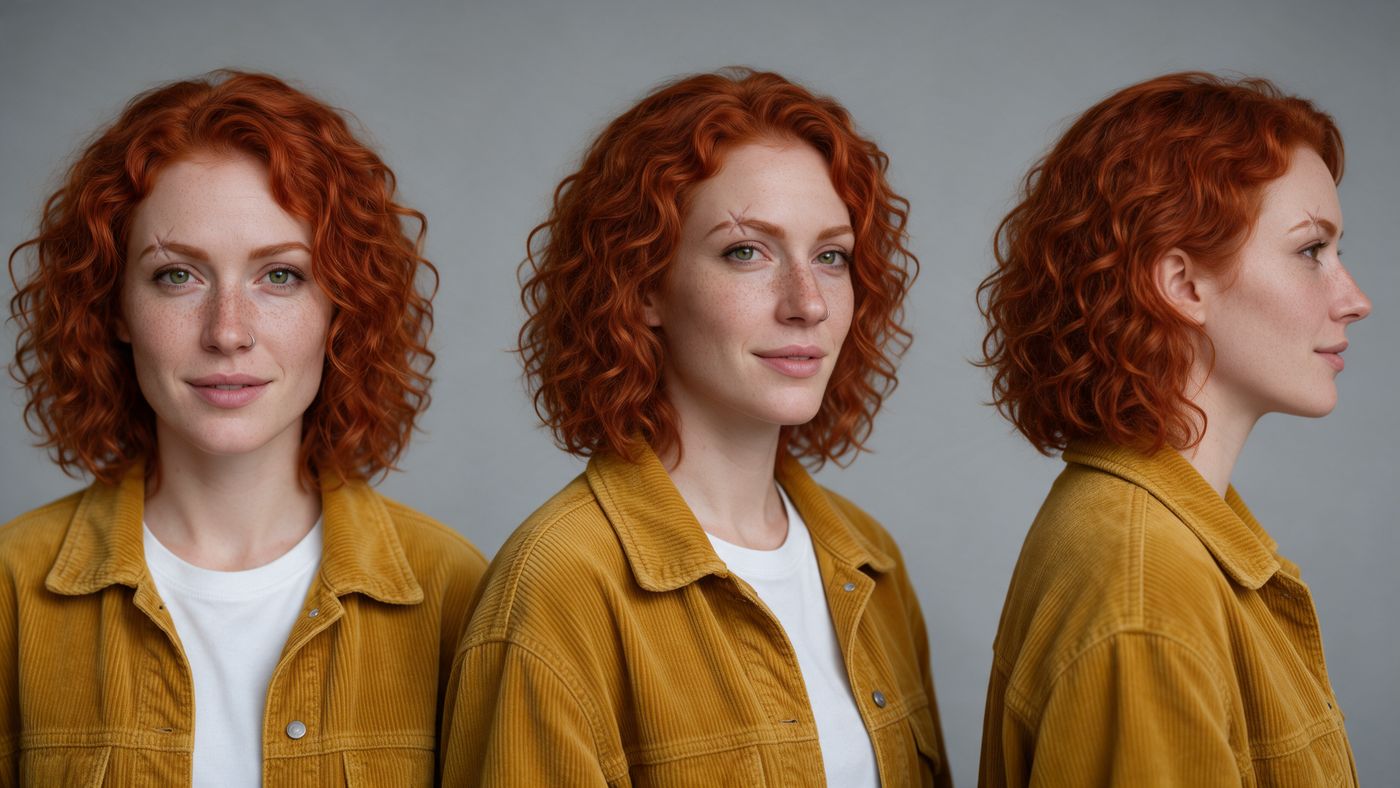
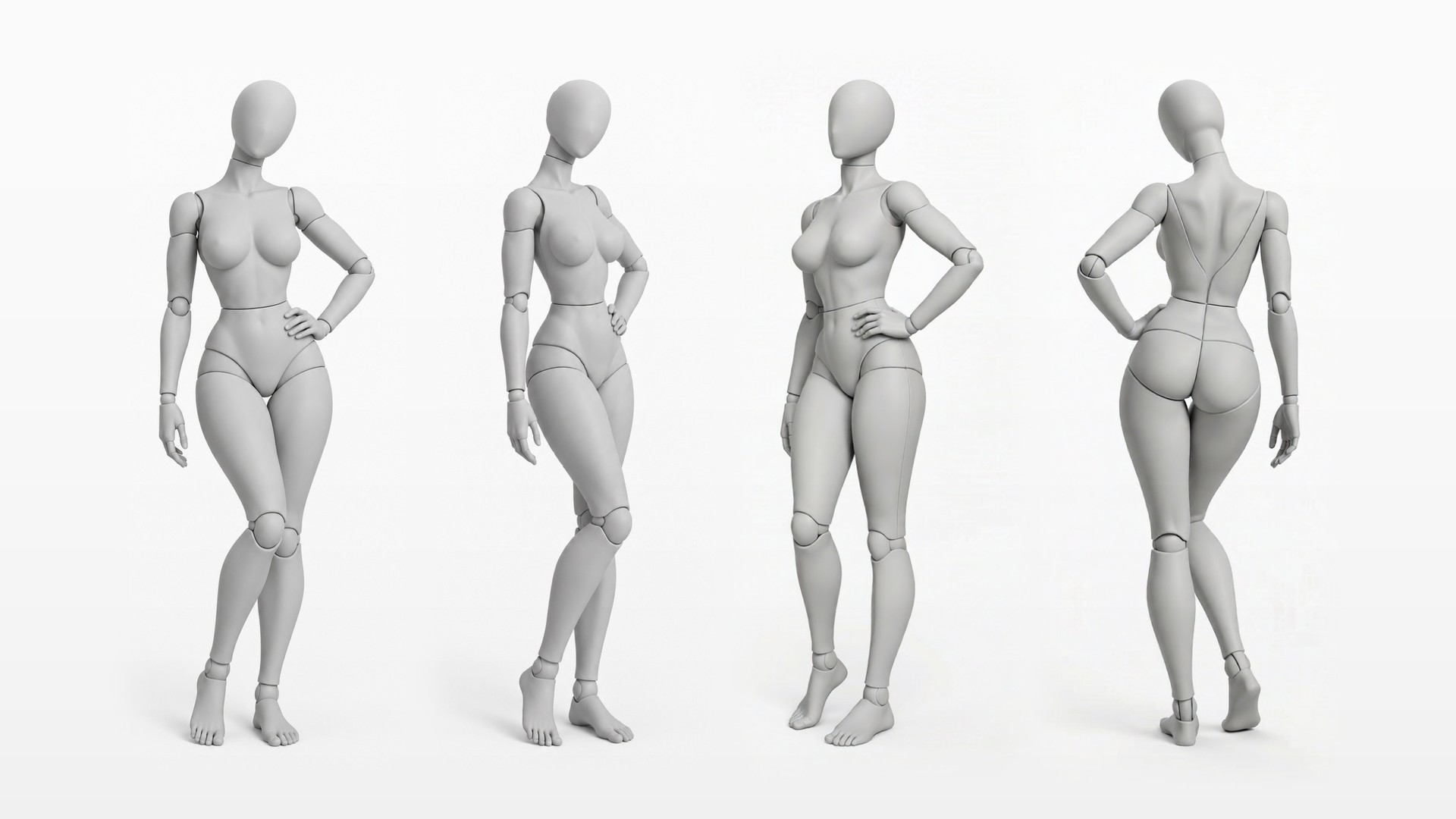
The four figures at the top of this page are one pose, One Hand on Hip: its front and three-quarter pictures, then the right side and the back, both made with Make this angle. Height works the same way:
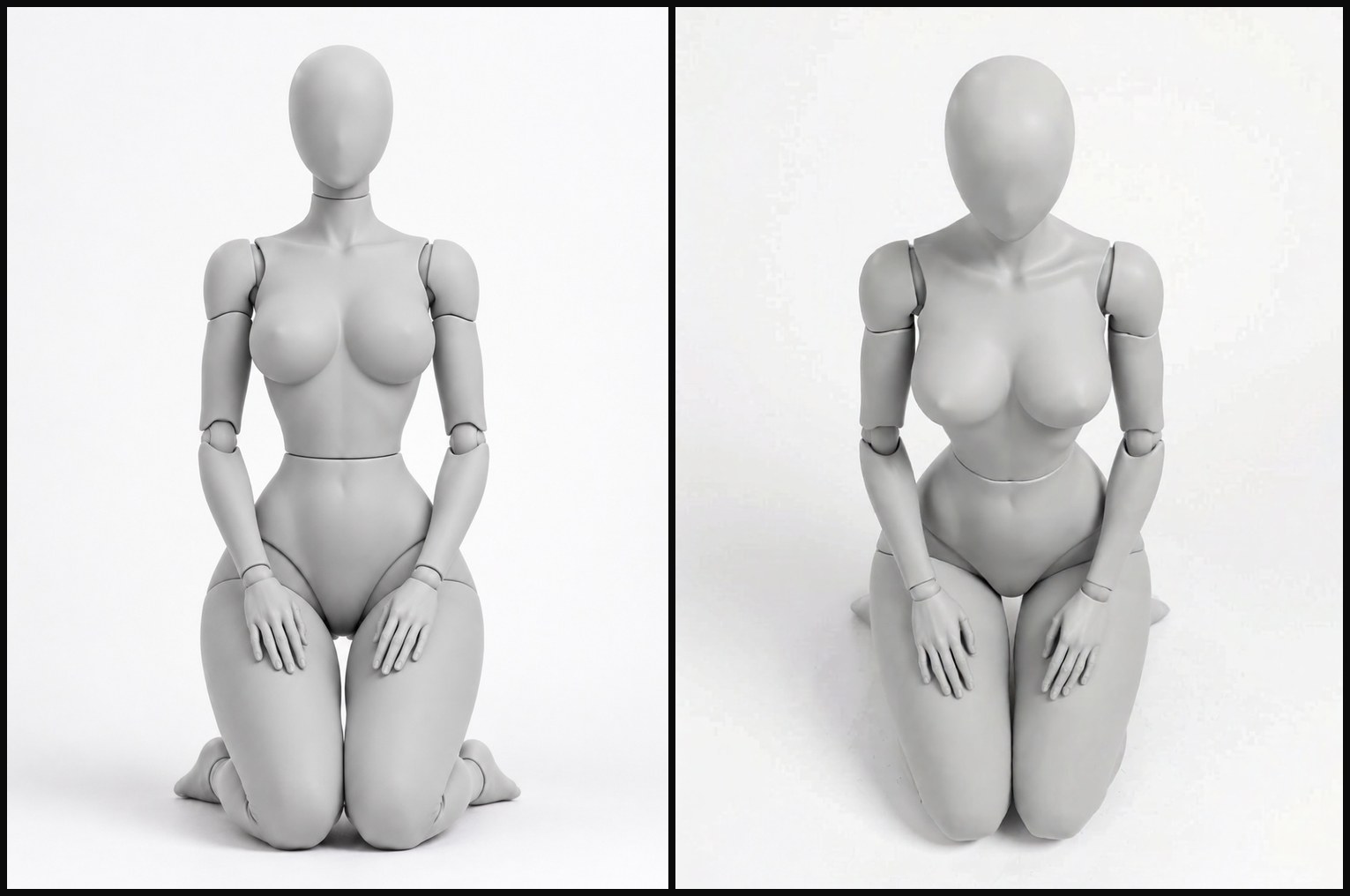
To send a view with a prompt, add a word after the pose's handle, as in @hand_on_hip_pose.back. The words say where the camera stands, seen from the front of the figure:
| Add | Where the camera is |
|---|---|
| (nothing) | In front, at eye level |
.three_quarter | Front left: the three-quarter picture every pose comes with |
.front_right | Front right |
.right | On the right, so you see the figure's left side |
.back_right | Behind, on the right |
.back | Behind |
.back_left | Behind, on the left |
.left | On the left, so you see the figure's right side |
.above | In front, from above |
.top | In front, from high above |
Other places have a code instead, such as .az135_el30 for behind on the right, from above. A mention of a view nobody has made yet sends the pose's nearest picture, so make the view first, on the mannequin that matches your character.
How do I pose an AI character?
- Pick the pose. Open the pose library, choose a shelf or search ("kneeling", "hand on hip"), and open a pose.
- Pick the angle. Use the front, the three-quarter picture, or any view on the globe. Make the one you need if it isn't there.
- Pose your character. Press Pose a character and pick one of your characters: the price shows before you start, and the picture is kept on the character's page, tagged with the pose. Or write it in the Image Workshop with a model that takes reference pictures:
@your_character in @hand_on_hip_pose.three_quarter on a rooftop at dusk. - Generate. The mannequin that matches your character, woman or man, goes to the model with your character's pictures. Your character takes the position and keeps their own face, body and clothes.
We posed four of our free AI influencers this way, one line each, on Seedream 5.0 Pro:
@barry in @hands_on_hips_pose on a busy city sidewalk@stella in @chair_legs_crossed_pose in a minimalist photo studio@ploy in @floor_knee_up_pose on a wooden dock by a lake@zuri in @back_view_relaxed_pose on a beach boardwalk at golden hour
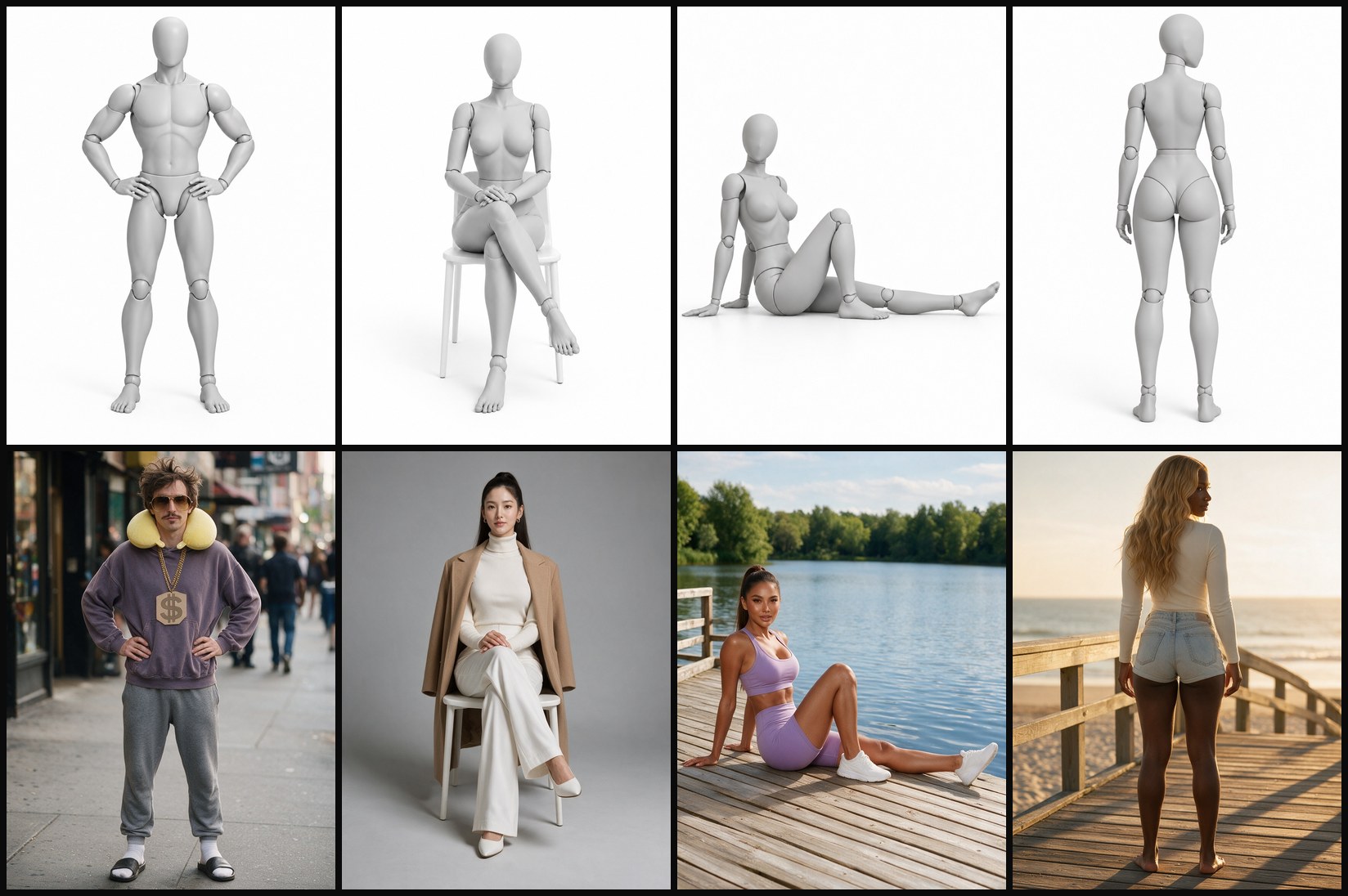
The mannequin gives the position, not the body. Barry took the athletic man mannequin's stance and stayed his own skinny self, neck pillow, gold chain, socks and slides included. Stella kept her coat, Zuri her denim shorts.
The same mention works with several characters (each pose goes with the character written before it), with clothes from the free wardrobe in the same prompt, and in video prompts in the Video Workshop on models that take reference pictures. For more on keeping a face the same from picture to picture, see consistent AI characters.
Can I generate a new pose from a description?
Yes, and this is where "AI pose generator" is literal: words in, a new pose reference out. In the library, press Design a pose and describe it head to toe ("sitting on a high stool, one foot on the rung, hands on the front knee, looking over the left shoulder"), or add a picture of the pose.
- It looks in the library first. If a pose there already matches, the designer shows it, and you can use it or design yours anyway.
- It checks the body. A pose a real body can't do is refused with the reason and, when there is one, a version that works. So are contortion, sex positions, minors, real people and violence.
- It draws and shares. The pose is drawn on one mannequin, the woman or the man you ask for, from the front and at three-quarter, and joins the library for everyone with its own @handle. Only the mannequin is published, never your picture.
- It costs 100 credits, charged only when the pose is made. A refused or failed design is free. Designing needs a paid plan, up to 20 a day, and takes a few minutes; you can close the panel while it works.
Can I use the poses as a drawing reference?
Yes. The pose pictures are free for any use, including commercial work: as a reference for drawing, photos or AI images, in client projects and in your own products. The one thing you may not do is redistribute the pictures as a collection, such as a pose pack or another pose library.
For figure drawing, the grey mannequins help: no clothes or hair hide the body, and the joint lines show the angle of every limb. The shelf pages are a quick way to warm up on one kind of pose, and the globe gives you the side, back and high views a single photo never has.
Is it a 3D pose reference?
No. There is no 3D model to spin. Each pose is a set of pictures, and each new angle is a new picture made from the front one and checked against it, the way AI changes the camera angle of any picture. That gives you clean, library-quality references from eight directions at three heights, with three limits:
- A side view can stop a little short of a full profile, closer to a deep three-quarter turn.
- Some places can't be made for every pose yet. When an angle has missed twice for a pose, the globe marks that place "not available yet"; the back quarters are the usual ones. Try a nearby angle.
- There are no views from below yet. The globe goes from eye level up.
Can my code or AI agent use the poses?
Yes. On paid plans, the BudgetPixel API lists the library with GET /v1/poses, reads one pose with GET /v1/poses/{handle} and makes a view with POST /v1/poses/{handle}/views (40 credits, charged only when it lands where you asked). The same @handle works in any image or video request. Over the MCP server, an agent finds poses with search_poses and get_pose, makes views with make_pose_view and check_pose_view, and designs new poses with design_pose. The pose docs have every field.
Tips for posing characters
- Ask for a full-body shot when the legs matter. "Full-body photo" in the prompt keeps the feet and knees of the pose in the frame.
- Name the place and the prop. A chair, a stool or a wall in the pose works best when the prompt says what the character sits on or leans against.
- One pose per character. With two characters in a prompt, write each pose right after its character.
- Check the hands. Fingers are where a pose drifts first; generate again if a hand matters.
Questions people ask
Is there a free AI pose generator?
Yes. BudgetPixel's pose library is free: you can browse it and use the pictures without signing up. Its poses are drawn on a woman and a man mannequin, from the front and at three-quarter. Two things cost credits: a new camera angle of a pose (40 credits, charged only if it comes out right) and designing a new pose (100 credits, on paid plans). Putting a character in a pose costs the image model's usual price.
How do I make my AI character do a specific pose?
Write the pose's @handle after the character in an image prompt, for example "@your_character in @hand_on_hip_pose on a rooftop", or press Pose a character on the pose. The mannequin's picture goes to the model with the character's pictures, so the character copies the position and keeps their own face, body and clothes.
Can I see a pose from the back or from above?
Yes. Every pose's panel has a camera globe: eight directions around the mannequin at three heights. A place with a picture shows it; an empty place has Make this angle, 40 credits, charged only when the view comes out at that angle. The new view is shared with everyone, and a prompt can ask for it with a word after the handle, such as @hand_on_hip_pose.back.
Can I use the pose pictures for commercial work?
Yes. The pose pictures are free for any use, including commercial work: as a reference for drawing, photos or AI images, in client projects and in your own products. The one thing you may not do is redistribute them as a collection, such as a pose pack or another pose library.
Are the poses 3D models?
No. Each pose is a set of pictures of a grey mannequin. A new angle is made as a new picture from the pose's front picture and checked to be the same pose, so you get eight directions at three heights, not a model you can spin freely.
What if the pose I need is not in the library?
Design it. Describe the pose or add a picture of it, and the designer checks that a real body can do it, draws it on a mannequin and adds it to the library for everyone. It costs 100 credits, charged only when the pose is made, on paid plans, up to 20 a day.
Does the mannequin change my character's body?
No. The mannequin only gives the position: where the head, arms, hands, legs and feet are and what touches the floor. In our tests Barry stayed skinny in the athletic man mannequin's pose, and every character kept their own face and clothes.
Try it yourself
Free to browse and use. A new angle is 40 credits, charged only if it comes out right.