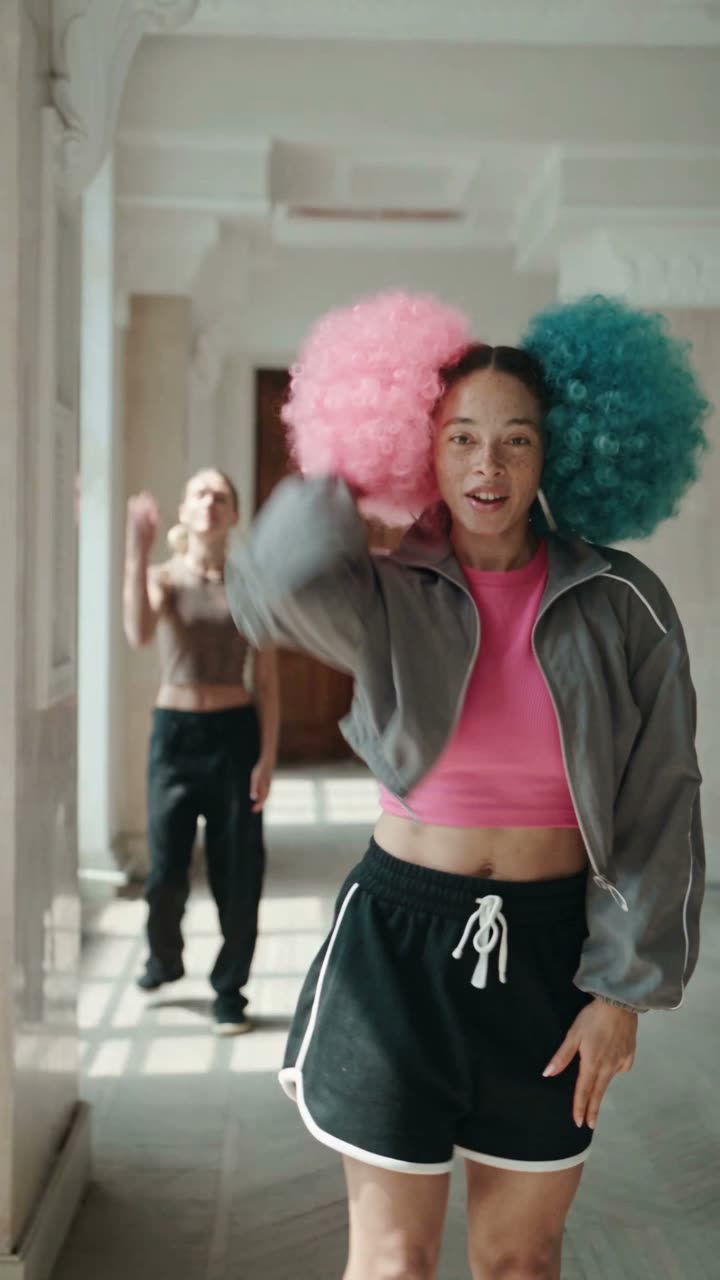
How to Create an AI Influencer in 2026 (Full Guide)
An AI influencer is a virtual creator with a fixed look and personality whose posts are made with AI. On BudgetPixel you cast one of 37 ready-made AI influencers or build your own, then @mention it in image and video prompts to keep the same face.
 By BudgetPixel Team9 min readFacts verified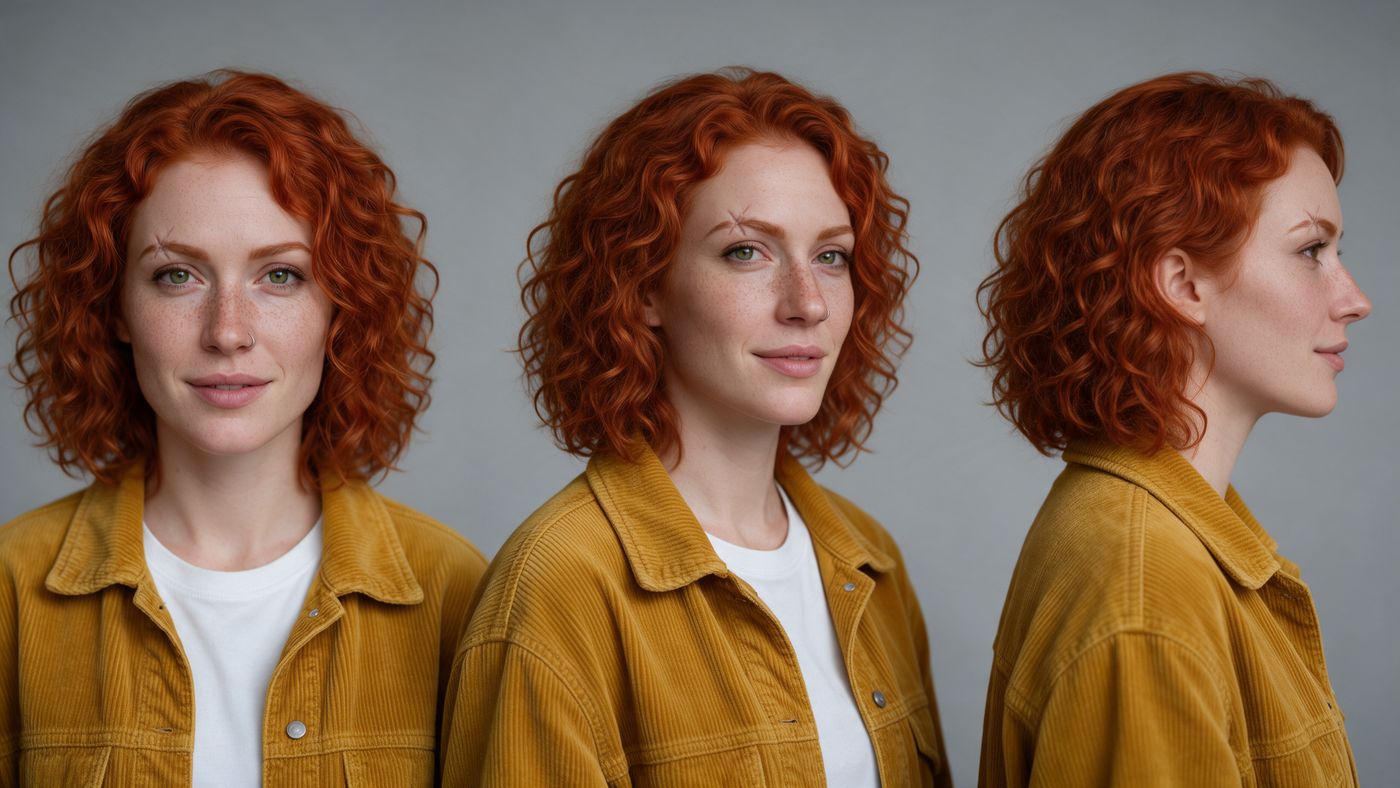
On this page
An AI influencer is a virtual creator with a fixed look and personality whose posts and videos are made with AI. Making one good picture is easy; keeping the face the same across hundreds of posts is the hard part. This guide covers it: pick or build the character, keep its face, make it move and talk, and budget a week of posts.
What makes an AI influencer work?
Some AI influencers look like real people; others are cartoons, animals or objects with a voice. What makes one work is the same as for a human creator: people recognize the face, know what to expect and come back for the format.
Decide three things before you make anything:
- Who they are. One line you could put in a bio. Our @chad is a hustle guru who runs a lemonade stand.
- What they post. A format that repeats: trend dances, product try-ons, tips to camera, a running gag.
- Where they post. Start with one platform. TikTok, Reels and Shorts are vertical (9:16), so make everything in that shape.
Should you start with a ready-made character or build your own?
Start ready-made to test formats this week; build your own when the account needs an identity nobody else can use.
| Ready-made AI influencer | Your own character | |
|---|---|---|
| First post | Minutes: @mention it | After one clear portrait; add angles for tagged shots |
| Set-up cost | Nothing to collect or buy | Creating and uploading are free; generated pictures cost image credits |
| Who else can use it | Every BudgetPixel user | Only you, unless you publish it to the marketplace |
| Credit line | We ask for "Name, a BudgetPixel AI influencer", with a link | None needed |
| Best for | Testing formats, quick brand content | A long-running account with its own identity |
Some of the 37 ready-made AI influencers:
| Handle | Who they are |
|---|---|
| @barry | Our ambassador: broke, but rich in his head |
| @linda | Barry's "model" girlfriend, in reality a mannequin |
| @neville | A mall guard with a giant neck who thinks he's a spy |
| @rocco | A giant scared of everything, with a brave chihuahua |
| @nanagloria | A retired librarian and the most feared gamer on her server |
| @rosa | An arm-wrestling champ turned meditation influencer |
| @ophelia | A life coach whose eyes nobody has seen |
| @sirreginald | A pug who believes he is royalty |
| @fifi | A beauty guru whose routine never ends |
| @hank | A lumberjack ballet dancer in a tutu |
How do you create your own AI influencer, step by step?
- Open budgetpixel.com/characters and create a character.
- Give it a name and an @handle. The handle is how you call it in every prompt.
- Optional: describe its look in a sentence or two, such as age, hair, style and one signature item.
- Add one clear portrait; it becomes the default picture. Upload a photo or generate one; generated pictures cost the usual image credits, charged only when they succeed.
- For tagged shots, add pictures under tags such as full_body, half_body, side_profile, three_quarter, back, expressions and outfit. Keep hair, outfit and light the same across them. A character holds up to 30 pictures, 3 per tag.
- Optional: give it a voice, so it can speak to camera.
- Test it: write the same prompt with @handle on two or three image models and compare the faces.
Use photos of yourself, or of someone who has given you permission. Characters built to impersonate a real person are not allowed.
How do you keep the face the same in every image and video?
On BudgetPixel a character is a set of tagged reference pictures. Each @mention sends one of them to the model: the default portrait for a plain @handle, or that tag's main picture for @handle.full_body. The prompt then only has to describe the scene. Each ready-made influencer carries 9 to 17 tagged pictures, usually 13.
- Describe the scene, not the face. The picture carries the face; repeating "blue eyes" in the prompt competes with it.
- Pick the picture. A plain @handle sends the main portrait, which suits close-ups; @handle.full_body suits outfits and dances. Type @handle. to see the other tags.
- Want two views? Mention both: @handle @handle.full_body.
- Frame close when the face matters. In wide shots a small face keeps its shape but loses fine detail.
- Stay on one model for a series. Different models render skin, light and style differently, even with the same face.
- Cast several at once. Up to four characters fit in one generation: write each handle.
Characters work on more than 20 image models and more than a dozen video models; the ones that accept them show an "@ Characters" chip.
How this compares with other ways to keep one face:
| Method | How it works | Set-up | Carries into video? |
|---|---|---|---|
| Reference pictures (BudgetPixel characters) | A picture of the character goes with each prompt | Minutes; one portrait to start | Yes, on every video model that takes characters |
| LoRA training | A small add-on model is trained on many photos of the face | Training time and cost per character | Only on models that load that LoRA |
| Face swap | A face is pasted onto finished frames | Minutes | The face only; body and outfit don't follow |
| A platform's trained identity | The platform trains on your photos | Varies by platform | Only on that platform |
How do you turn your AI influencer into videos?
Three ways, depending on the idea:
- A new clip from a prompt. Write @handle in a video prompt on a model that takes characters, such as Seedance 2.5, Kling V3 Omni, Wan 3.0 or Veo 3.1. Seedance 2.5 clips come with sound.
- A trend, recast. Paste a TikTok, Reel or Short link into Recast and cast your character. The clip comes back with the same moves and camera, and the sound if you keep it. See Meet Recast for how it works.
- A talk to camera. Give the character a voice and write what it should say. The words are spoken in that voice, and a lip-synced video is made from its portrait.
What should an AI influencer post?
Pick two or three formats and repeat them; a recognizable format is what brings people back.
| Format | Example | How to make it |
|---|---|---|
| Trend recast | Your character doing this week's dance | Recast, from the trend's link |
| Product moment | The character holding or wearing a product | An image with @handle plus the product picture, or Recast with the product added |
| Running gag | @rocco hiding behind his chihuahua again | The same setup in a new situation each week |
| Day in the life | A morning routine in four photos | A series of images on one model |
| Duet | Two characters in one scene | Two handles in one prompt |
What does it cost to run an AI influencer?
A steady week of posts takes about 5,500 credits:
| Post | How many | Model and quality | Credits |
|---|---|---|---|
| Photo posts | 7 | Seedream 5.0 Lite, about 40 each | 280 |
| Short videos, 5 seconds | 3 | Seedance 2.5 at 480p, 750 each | 2,250 |
| Trend recast, 10 seconds | 1 | Recast on Seedance 2.5 at 480p | 2,990 |
| Week | 5,520, about $5.52 |
That is about 24,000 credits a month, which the Premium plan covers (25,000 credits for $22 a month). Sharper models and 1080p cost more; the price of each job shows before you start. Prices verified October 2026; see the pricing page.
What are the rules for AI influencers?
- Label realistic AI content. TikTok and YouTube require a label on realistic AI content; Instagram on photorealistic video and realistic audio.
- Disclose paid posts. In the US, the FTC's Endorsement Guides (revised 2023) cover endorsers who only appear to be people, which the FTC says includes virtual influencers. A sponsored post needs a clear disclosure.
- Use real faces only with consent. Your own, or that of someone who agreed. Characters built to impersonate a real person are not allowed.
- Keep the ready-made cast clean. BudgetPixel's AI influencers aren't allowed in nude or sexual content; such requests are refused.
Where does this fall short?
- Each @mention sends one picture, so pick the tag that fits the shot.
- Small faces in wide shots lose fine detail.
- The same face can look different from one model to another.
- In a recast, a second person's face follows the original performer more loosely, and the cast wears the original outfits unless you add an outfit picture.
Who is this for?
- Creators who want a faceless account that still has a face.
- Brands that want a mascot or spokesperson who can appear in any trend.
- Agencies running separate personas for separate clients.
- Developers building on characters: on paid plans, the BudgetPixel API and MCP server list and look up characters, and @handle works in their generation requests.
Questions people ask
How many photos do I need to make an AI influencer?
One clear portrait is enough to start. For tagged shots, add full body, side profile, three-quarter, back and a few expressions, keeping hair, outfit and light the same.
Can I create an AI influencer for free?
Yes. Creating a character and uploading its pictures are free. The free plan's 300 monthly credits cover about seven images on Seedream 5.0 Lite, or one 5-second 480p video on Wan 3.0. A recast takes at least 468 credits, so it needs a pack or a plan.
How do AI influencers keep the same face?
On BudgetPixel each @mention sends one of the character's reference pictures to the model. The picture keeps the face; the prompt sets the scene.
Can I make an AI influencer from my own photos?
Yes. Upload photos of yourself, or of someone who has given you permission, as the character's reference pictures, then @mention it like any other character.
Can I use the BudgetPixel AI influencers for my brand?
Yes, on a paid plan: Basic allows limited commercial use, and Premium and up full commercial use. We ask for a credit line, such as "Barry, a BudgetPixel AI influencer", with a link; see the terms for commercial use on your plan.
Do I need to label AI influencer posts?
Yes. TikTok and YouTube require a label on realistic AI content, and Instagram on photorealistic video and realistic audio. A sponsored post also needs an ad disclosure, as it would for a person.
Which models work with characters?
More than 20 image models, including Seedream 5.0, Nano Banana 2 and GPT Image 2, and more than a dozen video models, including Seedance 2.5, Kling V3 Omni, Wan 3.0 and Veo 3.1. Models that accept characters show an "@ Characters" chip.
Can my AI influencer talk?
Yes. Give the character a voice and write what it should say. The words are spoken in that voice and lip-synced to a video made from its portrait.
Try it yourself
Free to cast: nothing to collect or buy, just @mention them.