How to Change the Camera Angle of Any Picture With AI
You can move the camera after the shot: give an AI one picture and it draws the same scene from the side, the back, above or below. Here is how it works, what it invents, and how to do it in Design Studio or the Camera Angles app.
 By BudgetPixel Team5 min readFacts verified
On this page
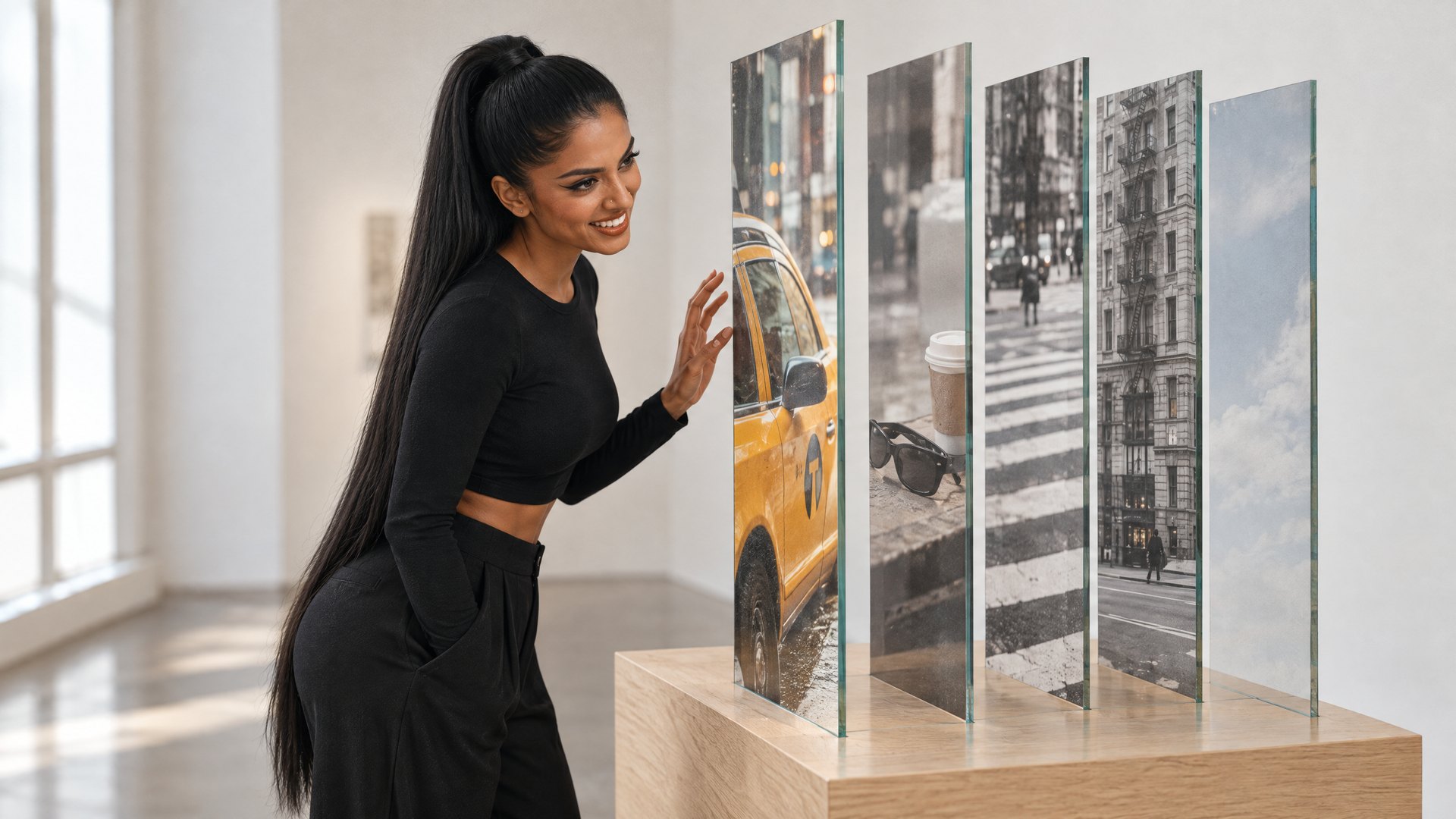
Every photo is stuck at the angle it was taken from. A camera angle tool moves the camera after the shot: you give an AI one picture, tell it where the camera should be, and it draws the same scene from there.
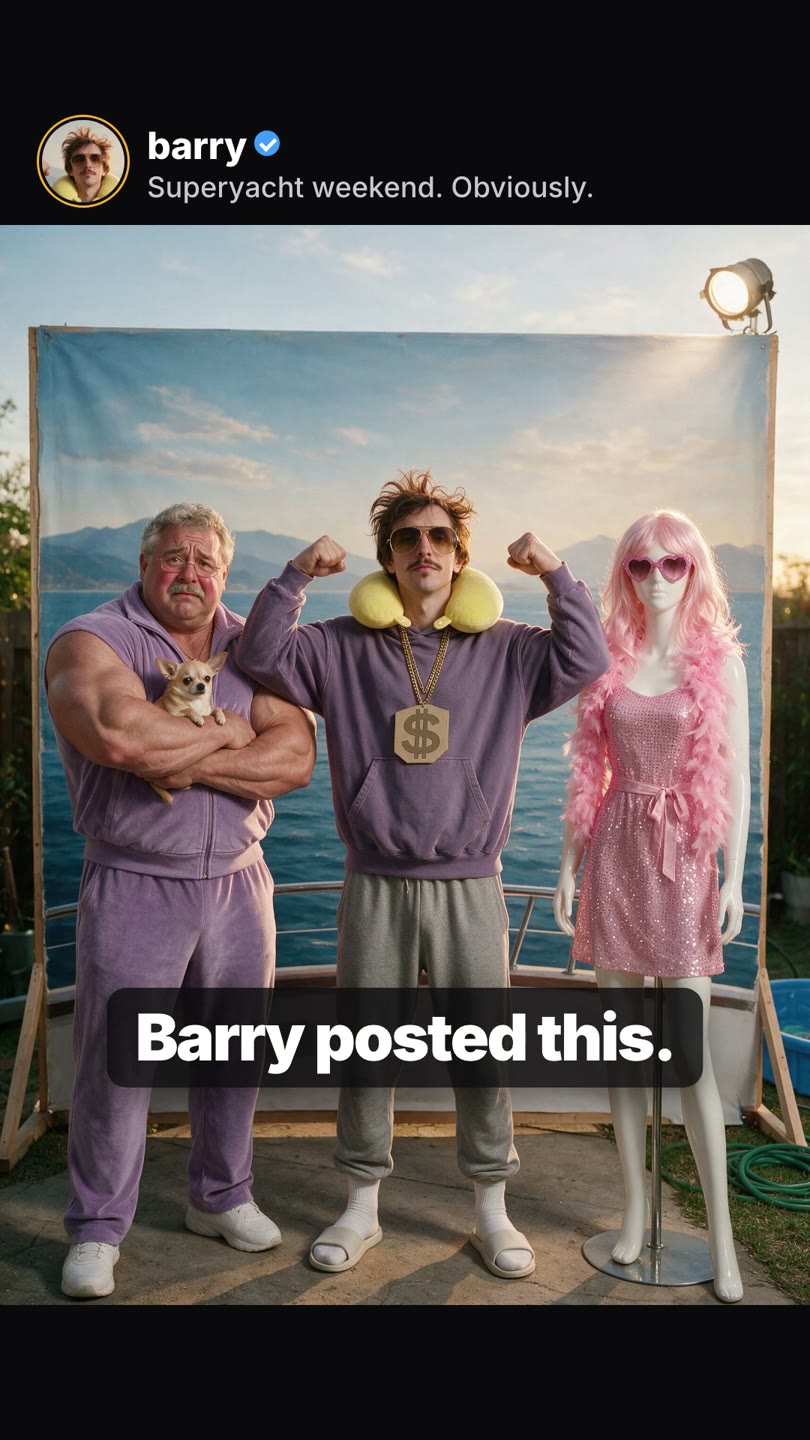
We tested it on a photo built to get caught out: Barry, our virtual ambassador, flexing with his bodyguard Rocco and Linda the mannequin on a "superyacht" that is really a painted backdrop in a backyard. We made the photo with Seedream 5.0 Pro, then walked the camera around it.
What "change the camera angle" means
Three controls decide where the camera goes:
| Control | Range | What it does |
|---|---|---|
| Orbit (azimuth) | 0 to 359 degrees | 0 is the front, 90 the right side, 180 the back, 270 the left |
| Tilt (elevation) | 30 degrees below to 60 degrees above | Low angles make a subject heroic; high angles show the floor and the layout |
| Lens | Normal, close-up, wide-angle | Close-up crops in tight; wide-angle pulls back and adds depth |
The AI is not rotating a 3D model. It reads the picture, works out what the scene probably looks like from the new position, and paints it. That is why it can show the side of a backdrop, a lawn behind the photographer, and the shadows falling a different way.
What it got right, and what it invented
In our test, from one front-on photo:
- 45 degrees: the three of them turn in space, with the backdrop's edge appearing behind them.
- 90 degrees: the backdrop is a flat board standing in a yard, which the front view only hinted at.
- 135 degrees: a pond and the house next door appear on the left.
- 180 degrees: the camera is now behind them, looking where they look: at a garden fence, not an ocean.
- 315 degrees: a blue kiddie pool and a garden hose behind Linda.
- From above (60 degrees): the paving, the hose, and a corner of the kiddie pool.
- From below (30 degrees below): Barry from the floor, looming, which is the same flattering trick a photographer would use.
The AI invents what the camera never saw. The fence, the pond next door and the back of Linda's dress are all guesses. For a mood board, a product mock-up, a poster or a storyboard, that is exactly what you want. It is not a way to record what a place really looks like.
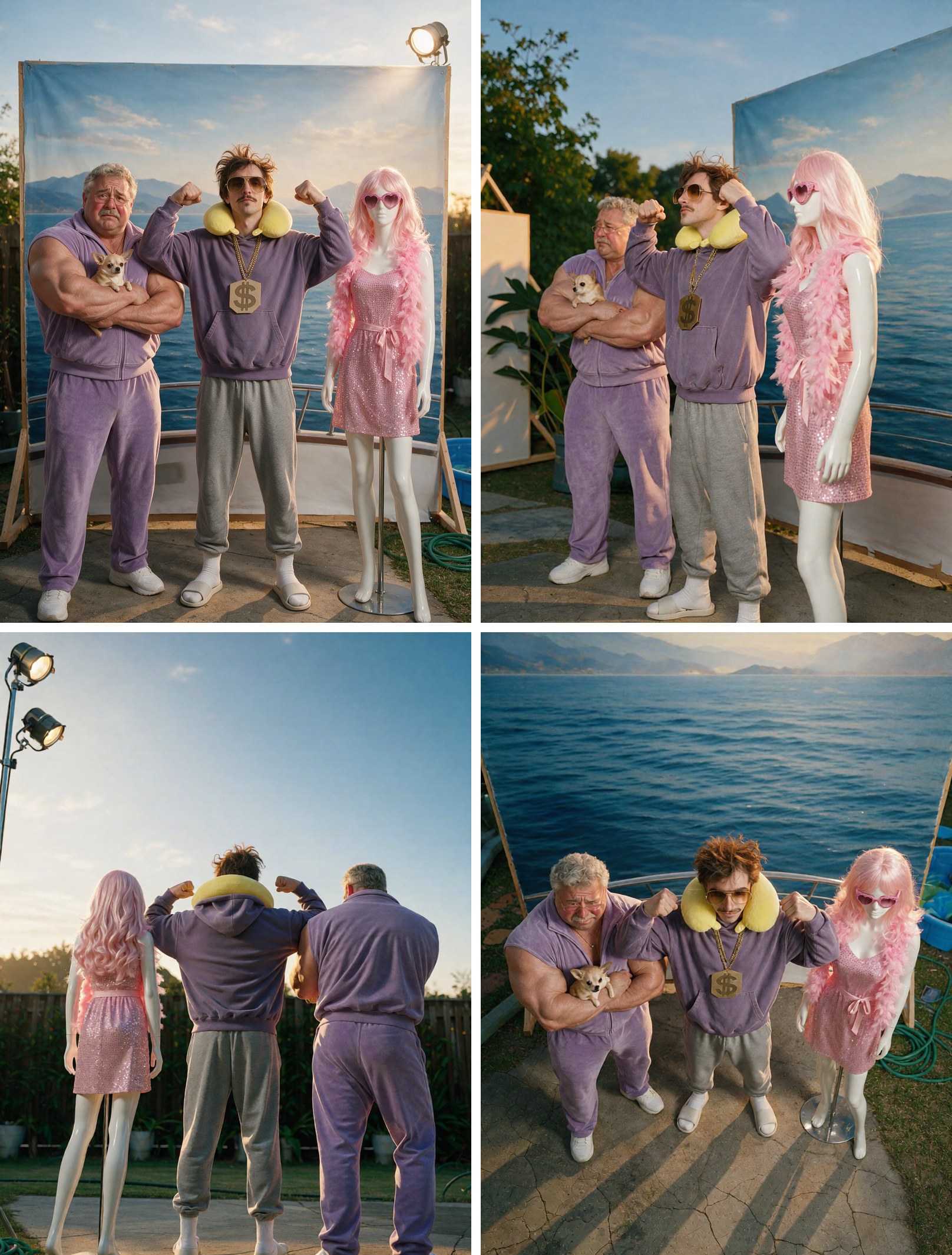
It keeps the big things (people, clothes, colours, the scene's feel) and can drift on small ones (text, logos, hands, jewellery). Look at the result before you use it.
How to do it in Design Studio
- Open Design Studio and put a picture on the canvas.
- Select it and click Angle in the toolbar.
- Drag the camera around the globe, tilt it, and pick a lens.
- Click Generate. It costs 30 credits, and the price shows first.
- The new angle lands beside the original. Drag it into your layout.
A cut-out stays a cut-out: if your picture has a transparent background, the new angle keeps it, for 55 credits in total.
You can also ask the AI designer in plain words: "show this chair from the left, the right, the back and from above." The designer makes each view as its own picture (one angle per step), so you get a set you can lay out as a product sheet.
How to do it in the Camera Angles app
If you only want the angle and not a layout, the Camera Angles app has the same orbit globe on a single page. Upload a picture, set the globe, and download the result. The AI camera angles page has the details.
Tips for better angles
- Start from a sharp picture where the subject fills the frame. The model works from what it can see; a tiny subject in a big scene gives it little to go on.
- Small moves keep the most. At 45 degrees almost everything in the original is still in view. At 180 degrees the model is painting a side nobody photographed, so expect more invention.
- Make every angle from the original, not an angle of an angle. Each pass is a new guess, and guesses stack.
- Check the faces and the small things. In our test Barry kept his mustache, his sunglasses and his neck pillow in every view; text, logos and hands are where drift shows first.
- Use a cut-out when you only want the subject. A picture with a transparent background comes back as a cut-out, ready for a new layout.
When it is worth using
- Product pages: one product photo becomes a front, side, back and top view.
- Storyboards and previs: see a set from where the camera will be. For full moving shots, see AI previs.
- Characters: one picture of your AI influencer from the side and the back, so a design or a video keeps the same person.
- Posters and thumbnails: a low angle makes a subject feel big, a high angle makes a layout clear.
- Rescuing a photo: the one good picture you have is from the wrong side.
When to skip it
- You need the real back of something, such as a legal photo of a damaged car. The AI will not know.
- The picture is mostly text, such as a screenshot or a label. Small print will not survive.
- You need an exact measurement or a technical drawing.
The short version
Camera angle AI moves the camera after the shot. Pick an orbit, a tilt and a lens, pay 30 credits, and get the same scene from a new side, with the parts the camera never saw invented. Use it where a good guess is enough, and check the details.
Questions people ask
Can AI change the camera angle of a photo?
Yes. You give it one picture and pick where the camera should be: around the subject (0 to 359 degrees), tilted from 30 degrees below to 60 degrees above, and a normal, close-up or wide lens. It draws the same scene from there.
How much does a new camera angle cost on BudgetPixel?
30 credits per angle. If the picture is a cut-out with a transparent background, the angle keeps the cut-out and the total is 55 credits.
Is the new angle a real photo of the other side?
No. The AI invents what the camera could not see, so the back of a chair or the other side of a building is a good guess, not a record. Use it for design, mood boards, product mock-ups and storytelling, not as evidence.
Does it keep the same person or product?
Usually, for clothes, colours and the overall shape. Fine details such as small print, logos and hands can change, so check the result before you use it.
What is the difference between Design Studio and the Camera Angles app?
Both use the same orbit globe. Design Studio puts the new angle beside the original on your canvas so you can drag it into a layout, and its AI designer can make several views from one request. The Camera Angles app is a single-purpose page for making angles from an upload.
Can I use it on an AI character or a photo of a person?
Yes on a character you made or a photo you have the right to use. Do not use it on pictures of real people who have not agreed.
Try it yourself
30 credits for each new angle. The price shows before you start.