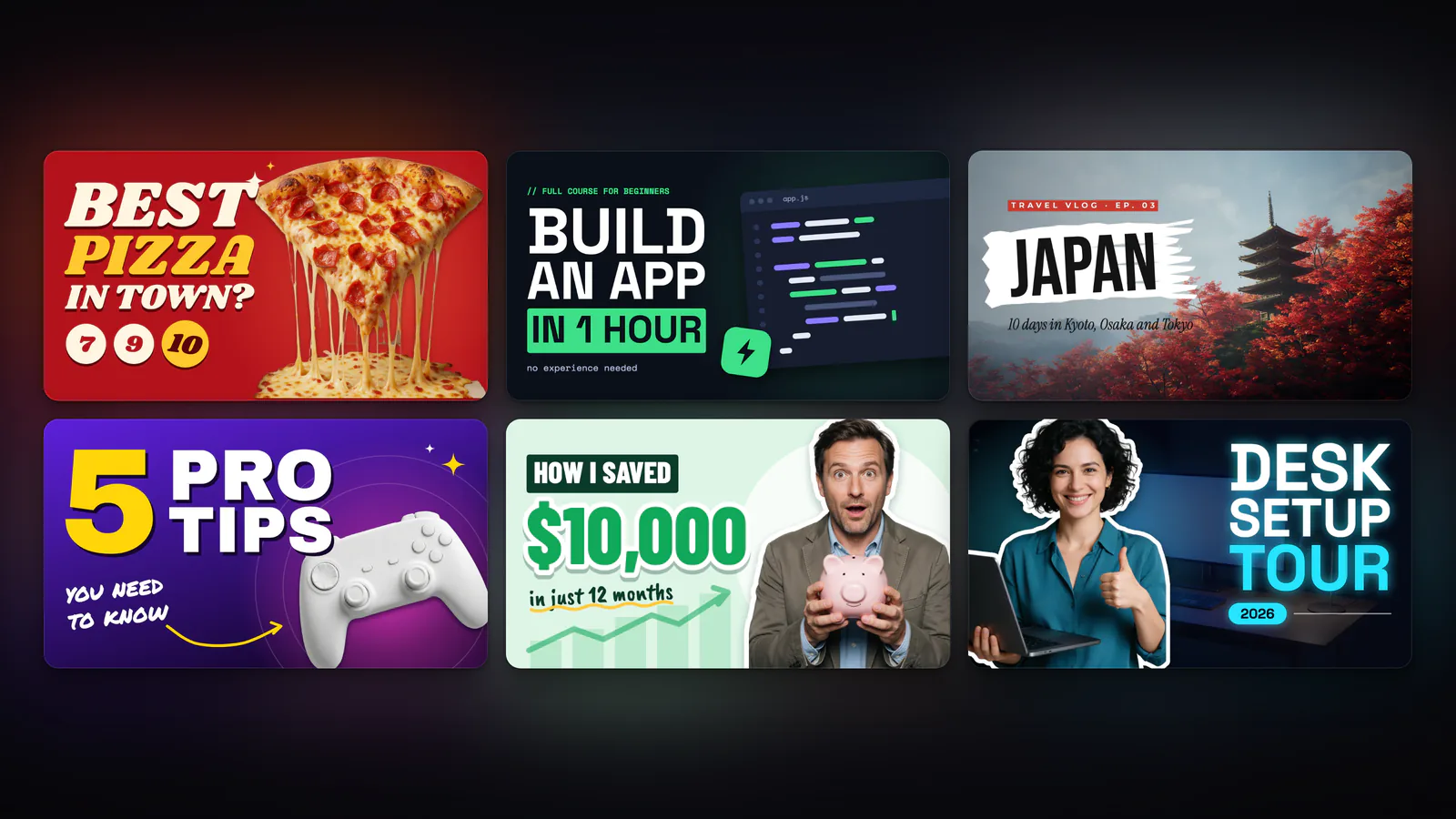
Meet Design Studio: An AI Designer With Free Templates
Design Studio is BudgetPixel's AI graphic design tool: start from more than 2,000 free templates or brief an AI designer with words and pictures, then edit every layer. Templates and the designer's chat are free; new AI pictures and image edits cost credits.
 By BudgetPixel Team8 min readFacts verified
 On this page
Design Studio is BudgetPixel's AI graphic design tool. Start from a free template, or brief an AI designer in plain words and pictures, and get a finished design built from real layers: text you can retype, photos you can swap, shapes you can move. Below: how the designer works, what you can make and edit, what it costs, and how to design a poster in a few minutes.
What is Design Studio and how does it work?
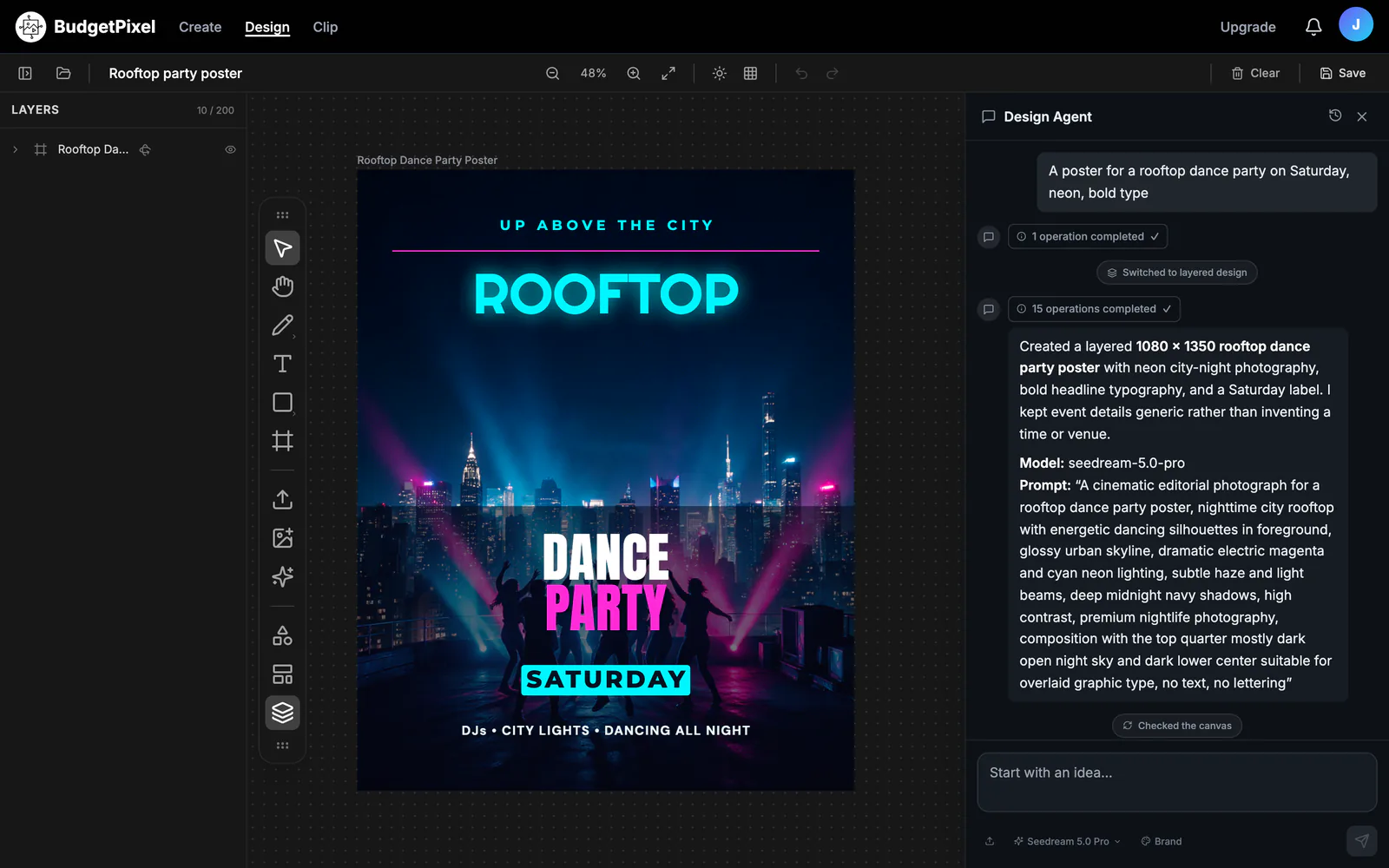
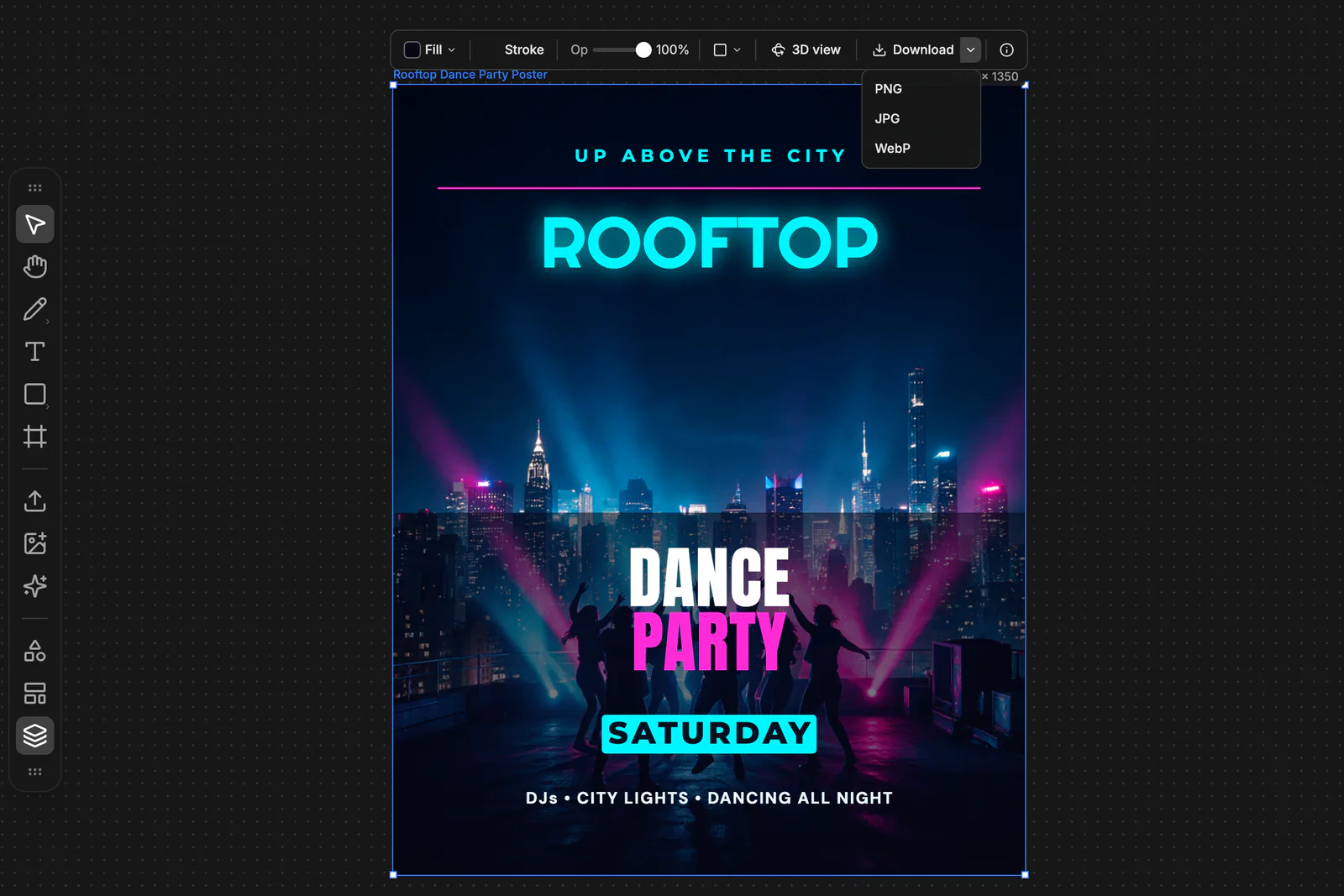
Design Studio is a canvas editor with an AI designer built in. You describe what you need, such as "a poster for a rooftop dance party on Saturday, neon, bold type", and the designer lays out the whole design for you. Or you open a template and change it yourself. Either way, you end up with the same thing: an editable design you own.
| Start from a template | Start from a brief | |
|---|---|---|
| What you do | Pick one of more than 2,000 free templates and press Use this template | Describe the design in words; add up to 9 reference images or a PDF |
| What you get | Your own copy, with its text, photos and shapes ready to change | A new design built piece by piece for your brief |
| Best for | Fast results in a proven layout | Something specific to your brand, event or idea |
| Cost | Free | The chat is free; new pictures cost credits |
How does the AI designer build a design?
The designer works the way a human designer does: back to front, one piece at a time. It sets the background, makes one picture per subject and cuts it out, adds free shelf items and decoration, then sets the text by role, such as headline, date and call to action. When it is done, it checks a screenshot of its own work and fixes what looks off.
What you can give it:
- Words. A one-line brief is enough; details like colours, mood and the exact text help.
- Reference images. Up to 9 per message: your product, a photo, a style you like.
- A PDF. Up to 10 pages, such as a menu or a one-pager to turn into a poster.
- Your brand. A brand kit with your colours, fonts and logo, which it can import from your website's address.
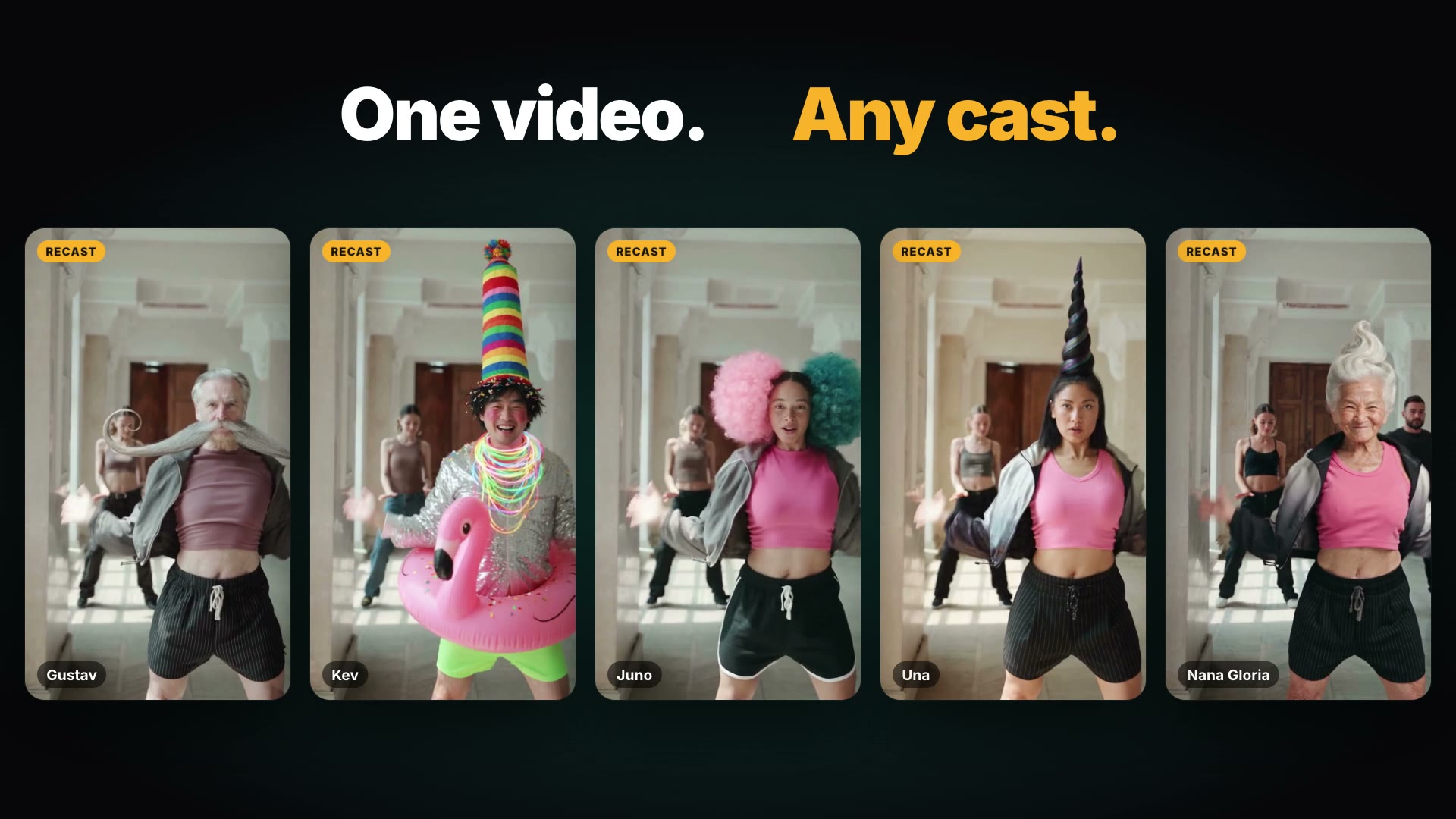
- A character. Write an @handle to cast one of BudgetPixel's 37 AI influencers or your own character.
It makes up to 4 new pictures per message, and it can search the web for reference images at no cost. Pictures come from your choice of image models, from Seedream and GPT Image to Nano Banana and FLUX.
One habit worth keeping: read any words that appear inside a generated picture. Text set as a layer is spelled exactly as you typed it; words drawn into a picture can come out misspelled, and the Edit tool fixes them in one pass.
What can you make with Design Studio?
The start screen has ready sizes for the most common jobs:
| Format | Size in pixels |
|---|---|
| Instagram post | 1080 × 1350 |
| Instagram story | 1080 × 1920 |
| YouTube thumbnail | 1280 × 720 |
| Sticker | 1500 × 1500 |
| Flyer | 2550 × 3300 |
| Poster | 2400 × 3600 |
| Invitation | 1500 × 2100 |
| Business card | 1050 × 600 |
| Presentation slide | 1920 × 1080 |
The frame panel adds about 40 more presets, from LinkedIn and Pinterest posts to YouTube banners, A4 pages and labels, plus any custom width and height. Print templates are set up at 300 dpi.
What templates are there?
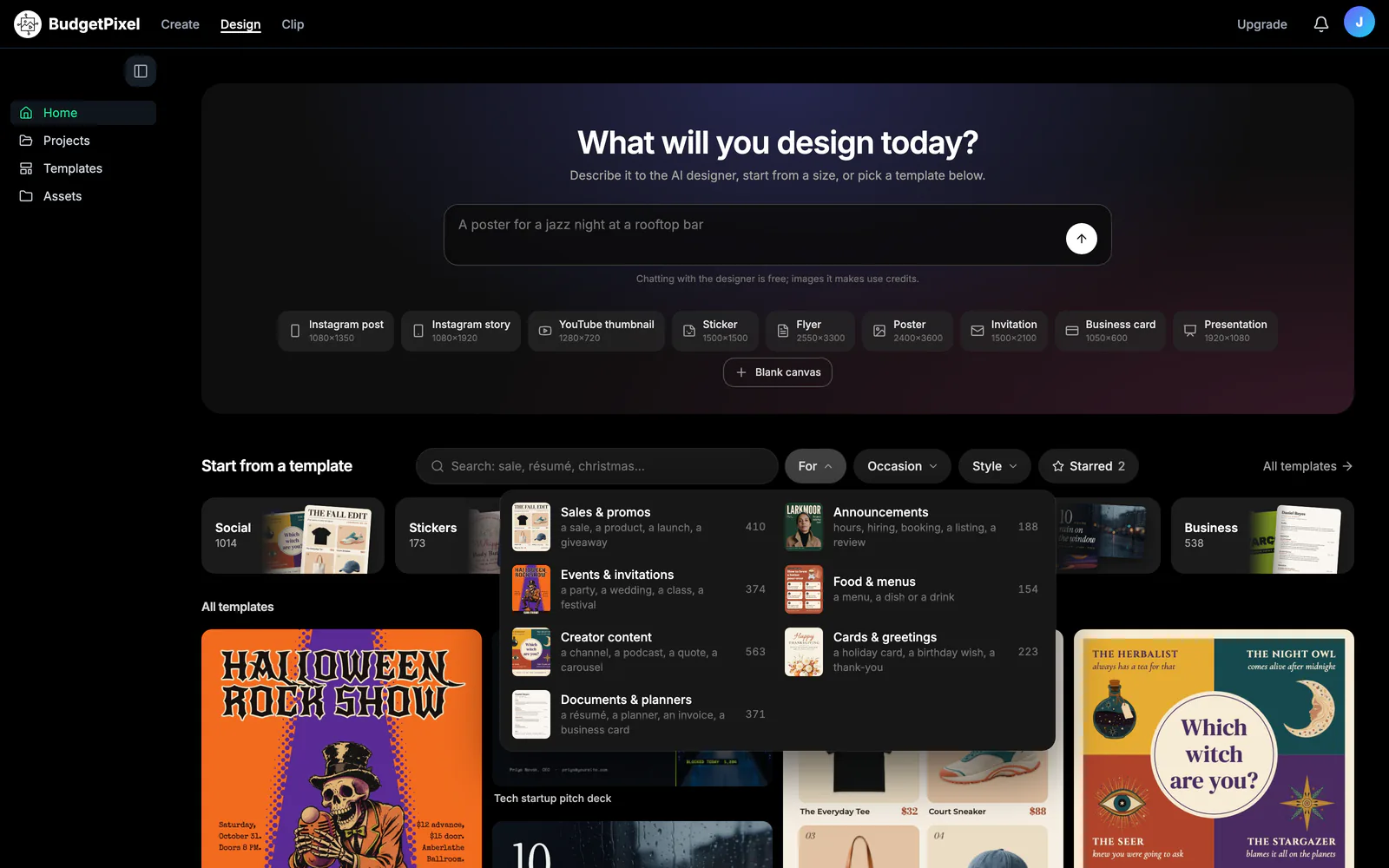
More than 2,000 free templates, sorted by kind, purpose, occasion and style. Each template page lists exactly which layers you can change before you open it.
| Kind | Examples | Browse |
|---|---|---|
| Social | Instagram posts and stories | Templates |
| Flyers and posters | Events, sales, announcements | Posters, Flyers |
| Invitations | Birthdays, weddings, parties | Invitations |
| YouTube | Thumbnails and channel banners | YouTube thumbnails |
| Business | Résumés, presentations, cards | Résumés, Presentations |
| Stickers | Sticker designs | Templates |
You can also browse by style, such as minimal, bold, retro or dark, and by occasion, such as Halloween.
What can you edit?
Everything on the canvas, by hand or by asking the designer:
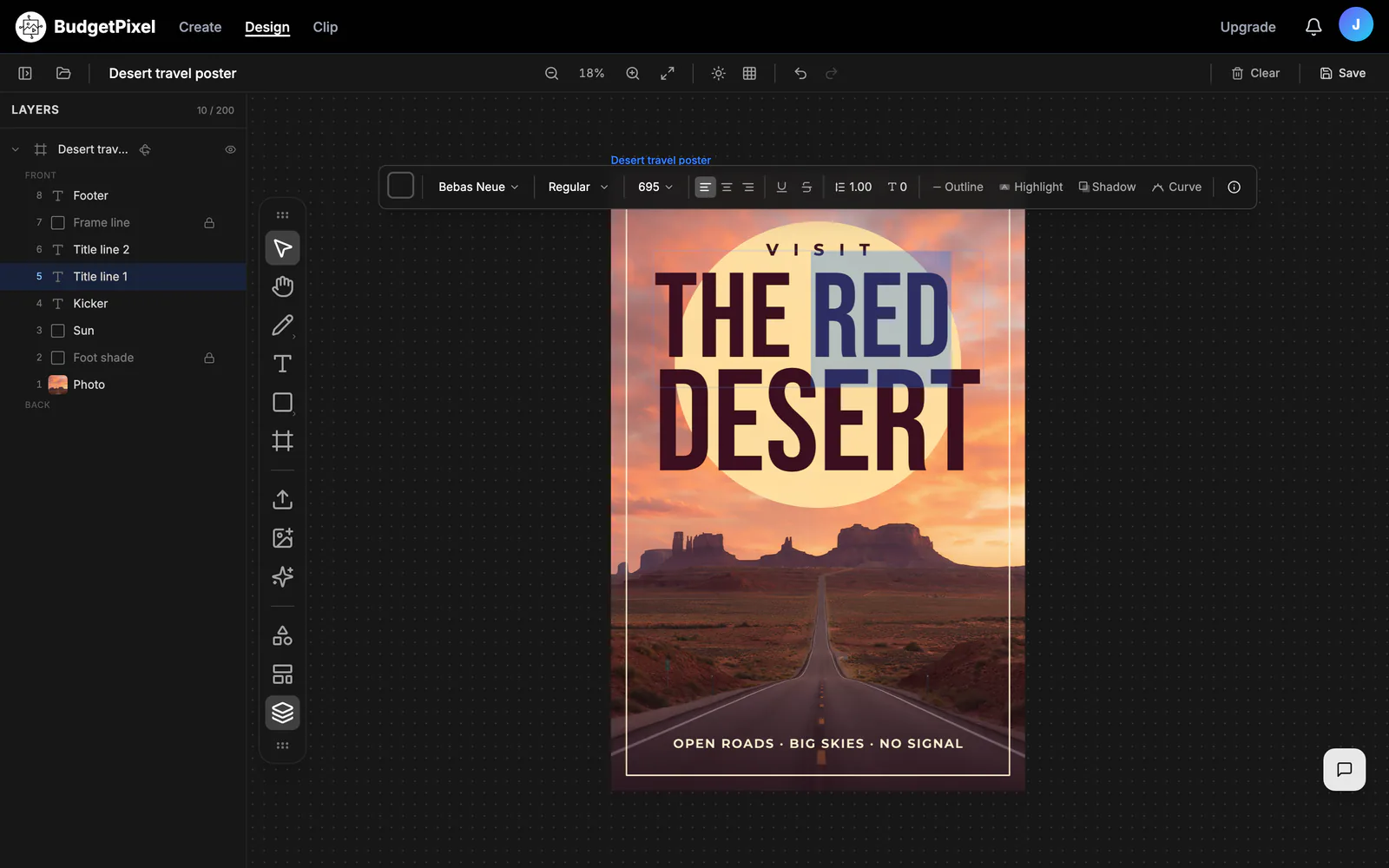
- Text: more than 70 typefaces, ready-made text styles, and curved text that bends up to almost a full circle.
- Layers: move, resize, recolour, reorder, group or delete any piece.
- Decoration: stickers, ribbons, tape, patterns, icons and QR codes, plus a free shelf of cut-outs, photos and illustrations.
- AI image tools: remove a background, upscale, expand a picture beyond its edges, remove an object, repaint an area, or change the camera angle.
- Decompose: split a flat picture into a background and up to 8 separate layers you can edit.
How do you design a poster with AI, step by step?
- Open budgetpixel.com/design on a computer or tablet and choose Poster (2400 × 3600), or pick a poster template.
- Write your brief in the chat, for example: "A poster for a rooftop dance party on Saturday at 9 pm, neon, bold type."
- Add anything the designer should use: a logo, a photo of the venue, or your brand kit.
- Watch it build the poster layer by layer; it checks the result before handing it over.
- Ask for changes in plain words ("make the date bigger", "swap the photo for a night sky"), or click any layer and edit it yourself.
- Download it as PNG, JPG or WebP at full size.
What does Design Studio cost?
The editor, the templates and the chat with the AI designer are free. Credits are spent only when you make a new picture or run an AI image tool, and the price shows before you run it.
| Action | Credits | About |
|---|---|---|
| Use a template, edit, download | Free | — |
| Chat with the AI designer | Free | — |
| New picture, default model (Seedream 5.0 Pro), 1K | 55 | $0.06 |
| New picture, same model, 2K | 110 | $0.11 |
| Remove a background | 25 | $0.03 |
| Upscale a picture | 30 | $0.03 |
| Expand, remove an object, or edit an area, 1K | 55 | $0.06 |
| Decompose a picture into layers | 55 per layer image | $0.06 each |
Dollar amounts use the credit-pack rate of 1,000 credits per $1. Other image models range from 11 credits per picture (FLUX 3 Klein) to 180 (Nano Banana Pro at 4K). The free plan's 300 monthly credits cover five new pictures on the default model.
| Plan | Monthly | Credits a month |
|---|---|---|
| Free | $0 | 300 |
| Basic | $10 | 11,000 |
| Premium | $22 | 25,000 |
| Pro | $55 | 60,000 |
| Ultra | $125 | 130,000 |
Prices verified October 2026; current numbers are on the pricing page.
What are Design Studio's limits today?
- It needs a computer or a tablet; on a phone you can browse templates but not edit.
- Downloads are PNG, JPG or WebP at the frame's size; there is no PDF, SVG or 4K export button yet.
- There is no one-click resize from one format to another; ask the designer to rebuild a design in a new frame instead.
- An account holds 50 projects, each with up to 200 layers.
Who is Design Studio for?
- Creators making thumbnails, posts and stories every week.
- Small businesses that need flyers, menus, cards and sale posters without hiring a designer.
- Marketers turning one campaign idea into posts, stories and banners in their brand kit.
- Anyone planning an event, from birthday invitations to concert posters.
Questions people ask
Is Design Studio free?
The templates, the editor and chatting with the AI designer are free. New AI pictures and image edits cost credits, such as 55 credits for a picture on the default model and 25 to remove a background. The free plan includes 300 credits a month.
What can the AI designer make?
Posters, flyers, invitations, Instagram posts and stories, YouTube thumbnails, stickers, business cards and presentations. Brief it in words, with up to 9 reference images per message or a PDF of up to 10 pages.
Can I edit what the AI designer makes?
Yes. The designer is built to make designs from separate layers, so text stays editable text and each picture, cut-out and shape can be moved, swapped or deleted. If a generated picture comes back with words drawn into it, ask the designer to set them as a text layer.
Can I use Design Studio templates commercially?
Designs made from templates can be used for personal or commercial work, with no credit line; the templates themselves may not be resold. New AI pictures follow your plan: personal use on Free, limited commercial use on Basic, full commercial use on Premium and up.
What file formats can I download?
PNG, JPG or WebP, for a whole frame or just the selected layers, at the frame's own pixel size. There is no PDF or SVG button; the AI designer can bundle frames into a simple PDF when you ask.
Can I use Design Studio on my phone?
Not yet. Editing needs a computer or a tablet; on a phone you can still browse the templates.
Can I put an AI influencer or my brand into a design?
Yes. Write a character's @handle in your brief to cast one of BudgetPixel's AI influencers or your own character, and set up a brand kit with your colours, fonts and logo, or import it from your website.
How many designs can I keep?
50 projects per account, each with up to 200 layers. A project can hold several frames, such as a post, a story and a thumbnail for the same campaign.
Try it now
Templates and the AI designer's chat are free. You pay only for new AI pictures and image edits.