How to Make a YouTube Thumbnail With AI (Free Templates)
To make a YouTube thumbnail with AI on BudgetPixel, open a free 16:9 thumbnail template or brief the AI designer, swap in your photo or an AI influencer, then download a PNG or JPG and upload it in YouTube Studio. YouTube now recommends 3840 × 2160 and accepts 16:9 images from 640 pixels wide.
 By BudgetPixel Team8 min readFacts verified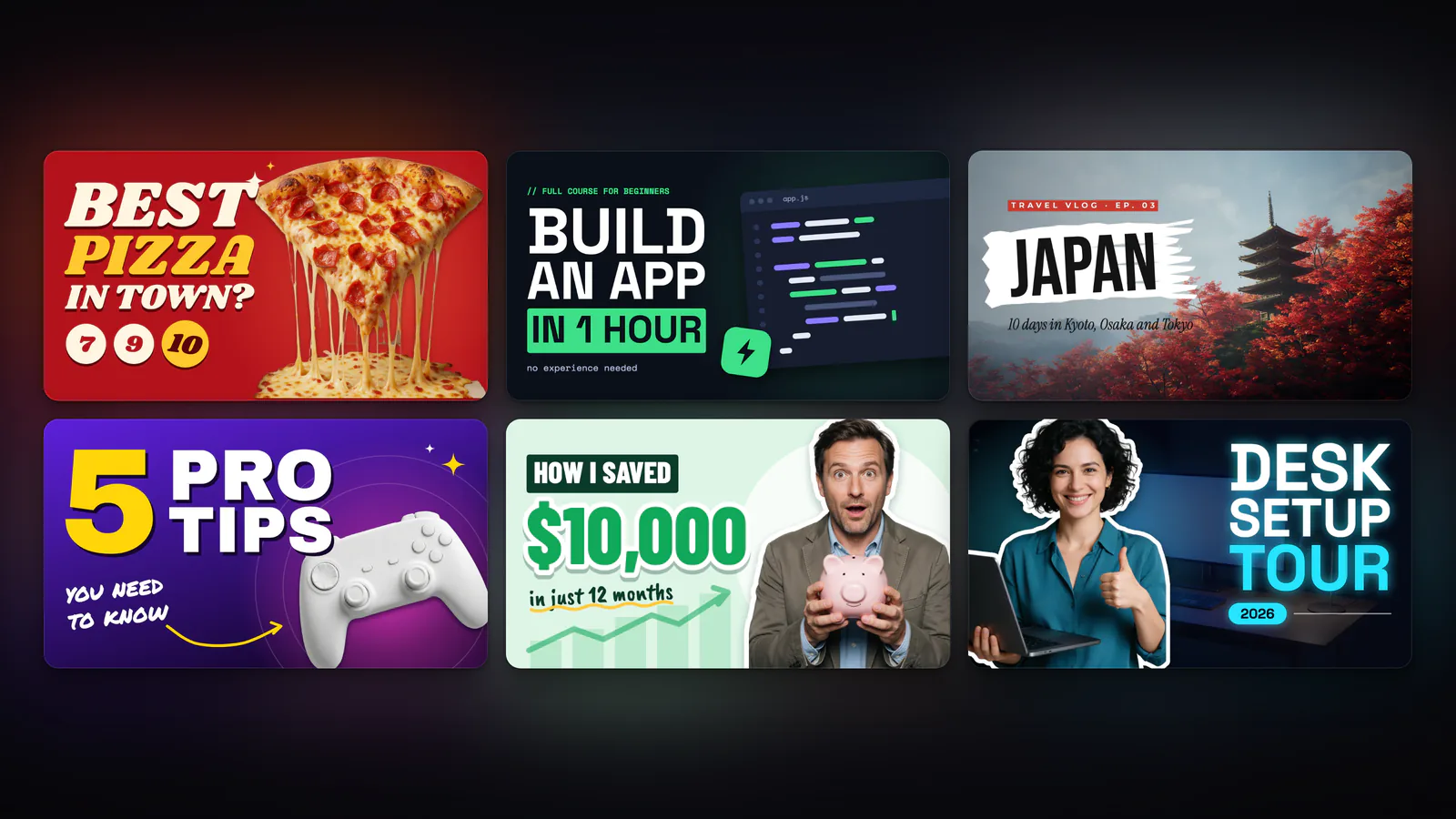
On this page
A YouTube thumbnail is the picture people judge your video by before they click. With AI you can make one in minutes: open a free thumbnail template or describe the thumbnail to an AI designer, put your face or an AI influencer on it, and download a sharp 16:9 image. This guide covers YouTube's current size rules, both ways to make a thumbnail on BudgetPixel, and how to test which one wins.
What size should a YouTube thumbnail be?
YouTube's rules changed with 4K screens. These are the current ones from YouTube Help:
| Rule | Videos | Shorts |
|---|---|---|
| Recommended size | 3840 × 2160 | 2160 × 3840 |
| Aspect ratio | 16:9 | 9:16 |
| Minimum | 640 pixels wide | 640 pixels high |
| File types | Images such as JPG or PNG | Images such as JPG or PNG |
| File size | Up to 50 MB on a computer, 2 MB in the mobile app | Up to 50 MB (set on a computer) |
| Where to set it | YouTube Studio or the app | YouTube Studio on a computer only |
Custom thumbnails need a verified account: they are one of YouTube's intermediate features, unlocked by a phone verification.
In practice, 1280 × 720 is the floor worth keeping. It looks sharp in search and suggested videos, and YouTube's A/B test shrinks every thumbnail in a test to 854 × 480 if any of them is smaller than 1280 × 720. BudgetPixel's thumbnail templates are 1280 × 720; for a 4K thumbnail, start a custom 3840 × 2160 frame instead.
What makes people click a thumbnail?
A thumbnail is seen small, fast and next to a dozen others. The ones that work tend to share a few habits:
- One idea. One subject, one feeling, one promise. A busy thumbnail reads as noise at phone size.
- A face with a clear expression, close enough to read at the size of a stamp.
- Three to five words, big. The title already sits under the picture; the thumbnail adds the hook, not a repeat.
- Contrast. Light subject on a dark ground or the reverse, with text that stays readable in both light and dark mode.
- A look people recognise. Keep the same fonts, colours and layout across a series, so subscribers spot your videos.
- A promise the video keeps. A thumbnail that oversells costs you watch time, which is what YouTube rewards.
How do you make a YouTube thumbnail from a template?
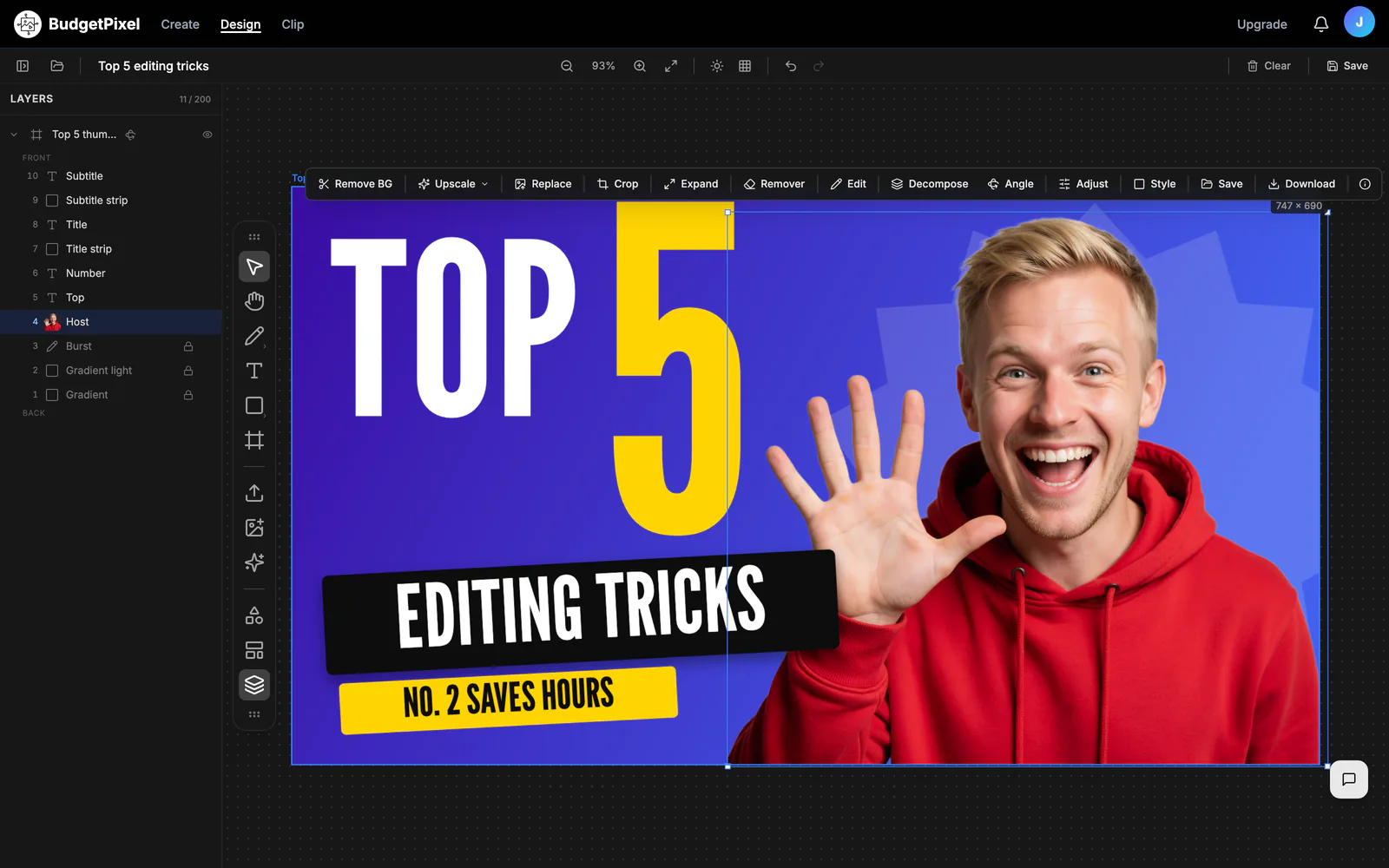
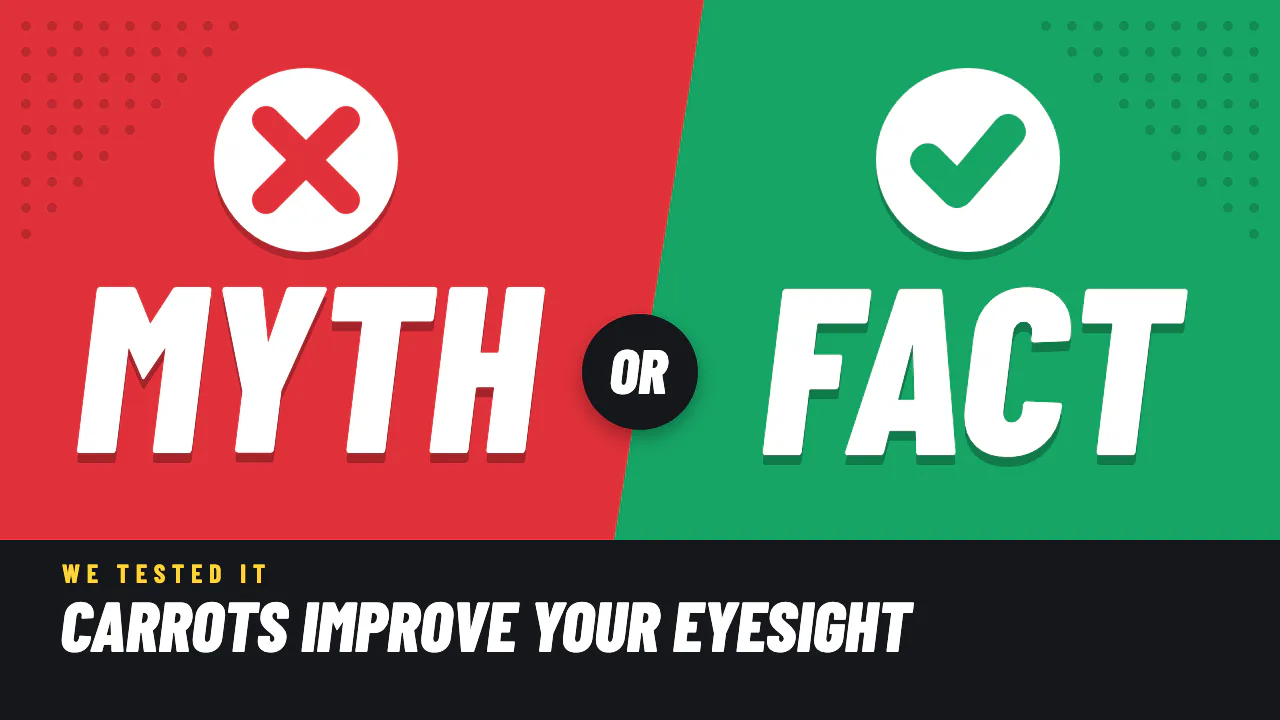
- Open the YouTube thumbnail templates and pick one that matches your video, such as a top 5 list, a before and after or a 30-day challenge.
- Press Use this template. It opens in Design Studio as your own copy (you need a free account and a computer or tablet).
- Click the title and type your own words. Fonts, colours and effects stay as they are unless you change them.
- Click the photo and choose Replace. If the slot is a cut-out, remove your photo's background first.
- Adjust anything else: move a sticker, recolour a shape, add an arrow or a second face.
- Download it as PNG or JPG and upload it in YouTube Studio.
How do you make a YouTube thumbnail with the AI designer?
When no template fits, describe the thumbnail instead:
- Open Design Studio and pick the YouTube thumbnail size, or simply ask for a thumbnail in the chat.
- Write a brief with the video's topic, the words you want on it and the mood. For example: "A YouTube thumbnail for a video about restoring an old wooden sailboat, bold and bright, with the words 30 DAYS LATER."
- Add reference images if you have them: your face, the product, a frame from the video.
- The designer usually builds the thumbnail in a 1920 × 1080 frame from separate layers: background, subject cut-out, decoration and text. If it returns one flat picture with the words drawn in, ask it to set the title as a text layer.
- Ask for changes in plain words ("bigger text", "make me look surprised", "swap the background for a sunset"), or click a layer and edit it yourself.
- Download PNG or JPG.
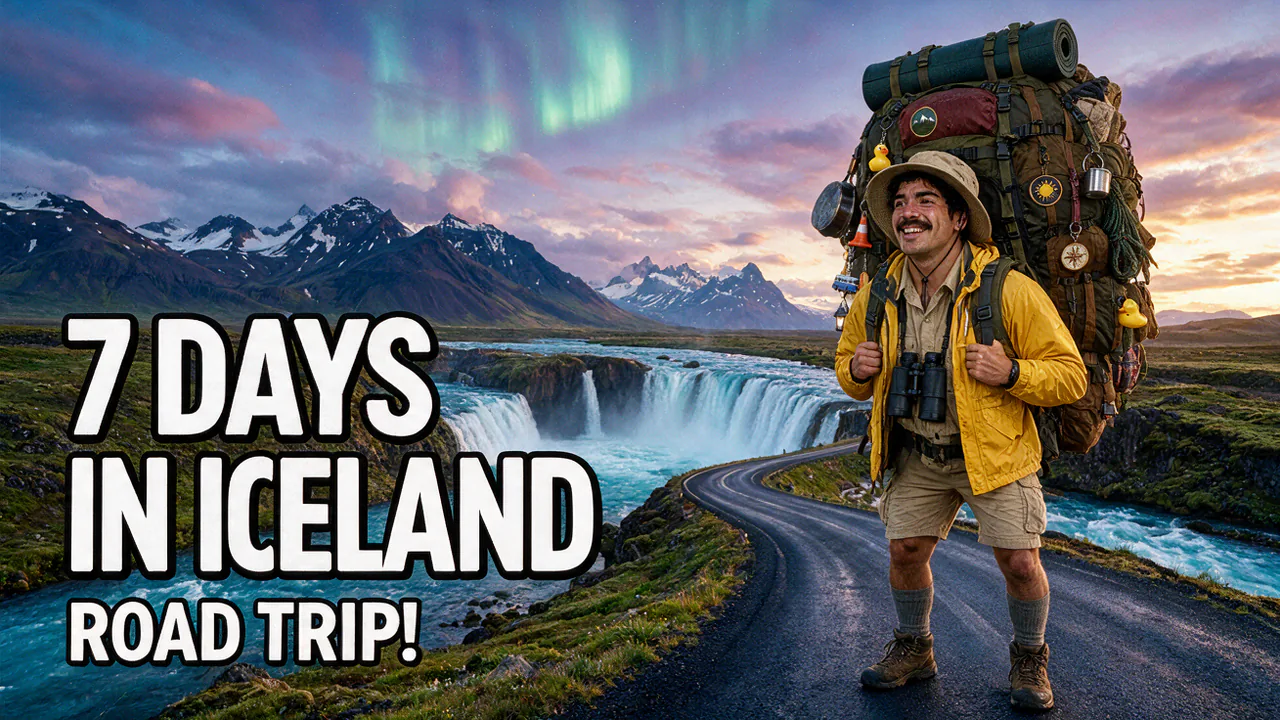
The chat with the designer is free. Each new picture it makes costs credits, from 55 on the default model, and the price shows before it runs. Read any words drawn into a generated picture before you download; a misspelling there is fixed in one pass with the Edit tool.
Already filmed the video? Thumbnail Studio in Clip Studio builds cover options from frames of your own video: 10 free runs, for videos up to 30 minutes.
How do you put your face or an AI influencer on a thumbnail?
Your face. Upload a clear photo with your expression for the video, then use Replace on the template's photo. Most thumbnail templates use a cut-out of the person, so remove the background first; it costs 25 credits and takes a few seconds.
An AI influencer. If you run a faceless channel, let a character be the face. Write an @handle in your brief, such as "@barry looking shocked at a giant receipt", and the designer makes the picture with that character's face. BudgetPixel has 37 AI influencers that are free to cast, and you can build your own character from your photos. On the default model the picture costs 55 credits and its cut-out 25, about 8 cents in all.
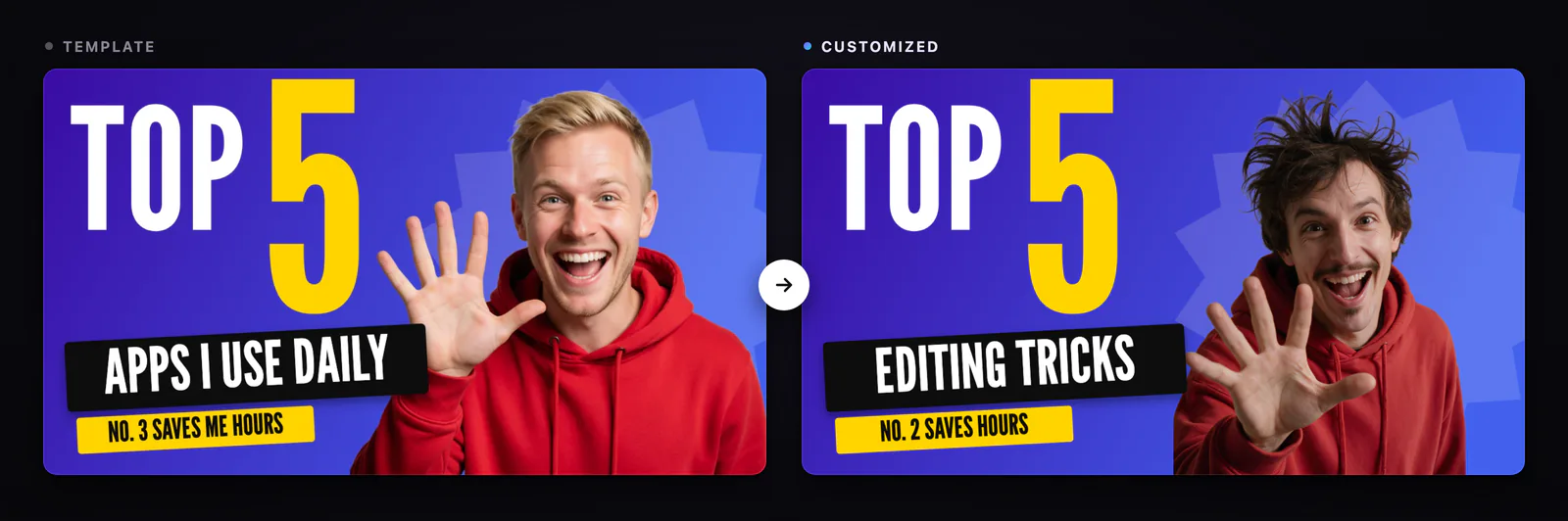
If you ask the designer to swap the person, check the result before you download: the old photo should be gone. When it isn't, select the photo and use Replace with the new cut-out.
| Template | AI designer | |
|---|---|---|
| Speed | Minutes, once you have a photo | A few minutes per round |
| Look | A proven layout in a set style | Built for your exact topic |
| Cost | Free, plus 25 credits for a cut-out | Free chat, 55 credits per new picture |
| Best for | Weekly uploads in a consistent series | A one-off idea or a new channel look |
How do you test which thumbnail works?
YouTube has an A/B test for titles and thumbnails in YouTube Studio:
- Test up to 3 thumbnails, titles, or both for one video.
- YouTube splits viewers between them and picks the one with the most watch time.
- It runs on a computer only and needs YouTube's advanced features.
- It is not available for Shorts, videos made for kids, mature-audience or private videos.
- A test takes from a few days to 2 weeks.
Make two or three versions that differ in one thing, such as the face, the words or the background colour. Duplicate the frame in Design Studio, change that one thing, and download each.
What does it cost?
| What you do | Credits | About |
|---|---|---|
| Use a template, edit, download | Free | — |
| Chat with the AI designer | Free | — |
| Remove your photo's background | 25 | $0.03 |
| A new AI picture, default model | 55 | $0.06 |
| An AI influencer picture plus its cut-out | 80 | $0.08 |
Dollar amounts use the credit-pack rate of 1,000 credits per $1. The free plan's 300 monthly credits cover about five new pictures. If your channel earns money, check the commercial-use rules for AI pictures in the questions below. Prices verified October 2026.
What mistakes should you avoid?
- Too small to read. Check your thumbnail at about 320 pixels wide before you upload it.
- Text in the corners. YouTube puts the video length in the bottom right; keep words clear of it.
- Below 1280 × 720. It may pass the minimum but looks soft, and an A/B test shrinks it further.
- A face too small to read, or several faces competing for attention.
- A promise the video doesn't keep. It wins the click and loses the watch time.
Questions people ask
What size is a YouTube thumbnail?
YouTube recommends 3840 × 2160 pixels for videos and 2160 × 3840 for Shorts, in 16:9 and 9:16. The minimum width for a video thumbnail is 640 pixels; 1280 × 720 is the size that keeps a thumbnail sharp in YouTube's A/B tests.
Can I make a YouTube thumbnail with AI for free?
Yes. The thumbnail templates and the editor are free, and the AI designer's chat is free. You spend credits only on new AI pictures (55 on the default model) or a background removal (25); the free plan includes 300 credits a month.
Can I use an AI thumbnail on a monetized channel?
A monetized channel counts as commercial use. Designs made from templates can be used commercially on every plan. New AI pictures follow your plan: personal use on Free, limited commercial use on Basic, full commercial use on Premium and up.
How do I put my face on a thumbnail?
Click the template's photo and choose Replace. If the slot is a cut-out, remove your photo's background first (25 credits), in Design Studio or by asking the AI designer.
Can I put an AI influencer on my thumbnail?
Yes. Write the character's @handle in your brief, such as @barry looking shocked, and the designer makes the picture with that character's face. On the default model that is 55 credits for the picture and 25 for the cut-out.
Do I need a verified YouTube account for custom thumbnails?
Yes. Custom thumbnails are one of YouTube's intermediate features, which a phone verification unlocks. A/B testing thumbnails needs advanced features.
How do I test which thumbnail works best?
Use YouTube's A/B test for titles and thumbnails in YouTube Studio on a computer. You can test up to 3 thumbnails, the winner is the one with the most watch time, and a test takes from a few days to 2 weeks.
Can I make a Shorts thumbnail in Design Studio?
Yes, in a vertical frame such as the 1080 × 1920 story size. YouTube lets you set a Shorts thumbnail only in YouTube Studio on a computer.
Try it yourself
Free 16:9 templates. Open one, change the title and photo, download.