How to Put Your AI Influencer Into a Dance Trend
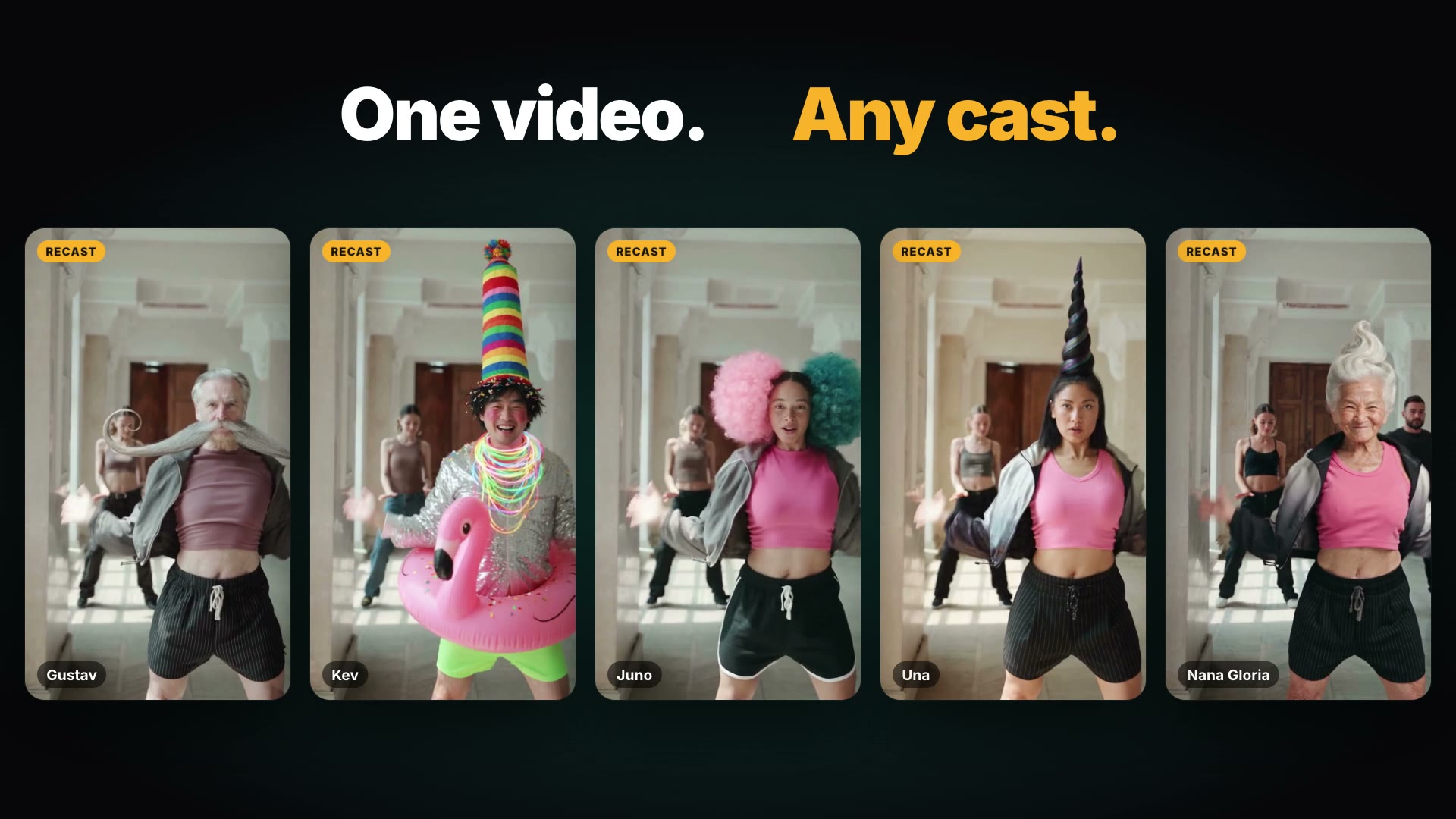
To put an AI influencer into a dance trend, paste the trend's link into BudgetPixel Recast, cast the character, name its signature look in the Direction, and keep the clip's sound or add a song you own. A 10-second 480p draft costs 2,990 credits, and Make it HD turns it into the same video in 1080p.
 By BudgetPixel Team6 min readFacts verified
 On this page
A dance trend is a ready-made format: a song, a set of moves, a camera that already works. With Recast you can put your AI influencer into one in a few minutes, keeping every step and camera move of the original and swapping the dancer for your character. This guide covers the steps, the clips that work best, what to do about the music, and what it costs.
How does Recast turn a dance clip into your influencer's dance?
Recast reads how the dancer moves with a depth map and a face mesh, and takes a picture of the set with the people removed. Then it builds the clip again with your character in the dancer's place, frame by frame, on the original camera path. Faces, hair and the look come from your character's pictures; the moves and the timing come from the clip.
The source can be up to a minute long, from a TikTok, Reel, Short, Facebook or X link or your own file; you trim it to the 4 to 30 seconds you want. Anyone in the clip you don't cast is replaced by a different, ordinary person.
How do you put your AI influencer into a dance trend, step by step?
- Find the dance you want and copy its link, or download your own clip.
- Open Recast, paste the link, and trim to the part with the best moves.
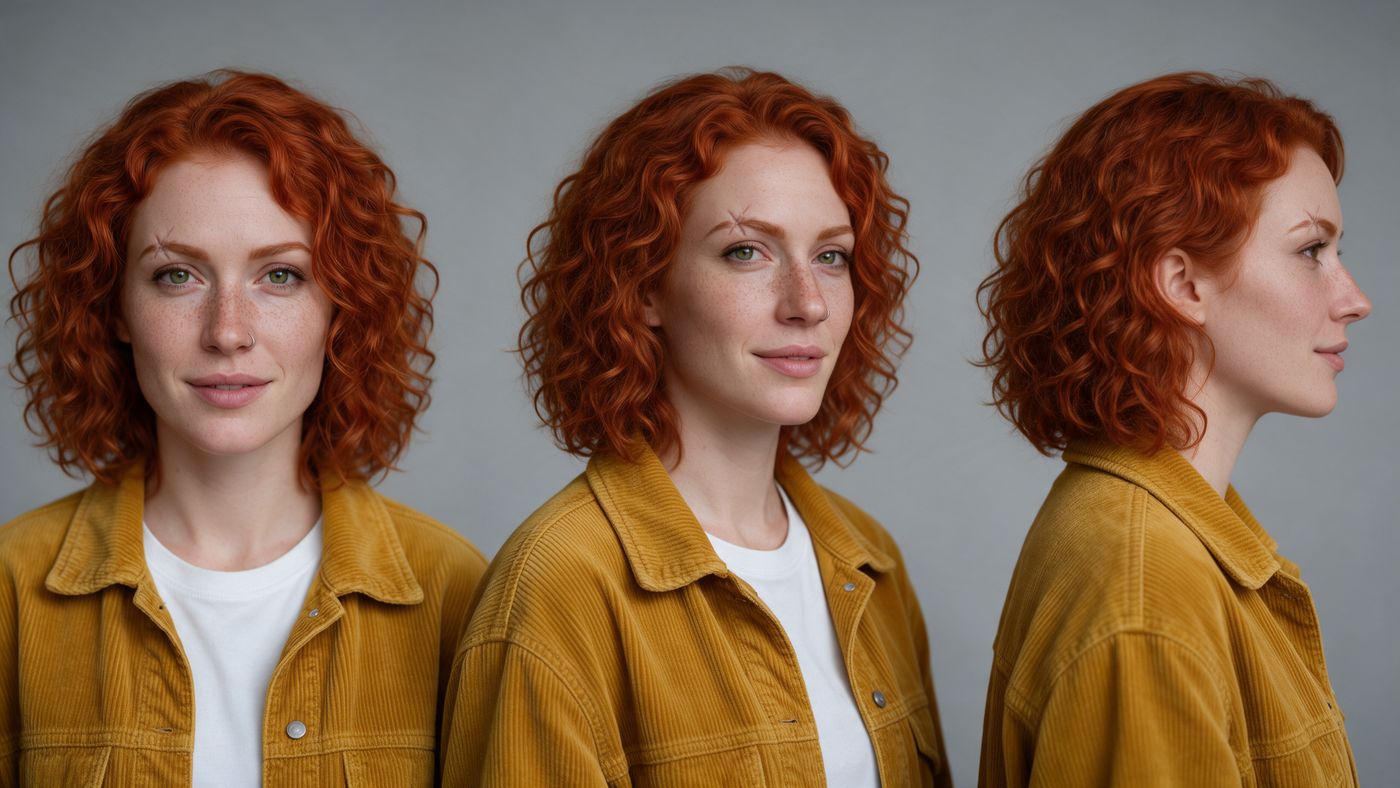
- In the Cast tab, pick your character: one of BudgetPixel's 37 ready-made AI influencers or your own.
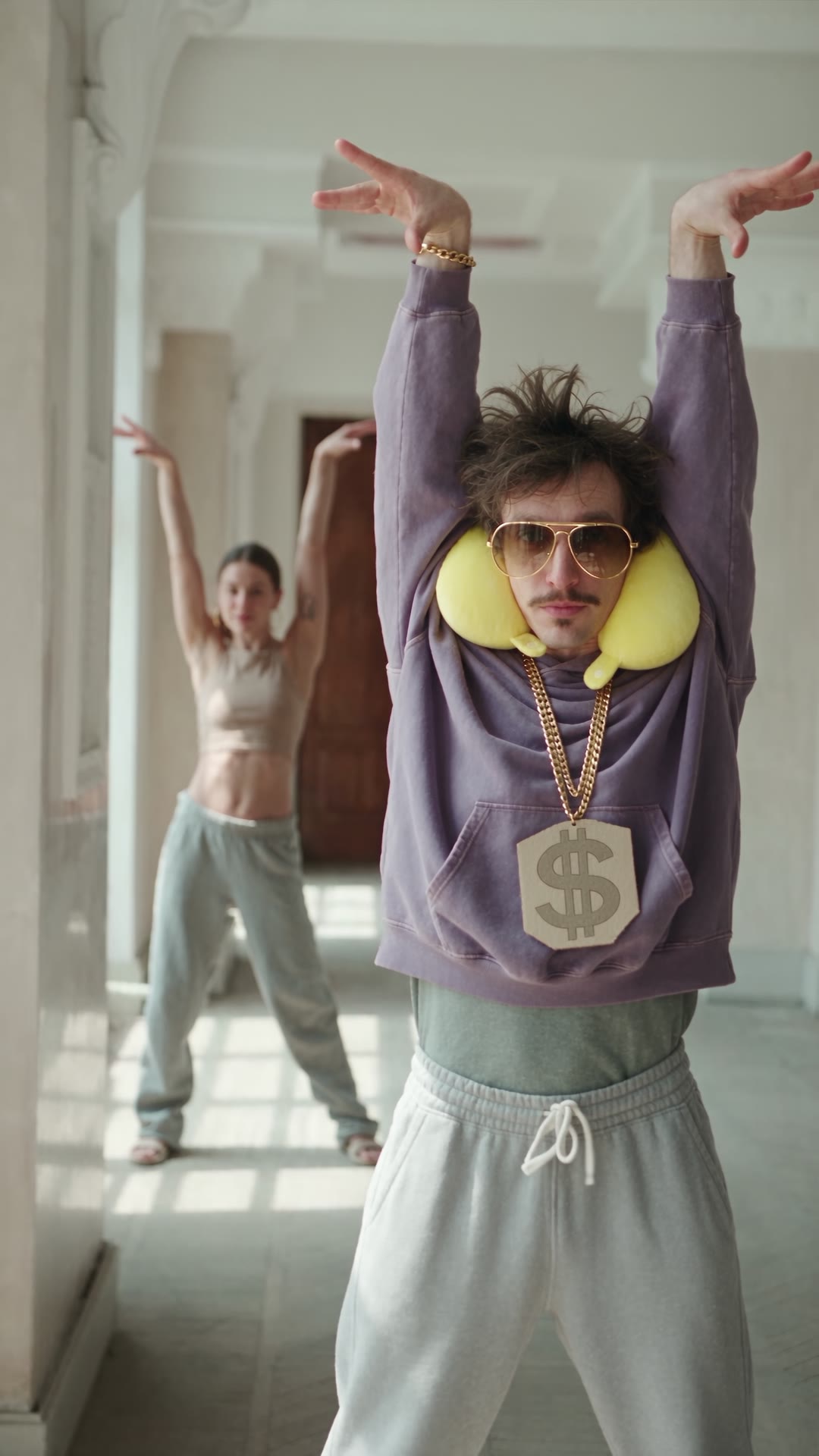
- In the Direction, name the character's signature look, such as "Barry wears his signature look: gold aviator sunglasses, a yellow travel neck pillow and a faded oversized purple hoodie", and any setting change you want.
- Choose the sound: keep the clip's own, upload a track you own (MP3 or WAV up to 15 MB), or ask for a new sound in the Direction.
- Start with a 480p draft. If the moves and the face look right, press Make it HD for the same video in 1080p.
What makes a dance recast look right?
- One clear dancer. The lead holds the likeness best; a second person comes out looser.
- The whole body in frame. Recast needs to see the moves to copy them; cropped hands and feet come back cropped.
- A clean clip. Captions, stickers and on-screen text end up in the depth map, so pick a clip without them.
- 720p or sharper. Small, low-resolution clips give the model less to work with.
- A look that survives a new outfit. Characters with distinctive hair, hats, moustaches or age stay recognisable in any clothes.
- A body type that fits. The original dancer's build tends to carry over, so cast a character who suits the dancer.
- Take the occasional block in stride. The video model's own copyright check can refuse a clip; a refused recast costs nothing.
- Expect a new crowd. Anyone you don't cast, like a dancer in the background, comes back as a different person; the set stays.
Can you use the trend's song?
Recast keeps the clip's own sound by default, back on in sync with the moves. That is fine for a personal post where the song came with the platform. A business is different: TikTok's Commercial Music Library says businesses cannot use its general music library for commercial use, which includes ads and branded content. Its Commercial Music Library has about a million pre-cleared songs that businesses can use for free.
The safer route for a brand is music you have the rights to: a track from TikTok's Commercial Music Library, one you licensed, or an original. You can make an original track on BudgetPixel:
| Tool | What you get | Credits |
|---|---|---|
| Music 3.0 | A full song with vocals or an instrumental, up to 5 minutes | 200 per track |
| Sonilo Music | A track at the exact length you set, 5 to 360 seconds | 4 per second |
| Sonilo Video Music | A track fitted to your clip's cut | 15 per second of video |
Then upload it as the recast's own audio. Recast plays your track from its first second, so trim it to start on its strongest bar; in the Barry clip above, the 7 seconds come from the middle of the track, lined up so the beats land on the moves. Before using a generated track in an ad, read its model page: the music model's provider sets the commercial terms, so don't assume blanket rights.
Original dance track
Made with Sonilo Music · 24 s · 120 BPM
What does an AI dance video cost?
| What | Credits | About |
|---|---|---|
| 10-second recast, 480p draft (Seedance 2.5) | 2,990 | $2.99 |
| The same video at 1080p (Make it HD) | 14,625 | $14.63 |
| 10-second recast, 480p, on Seedance 2.0 Mini | 1,170 | $1.17 |
| An original song, Music 3.0 | 200 | $0.20 |
You pay only when the video is ready; a failed or refused recast costs nothing. The 7-second Barry recast above cost 1,883 credits as a 480p draft and 9,214 for the HD version on an Ultra plan, which takes 10% off Seedance; the draft took about 4 minutes and the HD version about 1. The song cost 96 credits. Dollar amounts use the credit-pack rate of 1,000 credits per $1. Prices verified October 2026; see the pricing page.
Should you use Recast or Motion Control?
| Recast | Motion Control (Apps) | |
|---|---|---|
| What it keeps | The camera, the set, the timing and the sound | The moves only |
| Who it puts in | Up to 4 characters, plus products and outfits | One character picture |
| Best for | Remaking a real trend clip with your cast | A quick dance from a single picture |
| Where | Recast | Viral dance |
Do you need to label an AI dance video?
Yes, on the main platforms. TikTok's ad policy names "showing the primary subject doing something they didn't actually do, like dancing" as AI content that must carry its AI label or a clear disclaimer. YouTube asks creators to disclose realistic AI-generated scenes. Turn the label on when you post; it costs nothing and keeps the video up.
Questions people ask
How do I make an AI dance video with my AI influencer?
Paste the dance clip's link into BudgetPixel Recast, trim it to 4 to 30 seconds, cast your influencer, describe its signature look in the Direction, and start with a 480p draft. The moves, timing and camera stay; the dancer becomes your character.
Can I use the trend's original song?
For a personal post, the clip keeps its own sound by default. A business account should not: TikTok bars businesses from using its general music library in ads and branded content, so upload a track you own or one from TikTok's Commercial Music Library instead.
How much does an AI dance video cost?
On BudgetPixel's default model, a 10-second recast costs 2,990 credits as a 480p draft and 14,625 at 1080p; you pay only when the video is ready. An original song from Music 3.0 costs 200 credits.
Why does my influencer wear the dancer's clothes?
Recast keeps the clip's outfits unless you say otherwise. Name the character's signature look in the Direction, or add an outfit picture, and the cast wears that instead.
Can I recast a dance with two people?
Yes, up to four, cast lead first and then left to right. The lead keeps the likeness best; a second face follows the original performer more loosely.
What clips work best?
One clear dancer, the whole body in frame, 720p or sharper, and no text or stickers on the video. Overlays end up in the depth map Recast reads the motion from.
What is the difference between Recast and Motion Control?
Recast rebuilds the whole clip with your cast, keeping the camera, the set and the sound. Motion Control in BudgetPixel Apps animates one character picture with a dance's moves, without the original scene.
Do I need to label an AI dance video?
Yes on the main platforms. TikTok's ad policy names showing a person dancing who didn't as AI content that must be labeled, and TikTok and YouTube ask creators to label realistic AI videos.
Try it yourself
Paste a link, pick your cast, keep the moves. The price shows before you start.