How to Make UGC Ads With AI Influencers
To make a UGC ad with an AI influencer on BudgetPixel, add your product photo as a reference next to a character's @handle to make photos, write the character's spoken line into a Seedance 2.5 video prompt, then size the ad 9:16 and label it as AI-generated where TikTok and others require it.
 By BudgetPixel Team9 min readFacts verified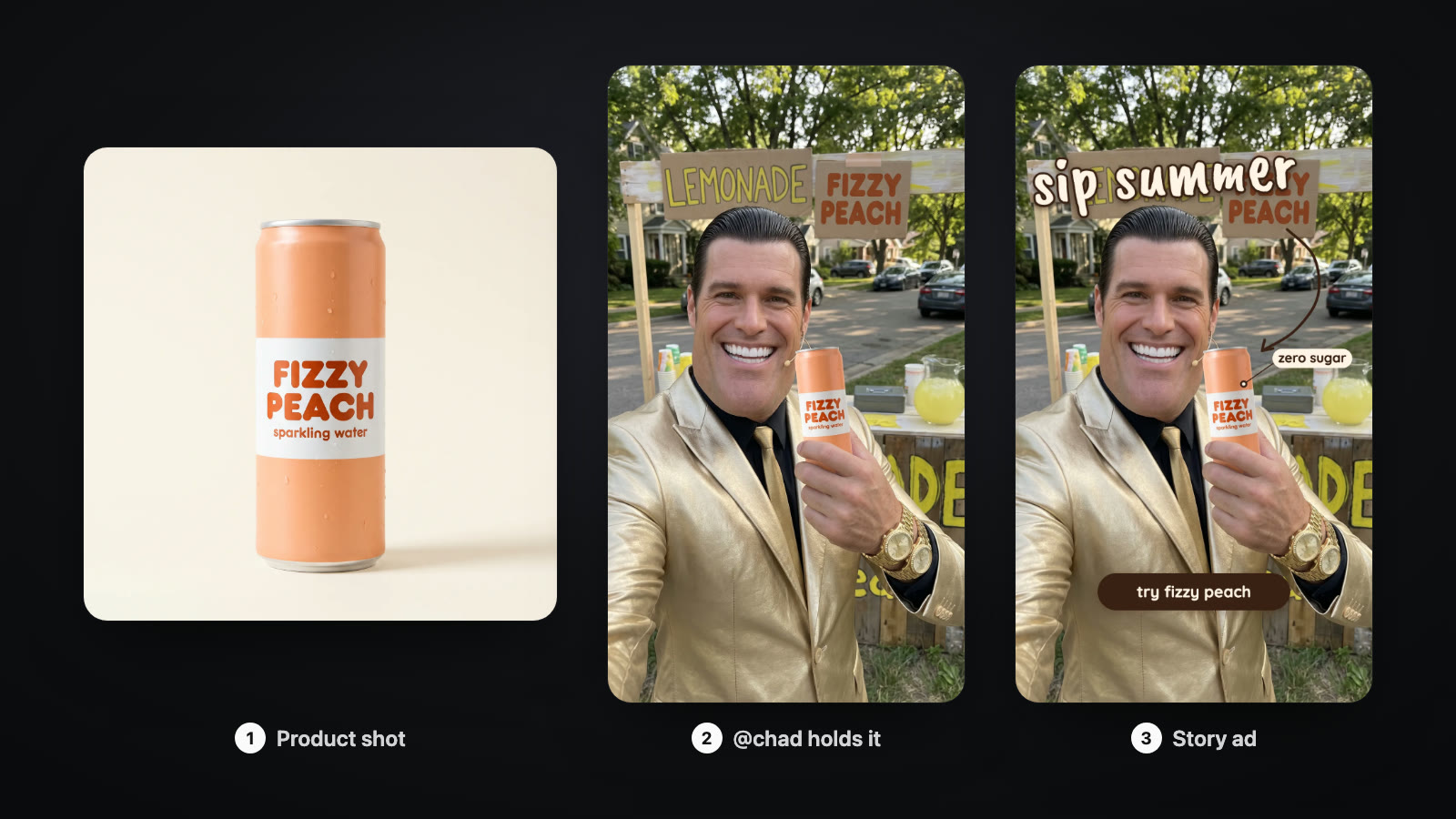
On this page
A UGC ad looks like a real person talking about a product on their phone: a hook to camera, the product in hand, a quick verdict. With an AI influencer you can make that ad any day, in any setting, without shipping a single sample. Here is how to put your product in an AI influencer's hands, make them say your line, size the ad for TikTok and Reels, and label it the way the platforms require.
What is a UGC ad, and why make it with an AI influencer?
UGC stands for user-generated content: ads shot to look like a person's own post rather than a studio spot. They work because they feel like a recommendation, not a commercial. An AI influencer gives you the same format with a face you control. You can test five hooks in an afternoon, put the product in a kitchen, a gym and a car, and keep the same face across every version.
What an AI influencer cannot do is pretend to be a customer. The FTC's updated Endorsement Guides cover virtual influencers, and an endorser has to be a real user of the product if the ad says so. Write your AI ads as demos and stories, not as fake testimonials.
Which UGC ad formats work with AI influencers?
| Format | What happens | How to make it on BudgetPixel |
|---|---|---|
| Hook to camera | One bold line in the first seconds | A Seedance 2.5 clip with the line in quotes |
| Product in hand | The influencer shows the product up close | An image with @handle plus your product photo, then a short clip |
| Unboxing | The product comes out of the box | A Seedance 2.5 clip with the product as a reference image |
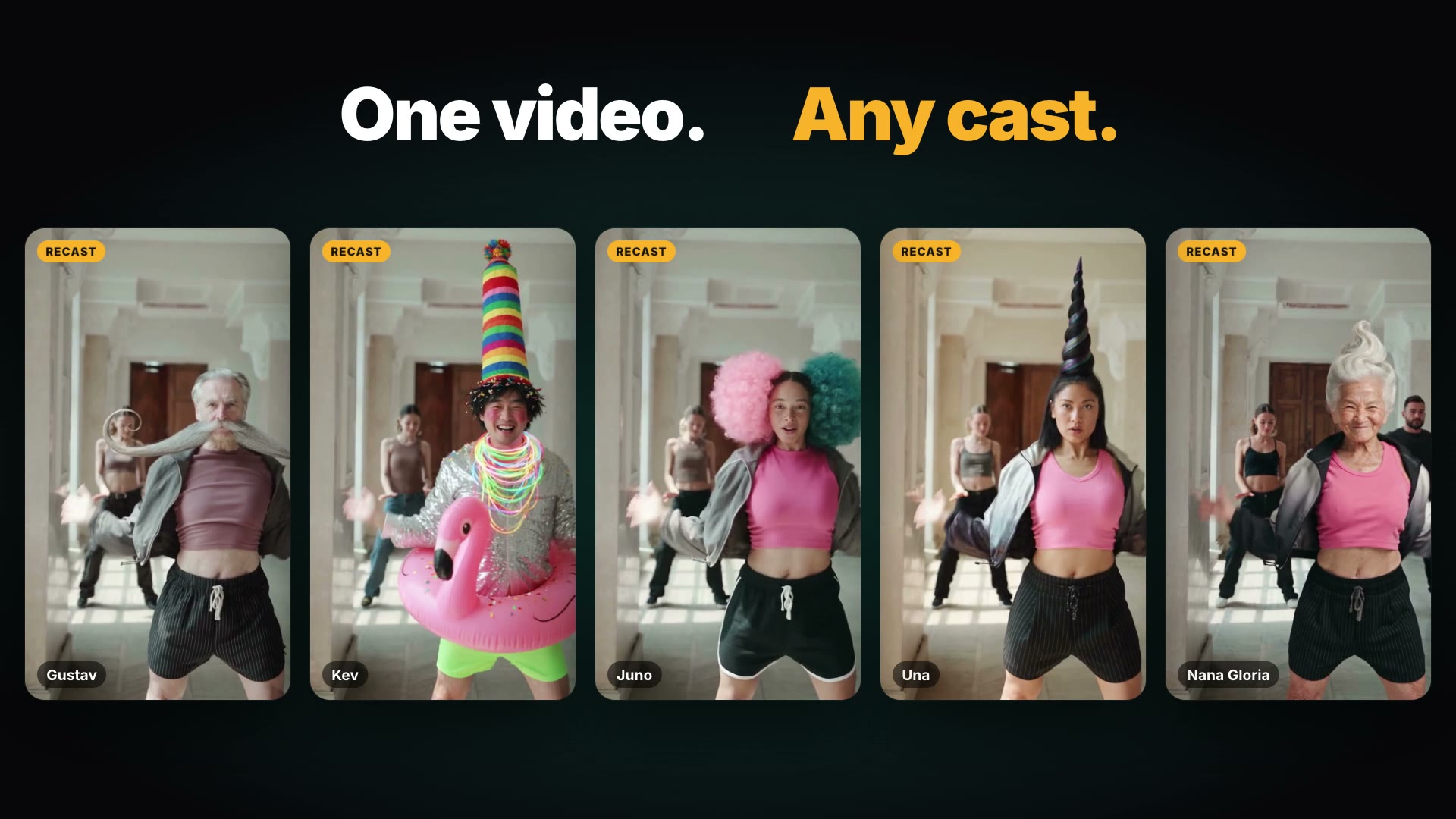
| Trend remix | The influencer does a trending move with the product | Recast, with the product added as an item |
| Talking explainer | 20 to 60 seconds to camera with your script | Speak, with your own character's voice |
How do you put your product in an AI influencer's hands?
- Take or make a clean photo of your product: plain background, label facing the camera.
- Open the Image Workshop and pick a model that takes characters, such as Nano Banana 2.1 or GPT Image 2.5.
- Upload the product photo as a reference image.
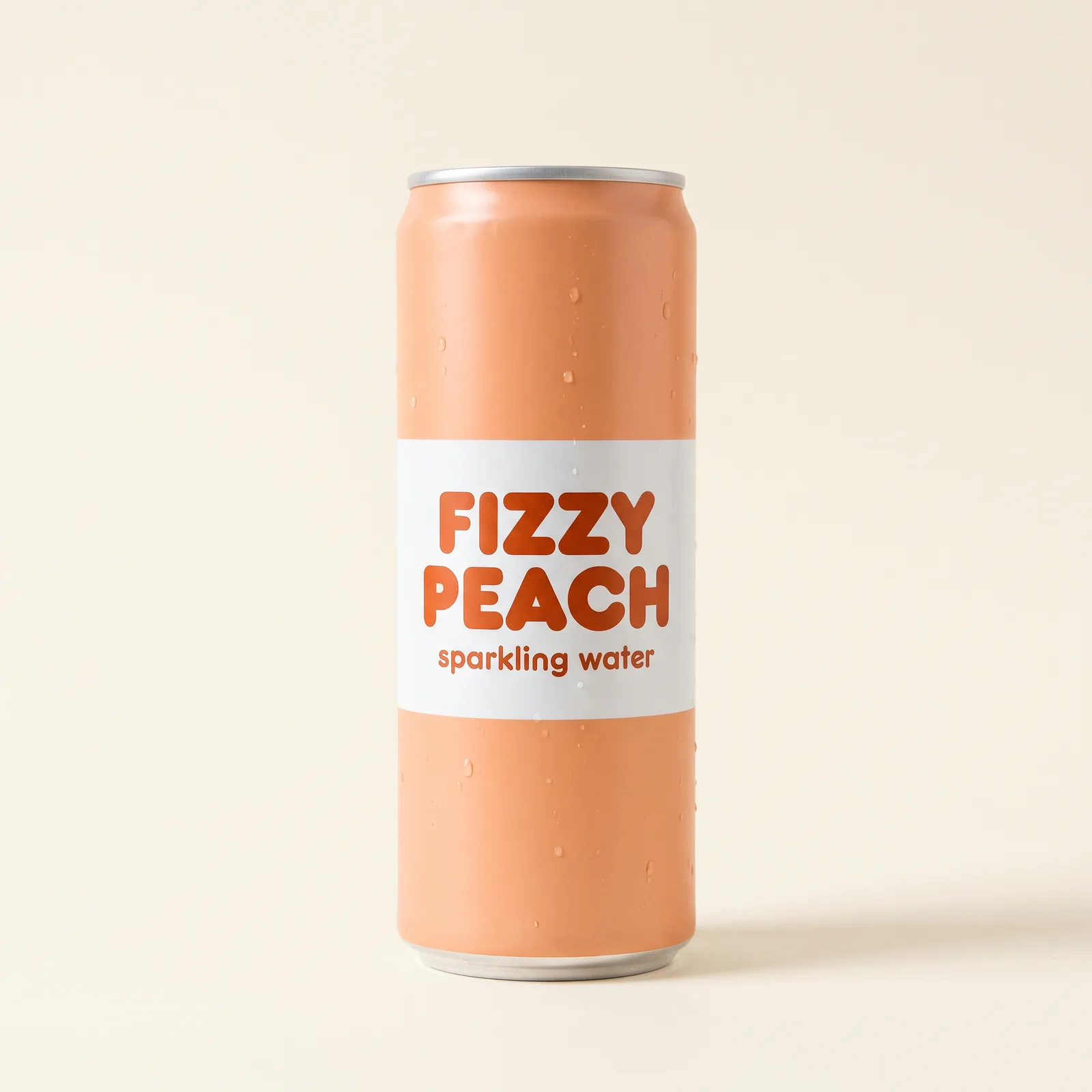
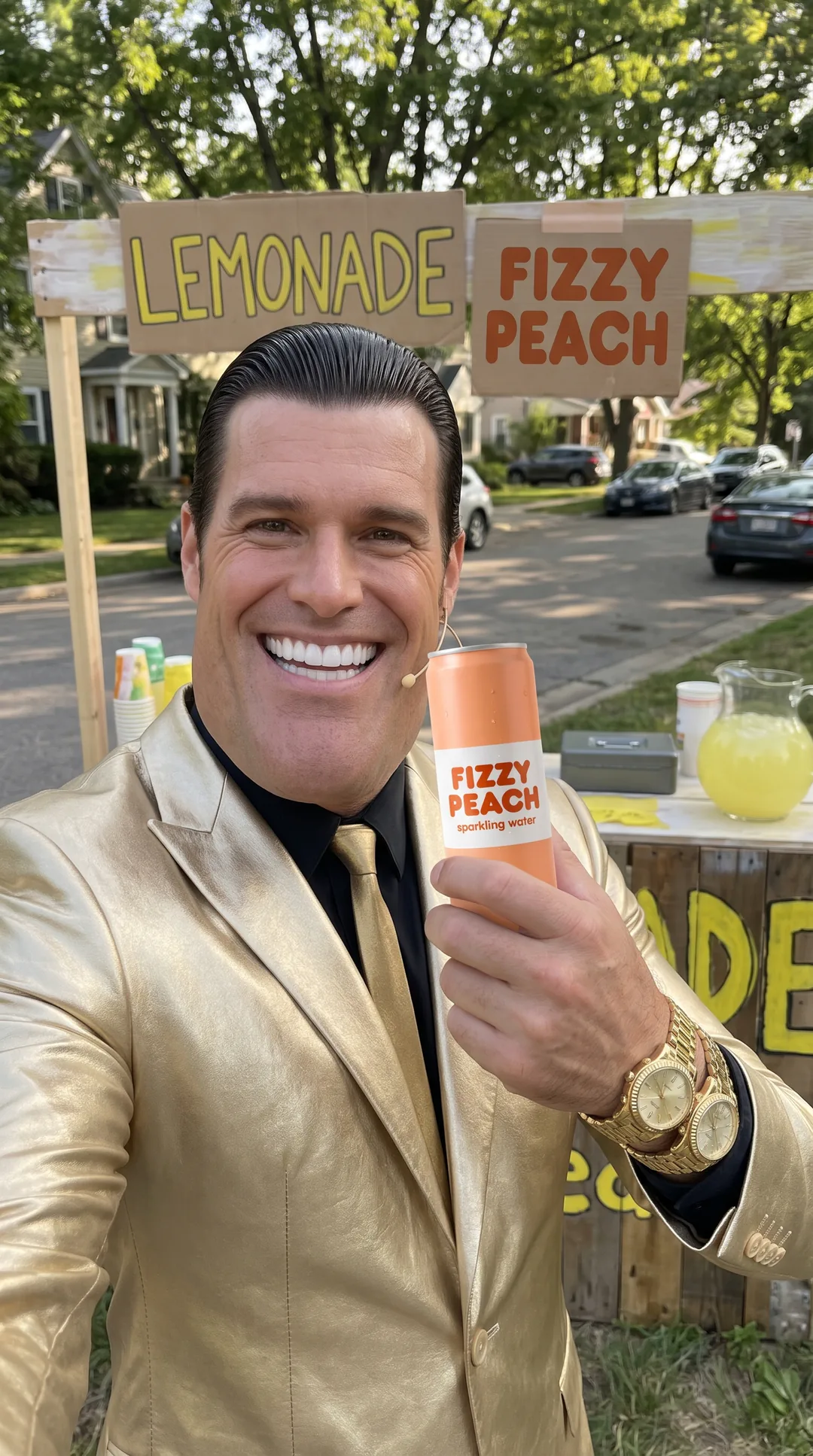
- Write the prompt with the character's @handle, for example: "@chad holds the Fizzy Peach can from image 2 up next to his grinning face in a casual phone selfie at his lemonade stand, label turned to the camera."
- Generate. The character's picture is sent as image 1 and your product as image 2, so you can refer to "the can from image 2" if the model needs a nudge.
Which model to use:
| Model | Credits per photo with one product | Note |
|---|---|---|
| Nano Banana 2.1 | 45 | Reference images free; keeps a character's distinctive features |
| GPT Image 2.5 | 45 | Paid plans; also keeps distinctive features |
| Seedream 5.0 Pro | 60 | 55 plus 5 for the extra reference; can soften exaggerated features |
Up to 9 reference images fit in one prompt on Seedream 5.0, Nano Banana and GPT Image, so a second product or a background photo can join.
How do you make the influencer say your line on video?
- Open the Video Workshop and choose Seedance 2.5.
- Switch to reference images, add your product photo, and write the character's @handle in the prompt. (Character mentions can't be combined with start and end frames.)
- Set 9:16, 5 seconds and 720p, or 480p for a cheaper draft.
- Describe the action in its own sentences, then the spoken line in quotes. For example: @chad holds the Fizzy Peach can from reference image 2 next to his face, label toward the camera. He grins, lifts the can a little and taps it with one finger. He looks into the lens and says: "Honestly? Best thing I've sold all summer."
- Generate. Seedance 2.5 always adds sound, so the line comes back spoken, with the room tone around it.
In our run one take was enough: Chad says the line word for word, none of the gestures are spoken, and the label reads in every frame. The framing came out as a medium shot rather than an arm's-length selfie, so name the framing if it matters, and the sound is speech only, so add music in an editor. Two more things to know: anything between quoted lines may be spoken, so keep gestures out of the quotes; and the voice can change from clip to clip, because the ready-made influencers have no fixed voice.
A 5-second clip at 720p costs 1,650 credits, at 480p 750. A 480p draft can be turned into the same clip at 1080p once you like it.
How do you make a longer talking ad with the same voice?
For a 20 to 60 second explainer, use your own character and Speak:
- Create a character from your own photos or generated pictures, and give it a voice. Voice cloning is on the Pro (3 voices) and Ultra (10 voices) plans.
- Open the character's Speak page and write a script of up to 900 characters, about a minute. A Product explainer template is built in.
- Choose the video model: the default makes up to 30 seconds at 40 credits a second (720p); OmniHuman 2.0 makes up to 2 minutes at 84 credits a second. You pay only for a finished video.
BudgetPixel's ready-made influencers can't be used in Speak; they talk through the Seedance 2.5 prompt above. For footage you shot yourself, the Lip Sync tool re-syncs a video to new audio from 55 credits a second.
How do you make static ads from the same shoot?
Put the influencer photos into Design Studio templates and you have ads for every feed:
| Placement | Size in pixels | Templates |
|---|---|---|
| Instagram post | 1080 × 1350 or 1080 × 1080 | Instagram posts |
| Instagram or Facebook story | 1080 × 1920 | Instagram stories |
| Facebook post | 1200 × 630 | Facebook posts |
| X post | 1600 × 900 | X posts |
| Pinterest pin | 1000 × 1500 | Pinterest pins |
| Sales and promos | Various | Sale templates |
Open a template, replace its photo with your influencer shot, change the headline, and download. Save your colours, fonts and logo once as a brand kit, or import them from your website, and every template picks them up.
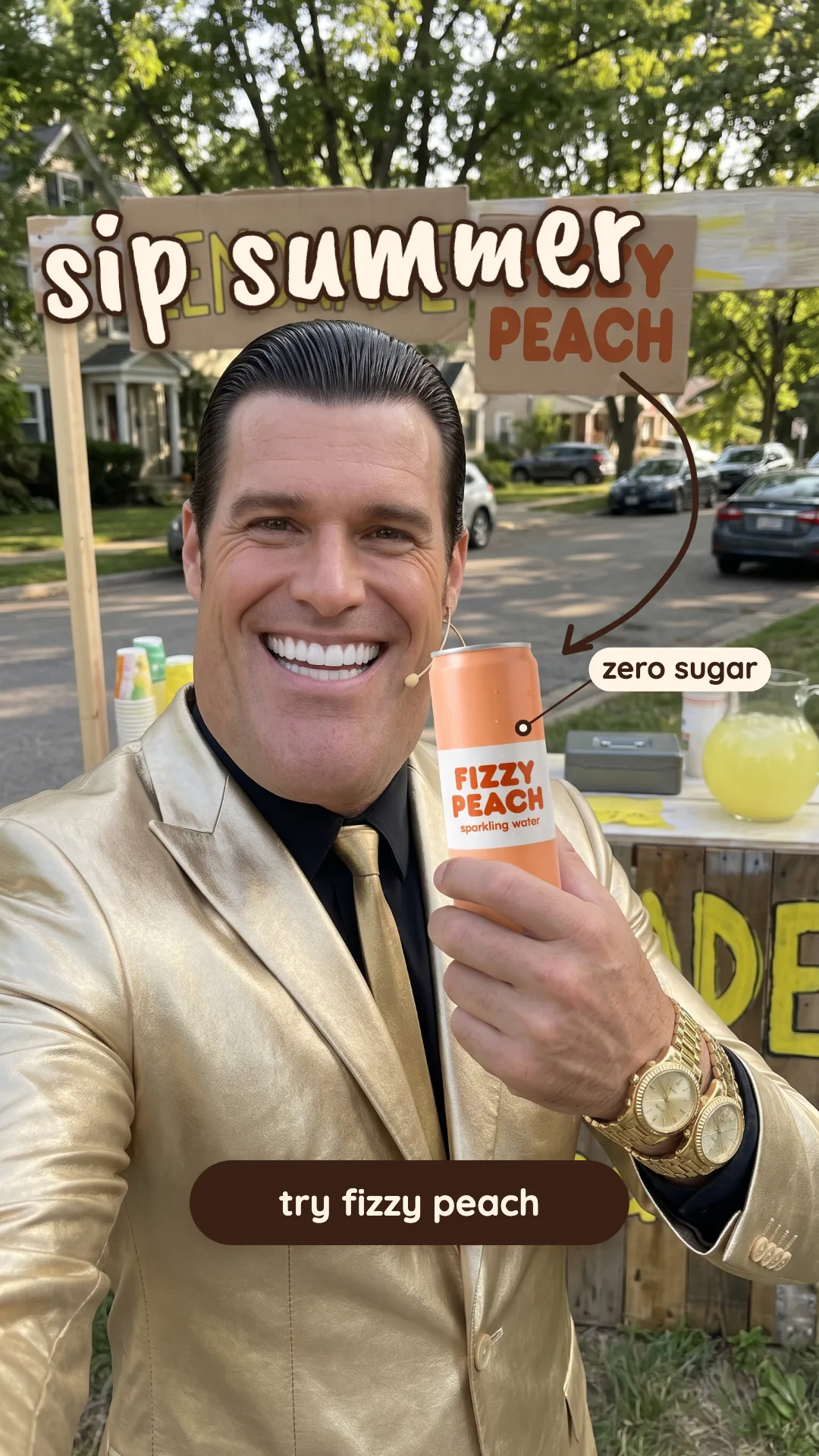
After Replace, check the template's arrows, stickers and tags: they stay where the old photo's subject was, so move them onto your product. And check the headline's contrast against your new photo.
What size should a UGC video ad be?
| Platform | Shape | Size | Length | Source |
|---|---|---|---|---|
| TikTok in-feed | 9:16 vertical (recommended) | At least 540 × 960; shoot 720p or more | Up to 10 minutes; reservation ads 5–60 s, 9–15 s recommended | TikTok Ads Help |
| Instagram Reels | 9:16 | 1440 × 2560 recommended | Up to 15 minutes | Meta ads guide |
On Reels, keep text and logos out of the top 14%, the bottom 35% and 6% on each side, where Instagram's buttons and captions sit. TikTok's reservation ads must have sound and no watermarks, including TikTok's own.
Do you have to label AI influencer ads?
| Where | What the rule says | Source |
|---|---|---|
| TikTok ads | AI-generated people must be disclosed: turn on "This ad contains AI-generated content" or add your own clear disclaimer; undisclosed ads are rejected or restricted | TikTok ads policy |
| Meta ads | Disclosure is required for political and social-issue ads; other ads get an automatic AI info label when Meta detects AI | Meta |
| YouTube | Creators must disclose realistic AI-generated or altered content | YouTube Help |
| FTC (US) | Endorsement rules cover virtual influencers; don't present an AI character as an actual customer | FTC |
Ads are also commercial use on BudgetPixel. The terms give the Free plan personal use only, Basic limited commercial use, and Premium and up full commercial use.
What does an AI UGC ad cost to make?
| Piece | Credits | About |
|---|---|---|
| A clean product shot | 40–45 | $0.04 |
| An influencer photo with your product | 45–60 | $0.05 |
| A 5-second 480p video draft | 750 | $0.75 |
| A 5-second 720p video | 1,650 | $1.65 |
| A 10-second 720p video | 3,300 | $3.30 |
| A 30-second Speak video, 720p | 1,200 | $1.20 |
| A static ad from a template | Free, plus any new picture | — |
A starter set of three influencer photos and three 5-second 720p videos comes to about 5,100 credits: about $5 in credit packs, and well inside a Premium plan's 25,000 monthly credits. The Fizzy Peach set in this guide, a product shot, an influencer photo and a 5-second 720p video, cost 1,611 credits on an Ultra plan. Prices verified October 2026; see the pricing page.
What mistakes should you avoid?
- Posing the AI influencer as a customer. "I've used this for three months" is a claim the character can't make. Show the product; don't invent a history.
- Skipping the AI label. TikTok rejects or restricts undisclosed AI ads.
- Using a trending song you don't own. Business accounts must use cleared music; add your own track instead.
- Text under the app's buttons. Check the Reels and TikTok safe zones before you export.
- A blurry product. Start from a clean, well-lit product photo; the model can only keep what it can see.
Questions people ask
Are AI UGC ads allowed on TikTok?
Yes, if they are disclosed. TikTok requires a clear AI-generated label or disclaimer on ads that show AI-generated or altered people, and rejects or restricts ads that leave it out. Ads Manager has a toggle for this: This ad contains AI-generated content.
Do I have to say my influencer is AI?
On TikTok, yes, through its AI label or your own clear disclaimer. In the US, the FTC's 2023 update to its Endorsement Guides covers virtual influencers, and an ad must not present someone as an actual customer unless they are one. Meta requires the disclosure for political and social-issue ads and labels other AI ads itself.
Can I use BudgetPixel's AI influencers in paid ads?
Yes, on a paid plan. BudgetPixel's terms give Basic limited commercial use and Premium and up full commercial use; the Free plan is personal use only. We ask for a credit line, such as Chad, a BudgetPixel AI influencer.
How do I make an AI influencer hold my product?
In the Image Workshop, upload a clean photo of the product as a reference image and write the character's @handle in your prompt, such as @chad holding the can and smiling at the camera. The character's picture is image 1 and your product image 2.
Can the AI influencer say my line?
Yes. In a Seedance 2.5 video, put the spoken words in quotes in the prompt and describe gestures in a separate sentence. Seedance 2.5 clips always come with sound; the voice can differ from clip to clip.
How long should a UGC ad be?
TikTok's specs for reservation in-feed ads recommend 9 to 15 seconds, while its small-business guide says 21 to 34 seconds performs best. Start short with one hook, and join clips in an editor for a longer cut.
How much does an AI UGC ad cost to make?
A photo of an AI influencer with your product costs 45 to 60 credits, a 5-second 720p Seedance 2.5 clip 1,650 credits, and a 480p draft of it 750. A set of three photos and three short videos comes to about 5,100 credits, about $5.
Can I keep the same voice across ads?
With your own character, yes: give it a voice and use Speak, which turns a script of up to 900 characters into a lip-synced video. BudgetPixel's ready-made influencers have no fixed voice and speak through the video prompt.
Try it yourself
Ready-made AI influencers, free to cast. Add your product and make the first ad today.