AI Previs: How to Plan Camera Moves in 3D Before You Generate a Video
AI previs (or previz) is a rough 3D version of a shot that you check before you generate the video: the set, the people and the exact camera move. Here is why it matters for AI video, how BudgetPixel's Previs builds one from a sentence, and five shots planned that way.
 By BudgetPixel Team6 min readFacts verified
On this page
AI previs (short for previsualization, also written previz) is a rough 3D version of a shot that you check before you make it: the set, the people as simple figures, where they move, and exactly what the camera does. Film crews have used it for decades to plan stunts and effects. For AI video it solves a newer problem: the camera move is the part a prompt controls least.
Why camera moves are the hard part of AI video
A prompt can ask for "a slow orbit" or "a dolly zoom". It cannot say how far the camera starts, how fast it travels, how much of the circle it covers, or what it keeps in frame. So the model guesses, and each guess is a new paid generation. Moves that change two things at once fare worst: a dolly zoom needs the camera to move in while the lens widens at exactly the rate that keeps the subject the same size.
Previs replaces the guess with a plan. The shot is laid out in 3D first, at real sizes, and the video model is given that sketch as its reference for the camera, the blocking and the timing.
How Previs works
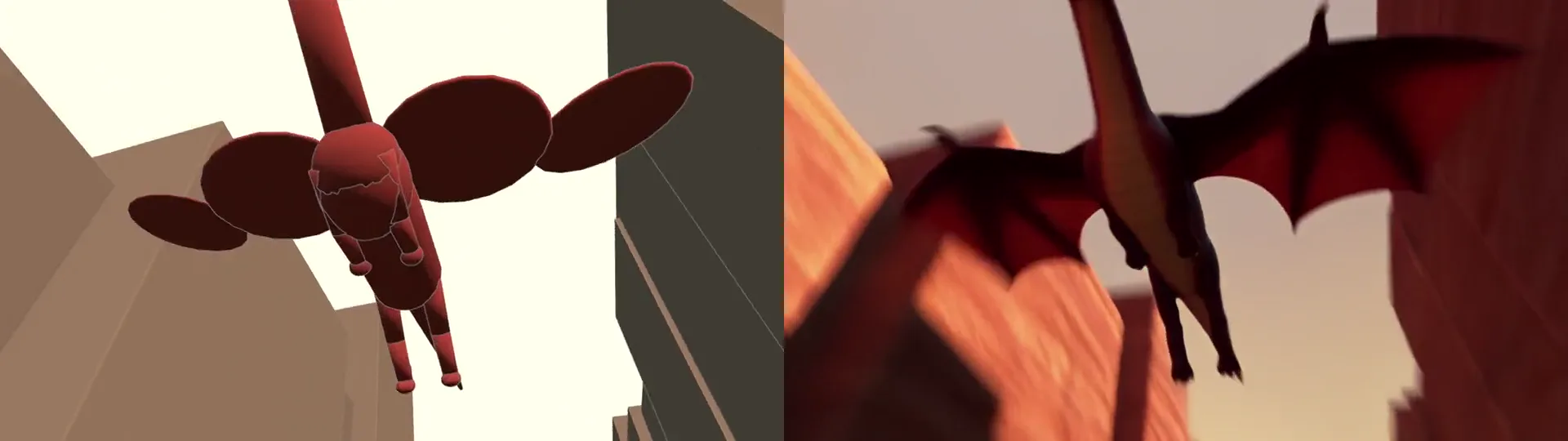
- Sketch the shot in 3D. Describe what happens ("a dragon glides down a canyon and passes right over the camera"), or pick a camera move by name. The planner builds a clay 3D preview: the set, your characters as coloured figures, their paths, and the camera.
- Set the camera. Watch the move from any side and change what you want: the lens, the speed, who stays in frame, a different move. Sliders and undo are free, or ask for a change in plain words.
- Make it real. Seedance 2.5 takes the clay preview as its reference for the camera, the blocking and the timing, and draws the real look from your words and your cast. A quick 480p draft comes first, then HD.
A shot runs 4 to 15 seconds, in 16:9, 9:16 or 1:1, with up to six cast members by @handle (your own characters or BudgetPixel's free AI influencers) and over 30 kinds of animals.
Five shots, planned in 3D and made real
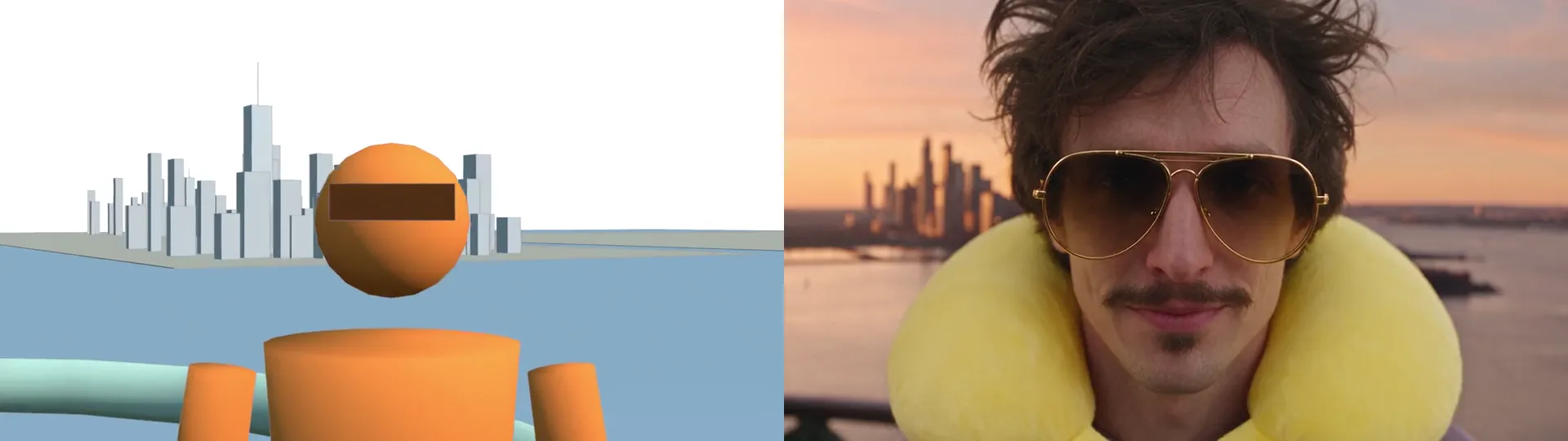
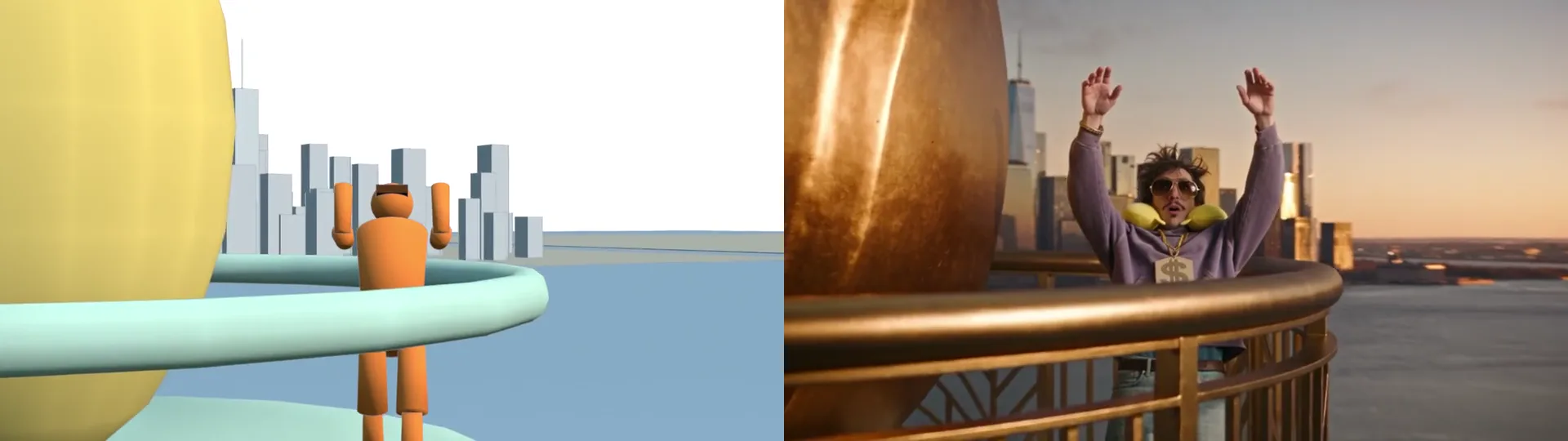
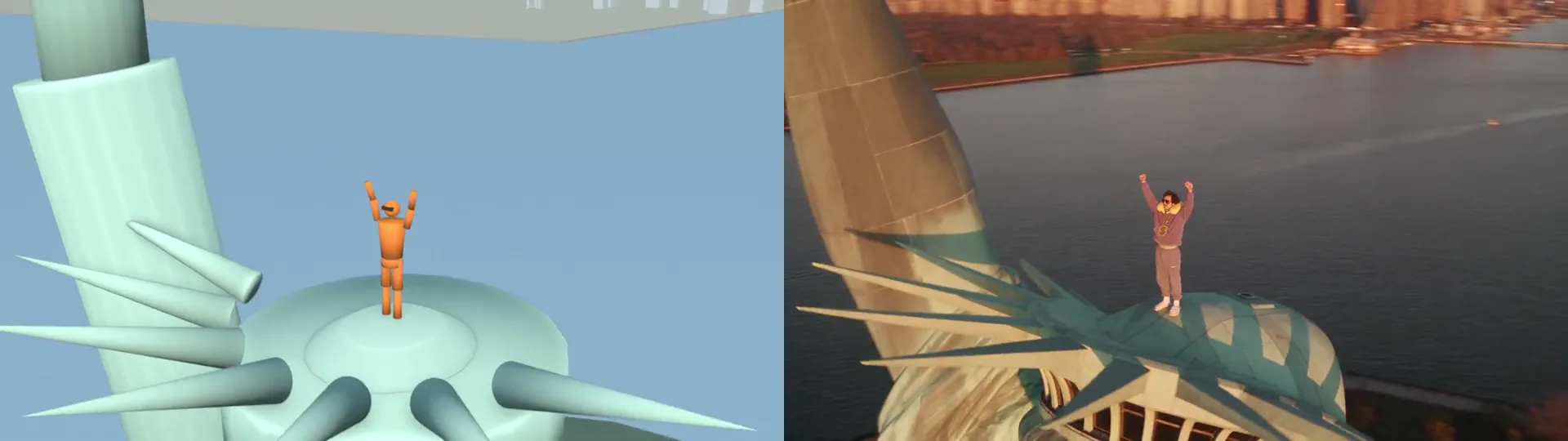
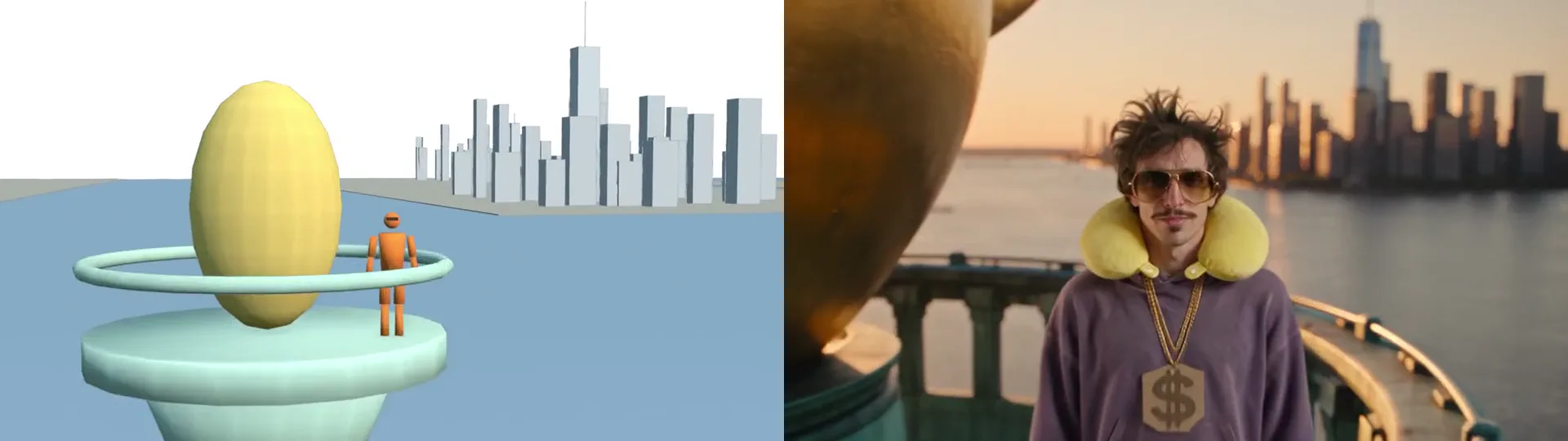
Each clip shows the clay 3D preview on the left and the real video made from it on the right, with the same camera frame for frame.
Camera moves you can name
| Move | What the camera does |
|---|---|
| Push in / pull out | Moves closer or back (a dolly in or out) |
| Truck left / right | Slides sideways |
| Pan left / right | Turns on the spot |
| Tilt up / down | Aims higher or lower |
| Pedestal up / down | Rises or sinks, like a crane |
| Zoom in / out | Changes the lens; the camera stays put |
| Tracking shot | Rides along with a character |
| Circling (orbit) | Goes around a character, to the left or the right |
| Dolly zoom | Push in and zoom out together: the background stretches, the subject keeps its size |
Up to three basic moves combine into one, and the cinematic shots (circling, a rising pull-back, an arc in for an entrance, a scenic slide) set several at once. You can also skip the names and say it in the chat: "slow push in on the dog", "circle around them".
Previs, storyboards and prompting
| Prompting alone | Storyboard | BudgetPixel Previs | |
|---|---|---|---|
| Shows the camera move | No | One frame per beat | The whole move, in 3D |
| Distance, speed, lens | Guessed by the model | Not shown | Set and checked |
| Cost of a wrong move | A new paid video | Redrawing frames | A change to the preview |
| 3D software needed | No | No | No |
Who uses AI previs
- Filmmakers and music video makers plan a short film, a trailer or a music video one shot at a time: the blocking, the timing and the camera move, checked in 3D before any video is paid for.
- UGC ad makers plan the hook: an AI actor cast by @handle, a 9:16 frame, and the first seconds laid out as a camera move. The actor's face stays the same in every version of the ad.
- Agencies and production studios use previs the way crews always have, to agree on a shot before making it. Here the same 3D plan becomes the video.
What it costs
Planning costs 10 credits per second of preview, so an 8-second shot is 80 credits, or 30 per second with Better planning, which frames tighter and builds fuller sets. Changes in chat cost a quarter of that; sliders, undo and the sketch video are free, and nothing is charged until a preview is built. Making it real is Seedance 2.5 at its usual price, a 480p draft first and then HD from the draft you like.
Questions people ask
What is AI previs?
AI previs (previsualization, also written previz) is a rough 3D version of a shot that an AI builds for you from a description: the set, the people as simple figures, their movements and the camera path. You check the move in 3D before you generate the real video.
Is previs the same as a storyboard?
No. A storyboard is a set of still frames. Previs moves: it plays the whole shot in 3D with the real camera path, the lens and the timing, so a dolly zoom or an orbit can be checked before it is made.
How do you do a dolly zoom with AI?
Plan it as two moves at once: push in and zoom out, so the camera gets closer while the lens widens and the subject keeps its size as the background stretches. In BudgetPixel's Previs you pick both in the camera panel, see the move in 3D, and the video keeps it.
Do I need Blender to make previs for Seedance 2.5?
No. Blender workflows for Seedance give exact control if you build the scene yourself. BudgetPixel's Previs builds the set, the figures and the camera path in the browser from a description, and passes the clay preview to Seedance 2.5 as its reference.
Can I use AI previs for UGC ads?
Yes. Cast an AI actor by @handle in a 9:16 shot and plan the hook as a camera move, such as a handheld push in to the face or a walk toward the camera. Previs keeps the move and the actor's face in the video, so the same actor carries every version of the ad.
How do agencies use previs for commercials?
To agree on a shot before anyone pays for it. The product reveal or the hero orbit is laid out as a clay 3D preview, changed until the client is happy, and only then made into the real video. The sketch video of the move works as a 3D animatic.
How much does Previs cost?
Planning costs 10 credits per second of preview, or 30 with Better planning; changes in chat cost a quarter of that, and sliders, undo and the sketch video are free. The video itself is Seedance 2.5's usual price: a 480p draft first, then HD.
Try it yourself
Every signed-in BudgetPixel user can use it, Free plan included.