How to Use Seedance 2.5: The Complete Guide, with Tested Prompts
Seedance 2.5 is ByteDance's AI video model: up to 30 seconds with sound in one generation, from a prompt, a start frame or up to 50 reference files. To use it, pick a mode, write the prompt like a shot list, set the length and resolution, and generate. Below are the prompts we ran, the clips that came back and what each one cost.
 By BudgetPixel Team10 min readFacts verified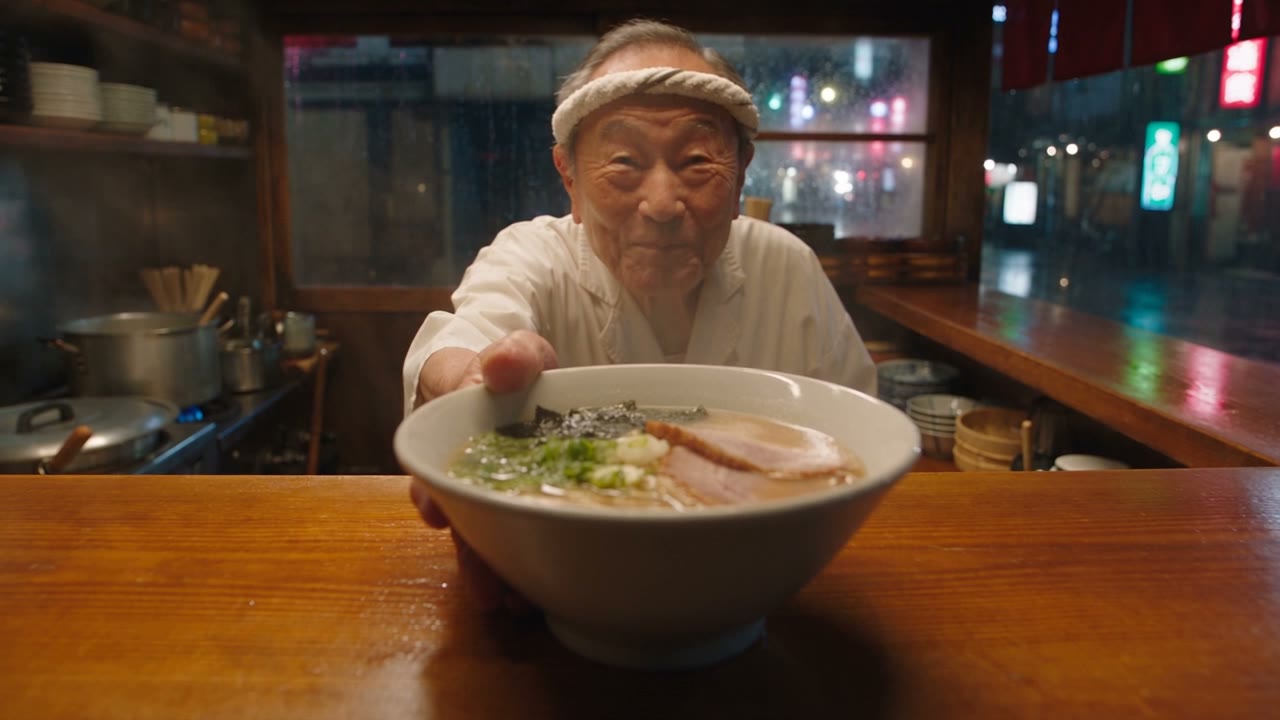
On this page
Seedance 2.5 is ByteDance's video model, and its headline is length: up to 30 seconds in one generation, with dialogue and sound made alongside the picture. You can start from a prompt, a start frame, or a stack of reference files. To use it, pick one of its four modes, describe the shot, set the length and resolution, and generate. We ran a text prompt, a start frame, a character reference and a 30-second story on BudgetPixel; the prompts, the clips and what each one cost are below.
What is Seedance 2.5?
Seedance 2.5 is a video model from ByteDance's Seed team, the version after Seedance 2.0. Its jump over 2.0 is length and control: 30 seconds instead of 15, and 30 reference images, 10 videos and 10 audio clips against 2.0's 9, 3 and 3 on BudgetPixel. ByteDance's own page has the official overview; here's what it does on BudgetPixel:
| Seedance 2.5 | |
|---|---|
| Length | 4 to 30 seconds, any whole second |
| Resolution | 480p, 720p, 1080p (1080p comes as H.265, 10-bit) |
| Shape | 16:9, 9:16, 1:1, 4:3, 3:4, 21:9 |
| Start from | A prompt; a start frame, with an optional end frame; references; a video to edit or continue |
| References | Up to 30 images, 10 video clips and 10 audio clips; video and audio up to 30 seconds each in total |
| Sound | Dialogue, effects and ambience, made with the picture |
| Price on BudgetPixel | 150 credits a second at 480p, 330 at 720p, 750 at 1080p |
How do you use Seedance 2.5?
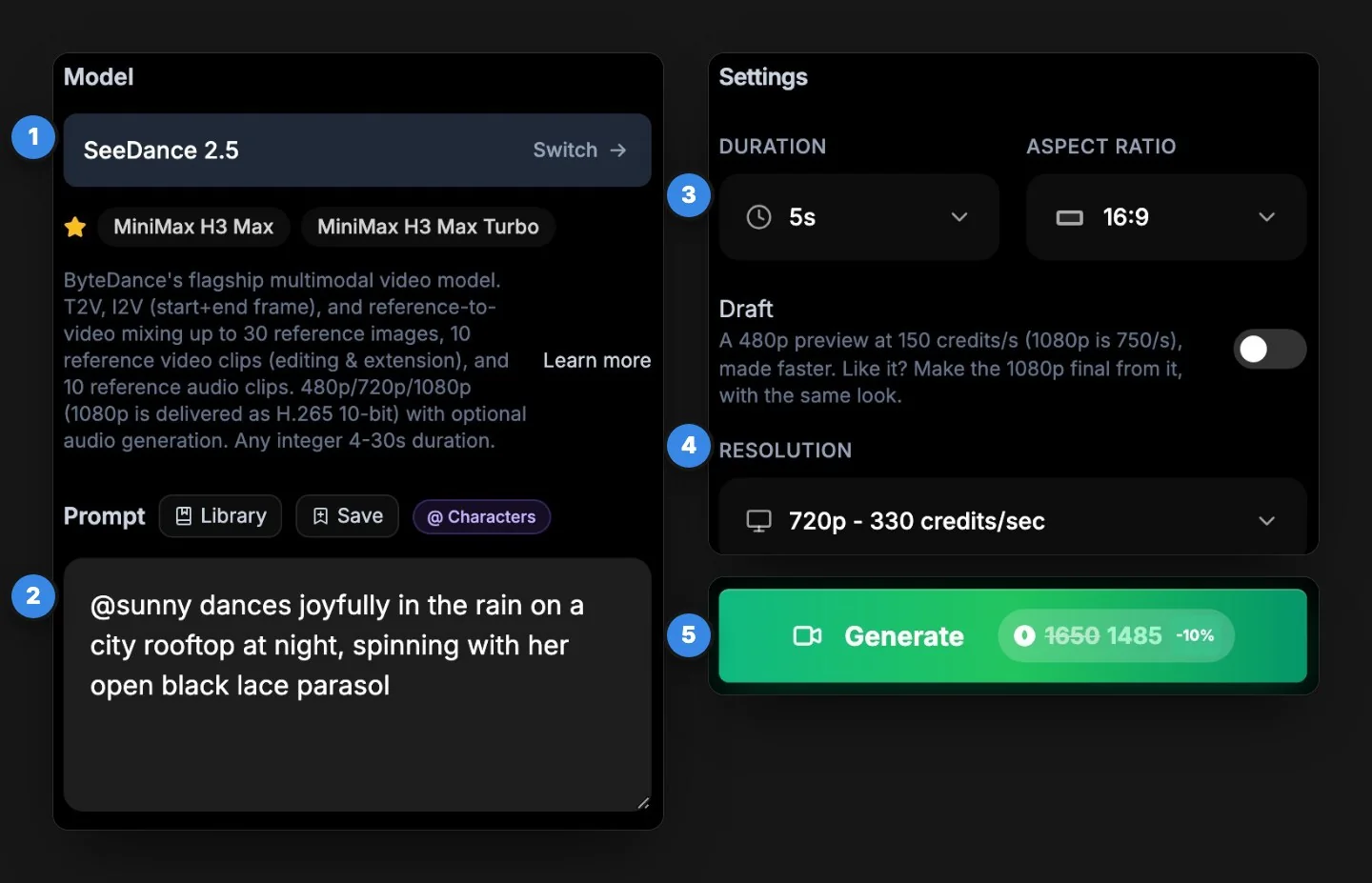
Pick Seedance 2.5 in a video tool, write the prompt (or add a frame or references), set the length and resolution, and generate. On BudgetPixel:
- Open the Video Workshop and pick Seedance 2.5.
- Write the prompt, or add a start frame or references for the other modes.
- Set the Duration (4 to 30 seconds) and the Aspect Ratio.
- Set the Resolution, or switch on Draft to test a prompt cheaply: a 480p preview at 150 credits a second. If you like it, make the 1080p final from the draft with the same look.
- Check the price on the button and generate. Our 5-second 720p clips took 2.5 to 5.5 minutes.
What are the ways to make a video with Seedance 2.5?
Four: a text prompt, a start frame (with an optional end frame), references, or an existing clip to edit or continue. We tested the first three; here's each one.
1. Text to video
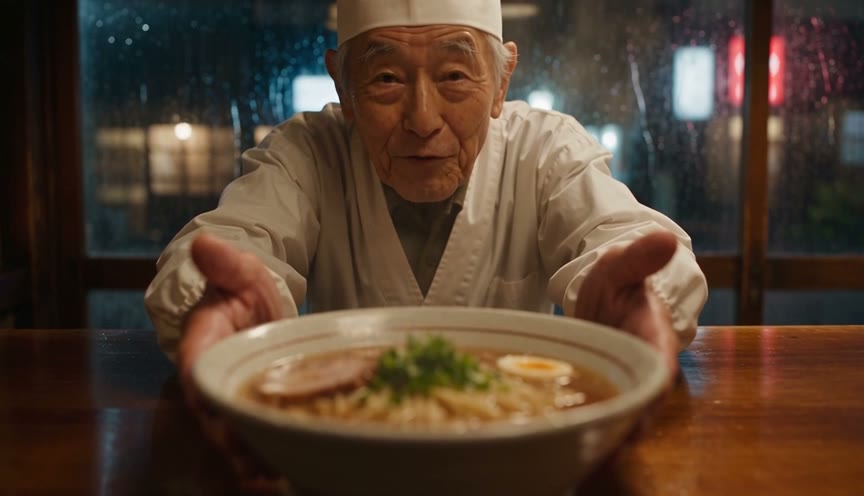
Describe the shot and Seedance 2.5 makes the picture and the sound. This is the prompt behind the clip at the top of this page, at 720p and 5 seconds:
Handheld close shot inside a tiny ramen bar at night. An elderly chef in a white headband and apron slides a steaming bowl of ramen across the wooden counter toward the camera, looks up with a kind smile and says warmly: "Careful, it's hot." Steam curls through warm amber light; rain streaks the window behind him and neon reflections shimmer on the wet street outside. Slow push-in. Sounds: rain on the glass, a bubbling pot, the bowl sliding on wood. Photorealistic, cinematic, shallow depth of field. No text, no logos.
He said the line word for word. A few neon signs in the window show lettering even though we asked for no text; Wan 3.0 did the same. Try this prompt.
2. Image to video: a start frame, and an optional end frame
Give it a picture as the first frame and describe what happens next. We made this start frame with Seedream 5.0 Pro:
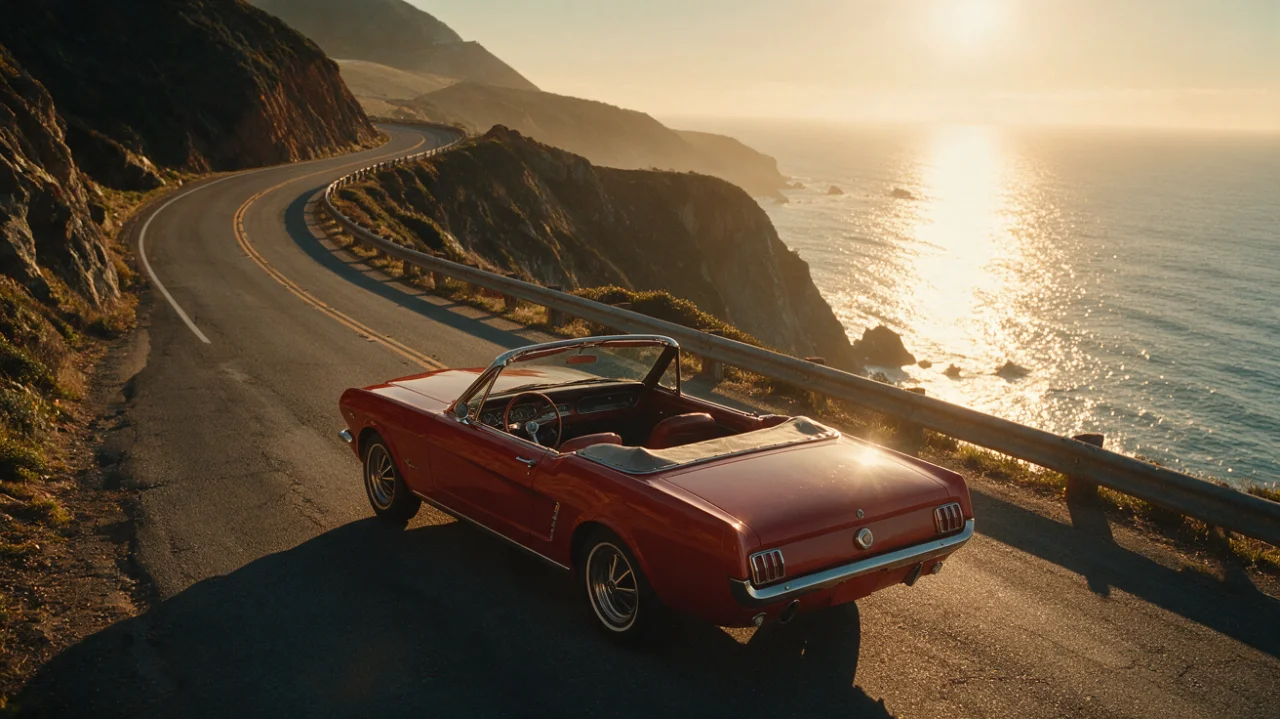
Then the prompt: "The car pulls away along the cliffside road and drives into the golden sunset as the camera follows from behind, the ocean glittering below. Engine purr and wind. Cinematic, smooth tracking shot."
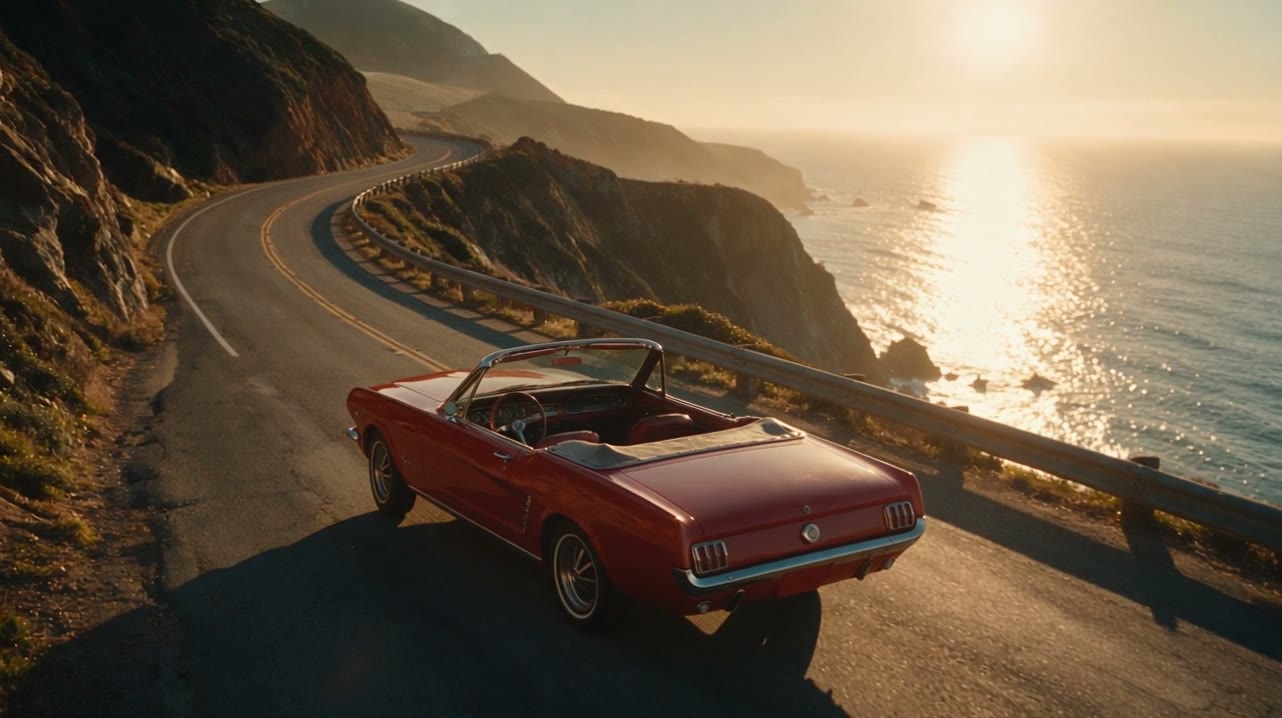
The prompt only has to describe the motion; the picture already fixes the look. Add an end frame as well and Seedance 2.5 works out the path between the two.
3. References: characters, products and style
References are where Seedance 2.5 pulls ahead: up to 30 pictures, 10 video clips and 10 audio clips in one go, for a face, an outfit, a product, a place, a camera move or a voice. On BudgetPixel the simplest way to use them is a character's @handle. We cast Sunny, a BudgetPixel AI influencer:
@sunny sits on a rainy windowsill at night with warm string lights behind her and opens a small pink gift box. She pulls out a sparkly unicorn keychain, holds it up next to her face toward the camera and says brightly: "Everything is wonderful!" Then she giggles. Cozy warm light, soft rain on the window. Cinematic close shot. No text, no logos.
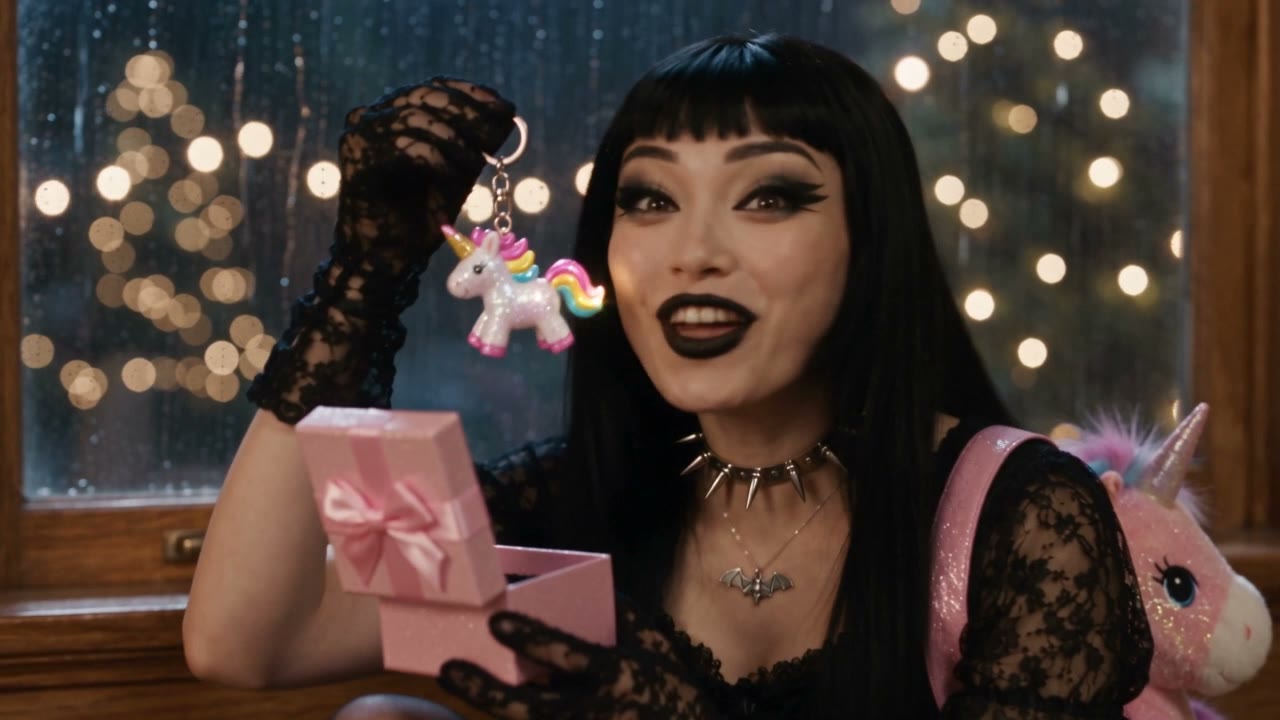
Behind the scenes, @sunny sends her main picture as reference image 1 and adds her written description to the prompt. You can add your own files beside her: a product shot, a location, a clip whose camera move you want.
4. Edit or continue a video
Add an existing clip as a reference video and say what to change ("make it night", "swap the jacket for a red one") or how it continues. Seedance 2.5 keeps the motion and timing of the clip. On BudgetPixel the input clip adds 80 to 375 credits per second, depending on the resolution. Our Recast tool is built on this mode: it swaps the people in a video for your characters.
How do you make a 30-second video with Seedance 2.5?
Write the prompt as a timed shot list: what happens in each stretch of seconds, then the sounds for the whole clip. Here's the six-beat story we ran at 480p:
A 30-second cinematic short film in six shots, one continuous story. 0-5 s: a lone lighthouse on a rocky island at dusk as storm clouds roll in and waves crash on the rocks below. 5-10 s: inside, an old lighthouse keeper with a white beard lights an oil lantern and climbs the spiral stairs. 10-15 s: at the top, the great lamp sputters and goes dark; he stares out at the black sea in alarm. 15-20 s: far out in the waves, a small fishing boat's deck lights flicker as the storm tosses it. 20-25 s: the keeper raises his lantern to the lamp and the beam blazes back to life, sweeping across the water. 25-30 s: the boat turns toward the light and reaches the calm harbor at dawn as the storm clears; the keeper smiles. Sounds: howling wind, crashing waves, creaking stairs, a deep foghorn, then a calm sea and gulls at dawn. Cinematic, photorealistic, dramatic lighting. No text, no logos.
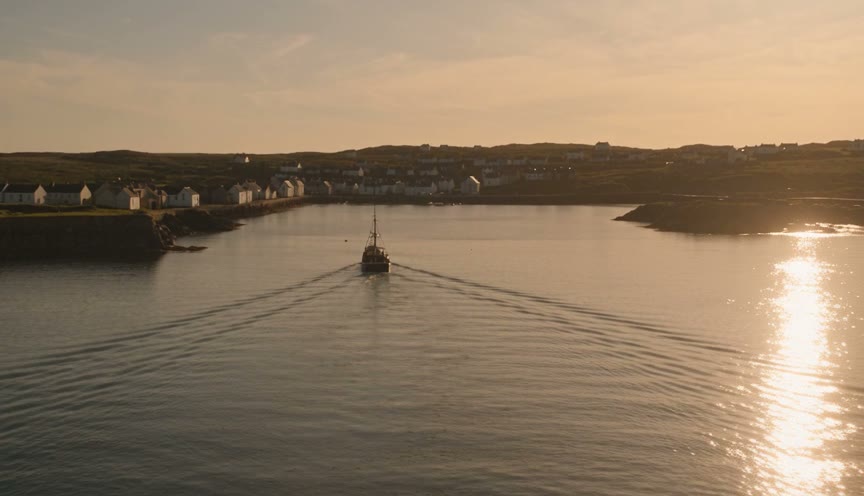
Every beat arrived in order, from the storm rolling in to the keeper's smile at dawn. The storm scenes in the middle came out very dark, so for a night story, ask for a light source in each beat. Draft a long clip at 480p first: at 30 seconds, 1080p costs five times as much. Try this prompt.
How do you write Seedance 2.5 prompts that work?
Write it like a shot list for a camera operator. In order:
- The shot: "handheld close shot", "wide aerial", "low tracking shot".
- Who and what happens, with one main action per beat.
- The camera move: "slow push-in", "camera follows from behind".
- The light and the place: "warm amber light, rain on the window".
- The sounds: "Sounds: rain on the glass, a bubbling pot".
- Spoken lines in quotes, after the speaker: says warmly: "Careful, it's hot."
- What to leave out: "No text, no logos."
Three things we've learned from our Seedance runs:
- Keep gestures out of the dialogue. Write "He points at the camera." as its own sentence, not between two quoted lines, or the model may read the gesture out loud.
- Name each reference's job. "Use image 1 for her face and outfit, image 2 for the product."
- Timestamps keep long clips in order. Without them, beats can merge or swap.
Which resolution should you use?
Draft at 480p, finish at 720p or 1080p. Here's the same prompt at both sizes; they're separate generations, so the framing differs:
480p is good enough to judge the action, the timing and the voice. 720p adds the fine detail in the steam and the faces. 1080p is for the final cut. With Draft on, the 1080p final you make from a draft keeps its look; a 720p version is a new generation, so it can come out different. 1080p arrives as H.265 (HEVC), which plays in Safari, QuickTime, VLC and on most phones, but some Chrome and Firefox setups show a black frame, so convert it if yours can't open it.
How much does Seedance 2.5 cost?
On BudgetPixel, Seedance 2.5 costs 150 credits a second at 480p, 330 at 720p and 750 at 1080p, the same in the workshop, the API and the Claude connector:
| Resolution | 5-second clip | 30-second clip |
|---|---|---|
| 480p (150 credits a second) | 750 credits | 4,500 credits |
| 720p (330 a second) | 1,650 | 9,900 |
| 1080p (750 a second) | 3,750 | 22,500 |
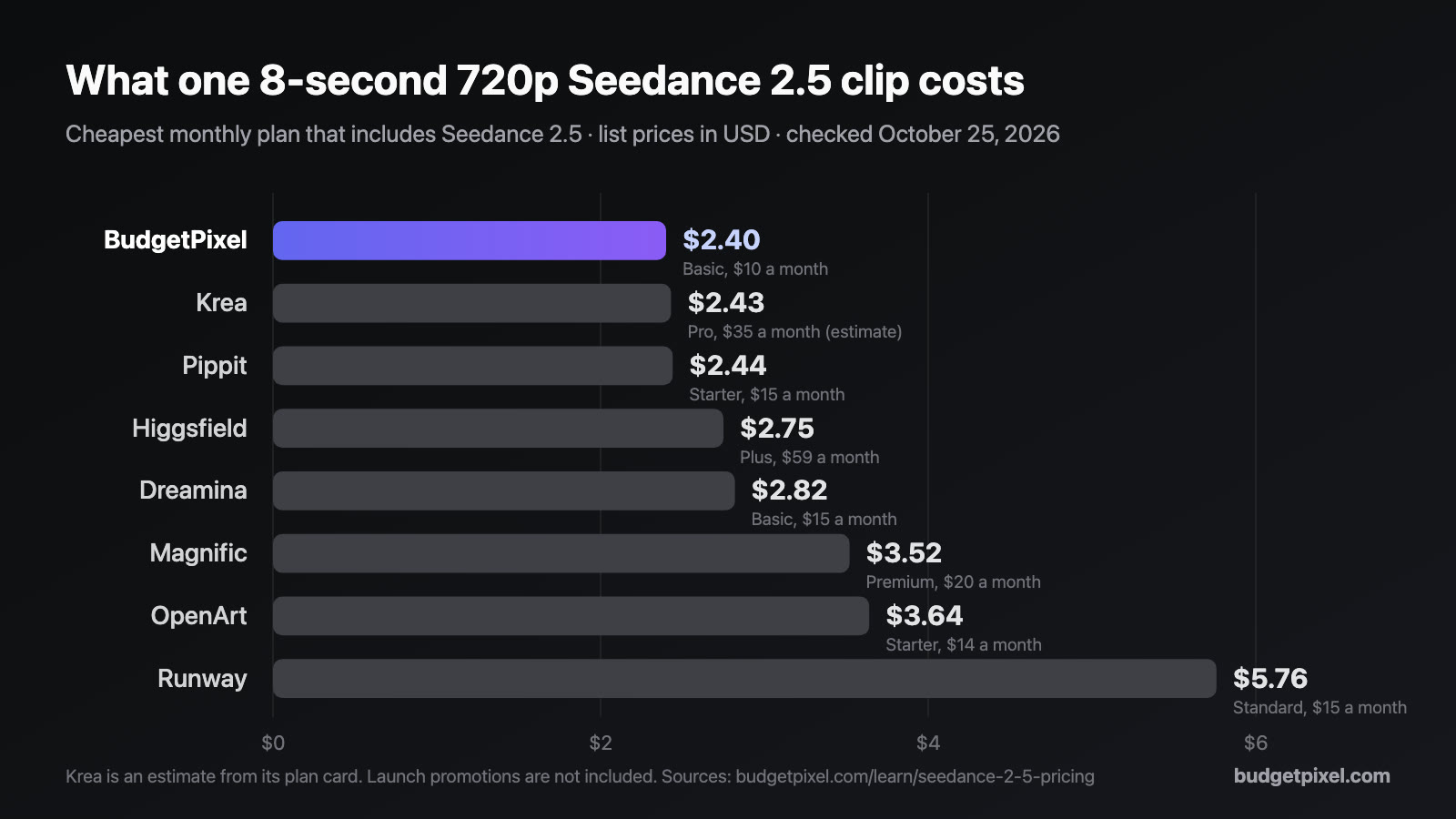
At the credit-pack rate of 1,000 credits per $1, a 5-second clip costs $0.75 at 480p, $1.65 at 720p and $3.75 at 1080p; plan credits cost less, and Ultra takes 10% off. Generated sound is included, and reference images and audio add nothing; a reference video adds 80 to 375 credits per second. A failed generation costs nothing. All five test clips in this guide came to 10,200 credits at standard prices. For the same clip on other platforms, see Seedance 2.5 pricing on every platform.
Where can you use Seedance 2.5?
In ByteDance's own apps, Dreamina, CapCut and Pippit, and on platforms that offer many models, including BudgetPixel, Higgsfield, Runway, OpenArt, Krea and Magnific. Developers can also reach it through APIs: ByteDance's BytePlus ModelArk, Replicate, fal, OpenRouter and BudgetPixel's own. The model is the same everywhere; what changes is the price per second, the resolutions offered and the tools around it. On BudgetPixel those tools include characters you can cast by @handle, Draft mode, Recast, the developer API and the Claude connector.
Questions people ask
What is Seedance 2.5?
Seedance 2.5 is ByteDance's AI video model. It makes videos of up to 30 seconds with sound, from a text prompt, from a start and end frame, or from up to 30 reference images, 10 video clips and 10 audio clips, at 480p, 720p or 1080p.
How long can a Seedance 2.5 video be?
Up to 30 seconds in one generation, at any whole number of seconds from 4 to 30. For a long clip, write the prompt as a timed shot list, such as 0-5 s, 5-10 s and so on.
Does Seedance 2.5 generate sound?
Yes. It makes dialogue, sound effects and ambience with the picture. Put spoken lines in quotes; in our three tests with dialogue it said every line as written, once adding an "Oh" at the start.
How many references can Seedance 2.5 use?
Up to 30 images, 10 video clips and 10 audio clips in one generation. The video clips together can run up to 30 seconds, and so can the audio clips.
Can Seedance 2.5 edit an existing video?
Yes. Add the clip as a reference video and describe what to change or how to continue it. On BudgetPixel the input clip adds 80 to 375 credits per second, depending on the resolution.
How much does Seedance 2.5 cost?
On BudgetPixel, 150 credits a second at 480p, 330 at 720p and 750 at 1080p. A 5-second clip costs $0.75, $1.65 or $3.75 at the credit-pack rate of 1,000 credits per $1.
How long does Seedance 2.5 take to make a video?
In our tests, a 5-second 720p clip took between 2.5 and 5.5 minutes, and a 30-second 480p clip took about 6 minutes.
Can I use Seedance 2.5 for free?
Not on BudgetPixel's free plan: the shortest Seedance 2.5 clip, 4 seconds at 480p, costs 600 credits, and the free plan gives 300 a month. Our guide to every free and cheap way to try it covers the other platforms.
Can I use my own character in Seedance 2.5?
Yes. On BudgetPixel, write a character's @handle in the prompt and their main picture and description go to Seedance 2.5, so the face and outfit carry over. The official AI influencers are free to cast, and characters made from your own photos work the same way.
Try it yourself
From 150 credits a second at 480p. The price shows before you generate.