Can Claude Generate Images? Yes, With a Connector. Here's How
Not on its own: Claude understands images but has no image model. Add a connector and it can make images, videos and songs right in the chat. Connect BudgetPixel in Customize > Connectors with one URL, sign in, and ask in plain words; each picture costs the same credits as on budgetpixel.com.
 By BudgetPixel Team10 min readFacts verified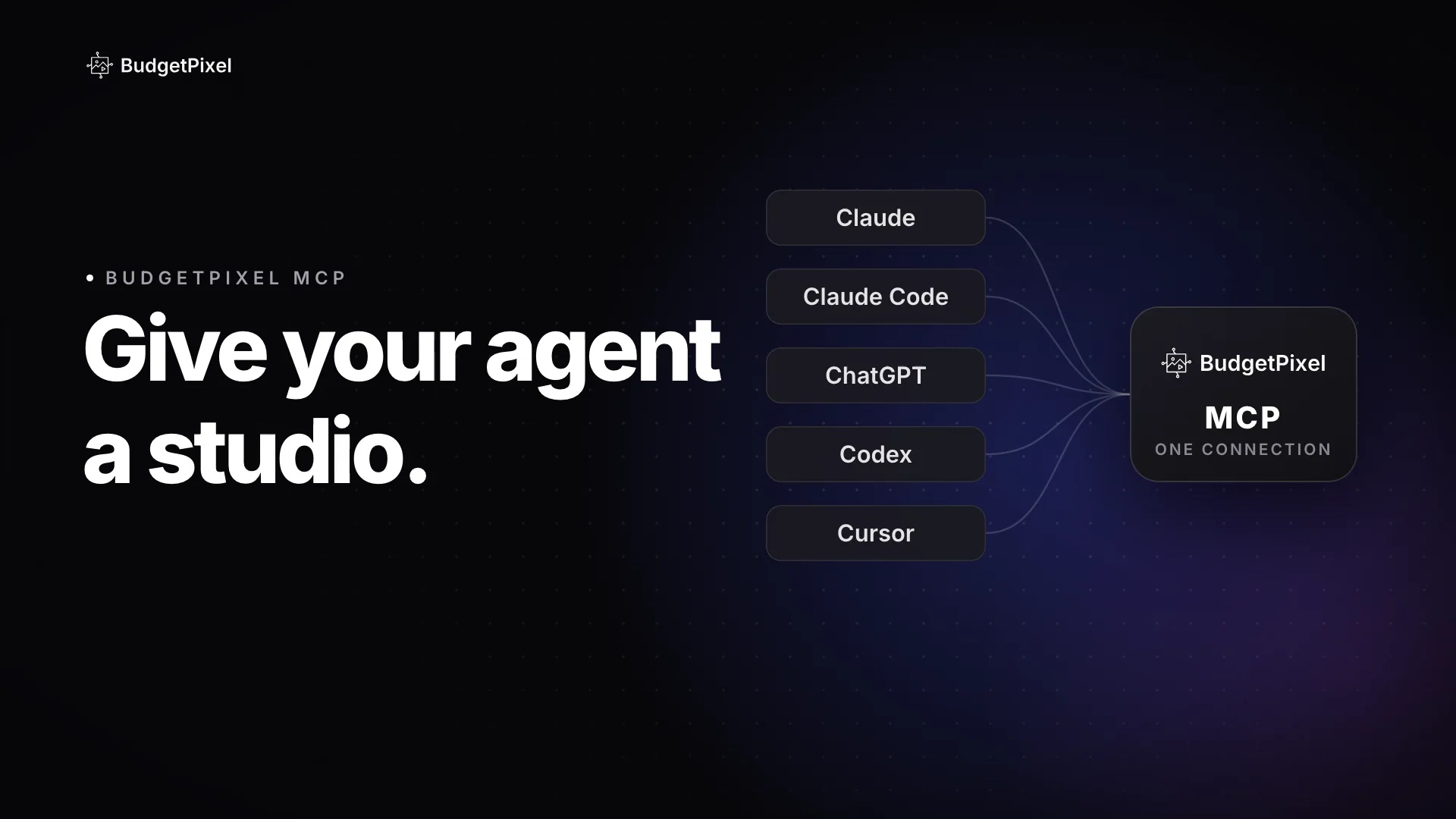
On this page
Not on its own. Claude reads and understands pictures, and it can draw charts and diagrams with code, but it has no image model inside. Give it a connector, though, and it can: Claude writes the prompt, picks a model, sends the job to a service that makes the picture, and shows you the result in the chat. This guide shows how to connect BudgetPixel to Claude in a minute or two, what to ask for, and what it costs. Every result in the examples below was made by Claude through the connector.
Can Claude generate images on its own?
No. Claude is an image understanding model: it can look at a picture and describe it, read the text in it or critique it, but it can't make one. Anthropic's own documentation says Claude "cannot generate, produce, edit, manipulate, or create images".
What Claude can do without help is write code that draws: an SVG logo, a chart made with Python, a page layout in an artifact. That works for diagrams and simple graphics. A photo, an illustration or a poster with real light and texture needs an image model, and the way to give Claude one is a connector.
| What you want | Claude alone | Claude with BudgetPixel |
|---|---|---|
| Charts, diagrams, simple icons | Yes, drawn with code | Yes |
| Photos, illustrations, posters | No | Yes |
| Edits to your own picture | No | Yes |
| Video clips | No | Yes, as a link |
| Songs and sound effects | No | Yes, as a link |
How does Claude make images with a connector?
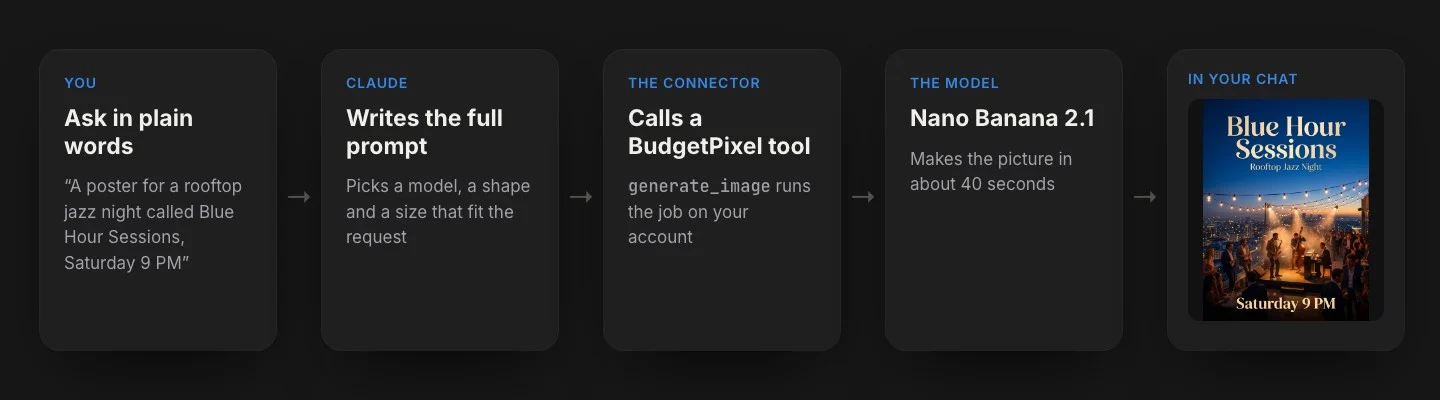
It hands the job to an image model: Claude writes the prompt, picks a model and calls a BudgetPixel tool through the connector, and the picture comes back into the chat.
A connector is a bridge between Claude and another service, built on the Model Context Protocol (MCP), an open standard for giving AI assistants tools. BudgetPixel's connector gives Claude tools such as generate_image, generate_video and generate_music, plus ways to look up models and prices, check your credits and find characters. The job runs on your BudgetPixel account. A picture usually comes back within a minute or two; videos and songs take a few minutes and come back as links.
How do you connect BudgetPixel to Claude?
Add it as a custom connector under Customize, then Connectors, with the address https://mcp.budgetpixel.com/mcp, sign in, then switch it on in a chat.
Step by step, on claude.ai or in the Claude desktop app:
- Open Customize, then Connectors.
- Click + Add, then Add custom connector.
- Name it BudgetPixel and paste the server address:
https://mcp.budgetpixel.com/mcp - Click Continue, keep the sign-in settings Claude detects (no API key or extra headers needed), click Continue again, then Add.
- When BudgetPixel's sign-in page opens, sign in with Google or Discord, whichever you use on budgetpixel.com.
- In a chat, click + at the bottom left, open Connectors and switch BudgetPixel on.
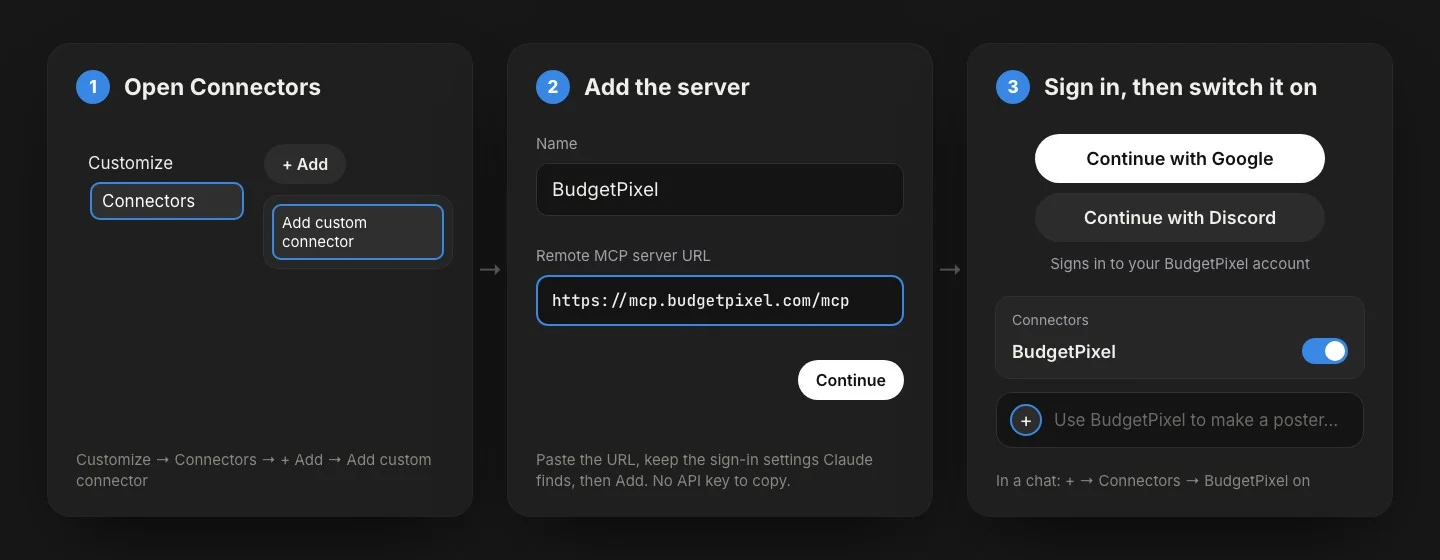
Connectors live on your Claude account, so BudgetPixel then works in the desktop and mobile apps too. If something doesn't match:
- No Customize menu? Update the desktop app, or use claude.ai in a browser. Anthropic's help page has the current steps.
- On a Team or Enterprise plan, an Owner adds the connector for the organization first; then each member connects to it under Customize, then Connectors.
- Sign-in fails? Leave the OAuth client setting on automatic, and use the same Google or Discord account as on budgetpixel.com; another account signs you in to a different BudgetPixel account.
In Claude Code, it's one command, then /mcp, budgetpixel and Authenticate:
claude mcp add --transport http budgetpixel https://mcp.budgetpixel.com/mcp
What can Claude make with BudgetPixel?
Images, videos, songs and sound effects, plus upscales and 3D models. Each thing it makes is one tool call (generate_image, generate_video and so on), priced like the same job on budgetpixel.com:
| Ask Claude for | Example price |
|---|---|
| A picture, or an edit of one | 55 credits (Seedream 5.0 Pro, 1K) |
| A 5-second video clip | 1,650 credits (Seedance 2.5, 720p) |
| A song, with or without vocals | 200 credits (Music 3.0) |
| Sound effects | 5 credits a second |
| A sharper, bigger picture | 10 to 60 credits |
| A 3D model from a picture | 400 credits |
Prices are standard prices; your plan's discounts apply. Claude can also cast characters with an @handle, search BudgetPixel's stock pictures and music, and post a finished piece to your public BudgetPixel feed for 10 credits, which the connector tells it to do only when you ask.
What should you ask Claude?
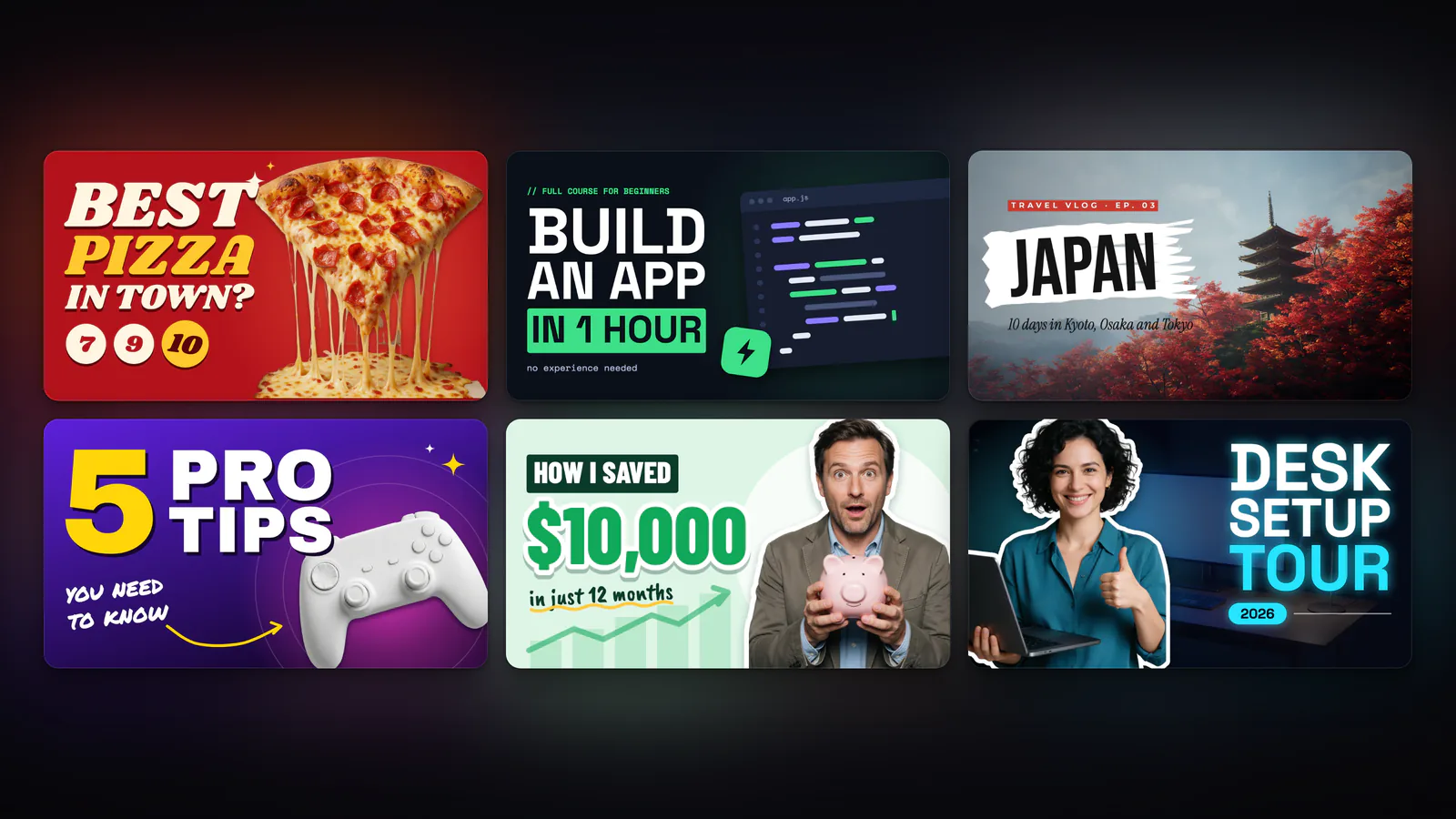
Start with "Use BudgetPixel to…", then say what matters to you: what it's for, the shape, any words that must appear, a style, a character. Without the name, Claude may draw something with code instead. Claude fills in the rest. Here are three requests we typed, with what came back.
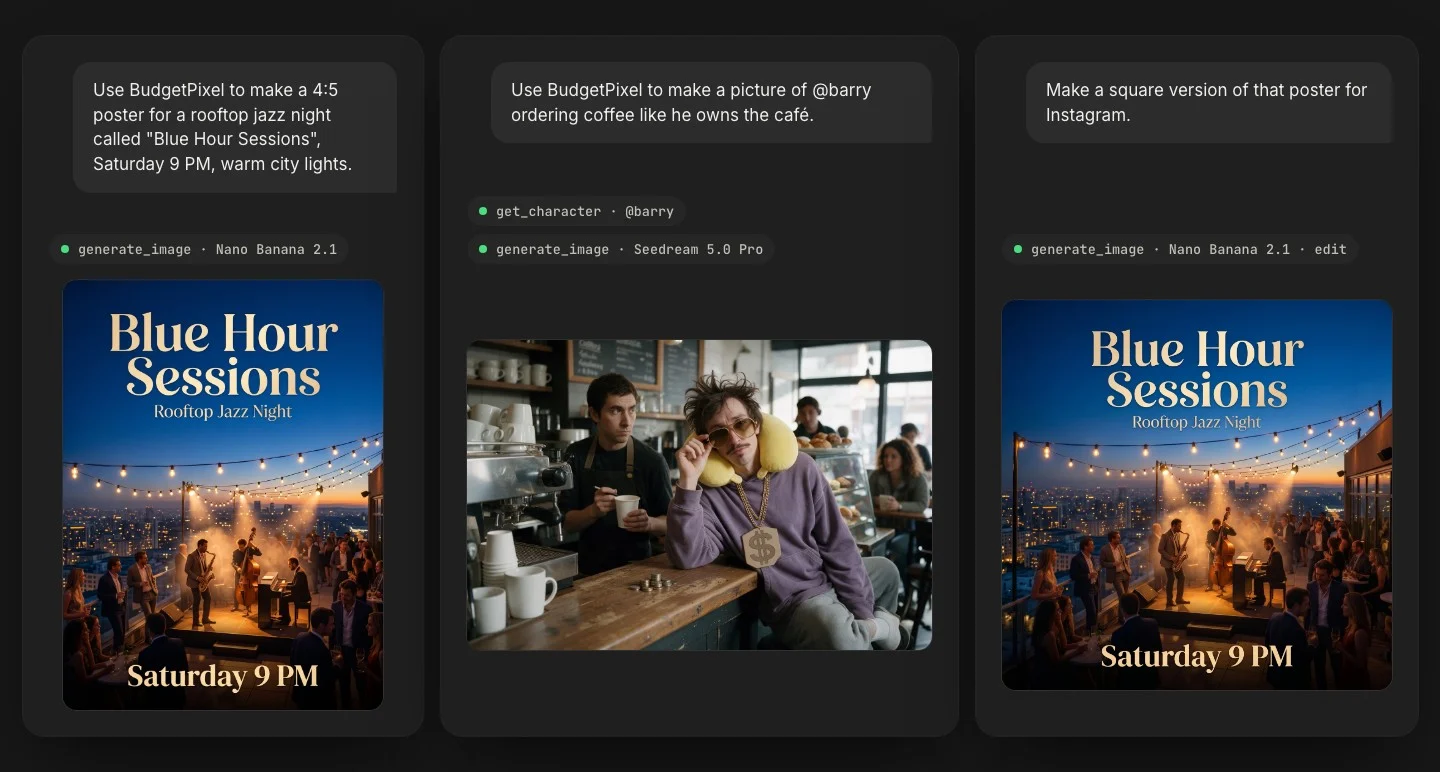
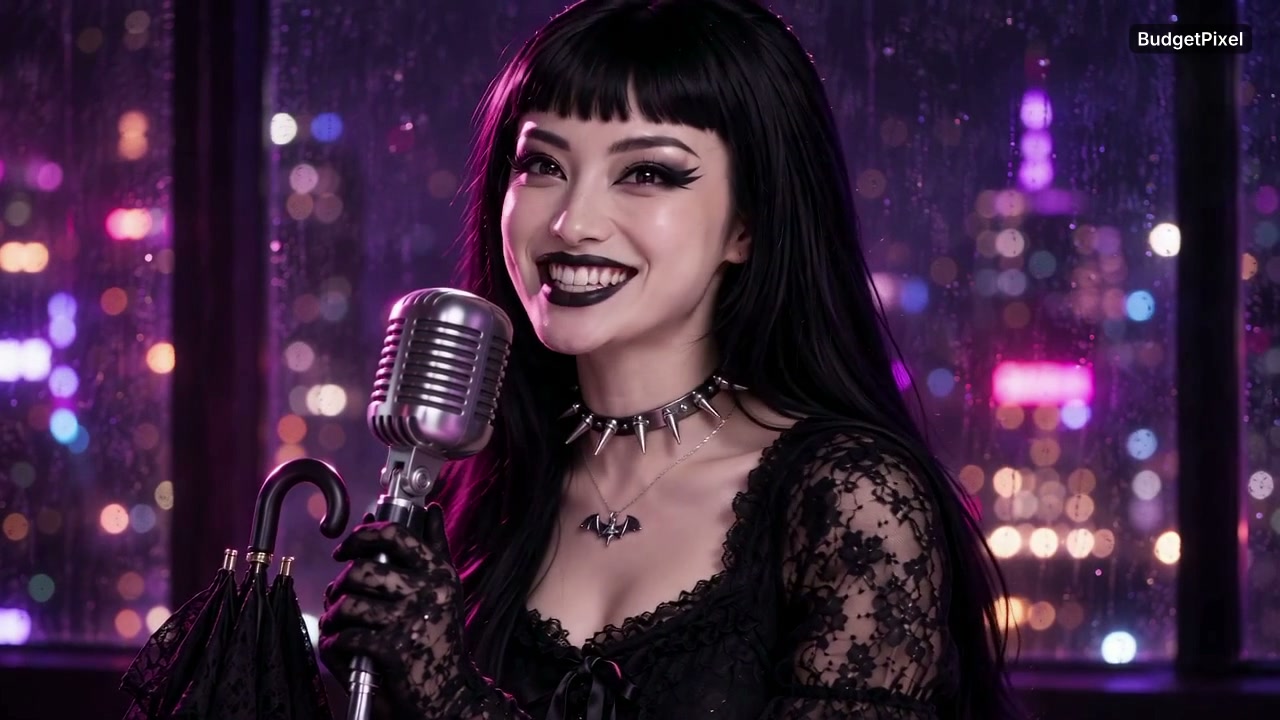
The poster. Claude chose Nano Banana 2.1, which handles lettering well, and wrote each line of text into its prompt in quotes, with a note to spell them exactly. All three lines came back right, in about 40 seconds. One catch: the connector doesn't offer 4:5, so Claude made the closest shape, 3:4, and told us. Trimmed to 4:5, every word still fits.
@barry. Before writing anything, Claude looked up Barry's character card, which costs nothing, then picked Seedream 5.0 Pro, BudgetPixel's pick for keeping a face consistent. The card says Barry is broke in real life and rich in his head, so Claude put a small pile of coins on the counter and a barista who isn't buying it. (Barry is a BudgetPixel AI influencer.)
The square version. Claude passed the first poster back in as an input image and asked for a 1:1 layout, so the lettering, the band and the lights carried over and the skyline widened to fill the frame.
From a picture to a clip and a song
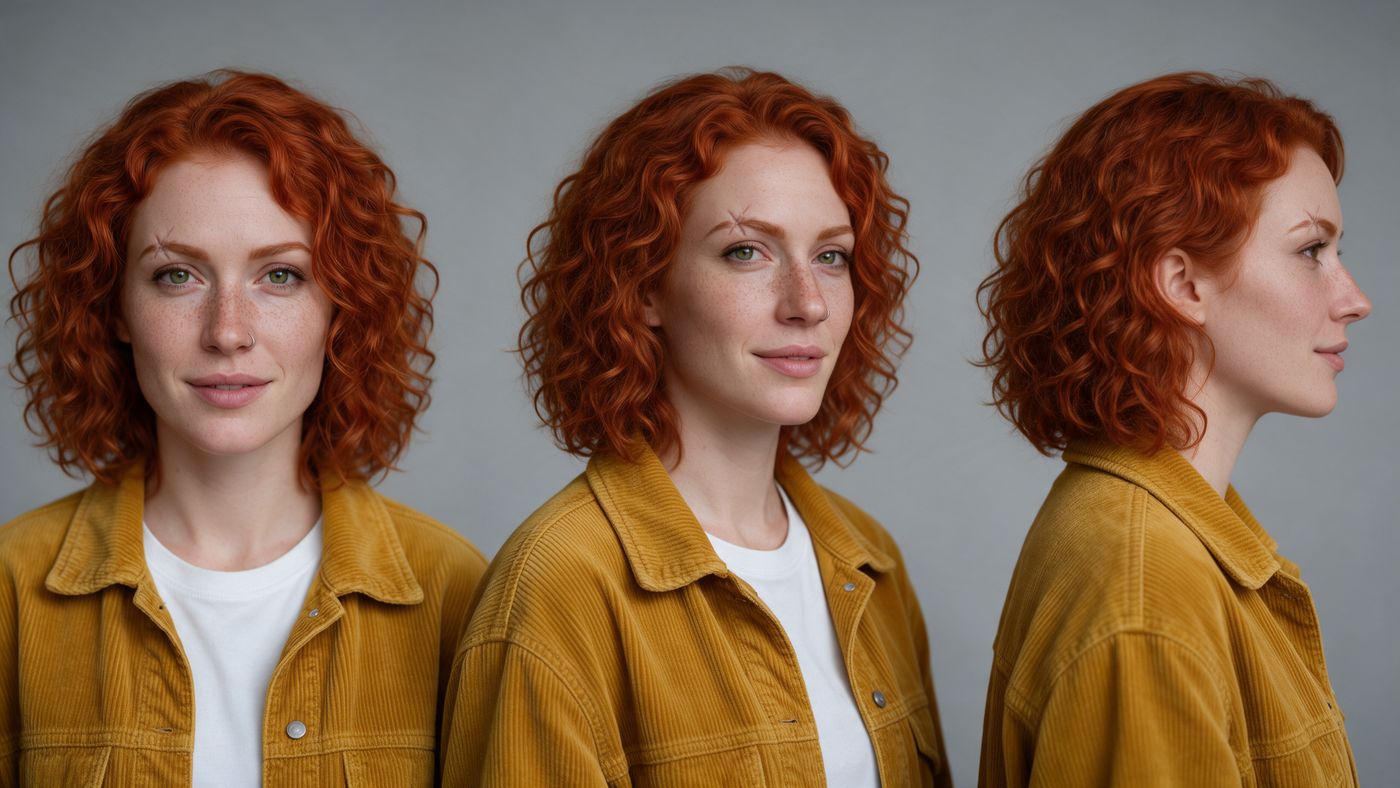
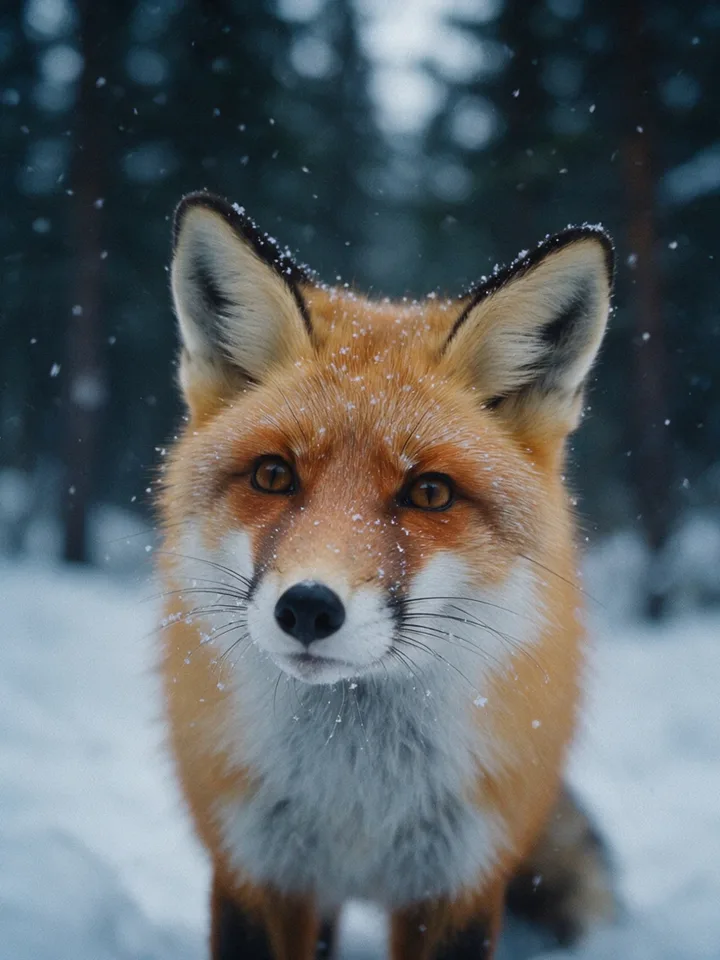
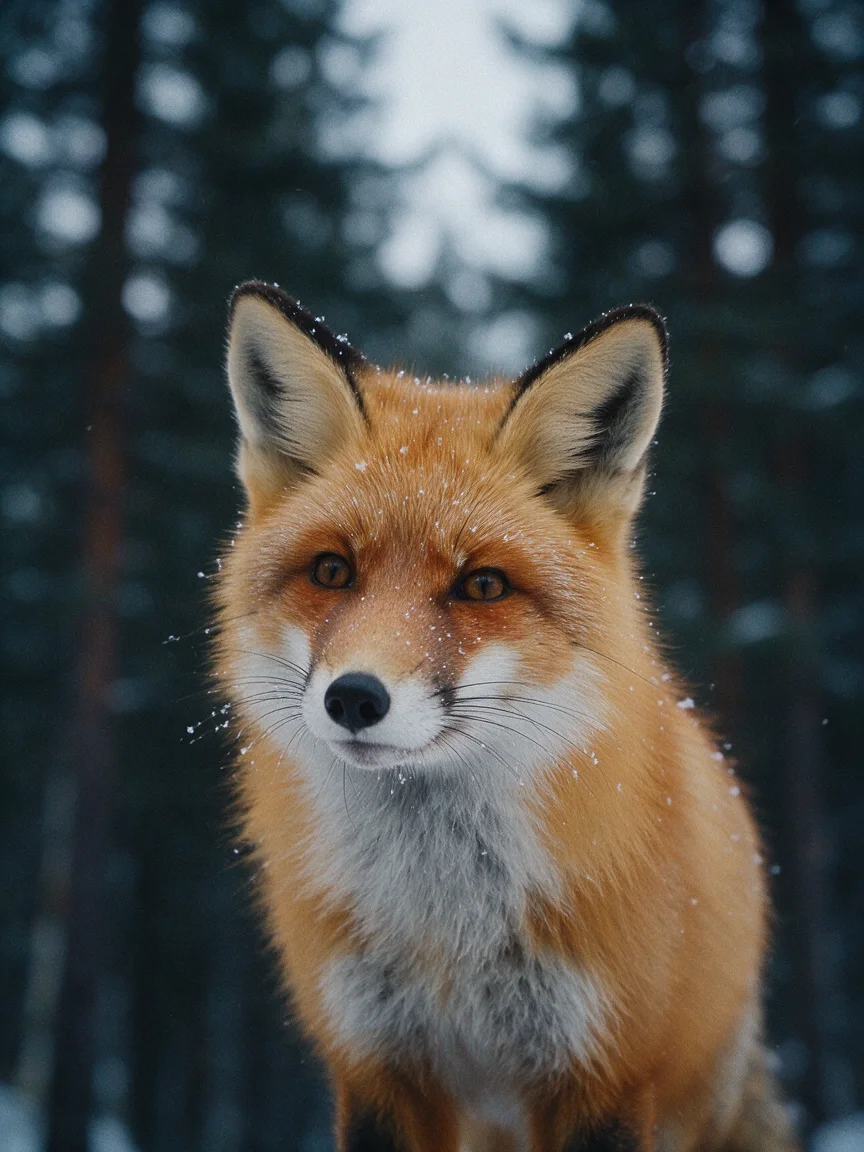
One conversation can keep going. These portraits, the clip and the song all came from three short messages to Claude, sent through the connector:
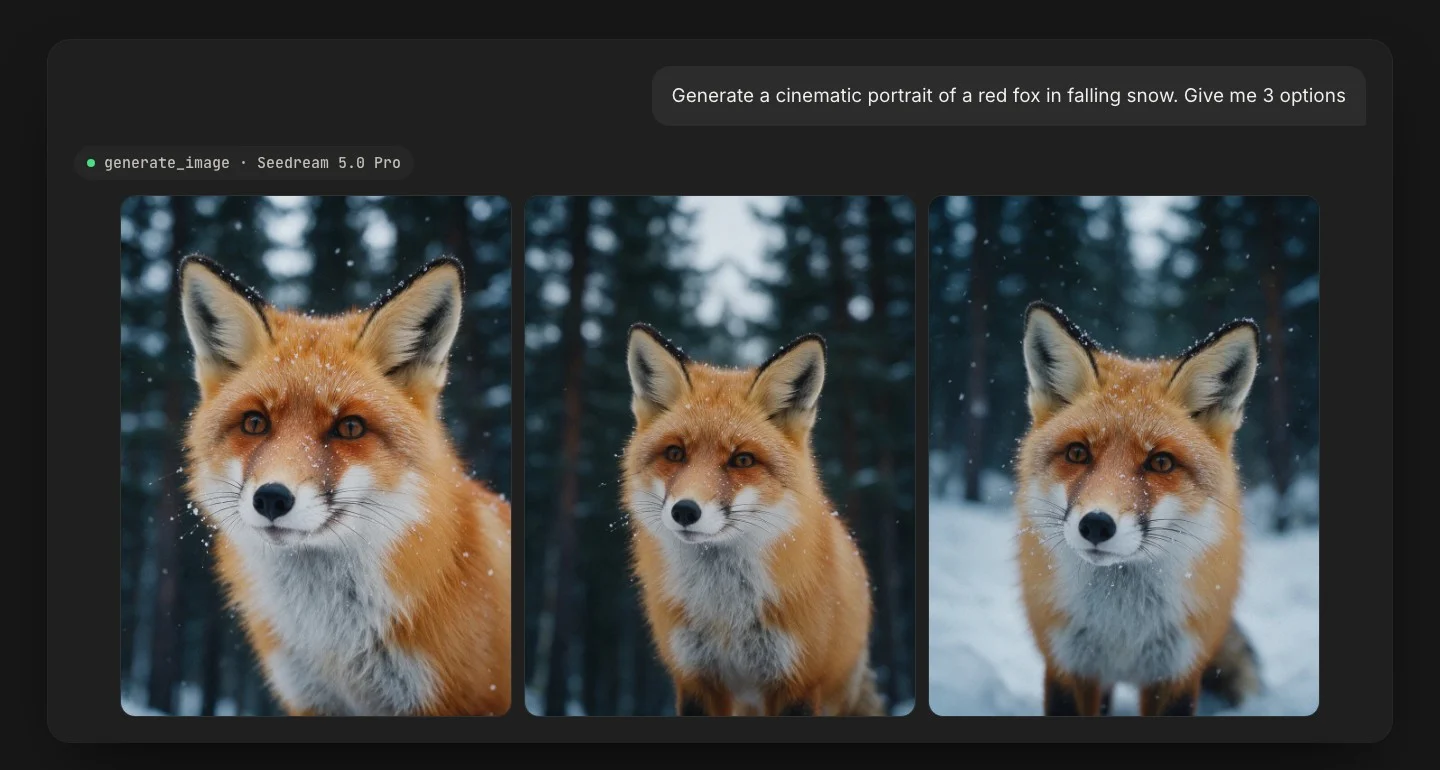
Then "Animate the best one into a 5-second 720p video, gentle camera push-in." Claude picked the right-hand portrait and sent it to Seedance 2.5 as the opening frame:
And "Write and sing a warm folk song about two foxes in the snow." Claude passed that on to Music 3.0 as a song brief, and Music 3.0 wrote the words and sang them:
Two Foxes in the Snow
Written and sung by Music 3.0 · 3:51
Tips for better pictures from Claude
- Say the shape. Square for an Instagram post, 9:16 for Stories, Reels and TikTok, 16:9 for YouTube. Through the connector you can ask for 1:1, 3:4, 4:3, 2:3, 3:2, 9:16, 16:9 or 21:9.
- Put exact words in quotes. "Blue Hour Sessions" comes out spelled the way you wrote it far more often than a name buried in a sentence.
- Ask for options. "Give me 3" costs three pictures and saves a round of back and forth.
- Name a model when it matters. Claude picks well, but you know your taste: "use Nano Banana 2.1 for the lettering".
- Ask Claude to save what you keep. The links Claude shares work for about an hour (ask for a fresh one), and results are deleted after about a day; "save it" keeps a copy in your BudgetPixel library.
- Keep going in the same chat. "Make it square", "warmer light", "now animate it": Claude passes the last picture back in, so the design carries over.
How much does it cost to make images with Claude?
Usually a few cents a picture, on top of your Claude plan: our three pictures cost 70, 110 and 70 credits at standard prices, and 1,000 credits cost $1. Making things needs a paid BudgetPixel plan, from $10 a month; each job costs the same credits as on budgetpixel.com, your plan's credits and discounts apply, and a failed job costs nothing.
| What we asked for | Model Claude picked | Credits |
|---|---|---|
| The jazz poster, 3:4 at 2K | Nano Banana 2.1 | 70 |
| @barry in a café, 3:2 at 2K | Seedream 5.0 Pro | 110 |
| The square version, an edit | Nano Banana 2.1 | 70 |
| Three fox portraits | Seedream 5.0 Pro | 165 |
| A 5-second clip at 720p | Seedance 2.5 | 1,650 |
| A song with vocals | Music 3.0 | 200 |
Those are standard prices. Our plan's discount took 10% off each, so the poster, Barry and the square version cost us 225 credits together, about 23 cents.
Dollar amounts use the credit-pack rate of 1,000 credits per $1; plan credits cost less. To cap what Claude can spend, set a monthly spend limit in the developer console: connector jobs count against it.
Is it safe to connect Claude to BudgetPixel?
Yes, if you add it from the official address, https://mcp.budgetpixel.com/mcp. The connector signs in to your BudgetPixel account with Google or Discord, so there are no API keys to copy or leak. Claude can only use the tools the connector offers: make things on your account with your credits, look up models, characters and your history, save results to your library, and post to your feed, which the connector tells it to do only when you ask. You can switch the connector off in any chat, or remove it under Customize, then Connectors.
Anthropic doesn't verify third-party connectors, so add only ones you trust, and keep an eye on what Claude does with them.
Does it work in ChatGPT, Codex and Cursor too?
In Codex, Cursor and the ChatGPT desktop app, yes: they take the same address. ChatGPT on the web, not yet: it only adds connectors from its own directory, and BudgetPixel isn't listed there. budgetpixel.com/mcp has the setup for each app.
Questions people ask
Can Claude generate images?
Not by itself. Claude understands images but has no image model, so it can only draw with code, like charts and SVG graphics. With a connector such as BudgetPixel, it can make real pictures, videos and songs in the chat by sending the job to image, video and music models for you.
How do I get Claude to make images?
Add an image connector. In Claude, open Customize, then Connectors, add a custom connector with the URL https://mcp.budgetpixel.com/mcp and sign in. Then switch it on in a chat (+, then Connectors) and ask, starting with "Use BudgetPixel to make…".
Can Claude make videos?
Yes, with a connector. Through BudgetPixel, Claude can turn a description or a picture into a video clip, on models such as Seedance 2.5 (4 to 30 seconds). A clip takes a few minutes and comes back as a link, since the chat can't play video.
Is the BudgetPixel connector free?
Connecting is free, and any BudgetPixel account can browse the models. Making images, videos and music needs a paid BudgetPixel plan, from $10 a month, and each job uses credits at the same prices as the website. Failed jobs cost nothing.
Does it work on the free Claude plan?
Yes. Anthropic offers custom connectors on every Claude plan, including Free, which allows one custom connector. Making images, videos and music still needs a paid BudgetPixel plan, from $10 a month.
Which image model does Claude use?
Whichever fits your request. In our tests Claude chose Nano Banana 2.1 for a poster with lettering and Seedream 5.0 Pro for a picture of a character. To choose yourself, name the model in your message, such as "use Seedream 5.0 Pro".
Can Claude edit my photos?
Yes, with a connector. Give Claude a public link to the photo and describe the change; Claude passes it to an image model that edits pictures and shows you the result in the chat.
Can I use BudgetPixel's AI influencers in Claude?
Yes. Write a character's @handle in your request, such as @barry, and Claude casts that character in the picture or video. BudgetPixel's AI influencers are free to cast, and your own characters work the same way.
Try it yourself
Included with every paid plan. One URL, sign in, then just ask.