What Is Wan 3.0? How to Use Alibaba's AI Video Model, Tested
Wan 3.0 is Alibaba's all-in-one AI video model. It makes 2 to 30 seconds of video with sound from a prompt, a first and last frame, or up to 10 images, 5 videos and 5 audio clips, at 480p, 720p or 1080p. It's also one of the cheapest good video models: on BudgetPixel a 5-second 480p clip costs 300 credits, a free plan's monthly allowance. We tested text, frames, references and Prime; the clips and costs are below.
 By BudgetPixel Team9 min readFacts verified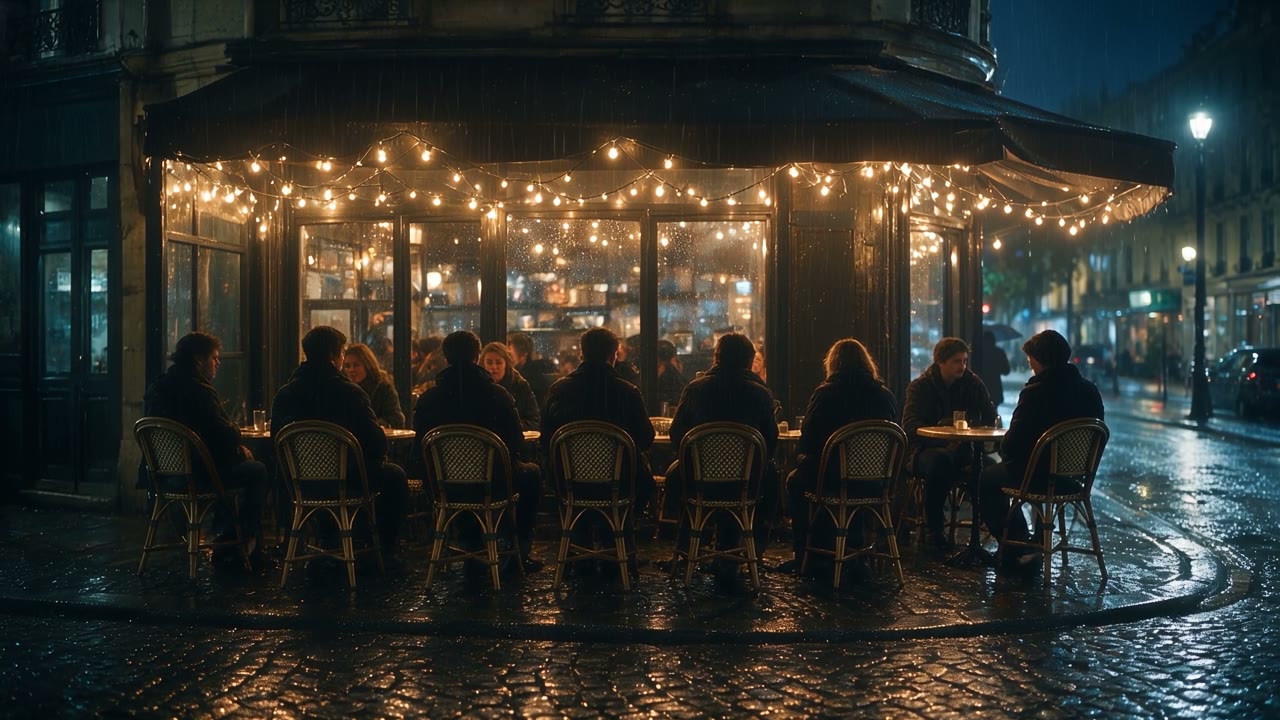
On this page
Wan 3.0 is Alibaba's AI video model, and the word that sums it up is "all-in-one": one model takes a prompt, a first and last frame, or a set of reference pictures, clips and sounds, and returns 2 to 30 seconds of video with sound. It's also one of the cheapest video models on BudgetPixel. We ran a text prompt, a first and last frame, a character reference and a 30-second story on BudgetPixel, plus the faster Prime tier; the prompts, the clips and what each one cost are below.
What is Wan 3.0?
Wan 3.0 is the third generation of Alibaba's Wan video models, made generally available in late August 2026; Alibaba's API reference still labels it a preview. It's an all-in-one, reference-based model: the same model does text-to-video, frame-to-video and reference-to-video, and it makes the sound in the same pass as the picture. Unlike Wan 2.2, its model weights haven't been released, so it runs only through Alibaba's API and the platforms that offer it. Here's what it does on BudgetPixel:
| Wan 3.0 | Wan 3.0 Prime | |
|---|---|---|
| Length | 2 to 30 seconds, at 30 fps | 2 to 30 seconds, at 30 fps |
| Resolution | 480p, 720p, 1080p | 480p, 720p, 1080p |
| Shape | Adaptive (picked to fit), 16:9, 9:16, 1:1, 4:3, 3:4 | The same |
| Start from | A prompt; a first frame, with an optional last frame; references; a video to edit, copy or continue | The same |
| References | Up to 10 images, 5 video clips and 5 audio clips; video and audio up to 15 seconds each in total | The same |
| Sound | Dialogue, effects and ambience, in the same pass | The same |
| Speed in our test (same 5-second 720p prompt) | 106 seconds | 69 seconds |
| Price on BudgetPixel | 60 / 120 / 240 credits a second | 85 / 170 / 340 credits a second |
How do you use Wan 3.0?
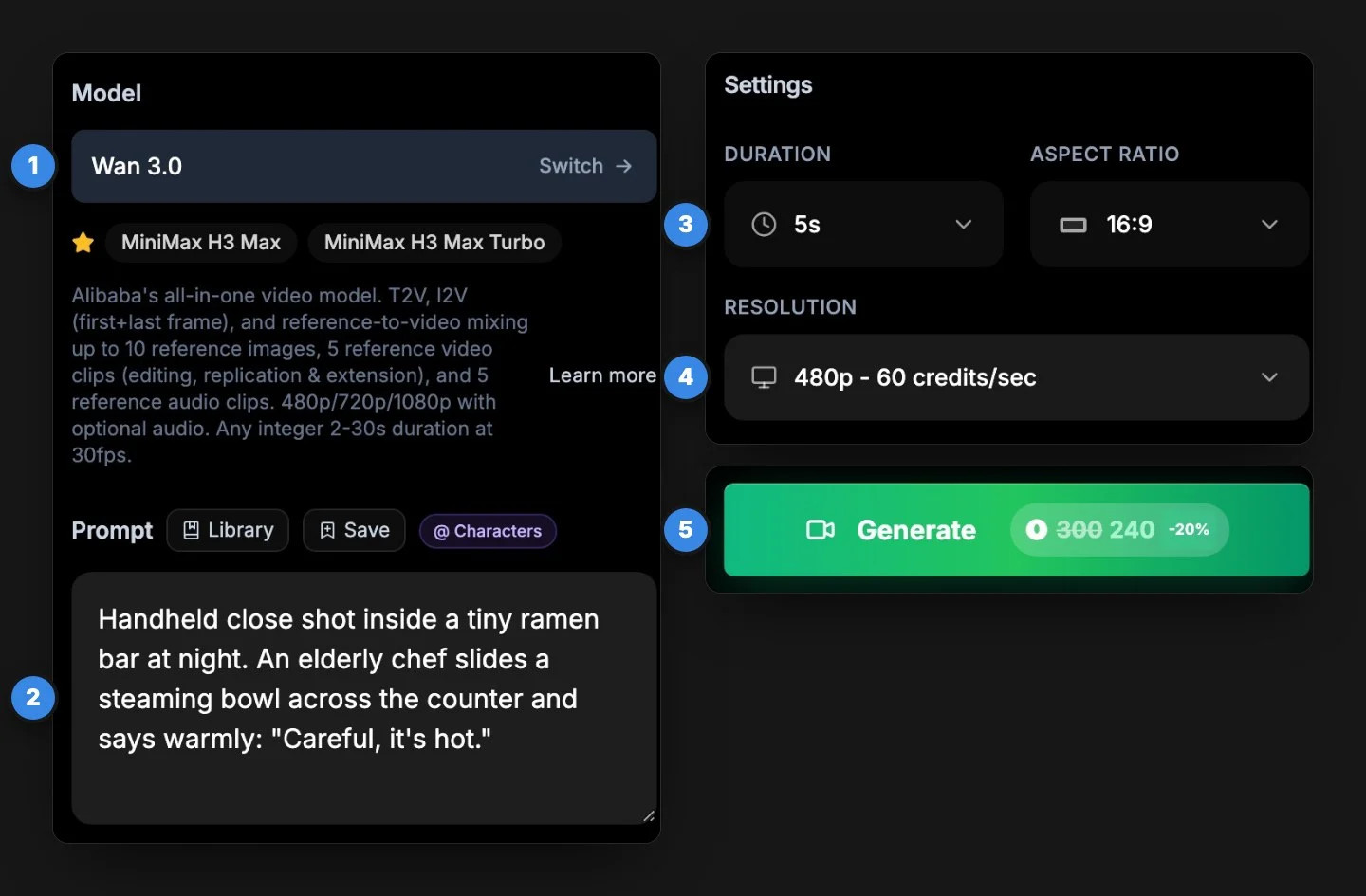
Pick Wan 3.0 in a video tool, write the prompt (or add frames or references), set the length, shape and resolution, and generate. On BudgetPixel:
- Open the Video Workshop and pick Wan 3.0, or Wan 3.0 Prime when you're in a hurry.
- Write the prompt, or add a first frame, a last frame or references.
- Set the Duration (2 to 30 seconds), the Aspect Ratio and the Resolution.
- Check the price on the button and generate. Our 5-second clips took 1 to 3 minutes.
What are the ways to make a video with Wan 3.0?
Four: a text prompt, a first frame with an optional last frame, references, or an existing clip to edit, copy or continue. We tested the first three; here's each one.
Text to video
Describe the shot, the sounds and any spoken lines. We gave Wan 3.0 the same ramen-bar prompt we used to test Seedance 2.5:
Handheld close shot inside a tiny ramen bar at night. An elderly chef in a white headband and apron slides a steaming bowl of ramen across the wooden counter toward the camera, looks up with a kind smile and says warmly: "Careful, it's hot." Steam curls through warm amber light; rain streaks the window behind him and neon reflections shimmer on the wet street outside. Slow push-in. Sounds: rain on the glass, a bubbling pot, the bowl sliding on wood. Photorealistic, cinematic, shallow depth of field. No text, no logos.

Try this prompt. One thing to watch: we asked for no text, and on both models a few neon signs in the window still show lettering.
First and last frame
Give Wan 3.0 a first frame and a last frame, and it fills in what happens between them. Our two frames, both made with Seedream 5.0 Pro:
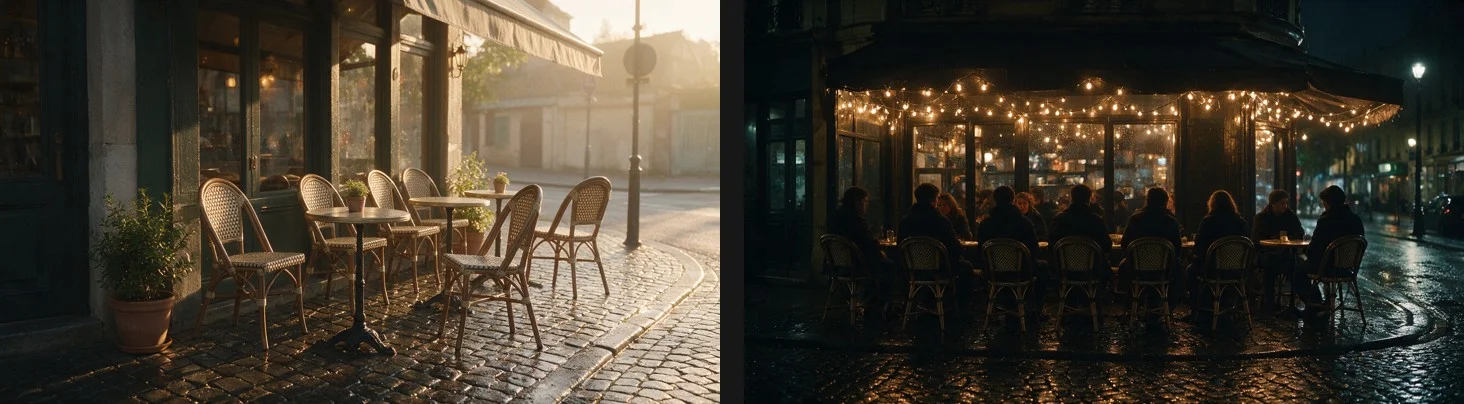
The prompt: "Time-lapse of a street-corner cafe from sunrise to a rainy night: the light shifts from soft gold to deep blue, string lights flicker on, people arrive and fill every chair, rain begins to fall. Static camera. Sounds: morning birds giving way to cafe chatter and rain." The result is the clip at the top of this page: 5 seconds at 720p, 600 credits. The two frames weren't framed identically, so Wan 3.0 blended one into the other with a slow dissolve, and added a cyclist with an umbrella riding through the rain on its own. Try this prompt with your own two frames.
References: characters, products and sound
Wan 3.0 takes up to 10 reference images, 5 video clips and 5 audio clips at once. On BudgetPixel, a character's @handle sends their main picture and written description for you. We cast Sunny, a BudgetPixel AI influencer, with the prompt we gave Seedance 2.5:
@sunny sits on a rainy windowsill at night with warm string lights behind her and opens a small pink gift box. She pulls out a sparkly unicorn keychain, holds it up next to her face toward the camera and says brightly: "Everything is wonderful!" Then she giggles. Cozy warm light, soft rain on the window. Cinematic close shot. No text, no logos.

Reference images and audio are free. A reference video, for a camera move to copy or a clip to edit, is billed at the output rate for each second of the input.
Edit, copy or continue a video
Add a clip as a reference video and describe the change: restyle it, swap what's in it, copy its motion into a new scene, or continue it past its last frame. The video references can run up to 15 seconds in total.
How do you make a 30-second video with Wan 3.0?
Write the prompt as a timed list of beats. We gave Wan 3.0 the six-beat lighthouse story from our Seedance 2.5 guide (a storm, the keeper's climb, the lamp going dark, a boat in trouble, the beam blazing back, the harbor at dawn), at 480p:
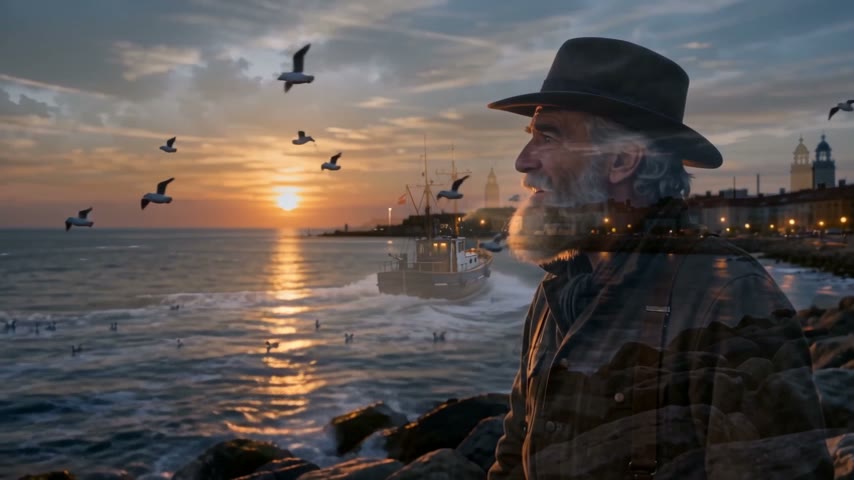
All six beats came back in order, and the night scenes stayed bright enough to read. The full prompt is in the Seedance 2.5 guide, so you can run it on both and compare, or try it on Wan 3.0.
Which is faster: Wan 3.0 or Wan 3.0 Prime?
Prime. Alibaba calls it a "high-speed version with capabilities aligned to the standard version", and our test agrees: same prompt, 5 seconds at 720p, the standard model took 106 seconds and Prime took 69. Prime costs about 40% more per second. Here are the two side by side:
In this test we couldn't call one better than the other; both said the line and kept the scene. Use Prime when you're iterating against a deadline, and the standard model when cost matters more than minutes.
Can you use Wan 3.0 for free?
On BudgetPixel, yes: the free plan's 300 monthly credits cover one 5-second Wan 3.0 clip at 480p. This is that clip, next to the same prompt at 720p:
The 480p version has the same scene, the same line and a little less detail.
Outside BudgetPixel, new users of Alibaba Cloud Model Studio get 30 seconds of free Wan 3.0 video (input and output combined) over 90 days in its international region. ComfyUI's Wan 3.0 nodes run on paid credits, and because the weights are closed, there's no free local version.
How much does Wan 3.0 cost?
On BudgetPixel, Wan 3.0 costs 60 credits a second at 480p, 120 at 720p and 240 at 1080p (Prime: 85, 170 and 340), the same in the workshop, the API and the Claude connector:
| Resolution | 5-second clip | 30-second clip |
|---|---|---|
| 480p (60 credits a second) | 300 credits | 1,800 credits |
| 720p (120 a second) | 600 | 3,600 |
| 1080p (240 a second) | 1,200 | 7,200 |
At the credit-pack rate of 1,000 credits per $1, a 5-second clip costs $0.30 at 480p, $0.60 at 720p and $1.20 at 1080p. Wan 3.0 Prime costs about 40% more: 850 credits for 5 seconds at 720p. Plan credits cost less, and Ultra takes 20% off Wan 3.0. Sound is included, reference images and audio are free, and a failed generation costs nothing. All six Wan clips in this guide came to 4,750 credits at standard prices.
Wan 3.0 or Seedance 2.5?
Draft and make short clips on Wan 3.0, which costs about a third as much and rendered faster in our tests; use Seedance 2.5 for reference-heavy shots, a 21:9 frame or a 1080p final from a draft. Both followed our prompts, kept the scene and said every line:
| Wan 3.0 | Seedance 2.5 | |
|---|---|---|
| 5 seconds at 720p on BudgetPixel | 600 credits | 1,650 credits |
| Our 5-second 720p render time | 1.8 to 2.8 minutes | 2.5 to 5.5 minutes |
| References | 10 images, 5 videos, 5 audio | 30 images, 10 videos, 10 audio |
| Length | 2 to 30 seconds | 4 to 30 seconds |
| 1080p file | H.264 | H.265 |
The Seedance 2.5 guide runs the same prompts.
Questions people ask
What is Wan 3.0?
Wan 3.0 is Alibaba's all-in-one AI video model. It makes 2 to 30 seconds of video with sound from a text prompt, a first and last frame, or references (up to 10 images, 5 videos and 5 audio clips), at 480p, 720p or 1080p.
What is the difference between Wan 3.0 and Wan 3.0 Prime?
They do the same things; Prime is the faster tier and costs more. In our test, the same 5-second 720p clip took 69 seconds on Prime and 106 on the standard model. On BudgetPixel, Prime costs 85 to 340 credits a second and the standard model 60 to 240.
How long can a Wan 3.0 video be?
From 2 to 30 seconds, any whole second, at 30 frames per second. For a long clip, write the prompt as a timed list of beats.
Does Wan 3.0 generate sound?
Yes. It makes dialogue, effects and ambience in the same pass as the picture. Put spoken lines in quotes; in our four tests with dialogue it said every line as written.
How much does Wan 3.0 cost?
On BudgetPixel, 60 credits a second at 480p, 120 at 720p and 240 at 1080p, so a 5-second clip costs $0.30, $0.60 or $1.20 at the credit-pack rate of 1,000 credits per $1. Reference images and audio are free; a reference video is billed per second at the same rate.
Can I use Wan 3.0 for free?
On BudgetPixel, yes, once a month: the free plan's 300 monthly credits cover one 5-second Wan 3.0 clip at 480p. New Alibaba Cloud Model Studio users also get 30 seconds of free Wan 3.0 video, input and output combined, over 90 days.
Is Wan 3.0 open source?
No. Unlike Wan 2.2, Alibaba hasn't released Wan 3.0's model weights, so you can't run it on your own computer. It runs through Alibaba's API and the platforms that offer it.
Is Wan 3.0 better than Seedance 2.5?
They're close on short clips; both followed our prompts and said every line. Wan 3.0 costs less than half as much and renders faster, while Seedance 2.5 takes far more references (50 files against 20) and a 21:9 shape. Draft with Wan 3.0 and keep Seedance 2.5 for reference-heavy shots.
Can I use my own character in Wan 3.0?
Yes. On BudgetPixel, write a character's @handle in the prompt and their main picture and description go to Wan 3.0, so the face and outfit carry over. The official AI influencers are free to cast.
Try it yourself
From 60 credits a second at 480p. The price shows before you generate.