AI Clothes Changer: Change Outfits in Photos and Videos
An AI clothes changer puts a different outfit on the person in a picture and keeps their face, body and pose. On BudgetPixel the outfit is saved in a free wardrobe with its own @handle, so your character wears exactly the same clothes in every image and video.
 By BudgetPixel Team9 min readFacts verified
On this page
An AI clothes changer puts a different outfit on the person in a picture and keeps everything else: their face, their body, their pose and the place. You give an image model the picture and the new clothes, and it repaints only the clothes. On BudgetPixel you can do that to a single photo, or save the outfit in the free wardrobe so your character wears exactly the same clothes in every picture and video you make. This guide shows both, with real results and the prompts behind them.
One photo, four outfits
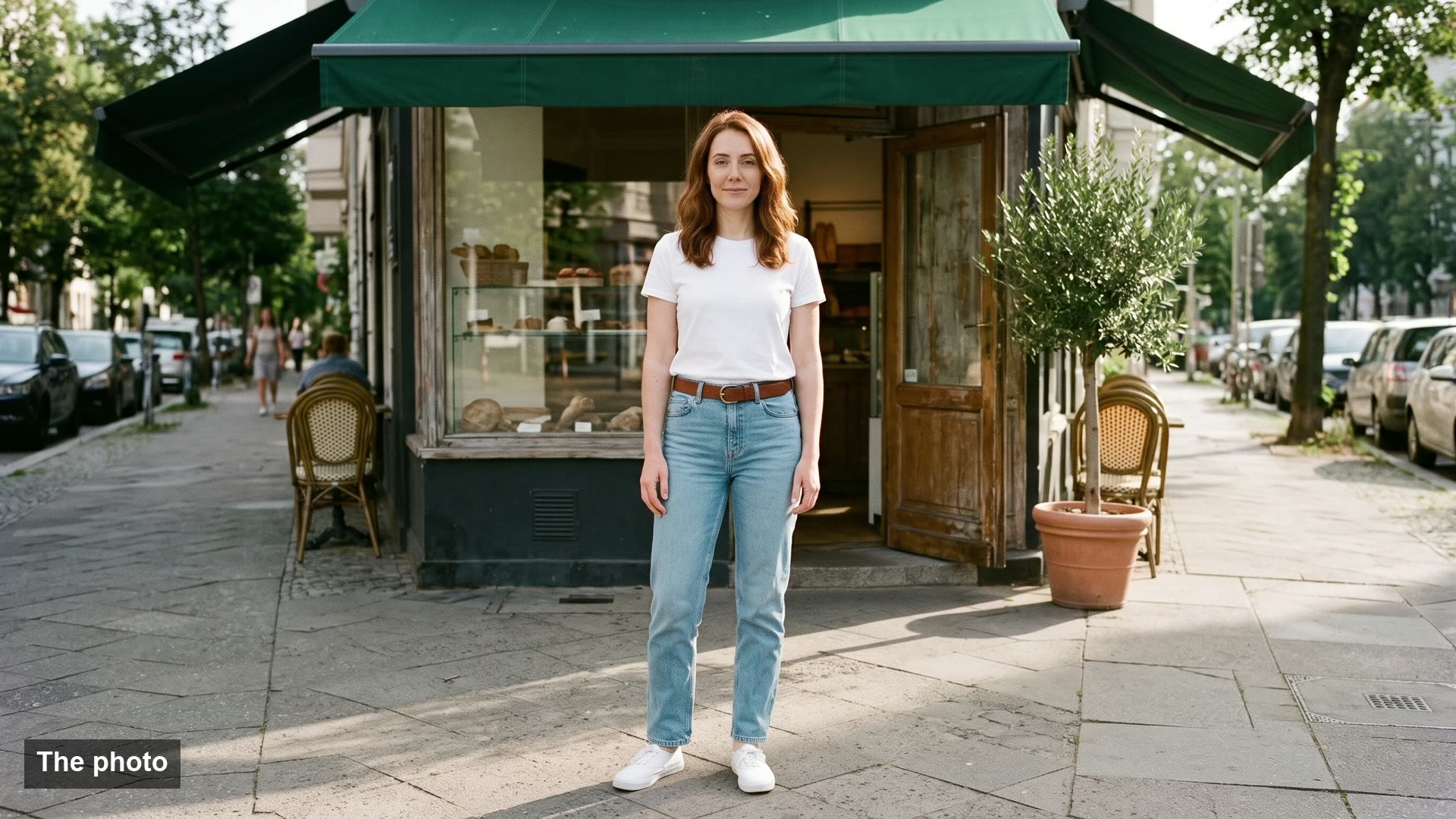
The film at the top is one photo and three edits of it. Nora isn't a real person: we made two photos of her with AI and turned them into a character, the same way you'd make one from photos of yourself. Then we made a photo of her outside a bakery and changed only her clothes, three times, with Nano Banana 2.1 in the Image Workshop. Each edit took about 45 seconds.
The prompt for the green dress:
Edit the photo of Nora on the sidewalk (the last image):
keep the same street, bakery, awning, olive tree, light,
camera, framing and her pose, her face, freckles, hazel eyes
and her wavy shoulder-length auburn hair exactly as they are.
Only her clothes change: @nora wearing
@emerald_velvet_maxi_dress, no white t-shirt, no jeans,
no white sneakers.
Three things make it work:
- A keep list. Naming the street, the light, the framing, the pose and the face tells the model what it may not touch. Without it, an edit tends to "improve" the background and the face as well.
- The clothes to remove. "No white t-shirt, no jeans" stops the old outfit from showing through, like a t-shirt collar peeking out of a dress.
- The outfit as a picture.
@emerald_velvet_maxi_dresssends the outfit's own picture with the prompt, so the high-low hem and the gold sandals come from that picture instead of the model's guess. A description in words works too, but the model fills in whatever the words leave out.
Three ways to change clothes with AI
| Way | Best for | What you give it | Price |
|---|---|---|---|
| Change one photo | A quick new look on a picture you have | A photo, plus an outfit's @handle or a description | The model's usual price per picture |
| Try on | Seeing your character in an outfit, in 8 poses | Your character and an outfit | 65 credits a picture |
| Write it in a prompt | New pictures and videos of your character in that outfit | @your_character wearing @outfit, plus the scene | The model's usual price |
1. Change the clothes in one photo
- Open the Image Workshop and upload your photo.
- Pick a model that edits pictures. Nano Banana 2.1 made the edits above (paid plans); Seedream 5.0 Pro works on every plan, Free included.
- Write what stays and what changes, as in the prompt above. To use an outfit from the wardrobe, type
@and pick it from the Wardrobe group, or describe the clothes in words. - Check the price on the button and generate.
2. Try an outfit on your character
- Make a character in Character Studio from one or two photos: one of your face and one of your whole body work best. Use photos of yourself, or of someone who has agreed.
- Open an outfit in the wardrobe and choose Try on.
- Pick your character and a pose: Standing, Walking, Three-quarter, Hand on hip, Leaning, Sitting, Side view or Back view.
- Press Try it on. The button shows the price, 65 credits. Our try-ons took 44 to 56 seconds each.
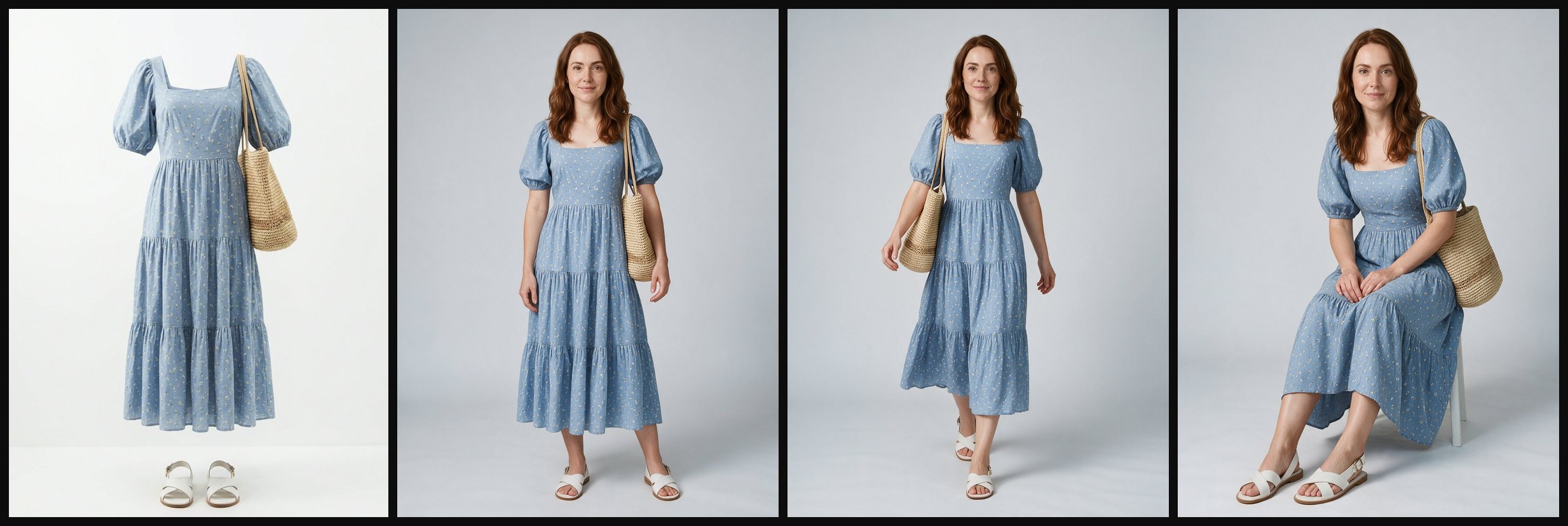
The outfit on the left, then three try-ons in three poses. Every try-on shows up in the wardrobe's Try-ons tab, where you can browse, download or delete them, and on the character's page, tagged with the outfit. Each outfit keeps up to 6 try-ons per character, one per pose.
3. Keep the outfit in every picture and video
After a try-on, or even without one, write the character and the outfit in any prompt: @nora wearing @camel_coat_neutral_work_set sitting at a window table in a cafe. The character's pictures and the outfit's picture both go to the model, so the face and the clothes carry over from scene to scene.
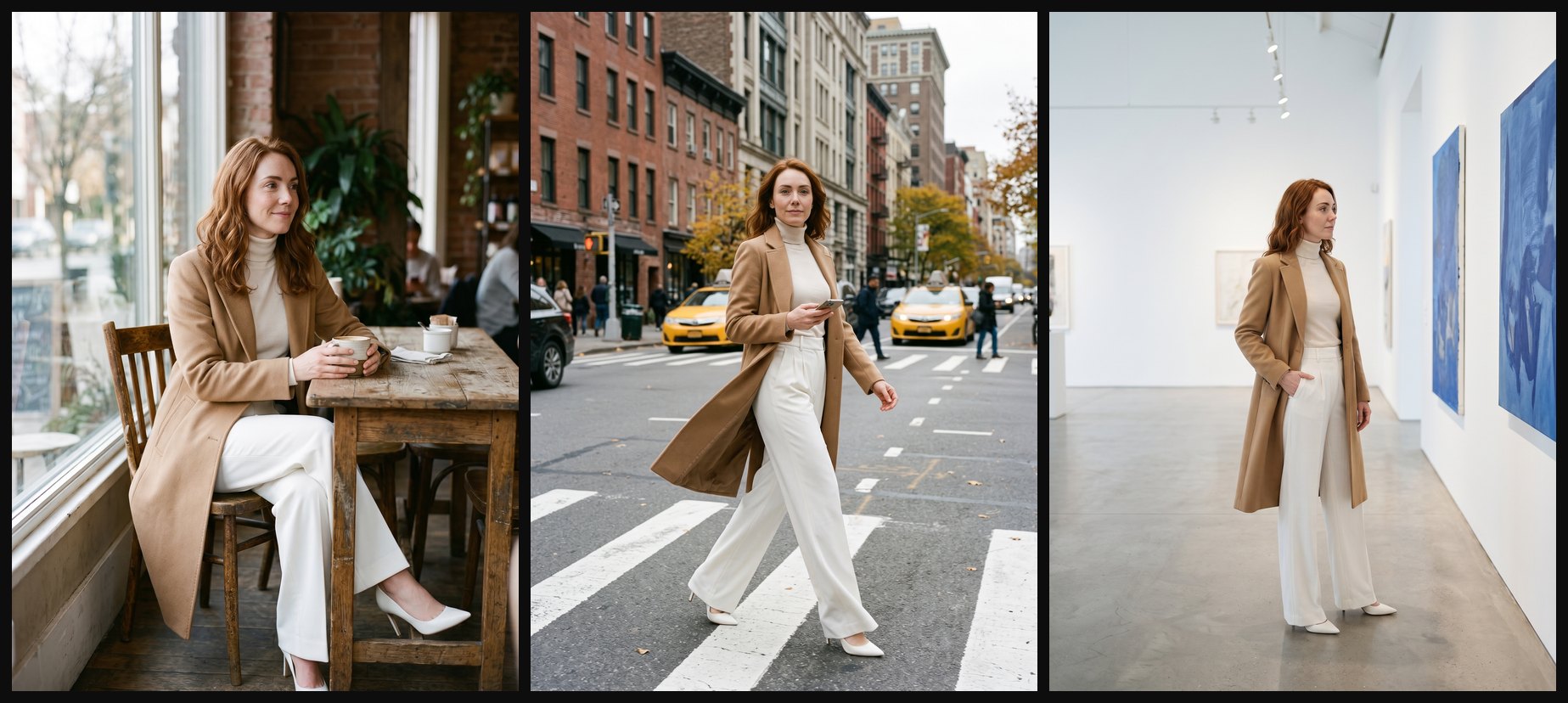
Three prompts, one outfit: the same camel coat, cream turtleneck, white wide-leg trousers and white heels at a cafe, on a crosswalk and in a gallery. One prompt can hold up to 4 characters and 4 outfits, and the handles work in the Image and Video Workshops, Design Studio and the other studios.
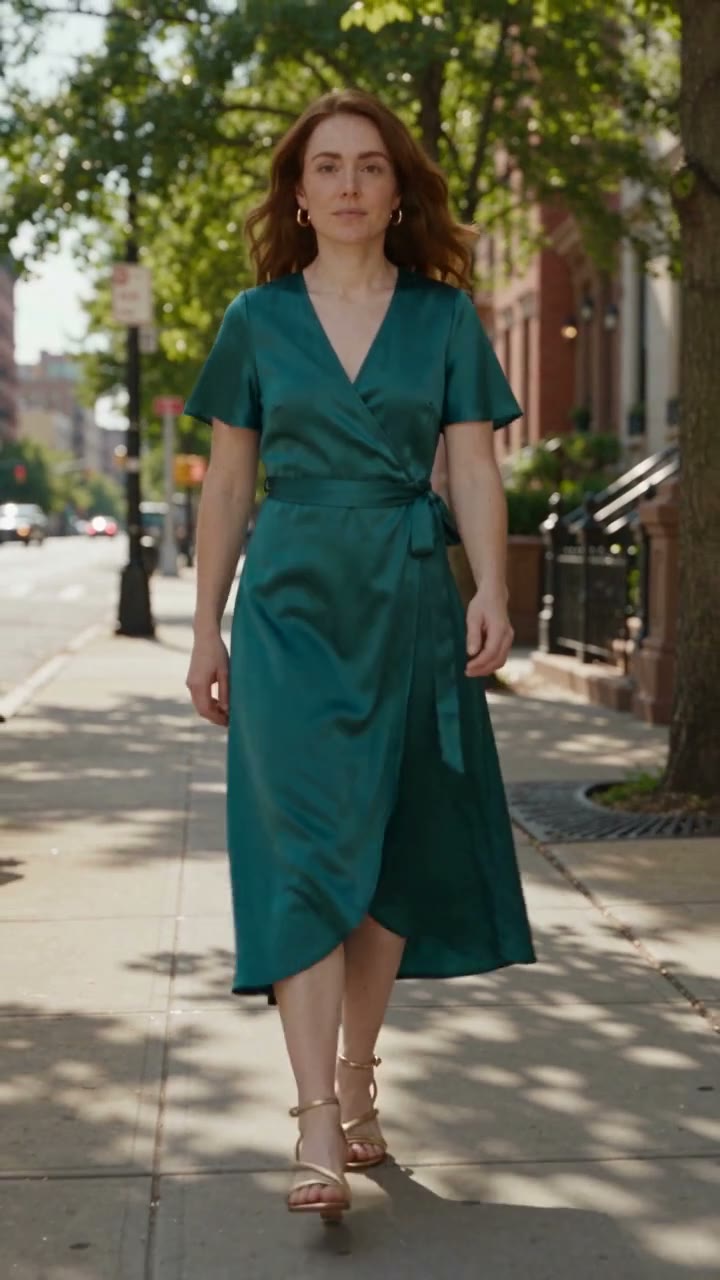
Video works the same way on models that take reference pictures. This clip is Seedance 2.5, 5 seconds at 720p, from @nora wearing @teal_satin_wrap_midi_outfit walks toward the camera along a sunny tree-lined city sidewalk, and took about three minutes:
Use your own clothes
Seen an outfit you like? Add clothes in the wardrobe turns it into an outfit of your own, in one of three ways:
- From a photo. A picture of someone wearing the clothes, or of the clothes on their own. The wardrobe takes the clothes out of the photo and makes a clean picture of them with nobody in it: 45 credits, about a minute.
- From a link. A shop's product page. Some shops' pages work, but many big shops block it. Then copy the product picture's address, or save the picture and add it from a photo.
- From a video. Up to 30 seconds, uploaded or as a TikTok, Instagram, Facebook, YouTube or X link. The wardrobe finds up to 10 outfits in it, 45 credits each.
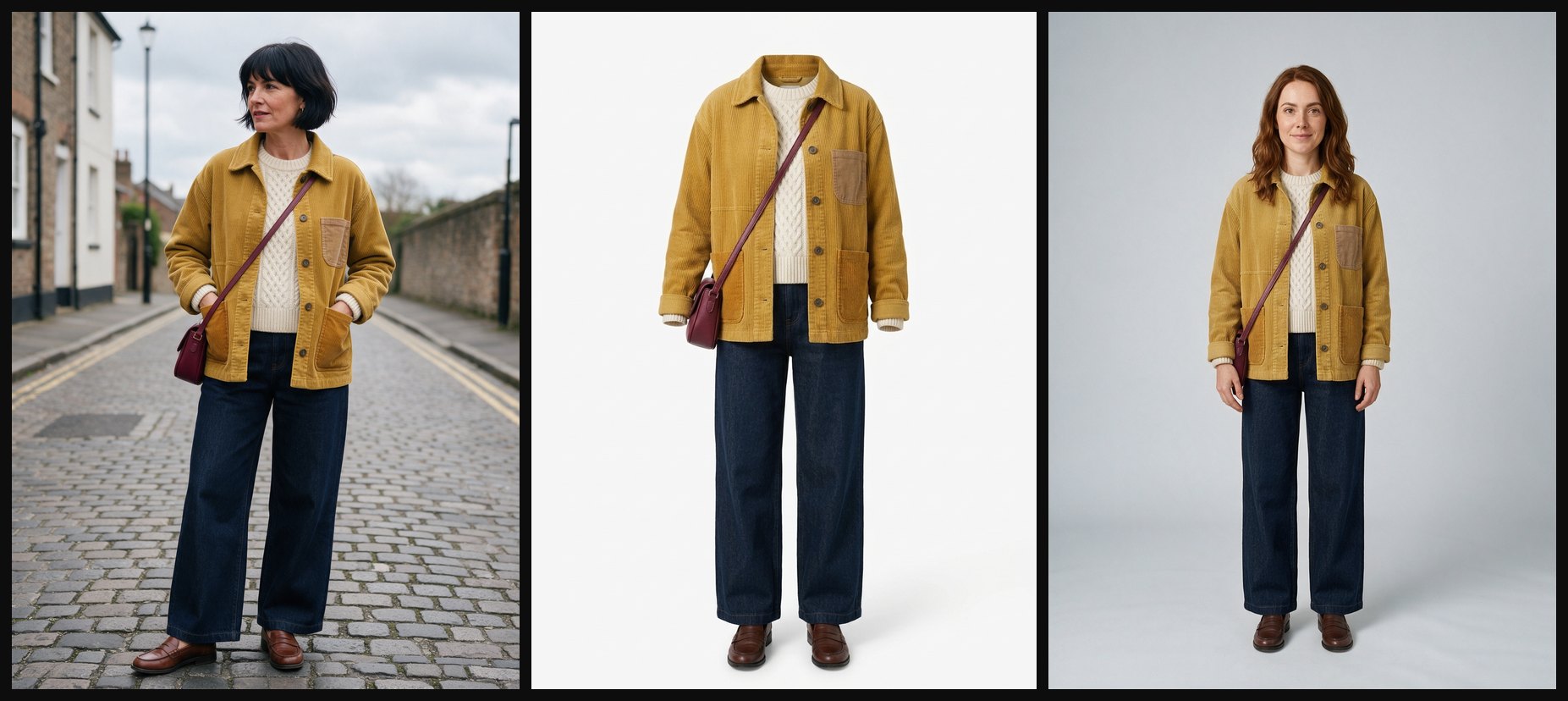
From a street photo to an outfit to a try-on: the jacket's patch pockets, the cable knit and the burgundy bag carry over. The outfits you make are yours alone until you publish one. Publishing needs a paid plan, puts the outfit in the public wardrobe for everyone, and can't be undone.
What's in the free wardrobe
More than 360 outfits, free for everyone on every plan:
- Everyday clothes, work, formal, party, sport, outerwear, swimwear, sleepwear, underwear, traditional dress and costumes, each marked women's, men's or unisex.
- 243 anime and game cosplay outfits from 60 series. The AI cosplay guide shows a reel made with them.
- Our AI influencers' signature outfits, so you can dress your own character in their look.
Browse the wardrobe and open any outfit to see its picture, its handle and a Try on button.
AI clothes changers compared
Most AI clothes changers do one job: one photo of a person plus one garment gives one new picture, and the next picture starts again from scratch. Here is how the best-known ones compare, as their own pages described them on November 3, 2026.
| Tool | You give it | You get | Saved for next time | Price |
|---|---|---|---|---|
| BudgetPixel Wardrobe | Your character and an outfit: from the library, a photo, a shop link or a short video | Pictures in 8 poses, and the same outfit in any image or video prompt | Yes: the outfit and every try-on | Outfits free; try-on 65 credits |
| Kling AI Virtual Try-On | A photo of a person and a photo of a garment | One picture | No. Kling notes the drape, fit and pose can shift between runs | $0.07 a try-on on Kling's API |
| Google "Try it on" | A full-body photo or selfie and a product listed on Google | One picture | No | Free in 18 countries; no lingerie or swimwear |
| ChatGPT shopping try-on | A selfie or full-body photo and a shopping result or screenshot | One picture | Items and try-ons go to Favorites | Part of ChatGPT |
| FASHN | A model photo and a product photo | 1 to 4 pictures; animating one is a separate step | No | App from $19 a month; API $0.075 a credit, 1 to 5 credits a try-on |
| Krea | A photo of a person and a photo of the clothes | One picture | No | Free; commercial use needs a paid plan |
If you want to see yourself in a shirt you're about to buy, a shopping try-on is the quickest. If you're making a character who should wear the same clothes across a series of posts, a comic or a video, saving the outfit is what keeps every picture matching.
The rules
- Real people. Change clothes only on photos of yourself or of people who have agreed. Using someone's likeness to sell something needs their consent.
- No nudity. The wardrobe covers every kind of clothing, underwear included, but never nude pictures, and requests are checked before anything is made.
- Adults only. Every character in the library is an adult, and pictures that look like a minor are refused.
- Commercial use depends on your plan. Pictures made on the Free plan are for personal use, the Basic plan allows limited commercial use, and Premium and up allow full commercial use.
- Fan outfits are not official. The cosplay outfits are fan versions of characters' looks. BudgetPixel isn't affiliated with the series, and how you use them is your own responsibility (Terms of Service, section 9.1d).
Questions people ask
What is an AI clothes changer?
A tool that puts a different outfit on the person in a picture with an AI image model, keeping their face, body, pose and background. You give it the picture and the new clothes, as words or as a picture of the outfit.
Is there a free AI clothes changer?
BudgetPixel's outfits are free for everyone, more than 360 of them. What you make with them costs credits: a try-on is 65 credits and a picture costs the model's usual price. The Free plan comes with 300 credits a month, plus 20 to 60 a day for checking in, so it covers a few try-ons. The price shows before anything is made.
Can I change the clothes on a photo of myself?
Yes. For one picture, upload your photo to the Image Workshop and write the outfit's @handle or describe the clothes. To wear outfits again and again, make a character from one or two photos of yourself and try outfits on it. Only use photos of yourself or of people who have agreed.
Can I change clothes in a video?
Yes. Write @your_character wearing the outfit's @handle in a Video Workshop prompt on a model that takes reference pictures, such as Seedance 2.5. To change the person and clothes in a video you already have, Recast swaps in your character and can dress them from your wardrobe.
Can I try on clothes from an online shop?
Paste the product page's link in Add clothes. Some shops' pages work, but many big shops block it. Then copy the product picture's address, or save the picture and add it from a photo, and try it on your character.
Will the outfit look the same in every picture?
Very close. The outfit's own picture goes to the model with every prompt, so the cut, colours and details carry over. Small things, like the exact pattern of a print or a strap, can still vary a little between pictures.
Does it work for men's clothes?
Yes. Every outfit is marked women's, men's or unisex, and the try-on picker suggests the ones that fit your character first.
Try it yourself
The outfits are free. A try-on costs 65 credits, shown on the button before you start.