AI Cosplay: How to Dress Any Character in Anime and Game Outfits
AI cosplay means dressing a character in a famous character's outfit with an AI model. BudgetPixel's wardrobe has 243 free anime and game cosplay outfits: write one @handle next to your character and they wear that look, with their own face, in every image and video.
 By BudgetPixel Team6 min readFacts verified
On this page
AI cosplay is dressing a character in a famous character's outfit with an AI model. Your character keeps their own face, hair and body; only the clothes change. On BudgetPixel the costumes are ready-made: the free wardrobe has 243 anime and game cosplay outfits, each a clean picture of the clothes with an @handle. Write @your_character wearing @tifa_lockhart_outfit in a prompt and your character wears Tifa's look, the same in every image and video.
A cosplay reel, made with the wardrobe
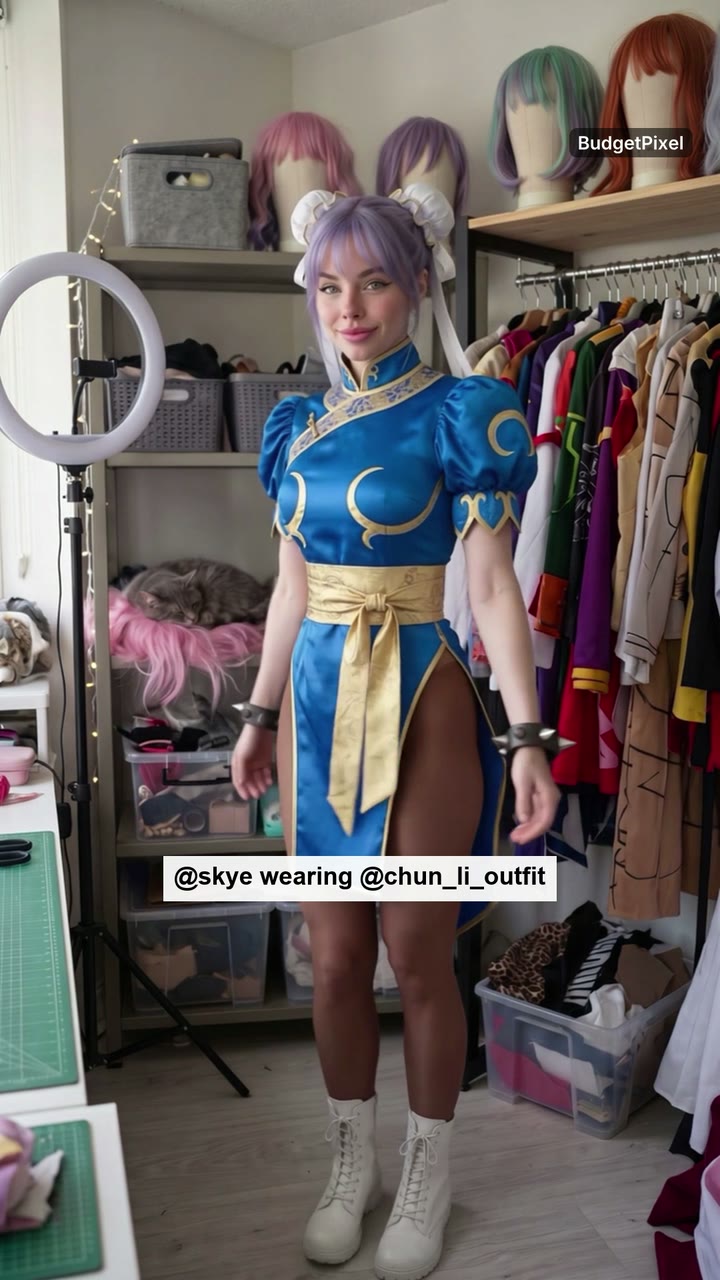
Skye is one of our AI influencers, a cosplay creator who "has never posted the same face twice". In this reel she counts down and spins through seven outfits from the wardrobe: Naruto's tracksuit, Tifa's suspender skirt, Chun-Li's qipao, 2B's dress, Yor Forger's black dress, Frieren's white mage robe and D.Va's bodysuit. Her face, her freckles and her lilac ponytail never change. Each costume is one line in the prompt.
What is in the cosplay wardrobe?
243 outfits from 60 anime and game series, each named after its character and series so you can search for either. A series with two or more outfits has its own page; the cosplay hub lists them all.
| Series | Outfits | Some of the characters |
|---|---|---|
| Naruto | 22 | Naruto Uzumaki, Kakashi Hatake, Itachi Uchiha, Tsunade, Hinata Hyuga |
| One Piece | 21 | Monkey D. Luffy, Roronoa Zoro, Nami, Nico Robin, Boa Hancock |
| Final Fantasy | 19 | Tifa Lockhart, Cloud Strife, Aerith Gainsborough, Yuna, Lightning |
| Street Fighter | 12 | Chun-Li, Cammy White, Juri Han, Ryu |
| Dragon Ball | 9 | Son Goku, Vegeta, Bulma, Android 18 |
| Overwatch | 9 | D.Va, Tracer, Mercy, Widowmaker |
| Resident Evil | 9 | Ada Wong, Leon S. Kennedy, Jill Valentine |
| Bleach | 9 | Byakuya Kuchiki, Yoruichi Shihoin, Rangiku Matsumoto, Grimmjow Jaegerjaquez |
Popular characters come in more than one look. Tifa has her classic outfit, her Advent Children look and her Wall Market dress; Nami has four, from her post-timeskip outfit to her Wano kimono; Hinata has four, all from her adult years. Every character in the library is an adult.
How do I dress my AI character as an anime character?
- Pick the character. One of your own from Character Studio, one of the 56 free AI influencers, or a character made from photos of yourself.
- Pick the outfit. Open the cosplay outfits, choose a series, then an outfit. Its page shows the picture, the @handle and the words that go to the model with it.
- Write the prompt. Put the outfit's handle next to the character:
@your_character wearing @chun_li_outfit, mid-kick in a rainy night market. Use a model that takes reference pictures, such as Nano Banana 2.1, Seedream 5.0 Pro or GPT Image 2.5, in the Image Workshop. - Generate. The character keeps their face; the clothes come from the outfit's picture.
- Keep the look. On a character of your own, try the outfit on once from its panel in the wardrobe and the result becomes one of the character's pictures (
@your_character.chun_li_outfit), ready for any later image or video.
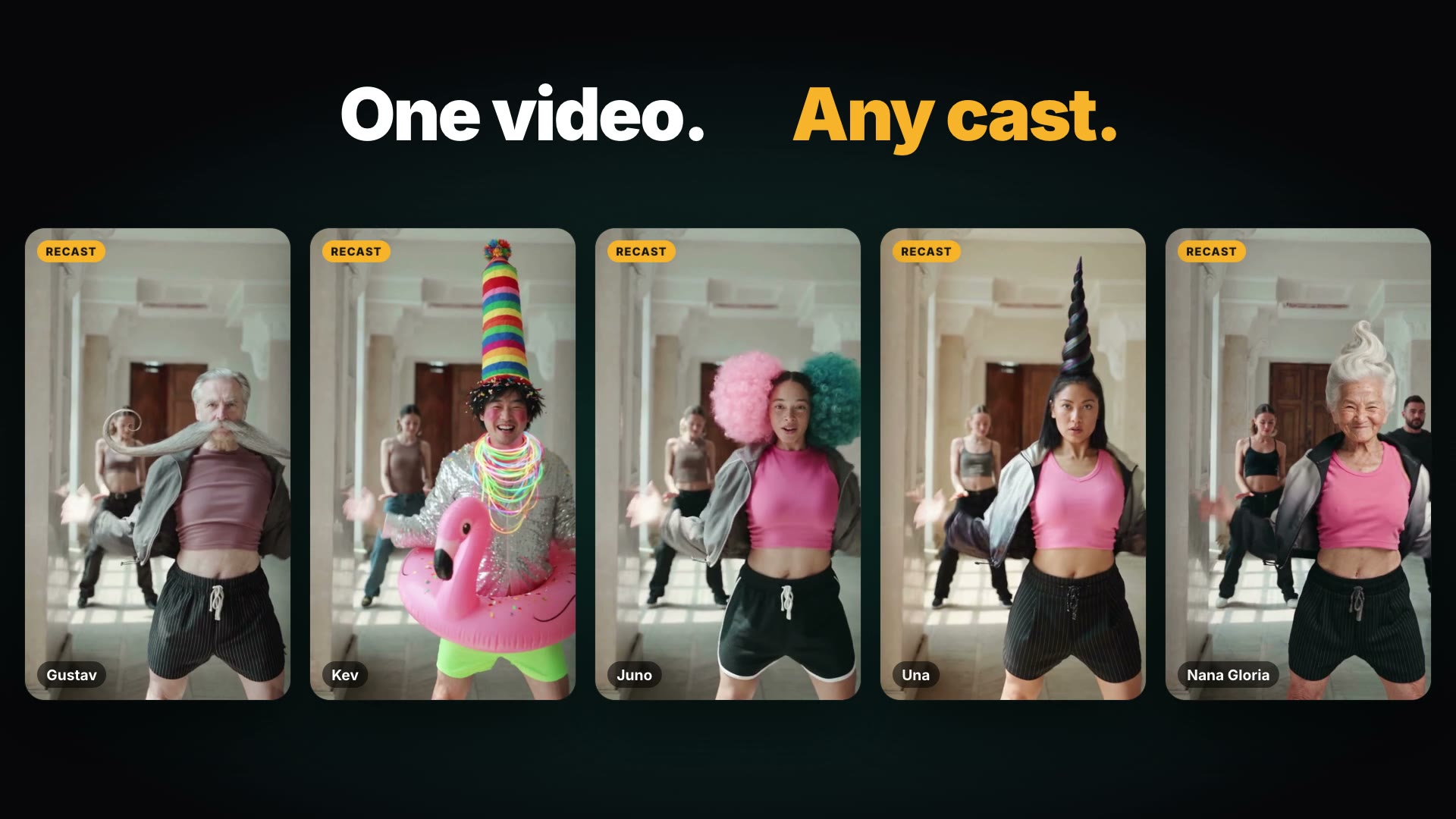
The same handles work in the Video Workshop, in Recast when you pick clothes for the people in a video, and through the BudgetPixel API and MCP server.
How we made Skye's reel
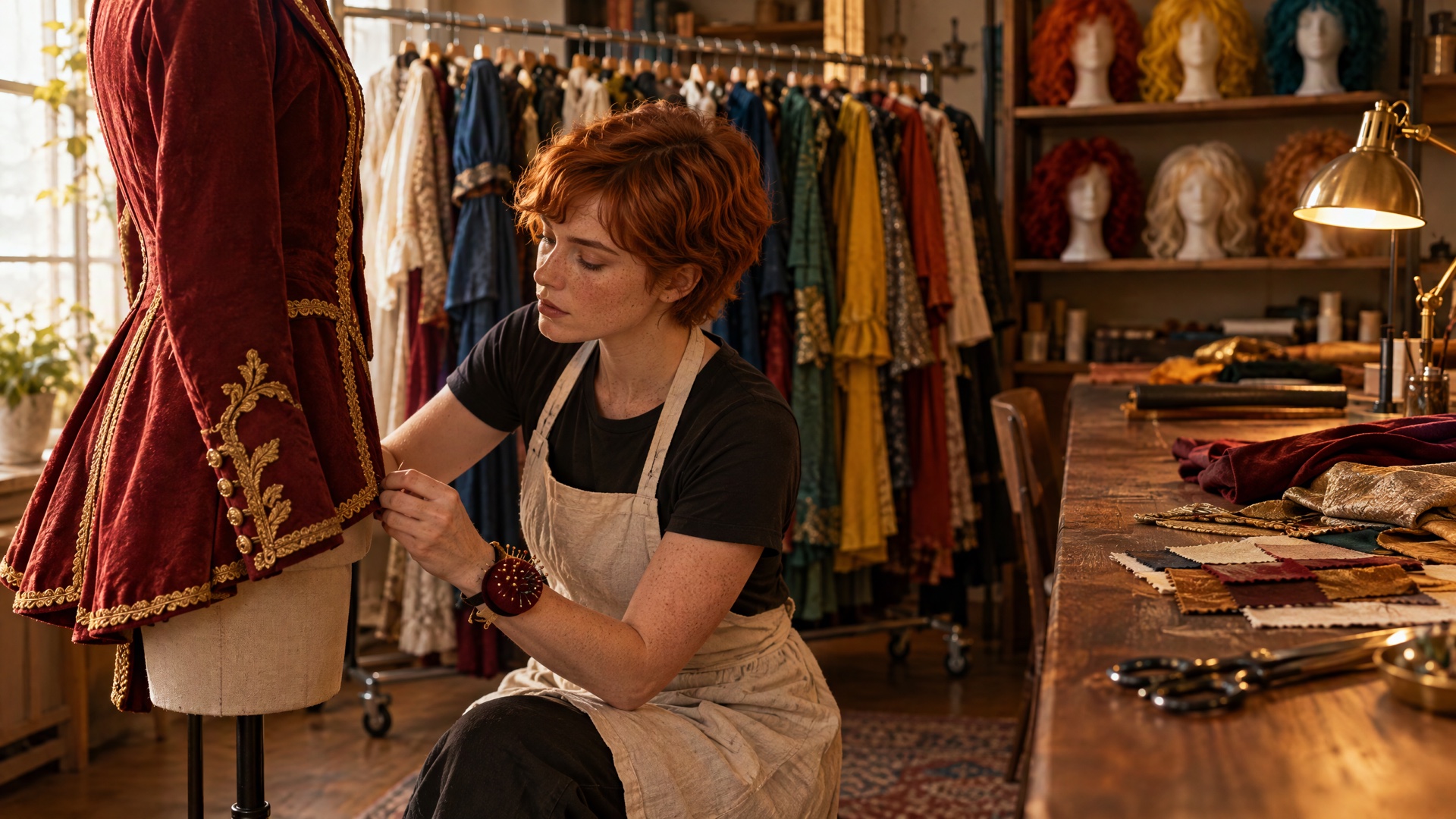
The trick in a transformation reel is that every look is the same shot. We made one photo of Skye in her studio with Nano Banana 2.1, then made each costume as an edit of that photo:
Edit the photo of Skye in her cosplay studio (the last image): keep the same room, camera,
framing, light and her pose, her face, grey-green eyes, freckles and her long lilac hair
exactly as they are. Only her clothes change: @skye wearing @tifa_lockhart_outfit.
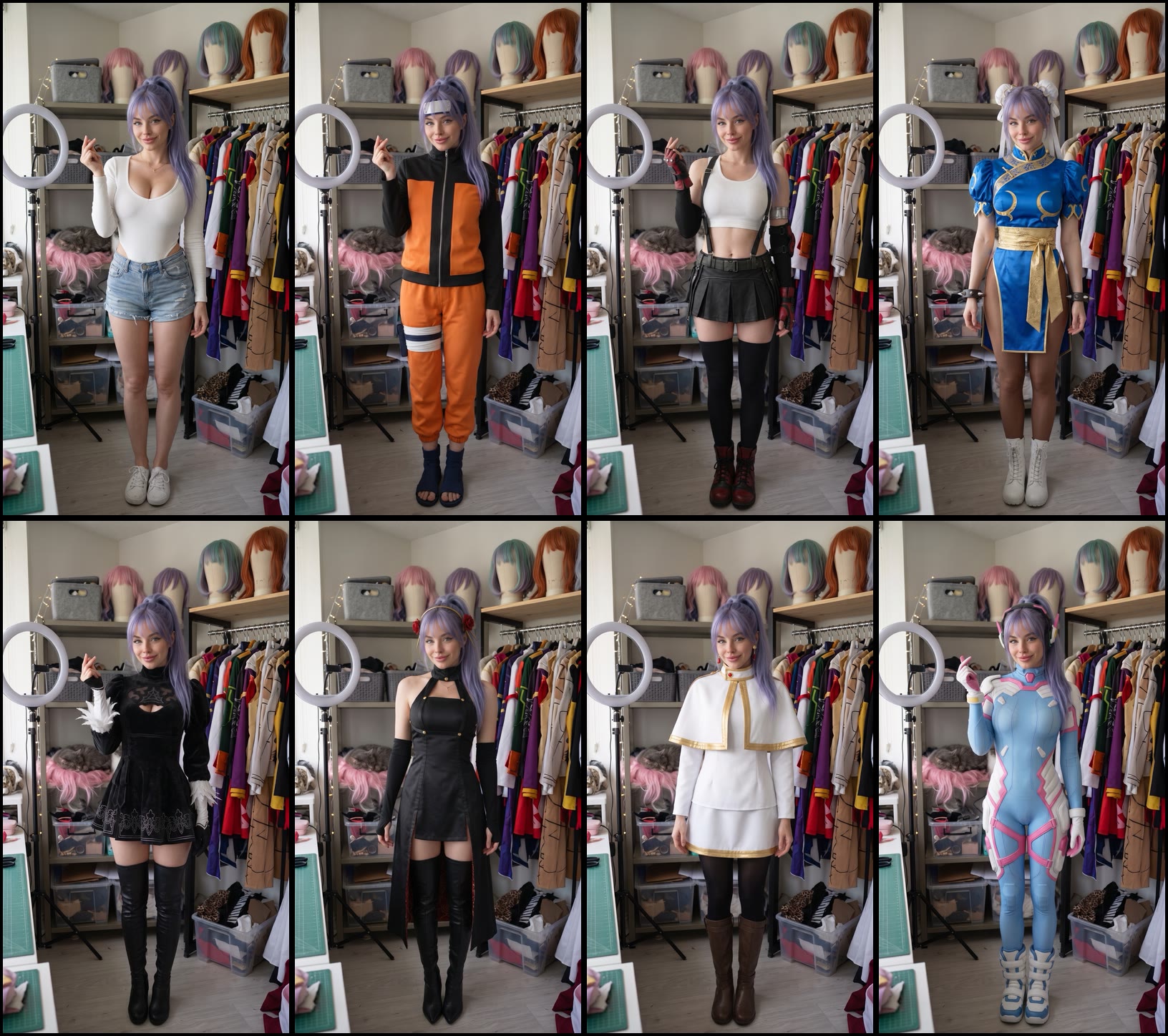
Then each change is a short video from one still to the next, made with Kling 4.0's first and last frame: "She does one quick full spin on the spot and lands facing the camera again; as she spins, her clothes change into the outfit of the last frame." The swap happens while her back is to the camera, so it reads as a real costume change. Last, a song with our own lyrics, made with Music 3.0, and each costume cut to land on the word that names it: "Ninja on the one, brawler on the two."
Tips for cosplay that reads right
- Hair stays your character's. An outfit is clothes, so your character keeps their hair, as Skye kept her lilac ponytail. For the character's hair, say it in the prompt: "with long black hair tied low".
- Props are not in the outfits. The pictures are clothes and accessories only; describe a prop in the prompt when you want one.
- Crossplay works. Every outfit says whether it is cut for women, men or both, but any character can wear any of them. Skye wears Naruto's tracksuit.
- Small emblems are left off. The outfits leave out logos and lettering. A model that knows the character may add them back; ask for "a plain, blank forehead plate" or similar if you want it clean.
- One frame, many costumes. For a reel or a carousel, make every look as an edit of the same photo so the cuts line up.
Is AI cosplay allowed?
Cosplay is fan culture, and the wardrobe's outfits are fan outfits: pictures in the style of each character's look, made by us, not official costumes. BudgetPixel is not affiliated with any of the series or their owners. The names say what an outfit looks like, nothing more, and how you use the outfits and what you make with them is your own responsibility, commercial use included (Terms of Service, section 9.1d).
Two rules on our side: no real person's face without their consent, and every character in the library is an adult.
Questions people ask
What is AI cosplay?
Dressing a character in a famous character's outfit with an AI image or video model. The character keeps their own face and body; only the clothes change, so you can put the same character in many costumes and keep them recognisable.
Are the cosplay outfits free?
Yes. All 243 anime and game outfits in the BudgetPixel wardrobe are free for everyone. You pay only for the images and video you make with them, at the model's usual price.
Can I make AI cosplay of myself?
Yes. Make a character from a few photos of yourself in Character Studio, then dress that character like any other. Only use photos of yourself or of people who have agreed.
Can I use the outfits in a video?
Yes. Write the outfit's @handle in a Video Workshop prompt on a model that takes reference pictures, or start from two stills and let a first-and-last-frame model animate the change, as in Skye's reel.
Are these official costumes?
No. They are fan outfits: pictures of clothes in the style of each character's look. BudgetPixel is not affiliated with the series or their owners, and how you use the outfits is your own responsibility (Terms of Service, section 9.1d).
Which anime and games are in the wardrobe?
60 series so far, among them Naruto, One Piece, Final Fantasy, Street Fighter, Bleach, Dragon Ball, Overwatch, Resident Evil, Demon Slayer, Jujutsu Kaisen, Mortal Kombat, Attack on Titan, Devil May Cry and Tekken. Every character in the library is an adult.
Try it yourself
The outfits are free. Images and video cost the model's usual price, shown before you start.