The Best AI Previs Tools in 2026, for AI Video
AI previs now runs from generation studios with camera presets to 3D canvases and Blender workflows. For AI video, three things decide which tool fits: how the shot is planned in 3D, how exactly the camera move is set, and how the plan becomes the final video. Here is how six tools compare, including BudgetPixel's own Previs.
 By BudgetPixel Team6 min readFacts verified
On this page
AI previs (previsualization, also written previz) is a rough 3D version of a shot that you check before you make it: the set, the people, how they move and exactly what the camera does. For AI video it matters more than ever, because the camera move is the part a prompt controls least. A prompt can ask for an orbit; it can't say how far, how fast or around whom.
BudgetPixel makes Previs, one of the tools below, so weigh our view with that in mind. What we say about the other tools comes from their own pages on October 27, 2026. Features and prices change quickly in this field, so check before you buy.
How do the AI previs tools compare?
| Tool | What it is | Camera control | To the final video |
|---|---|---|---|
| BudgetPixel Previs | Plans the shot in clay 3D from a sentence: the set, the characters and their paths | Moves by name, dolly zoom included, or in plain words; lens and speed on sliders | Seedance 2.5 in the same app: a 480p draft, then HD |
| Krea Seedance Studio | A scene agent builds a simple 3D scene from text, a reference or a sketch | Keyframes for position, aim, focal length and easing, over 1 to 10 seconds | The camera flythrough becomes Seedance's video reference |
| Intangible | A browser canvas for images, video and 3D worlds, sold for previs and camera blocking | Cameras with lens and film-gate controls | Renders through Luma, Kling, Seedance or Veo; exports to Unreal |
| Higgsfield Cinema Studio | An AI filmmaking workspace that directs generations scene by scene | More than 30 camera movement presets | Generates the shot directly |
| LTX Studio | An AI video production studio for filmmakers, advertisers and creative teams | Camera movement and keyframes | Generates in the same studio |
| Blender with Seedance 2.5 | Full 3D, built by hand | Exact, keyframed by hand | A clay render, through Dreamina's Clay Renderer plugin, becomes the reference |
BudgetPixel Previs
Previs plans one shot at a time. You describe it ("a dragon glides down a canyon and passes right over the camera") or pick a camera move by name, and the planner builds a clay 3D preview: the set at real size, your characters as coloured figures with their paths, and the camera. You watch the move from any side, change it with sliders or in plain words, and Seedance 2.5 makes the real video with the clay preview as its reference for the camera, the blocking and the timing.

A shot runs 4 to 15 seconds in 16:9, 9:16 or 1:1, with up to six characters cast by @handle, so their real faces carry into the video. Planning costs 10 credits per second of preview (30 with Better planning), and the video is Seedance 2.5 at its usual price.
Best for: getting an exact camera move into an AI video without touching 3D software. Not for: whole sequences in one go; each preview is a single shot.
Krea Seedance Studio
Krea's Seedance Studio pairs Seedance with a quick 3D step. A scene agent builds a simple 3D scene from text, a reference or a sketch, and you set camera keyframes for position, aim, focal length and easing over 1 to 10 seconds. The flythrough then becomes the video's camera reference, and saved @elements keep characters consistent.
Best for: Krea users who want to set the camera path keyframe by keyframe.
Intangible
Intangible is a browser canvas for images, video and 3D worlds, marketed to film crews as previs and camera blocking and to ad agencies as pitch visuals and animatics. Its cameras have lens and film-gate controls, and a scene can be rendered through Luma, Kling, Seedance or Veo, or exported to Unreal. It lists a free plan, paid plans from $35 a month and an enterprise tier.
Best for: directors and agencies who want to lay out a full 3D scene by hand in the browser.
Higgsfield Cinema Studio
Cinema Studio is Higgsfield's AI filmmaking workspace: you direct generated films scene by scene, with more than 30 camera movement presets and consistent characters. It works on the generation itself, so the camera move comes from a preset rather than from a 3D plan you check first. Higgsfield also offers an add-on for Blender.
Best for: fast cinematic generations with stock camera moves.
LTX Studio
LTX Studio is an AI video production studio for filmmakers, advertisers and creative teams, with camera movement and keyframes set inside the studio.
Best for: teams that want storyboards, shots and edits in one production tool.
Blender with Seedance 2.5
Blender is free and gives exact control over every object, lens and keyframe, if you build the scene yourself. Dreamina's Seedance 2.5 workflow uses a Clay Renderer plugin to turn a Blender scene into a clay render video, which Seedance then follows as its reference.
Best for: 3D artists who already work in Blender.
Which AI previs tool is best for filmmakers and music videos?
For hands-on 3D blocking, Intangible in the browser or Blender on the desktop. To block a scene from a sentence and keep its exact camera move in the video, Previs: plan the orbit around the singer or the crash zoom into the hero shot by shot, then cut them together.
Which AI previs tool is best for UGC ads?
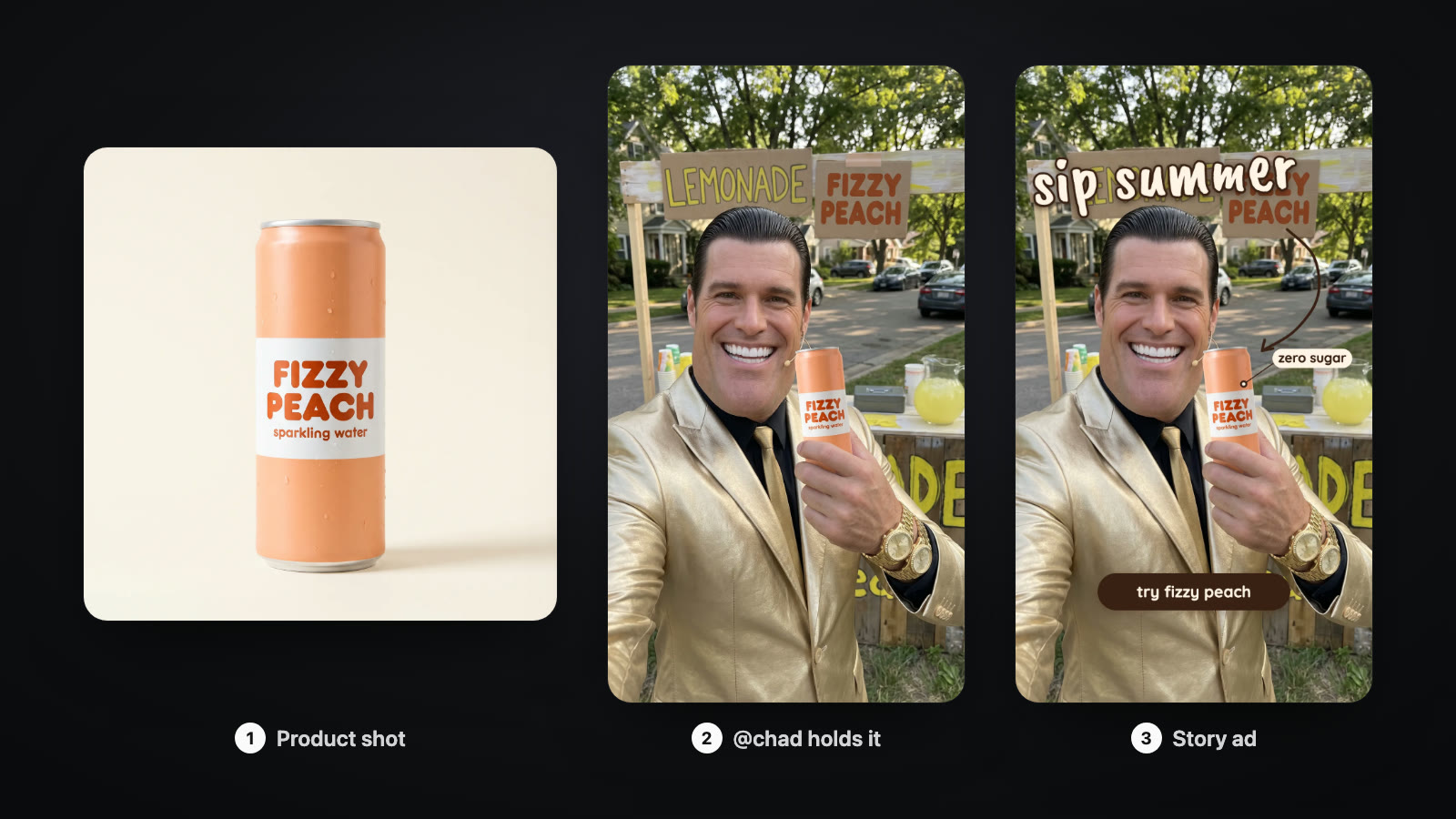
Most UGC ads are one handheld 9:16 shot, and the camera move is part of the hook: a push in to the face, a walk toward the camera, a turn to the product. In Previs you cast an AI actor by @handle, plan that move in 3D, and the video keeps the actor's face and the move, so the same actor can carry every version of the ad.
Which AI previs tool is best for commercials and agency pitches?
Intangible is built for agencies, with pitch visuals and animatics around the client's product. Previs lays out the product reveal or the hero orbit as a clay 3D animatic, which is free to watch and change with sliders, and makes the real video from the same camera once the client says yes.
How to choose an AI previs tool
- Do you want to build in 3D, or describe the shot? Builders: Blender or Intangible. Describers: Previs or Krea's scene agent.
- How exact must the camera be? Presets give a stock move; a 3D plan gives the distance, speed and lens you checked.
- Do your characters need to stay the same? Check how each tool carries a face from shot to shot.
- How does the plan become the video? Look for a handoff to the model you want, not a screenshot.
- What does a wrong move cost? In a 3D plan it costs a change; in a prompt it costs a new video.
Questions people ask
What is the best AI previs tool in 2026?
It depends on how much 3D work you want to do. To describe a shot and get an exact camera move without any 3D software, BudgetPixel's Previs builds the scene from a sentence and makes the video with Seedance 2.5. To lay out a 3D scene yourself in the browser, Intangible and Krea's Seedance Studio fit. Blender gives the most control if you can build the scene by hand.
Can AI make previs from a text prompt?
Yes. BudgetPixel's Previs plans the set, where each character moves and the camera from a sentence, and Krea's Seedance Studio has a scene agent that builds a simple 3D scene from text, a reference or a sketch.
Do I need Blender for AI previs?
No, although Blender is still the most exact option if you build everything yourself. Dreamina's Seedance 2.5 workflow connects Blender through a Clay Renderer plugin, while browser tools such as Previs, Intangible and Krea's Seedance Studio need no 3D software.
What is the difference between previs, a storyboard and an animatic?
A storyboard is a set of still frames, and an animatic times those frames to sound. Previs plays the shot in 3D with the real camera path, the lens and the timing, so a camera move can be checked before the shot is made.
Which AI previs tool is best for UGC ads?
One that keeps the same actor and frames 9:16. In BudgetPixel's Previs you cast an AI actor by @handle in a 9:16 shot, plan the hook as a camera move, and the video keeps the actor's face and the move.
Which AI previs tool is best for commercials and agency pitches?
Intangible sells pitch visuals and animatics for ad agencies, built around the client's product. BudgetPixel's Previs lays out a product reveal or a hero move as a clay 3D animatic and makes the real video from the same camera.
See for yourself
Every signed-in BudgetPixel user can use it, Free plan included.