How to Make AI Influencer Content in Claude Cowork (Same Face, Every Post)
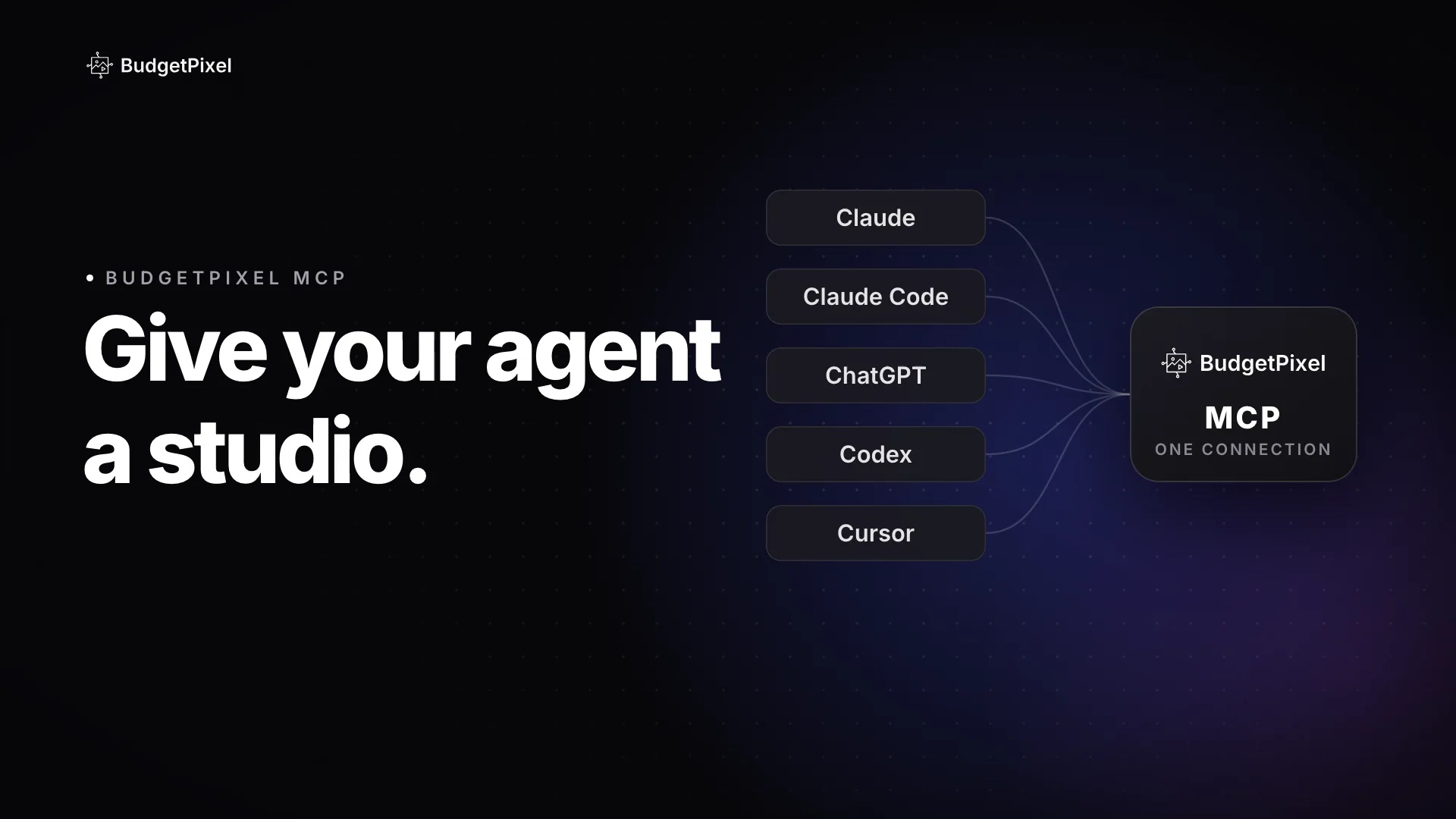
Connect BudgetPixel to Claude with one URL and Claude gets a cast of ready-made AI influencers it can read in full and cast by @handle. In our test, one brief became a 7-day Instagram plan, seven captions in the influencer's own voice, six pictures and a 5-second Reel of the same woman, for 1,863 credits in 17 minutes. Cowork uses the same connector.
 By BudgetPixel Team13 min readFacts verified
On this page
Yes, Claude Cowork can make AI influencer content with the same face in every post, once you connect BudgetPixel. The connector gives Claude a cast of ready-made AI influencers, each with a full written brief, and Claude casts one by writing their @handle into every picture and video it asks for. We gave Claude one brief for an imaginary coffee brand. It came back with a 7-day Instagram plan, seven captions in the influencer's own voice, six pictures and a 5-second Reel of the same woman, for 1,863 credits in 17 minutes. Here is exactly what it did, what an influencer's kit holds, and how to set it up.
What did we ask Claude to make?
One launch week for a coffee brand, with one AI influencer, in one message. This is the brief, word for word:
I run Ember & Oak, a small coffee roaster. Next week we launch our autumn blend, Maple Ember. Using BudgetPixel: pick one of your AI influencers who fits a cozy, warm, slightly funny brand; plan 7 days of Instagram posts; write each caption in that influencer's own voice; then make 6 feed pictures (4:5) of the same influencer and one 5-second vertical (9:16) clip. Use Nano Banana 2.1 at 2K for the pictures and Seedance 2.5 at 720p for the clip. Keep the whole thing under 2,600 credits.
Ember & Oak is imaginary. We ran the brief on October 29, 2026 in Claude Code with the BudgetPixel connector, on a BudgetPixel Ultra plan. We haven't run it in Cowork, but Cowork uses the same connectors, so the same message should work there. We added one rule of our own: every caption had to end with #ad #AIgenerated.
How did Claude choose the influencer?
It asked BudgetPixel for a shortlist, then read the winner's full brief. Claude called the recommend_influencers tool with our brief, and BudgetPixel came back with three influencers, each with a reason, a content idea and a ready-to-use prompt: Mabel, a baking influencer whose bakes always fail; Ambrose, a 400-year-old vampire skincare guru; and Barry, BudgetPixel's own ambassador, who is broke but rich in his head.
Claude picked Mabel. In its final message it said she covers all three words of the brief: cozy, warm and slightly funny. It summed up the week's idea at the top of the plan it wrote:
Mabel's bakes always fail, and she presents every one proudly. The one thing in each picture that never fails is the coffee, because she didn't make it. Her character stays intact, the jokes are gentle, and Maple Ember is the hero of every post.
It passed on Ambrose because a vampire reads as Halloween rather than coffee, and on Barry because his joke isn't cozy and he is BudgetPixel's own face. These were the tool calls, in order:
- Checked prices with list_models: Nano Banana 2.1 costs 70 credits a picture at 2K, Seedance 2.5 330 credits a second at 720p.
- Got a shortlist with recommend_influencers: Mabel, Ambrose and Barry, each with a reason, an idea and a prompt.
- Read the brief with get_character: Mabel's look, voice, directing notes, rules and 13 pictures.
- Made the pictures with generate_image, six times: six 2K pictures of @mabel, the first in under a minute, the other five together in about a minute and a half.
- Made the Reel with generate_video: one 5-second vertical clip with sound, in about 3 minutes.
Claude also checked the credit balance before and after, and checked on the jobs nine times while they ran. No picture or clip failed or had to be made again: about 7 minutes went on reading and planning, about 7 on making and downloading the pictures and the clip, and the rest on cropping and writing up the plan.
What did Claude make?
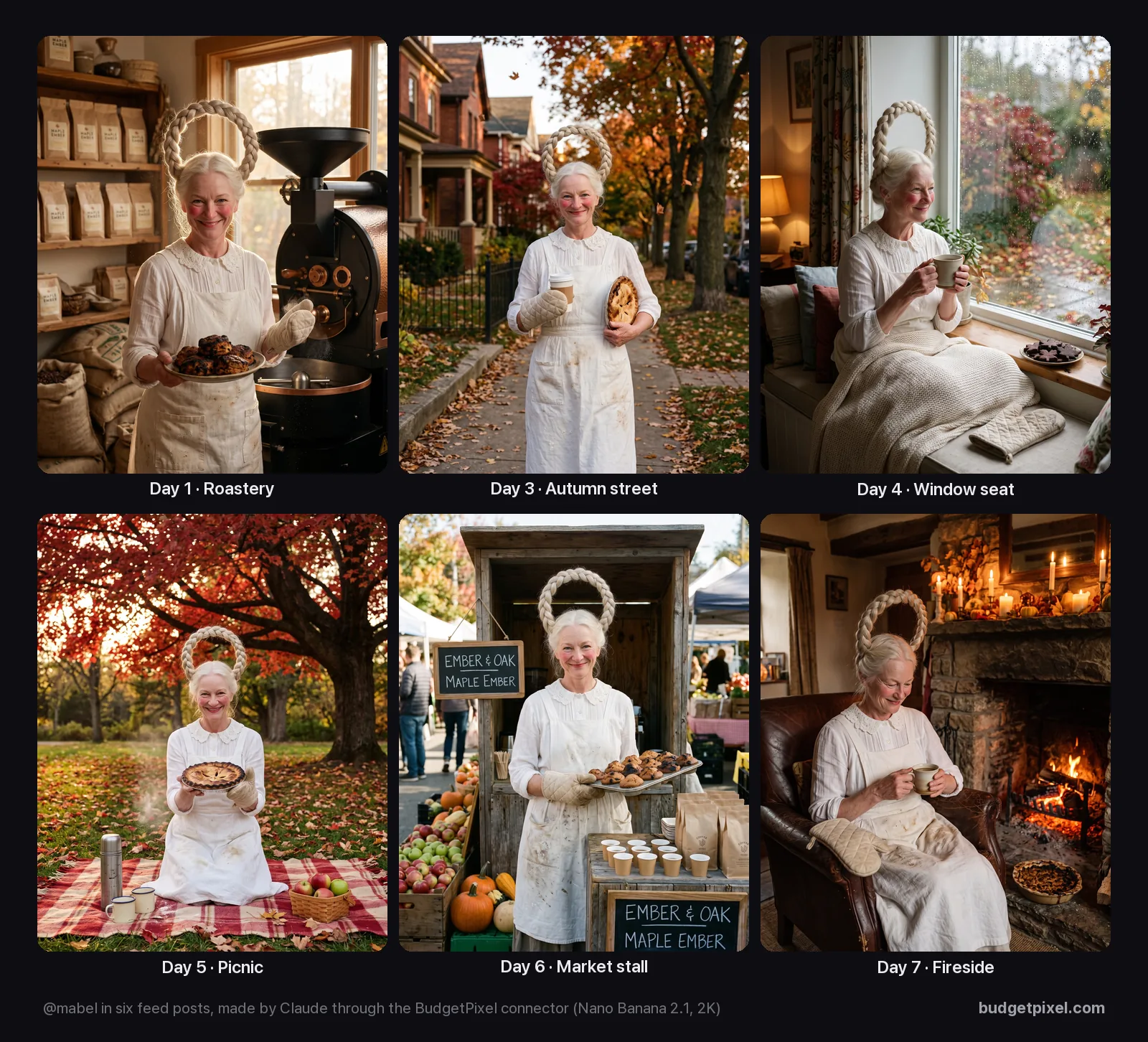
A full launch week: a feed picture on six days, a Reel on launch day, and a caption for each. Every picture shows the same woman, with the same upright braid, lace collar, floury apron and single oven mitt, in six different places.
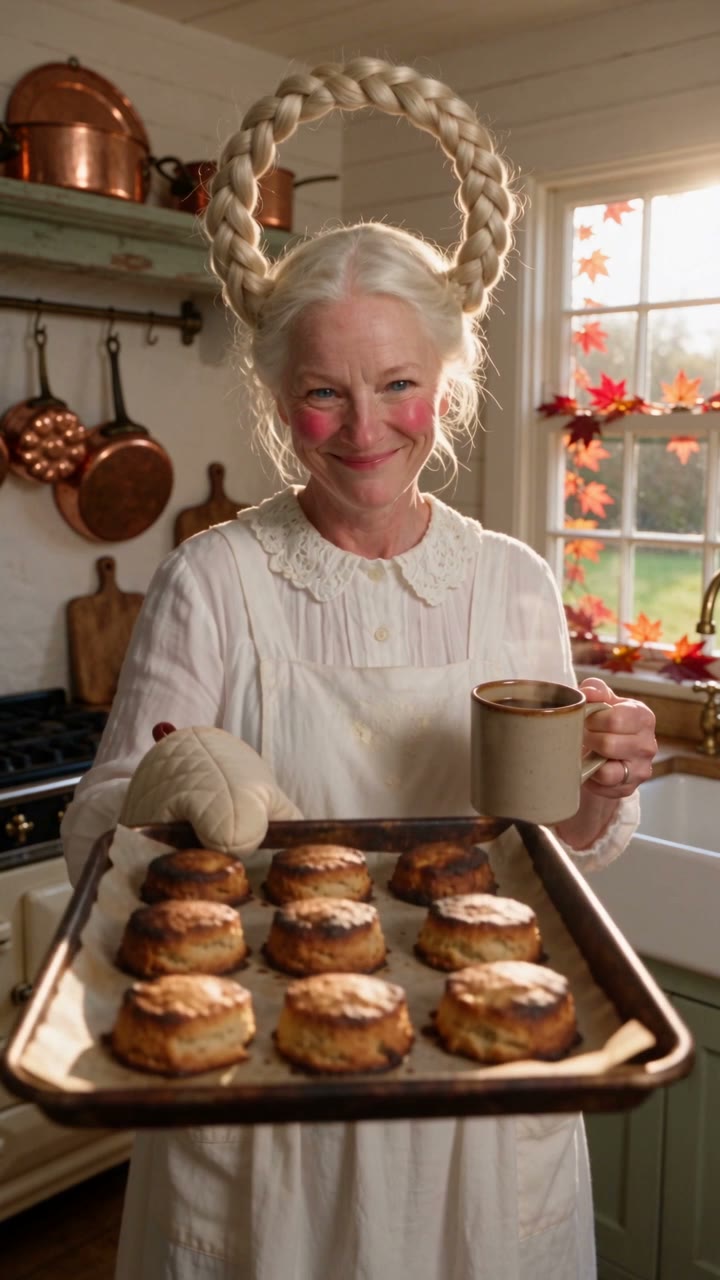
The launch-day Reel is her in her kitchen with a tray of burnt scones, lifting her mug and saying her line:
The week Claude planned, with the first line of each caption:
| Day | Post | Caption starts |
|---|---|---|
| 1 | Roastery teaser | "Yoo-hoo! I popped into the Ember & Oak roastery with a welcome plate of maple scones." |
| 2 | Launch Reel | "It's here! Maple Ember, the new autumn blend from Ember & Oak, is out today." |
| 3 | Autumn street | "The cup was hot, so naturally I brought the oven mitt." |
| 4 | Window seat | "Rainy afternoon plan: one window seat, one big mug of Maple Ember, and cookies baked to a lovely shade of 'oops'." |
| 5 | Picnic | "Picnic under the reddest maple in the park!" |
| 6 | Market stall | "Market morning at the Ember & Oak stall!" |
| 7 | Fireside wrap-up | "That's a wrap on launch week, sweethearts." |
Two of the captions in full, as Claude wrote them. The credit line under each one came from the usage terms in Mabel's kit; we didn't ask for it.
The cup was hot, so naturally I brought the oven mitt.
Off on an autumn stroll with my Maple Ember and a pie that looks lovely from this side. Please don't ask about the other side. Made with love!
If you see a halo coming down your street, wave hello. It won't wave back. It never moves.
Mabel is a BudgetPixel AI influencer.
#ad #AIgenerated
Picnic under the reddest maple in the park! My maple pie sank in the middle, so today it's a maple bowl. Made with love!
The thermos of Maple Ember came out exactly the way it went in, which is more than I can say for the pie. Who's bringing the napkins?
Mabel is a BudgetPixel AI influencer.
#ad #AIgenerated
It wasn't perfect, and Claude said so in its own report. The halo braid is a taller loop rather than a ring in two of the six pictures, the market stall has two identical chalkboard signs, and the coffee bags are the model's own design, because we never gave it a photo of a real bag. Claude also left one placeholder, the market's name, day and time, for us to fill in rather than inventing it.
What's in an AI influencer's kit?
Everything a director would need: a written description of the look, a personality, a voice, directing notes, rules and a set of pictures. Claude gets all of it from one get_character call. This is what Mabel's kit says:
- Look: "A pale Scandinavian-looking woman in her mid-sixties with rosy cheeks and smile lines, her silver-blonde hair braided into one thick braid that stands up in a perfect upright ring above her head like a halo. She wears a flowing white linen cottage-core dress with a lace collar, an apron with flour on it and one oven mitt, with a sweet, saintly smile and a mischievous glint."
- Personality: "Sweet as pie, endlessly proud of her disastrous bakes. A little mischievous."
- Speaking style: "Warm and sing-song, presenting every failure with 'Made with love!'"
- Directing notes: "She presents each burnt or collapsed bake to the camera with a proud beam; flour puffs; the halo braid never moves."
- Consistency rules: "The braided halo always stands upright above her head. Her bakes always fail."
- In her head and in reality: a royal pastry competition, and a cake that collapsed in the oven.
- Usage terms: free to cast in what you make, on BudgetPixel or with other tools, with a credit and a link to her page when you post, and never nude or in sexual content.
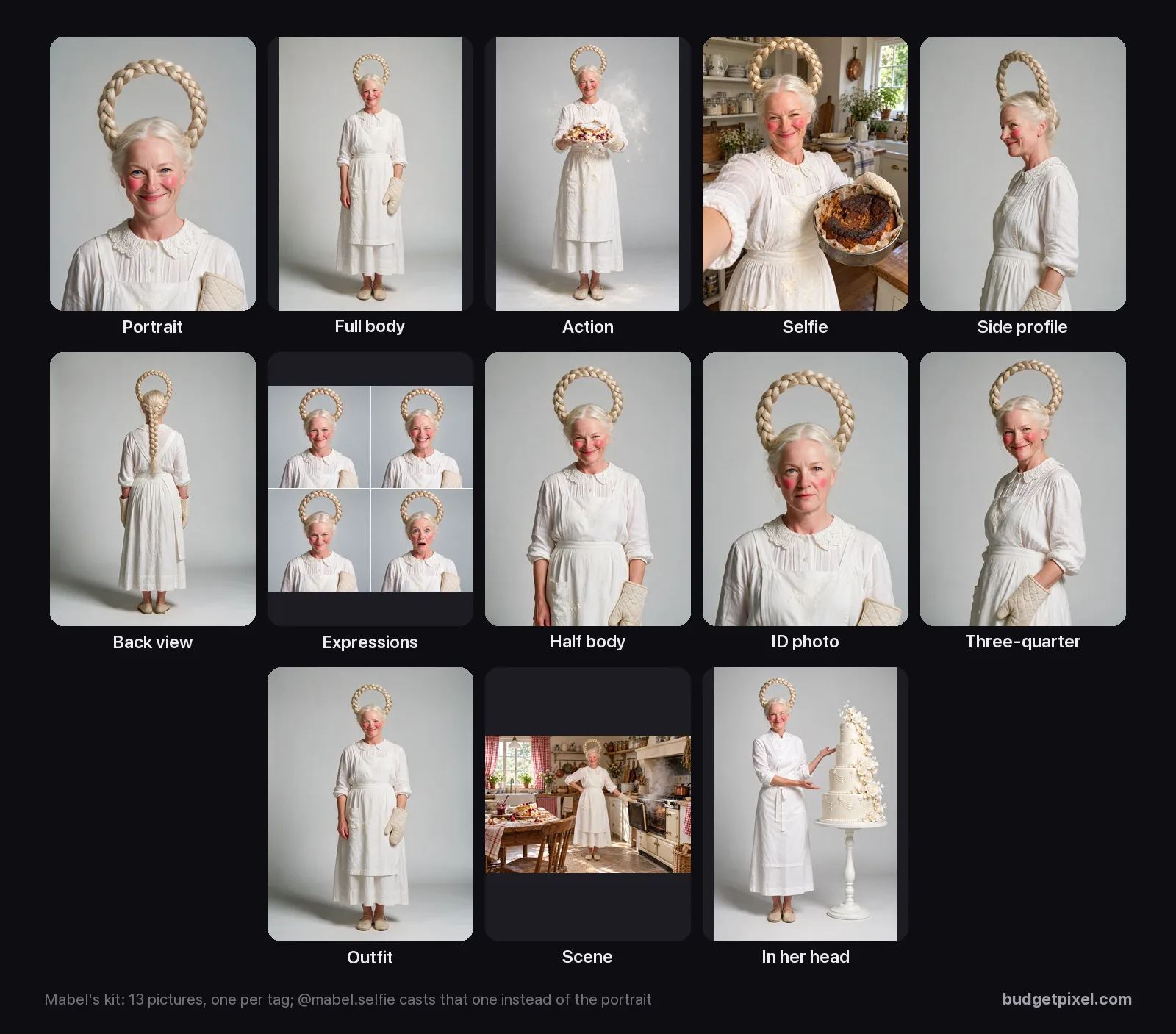
Only the picture and the look travel with an @mention; the personality, voice and rules are for whoever directs her. Claude used all of it: her rule about the upright halo went into every prompt, her speaking style into every caption, and "her bakes always fail" became the week's running joke. You can cast up to four characters in one picture or video, on models that take that many reference pictures, and BudgetPixel's own influencers range from funny originals to glam and cosplay creators, lifestyle stars, fantasy characters and animals, all listed at budgetpixel.com/characters.
How do you set it up in Claude Cowork?
Add BudgetPixel as a custom connector in Claude, then switch it on in your task. Cowork is how Claude takes on longer, multi-step jobs: it makes a plan, uses tools and hands back finished files. On September 16, 2026, Anthropic began merging Cowork and chat into one Claude (Pro and Max first), and both use the same connectors.
- In Claude, on the web or in the desktop app, open Customize, then Connectors.
- Click + Add, then Add custom connector (on some accounts: Add, then Custom, then Web).
- Name it BudgetPixel and paste the server address:
https://mcp.budgetpixel.com/mcp - Click Continue, keep the sign-in settings Claude detects and click Continue again (no API key needed), then click Add and sign in with your BudgetPixel account when asked.
- In a chat or a Cowork task, click +, then Connectors, and switch BudgetPixel on.
- Paste your brief, starting with "Using BudgetPixel, pick one of your AI influencers for…".
In Claude Code, the connector is already there if you sign in with your Claude account. If you use an API key instead, add it from your terminal, then type /mcp in Claude Code and sign in:
claude mcp add --transport http budgetpixel https://mcp.budgetpixel.com/mcp --scope user
How do you get good results?
Ask for a shortlist, keep the influencer in their own clothes, and save what you keep. These tips come from our test run and from how the connector works:
- Ask for a pick, not a name. "Pick one of your AI influencers for…" usually leads Claude to call recommend_influencers, which ranks the cast for your brief instead of guessing. Name one with their @handle if you already know who you want.
- Say the shape. For pictures, the connector offers 1:1, 3:4, 4:3, 9:16, 16:9, 2:3, 3:2 and 21:9. Instagram's 4:5 feed shape isn't one of them, so Claude made 3:4 pictures and cropped them to 4:5 on our computer.
- Let them wear their own outfit. The look, clothes included, goes with every @mention, so small changes suit a character better than a full costume change.
- Show your real product. Give Claude a photo of your packaging to pass along as an input picture; without one, the model invents it, as it did with our coffee bags.
- Save what you keep. Results made through the connector are deleted after about 24 hours, and their links work for about an hour, so ask Claude to save the ones you want to your BudgetPixel library.
- Pick a specific picture. @mabel.selfie or @mabel.back casts that picture from her kit instead of the portrait.
What does it cost?
The connector itself is free; you pay in credits for each picture and clip, at the same prices as on budgetpixel.com. Casting has no fee of its own: the influencer's picture goes along as a reference image, which most models, including the two we used, don't charge for (a few charge a little per extra input picture). The agent tools need a paid BudgetPixel plan, from Basic at $10 a month with 11,000 credits, and extra credits cost $1 per 1,000. For paid brand work, BudgetPixel's terms give full commercial rights from Premium, at $22 a month. Cowork needs a paid Claude plan of its own.
| What Claude made | Model | Credits |
|---|---|---|
| 6 feed pictures, 2K | Nano Banana 2.1 | 420 (70 each) |
| 1 Reel, 5 seconds at 720p | Seedance 2.5 | 1,650 |
| The whole week | 2,070 |
Our Ultra plan's discounts brought the week down to 1,863 credits. Reading the cast, the briefs and the prices cost nothing, and the plan and captions are Claude's own writing, so they don't use BudgetPixel credits either.
Do you need to label AI influencer posts?
Yes, in most places, and it's simple to do. As of October 2026:
- Instagram says profiles that feature an AI-generated person should turn on its AI-generated profile label: labelled profiles keep their reach, while unlabelled ones it detects can lose it (Instagram's creator blog, August 31, 2026). Meta also requires its AI label on posts with realistic AI video or audio, like the Reel.
- YouTube requires creators to disclose realistic AI content and, since its May 2026 update on AI labels, adds the label itself when its systems detect it.
- The EU's AI Act has required deepfakes to be disclosed since August 2, 2026.
- In the US, the FTC's Endorsement Guides say an endorser can "be or appear to be" an individual, so sponsored posts by virtual influencers need the same clear disclosure, such as #ad, and its 2024 rule on fake reviews bans fake testimonials, such as passing off a made-up person as real or claiming they used the product (the FTC says the rule doesn't ban virtual influencers themselves). New York has required ads to disclose synthetic performers since June 2026.
So tag sponsored posts as ads, switch on the platform's AI label, and keep a virtual influencer's lines playful rather than claiming real experience with the product. Mabel never claims she has drunk Maple Ember for years or praises its taste; the running joke is that it's the one thing she didn't make. This isn't legal advice; check the rules where you post.
Why not just describe the face in every prompt?
Because a described face drifts from one prompt to the next, and a cast character mostly doesn't. Write "an older woman with a braided halo" six times and an image model gives you six slightly different women; casting @mabel sends the same reference picture and the same written look every time. The other way to keep a face the same is to train your own character on photos, which several tools offer; our comparison of AI influencer generators covers which does what. A ready-made cast skips that step, and gives your agent a brief it can direct from the first message.
Questions people ask
Can Claude Cowork make images and videos?
Yes, with a connector. Cowork uses the connectors you add to Claude, so once BudgetPixel is connected, Claude can make pictures, video clips and music in a Cowork task, and cast AI influencers by their @handle. Cowork itself needs a paid Claude plan.
How do I keep an AI influencer's face the same in every post?
Cast the same character every time instead of describing a face. With BudgetPixel, writing @mabel in a prompt sends Mabel's reference picture and her written look with the job, on any supported model. In our test, all six pictures and the video showed the same woman.
Do I need a paid plan?
On Claude's side, Cowork needs a paid plan, while custom connectors work on every plan (Free allows one). On BudgetPixel's side, the agent tools need a paid plan, from Basic at $10 a month. Casting has no fee of its own: the influencer's picture goes along as a reference image, which most models don't charge for.
How much did the test week cost?
2,070 credits at standard prices, or 1,863 on our Ultra plan: six Nano Banana 2.1 pictures at 2K (70 credits each) and one 5-second Seedance 2.5 clip at 720p (1,650). That is about $2 at the credit-pack price of $1 per 1,000 credits.
Can I use my own character instead?
Yes. Characters you create on BudgetPixel are cast the same way, with their @handle. If one of yours shares a handle with an official influencer, yours wins.
Can I use a BudgetPixel influencer for my brand?
Yes. The influencers are free to cast in the images and videos you make, on BudgetPixel or with other tools. When you post, BudgetPixel asks you to credit the influencer, for example "Mabel, a BudgetPixel AI influencer", with a link to their page, and never to show them nude or in sexual content. For paid brand work, check your plan: BudgetPixel's terms give full commercial rights from Premium, while Basic covers personal and limited commercial use. Mark sponsored posts as ads and label the person as AI.
Does it work in Claude Code too?
Yes. If you sign in to Claude Code with your Claude account, connectors you added in Claude are already there. Otherwise run claude mcp add --transport http budgetpixel https://mcp.budgetpixel.com/mcp --scope user in your terminal, then type /mcp in Claude Code to sign in. The test in this guide was run in Claude Code.
Try it yourself
Then connect Claude at budgetpixel.com/mcp. The agent tools need a paid BudgetPixel plan, from $10 a month; casting an influencer has no fee of its own.