How to Turn a Long Video Into Shorts With AI (We Tested It)
To turn a long video into Shorts with AI, paste its link or upload it to an AI shorts generator such as BudgetPixel's Shorts studio. It transcribes the whole video, picks the moments that make sense on their own, cuts them on whole sentences, reframes each one to 9:16 and adds word-timed captions. A 12-minute film we tested came back as six Shorts of 26 seconds to 1 minute 15, for 300 credits.
 By BudgetPixel Team7 min readFacts verified
On this page
Turning a long video into Shorts means finding the minutes that still make sense on their own, cutting them out, turning them vertical and adding captions. An AI shorts generator does all four in one pass: you paste a link or upload the video, and it hands back finished vertical clips. This guide covers what makes a good Short, how to make them step by step in BudgetPixel's Shorts studio, what our own 12-minute test produced, and what it costs.
What makes a good Short from a long video?
A long video rarely has a clip you can lift as it is. The moments that work as Shorts share four things:
- They stand on their own. The clip makes sense to someone who never saw the rest: one question and its answer, one tip, one story with an ending. A clip that starts with "as I said earlier" does not.
- They start on the point. The first seconds decide whether people keep watching, so a clip should open on the point, not on the run-up to it. A short title on screen can say what the clip is about before the speaker gets there.
- They are vertical. Shorts, Reels and TikTok fill a phone held upright, so a 16:9 video has to be reframed to 9:16 around the person speaking, or fitted into the tall frame.
- They have captions. Captions keep a viewer following when the sound is off or the speaker is hard to hear, and word-by-word highlighting keeps the eye on the screen.
The length limit is generous. Since October 15, 2024, YouTube counts a square or vertical upload of up to three minutes as a Short (YouTube Help). The right length is the length of the moment: some tips take 20 seconds, some stories need a minute and a half.
How to turn a long video into Shorts with AI, step by step
Here is the whole process in BudgetPixel's Shorts studio, part of Clip Studio.
- Bring the video. Paste a link to a video, such as a public YouTube video, or upload your own file, up to two hours long. Use a video you own or have the rights to use.
- Choose the shape and the length. 9:16 is the default, with 16:9 for YouTube and 1:1 for feeds. Pick a clip length (under 30 seconds, 30 to 60 seconds, or 1 to 3 minutes) or leave it on Auto to let the content decide, and choose how many Shorts you want, up to six.
- Pick the captions and the opening title. Choose a caption style; word-by-word highlighting is on by default, and captions can be turned off. The opening title is a short hook shown for the first three seconds or so; pick a style, or None if you add titles when you post.
- Say what to look for (optional). Under Advanced, a line like "focus on the investing advice, skip the sponsor read" steers which moments it picks.
- Start it and wait a few minutes. The price shows before anything starts. The studio transcribes the whole video, reads the transcript to pick the moments, cuts each one on whole sentences, reframes it and burns in the captions.
- Check every clip in the editor. Each Short opens in Clip Editor, a multi-track timeline in the browser, so you can move a cut, reword a caption or change the title before you export.
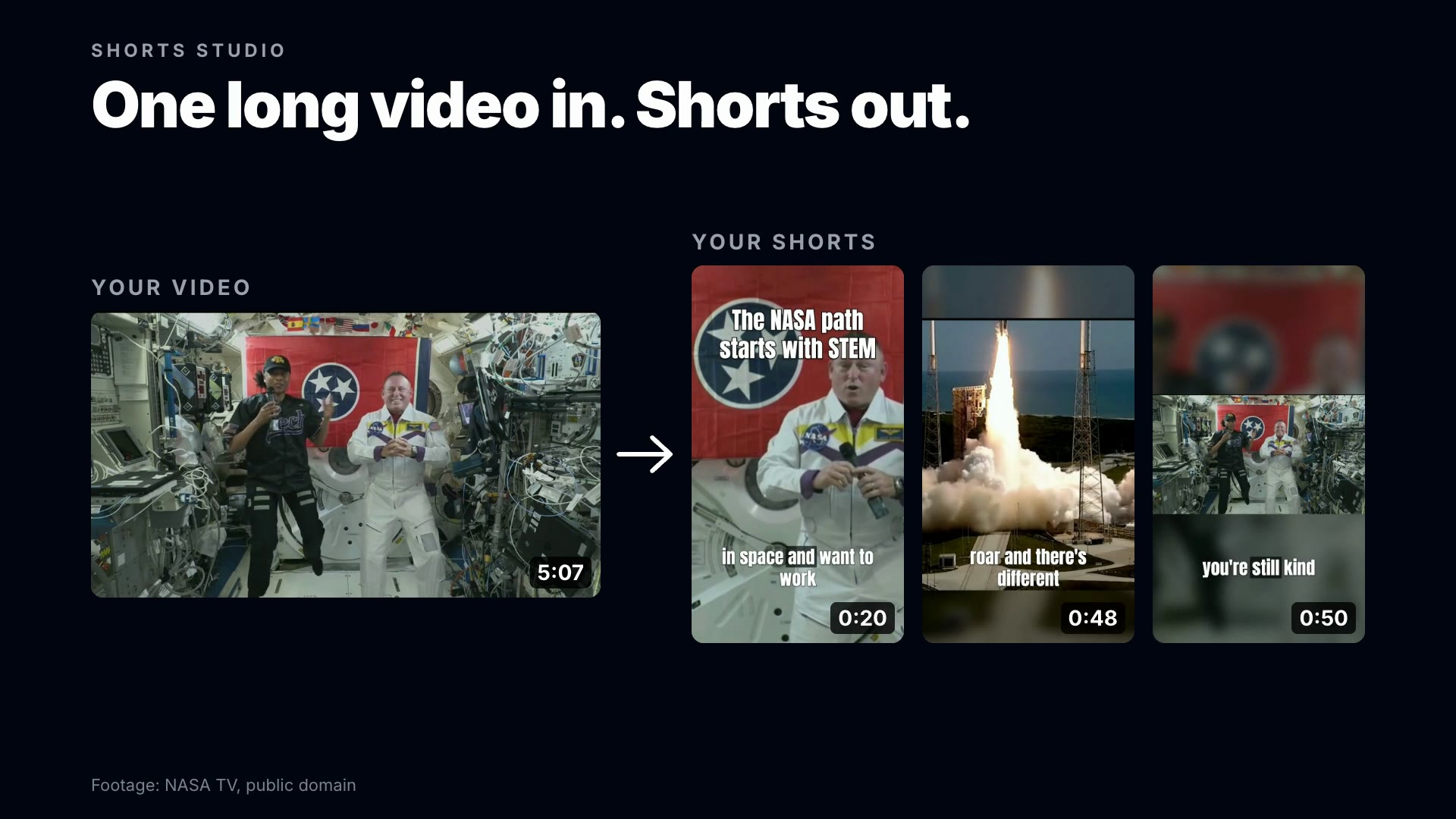
Why whole sentences matter: the studio never cuts at a time a model guessed. It picks sentences from the transcript, and the cut points come from the measured start and end of those sentences, so a clip cannot begin or end mid-word. When a scene change falls close to the first sentence, the start moves to it, so the clip does not open on half a shot.
Our test: a 12-minute film in, six Shorts out
We ran the studio with its default settings (Auto length, Auto count, 9:16) on "Dating: Do's and Don'ts", a 12-minute classroom film from 1949 that is in the public domain. It came back with six Shorts:
| Short | Length | Where it is in the film |
|---|---|---|
| Choosing Your First Date | 1:10 | 1:12 to 2:22 |
| How to Actually Ask Someone Out | 1:08 | 4:41 to 5:50 |
| Dating Without Spending a Fortune | 0:43 | 6:27 to 7:10 |
| The First-Date Punctuality Lesson | 0:46 | 7:49 to 8:34 |
| Do You Need First-Date Flowers? | 0:26 | 8:49 to 9:15 |
| How to End a Date | 1:15 | 10:47 to 12:02 |
The film is a string of dating tips, and the studio found six of them and cut each from its first line to its last: together about five and a half minutes of the twelve. Each Short opens with a title that sums it up ("First-date flowers: required or overkill?", "Great dates don't require fancy dinners") and carries word captions at the bottom. The film is 4:3, and the clips keep its whole frame, set over a blurred copy of itself, instead of cropping into it.
Two of the six, exactly as the studio made them:
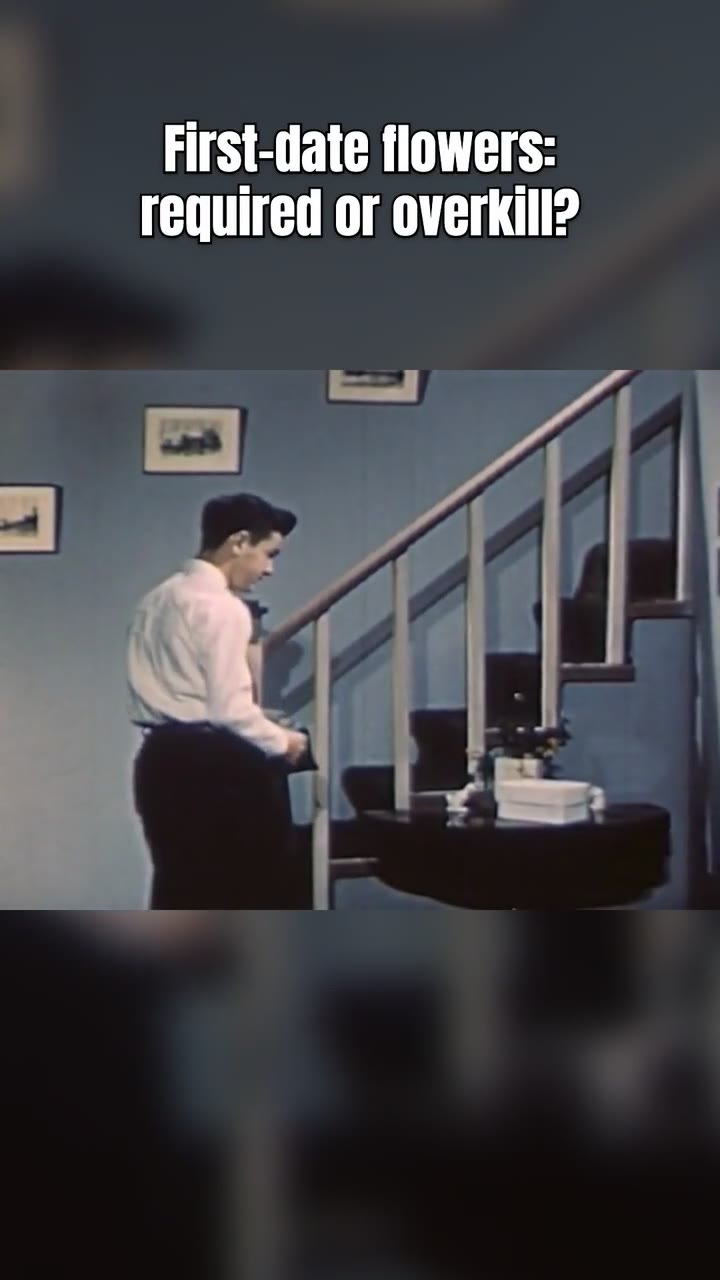
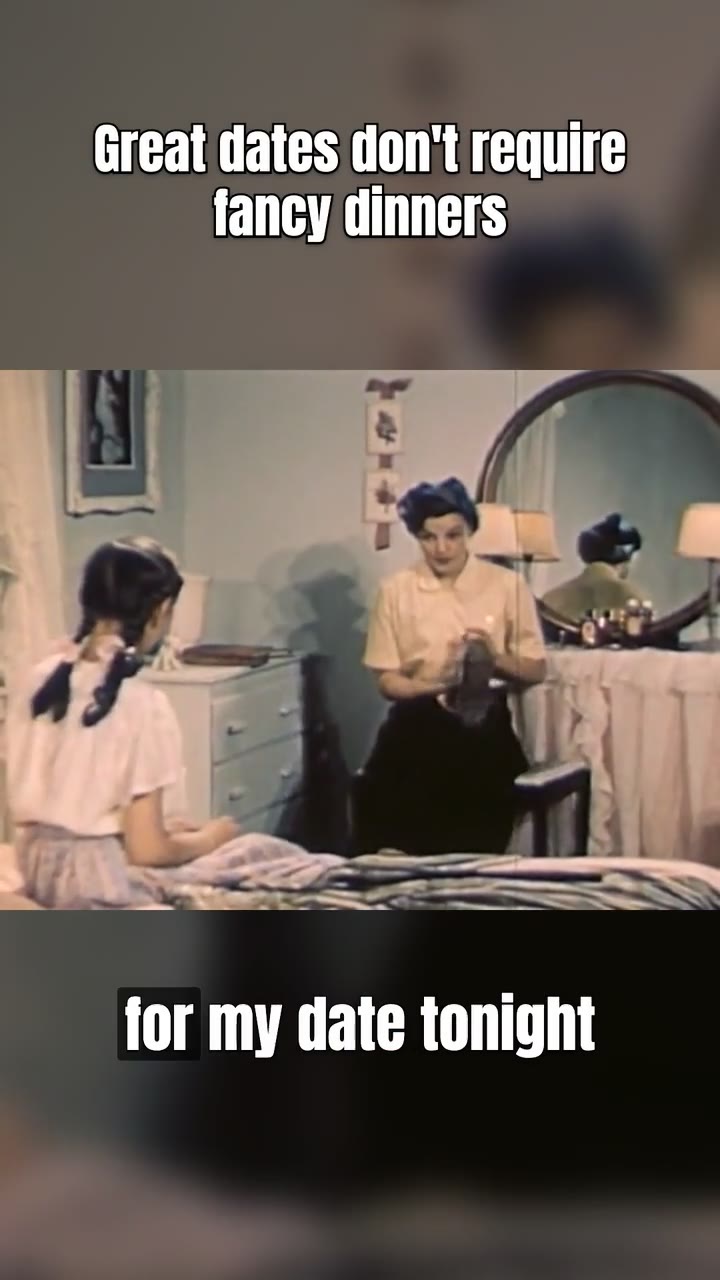
The run cost 300 credits: the film runs 12 minutes 25 seconds, which is three started 5-minute blocks at 100 credits each. If a title or a cut is not what you would have chosen, that is a change in the editor, not a new run.
How much does it cost?
The Shorts studio charges 100 credits for every started 5 minutes of the source video, and that covers everything: transcription, picking the moments, reframing, captions and rendering. The price shows before you start.
| Video length | Credits |
|---|---|
| Up to 5 minutes | 100 |
| 12 minutes (our test) | 300 |
| 30 minutes | 600 |
| 1 hour | 1,200 |
| 2 hours | 2,400 |
New accounts get 10 free studio runs, no card needed, on videos up to 30 minutes long. Shorts made on a free run play in Studio; downloading and posting them comes with a plan, and Clip Studio is included in Premium and above, on the same subscription as the rest of BudgetPixel.
Tips for better Shorts from long videos
- Start from a video with clear points. Interviews, podcasts, Q&As, lessons and talks give the studio self-contained moments to find. A long, winding conversation gives it fewer.
- Match the length to the job. Under 30 seconds suits a quick tip, 1 to 3 minutes a full story. Auto lets each moment take the time it needs.
- Steer it when you know what you want. One line under Advanced ("only the parts about pricing") beats deleting four clips you did not need.
- Check the first three seconds of each clip. If a clip opens before the point, trim it in the editor.
- Give each Short a cover. YouTube lets you set a Shorts thumbnail in YouTube Studio on a computer, and Thumbnails picks the most clickable frames from your own video.
- Post them as a series. Six Shorts from one video are six chances to be found, and each one can send viewers back to the full video.
Doing it by hand
Without AI the work is the same, only slower: watch the whole video and note where each self-contained moment starts and ends; cut each one in an editor; set the sequence to 1080 × 1920 and reframe the shot around the speaker, moving the crop when they move; add captions and a title; export each clip. For an hour-long podcast that can take hours. An AI shorts generator does the first pass in minutes and leaves you the part that needs judgment: checking each clip.
Going further
- No long video? Explainer makes a faceless Short from a topic or a script, and our faceless YouTube channel guide shows what 39 of them did.
- On camera yourself? B-Roll puts pictures on your words; see how to add B-roll to a talking video.
Questions people ask
How do I turn a long video into Shorts with AI?
Paste the video's link or upload it to an AI shorts generator such as BudgetPixel's Shorts studio. It transcribes the video, picks the moments that make sense on their own, cuts them on whole sentences, reframes them to 9:16 and adds word-timed captions. Every Short then opens in an editor for changes.
How long can a YouTube Short be?
Up to three minutes. YouTube counts a square or vertical video uploaded on or after October 15, 2024 as a Short when it runs three minutes or less.
How many Shorts can I get from one long video?
Up to six per run in BudgetPixel's Shorts studio. Leave the count on Auto and it decides from the content, or ask for one to six. Our 12-minute test film gave six.
Is there a free AI shorts generator?
You can try BudgetPixel's free: new accounts get 10 free studio runs, no card needed, on videos up to 30 minutes long. Shorts made on a free run play in Studio; downloading and posting them comes with a plan, and Studio is included in Premium and above.
How much does it cost to turn a long video into Shorts?
100 credits for every started 5 minutes of the source video, with transcription, picking, reframing, captions and rendering included. A 12-minute video costs 300 credits and a one-hour podcast 1,200. The price shows before you start.
Can I use a YouTube link?
Yes. Paste a link to a public video, or upload a file, up to two hours long. Use videos you own or have the rights to use.
Will the AI cut in the middle of a sentence?
No. The studio picks whole sentences from the transcript and cuts at their measured start and end, so a clip cannot begin or end mid-word.
Can I edit the Shorts after they are made?
Yes. Every Short opens in Clip Editor, a multi-track timeline in the browser, where you can move a cut, reword a caption, change the opening title and export again.
What size should a Short be?
Vertical 9:16, which is 1080 × 1920 pixels. The Shorts studio makes 9:16 by default and can also make 16:9 or 1:1 clips.
Try it yourself
New accounts get 10 free runs, no card needed.