
Testing Apps: Pose Transfer
 @antares

I've been looking for a good pose transfer tool for a while. My ideal would be to be able to take the pose of a character from one image and transfer it to a character in another image: a sort of pose swapper, similar to face swappers. When I saw the Poser Transfer app here on BudgetPixel I was hoping it was what I was waiting for, but that's not the case. Poser Transfer only works with a skeleton editor, and not always in a reliable way.
The skeleton editor is not 3D, but just 2D. Although users can choose between front, side, and back poses using the buttons above the skeleton, they can never be sure of the outcome when dragging the joints to adjust the pose they will achieve. Furthermore, the camera position is never clearly identified. To illustrate these problems, let's look at some tests I ran starting from this character.
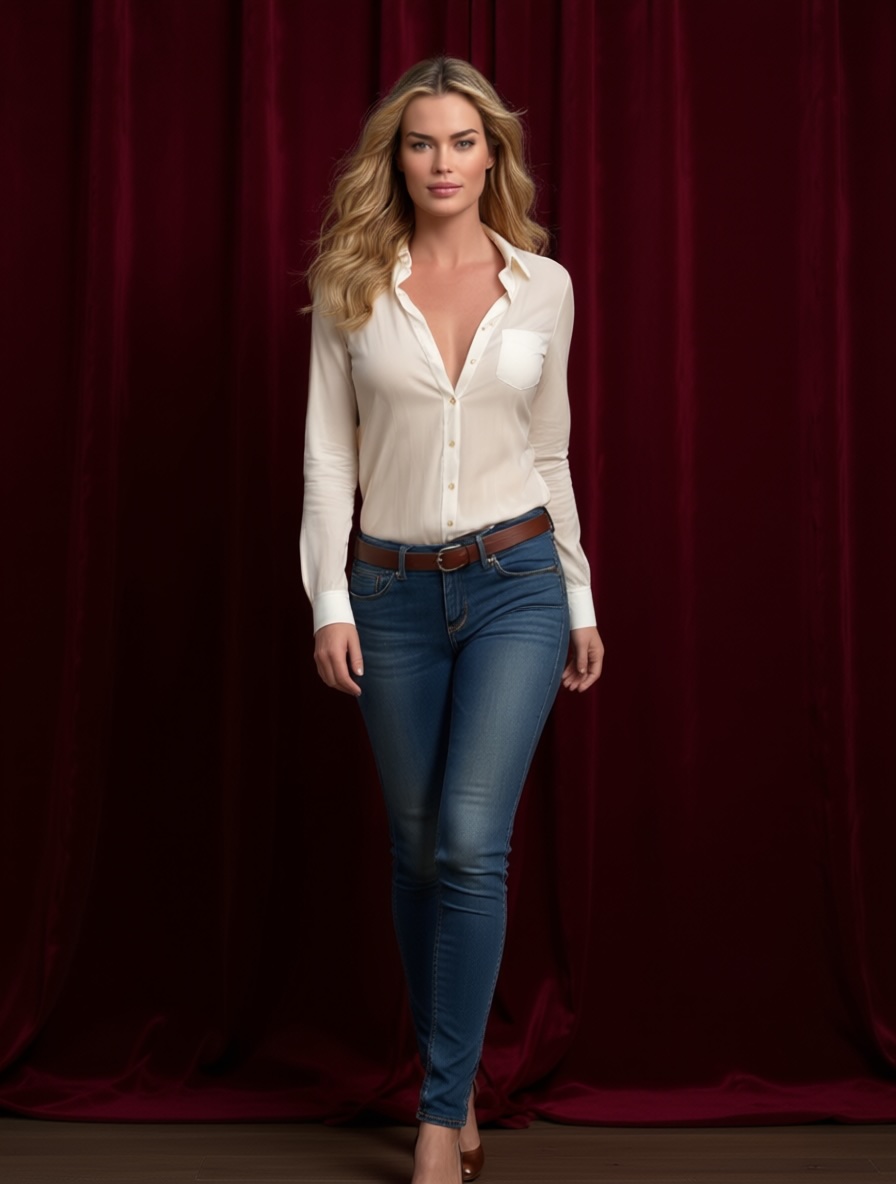
I chose a neutral dark red background for the woman to enhance her poses. The image size rate is 3:4, classic portrait.
The first pose I tried is the following:
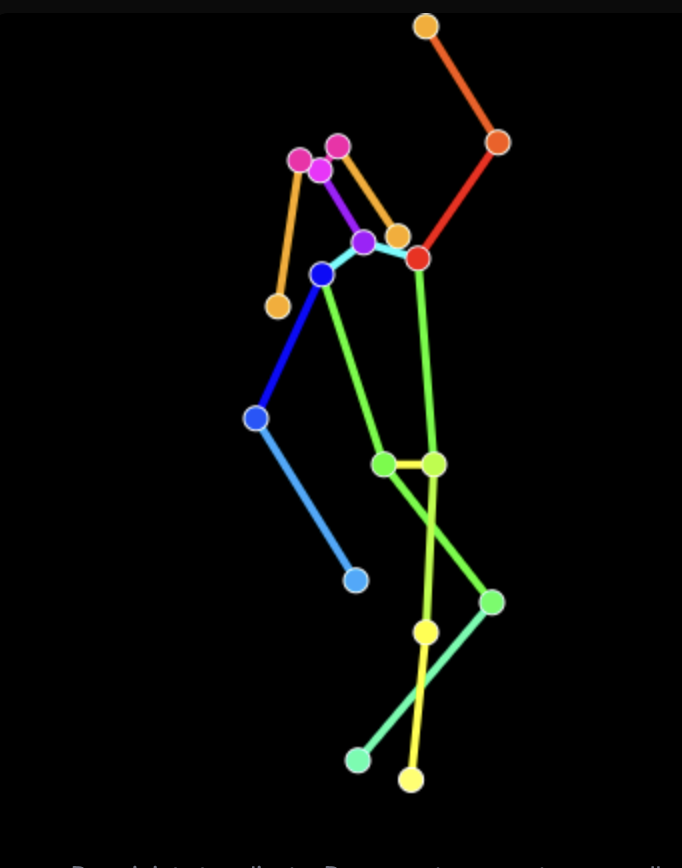
I chose the "front" position, but it's obviously a semi-lateral pose. I don't understand what those joints on top of the skeleton's head are for: I interpreted them as the position of the hair, but I'm not sure. Here is how this pose was applied to my character.
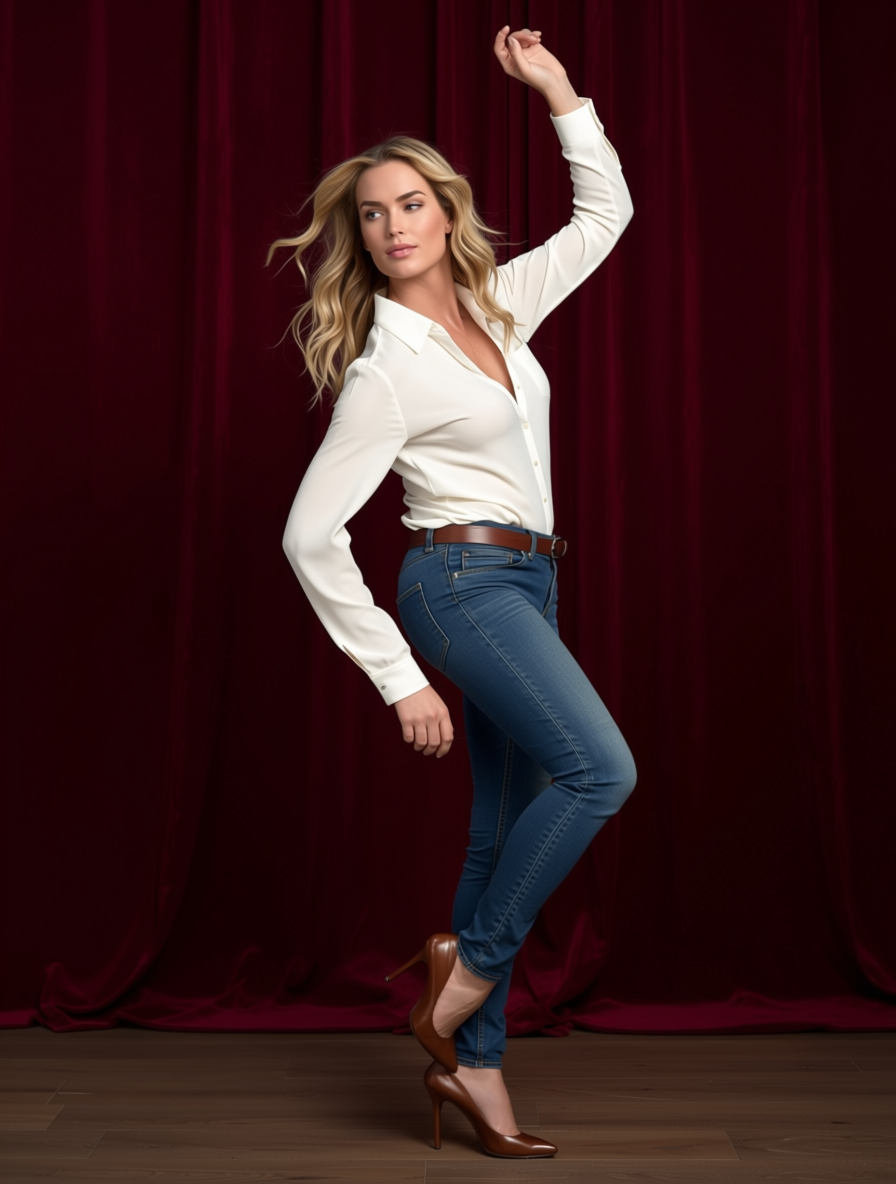
I am quite satisfied with the result: the pose is correct and the character's features are maintained. Now let's see another pose:
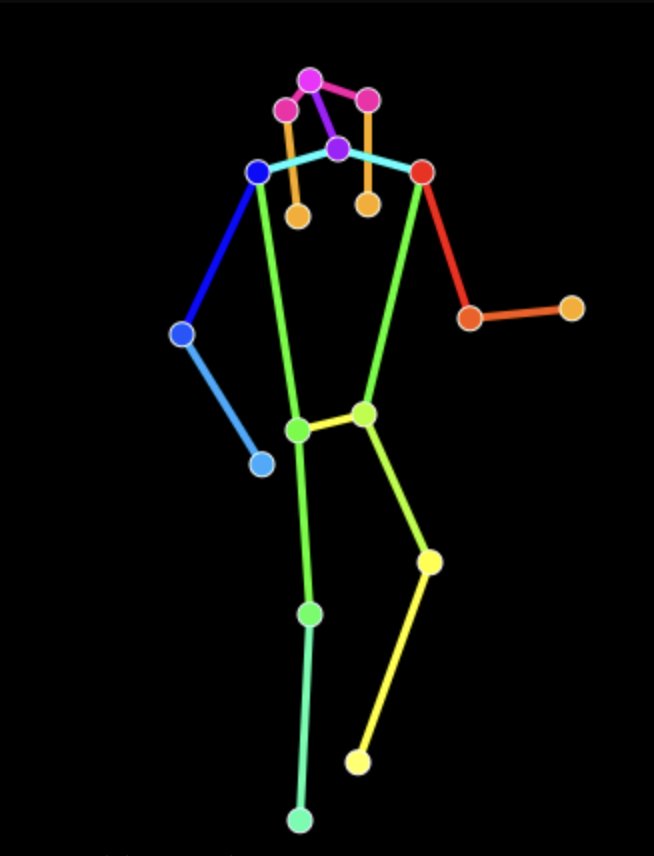
I wanted to see this position from behind, so I chose the "back" button. And here is the image I got:
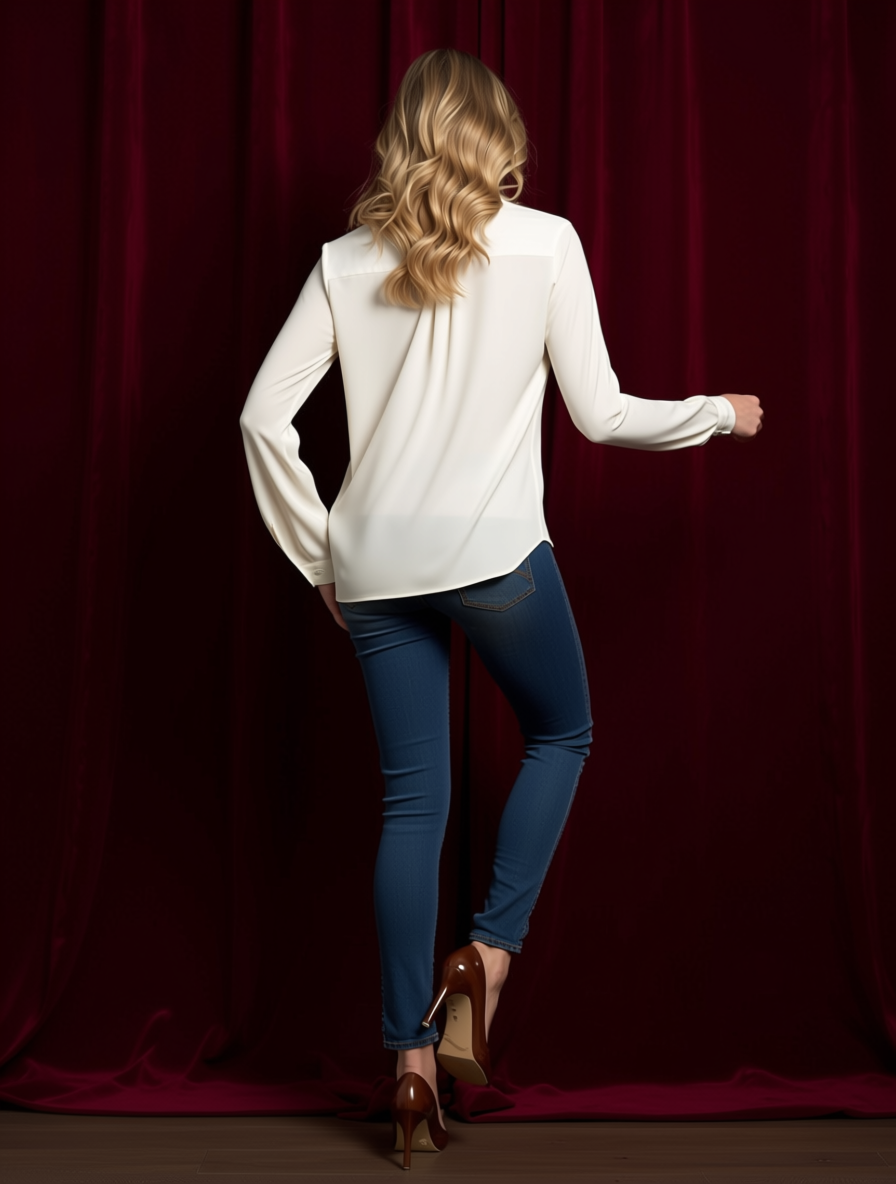
The pose is correct, but now the shirt is untucked and its shape seems more suited to the skeleton than to the woman.
Finally, I tried a third pose, with which I wanted to correct the defects of the previous one.
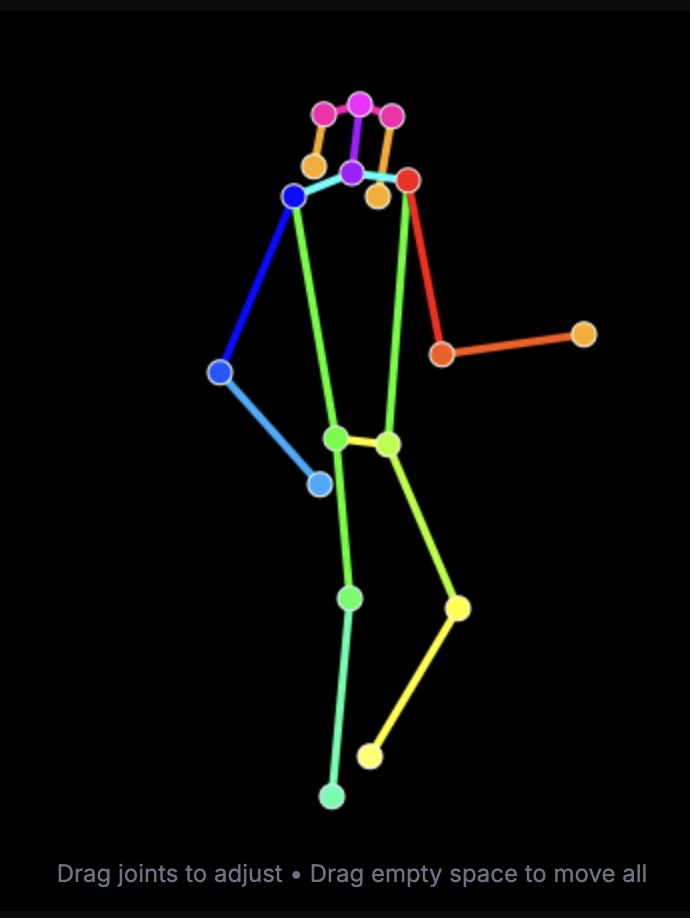
With this pose too I selected the "back" button. And here is the image I got:
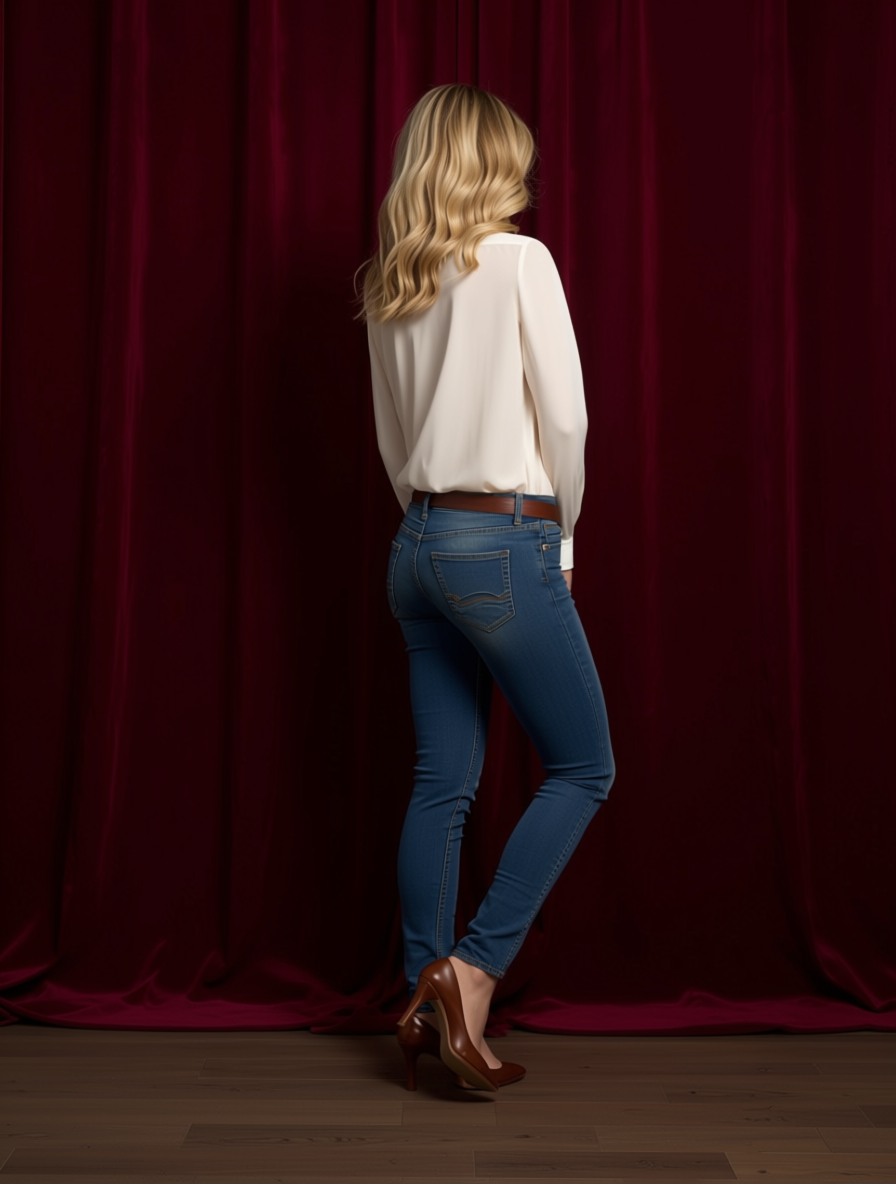
Now the shirt is not untucked, the jeans and belt are fine, however the right arm is not in the position it should be. As a test, I tried also the Advanced Mode (180 credits), and here is the result I got:
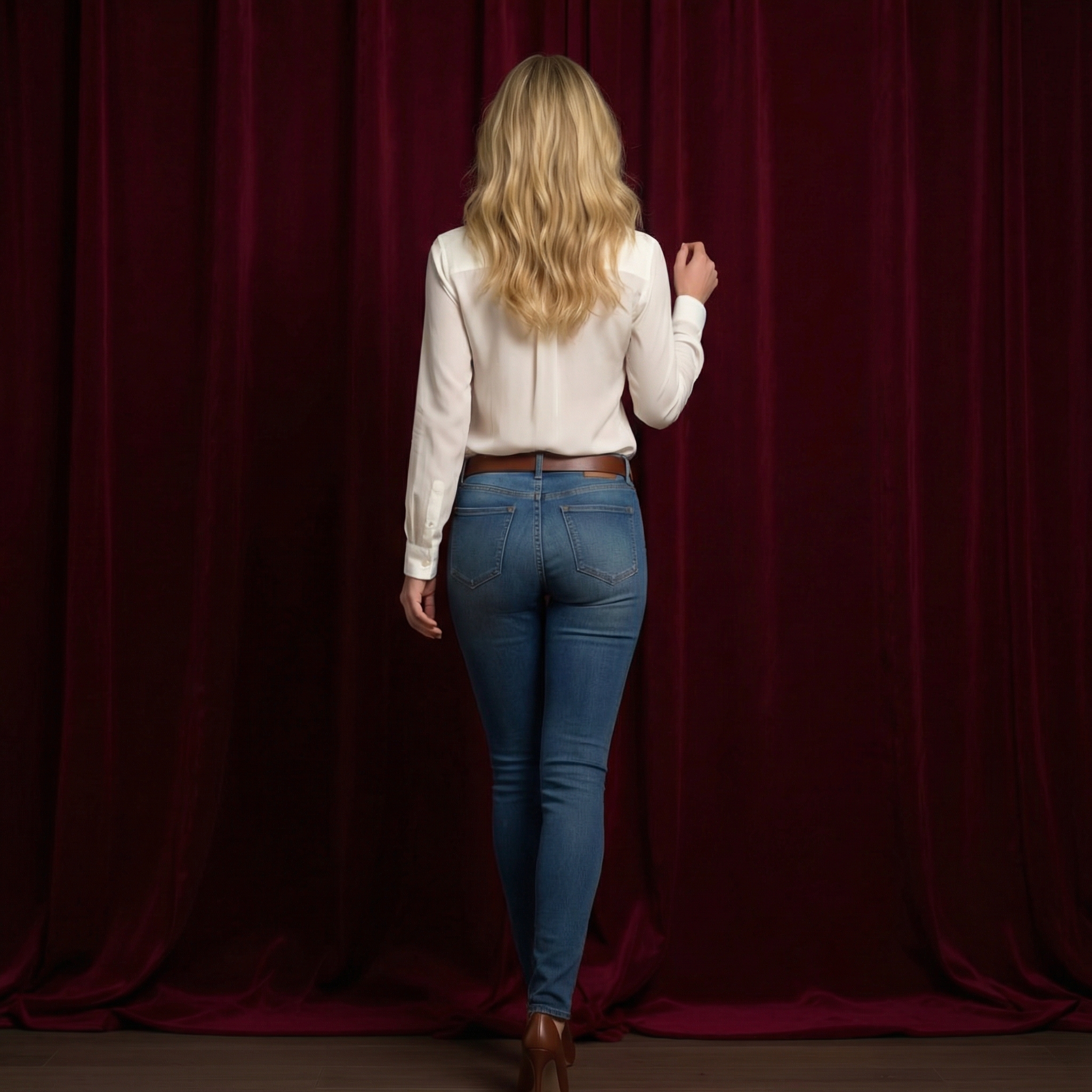
Now the pose of the arms is more correct, even if the character is seen directly from behind, which I didn't intend when I positioned the skeleton. Furthermore, it is unclear whether the woman's left foot and shoe were lost in the curtain. The shirt, jeans and belt are fine. The image's size has been changed to 1:1 (square), I don't know why.
In conclusion, I think this app can be useful, but it needs some improvements to be more reliable.
Topics


 @EternaSky

 @DavidP

 @germancowboy

 @Sealine
 @CaylaCatz
 @pikpoo
Comments (11)
Thanks for the tip, Archangel, very kind of you! I'd like to answer your question, but I'm not sure what you mean: as I wrote at the beginning of this blog, Pose Transfer is available here on BP among the Apps, and everyone can use it 😎
WOW this is really cool. Ok how did you do this with those dots and lines? Thank you so much
Oh ok I will have to check it out thank you I haven't tried that yet
Thanks for the analysis, Antares! Seems like this app needs some work.
I have to admit, you play the app better than I did.
Sign in to read all 11 comments and add yours.